



Skip to content

WhatsApp marketing for software providers.

With SmartChat, you send your customers on WhatsApp what they should know about your software: a new feature, the invitation to an online training or a notice before maintenance.

WhatsApp newsletter from a software provider about the new e-invoice

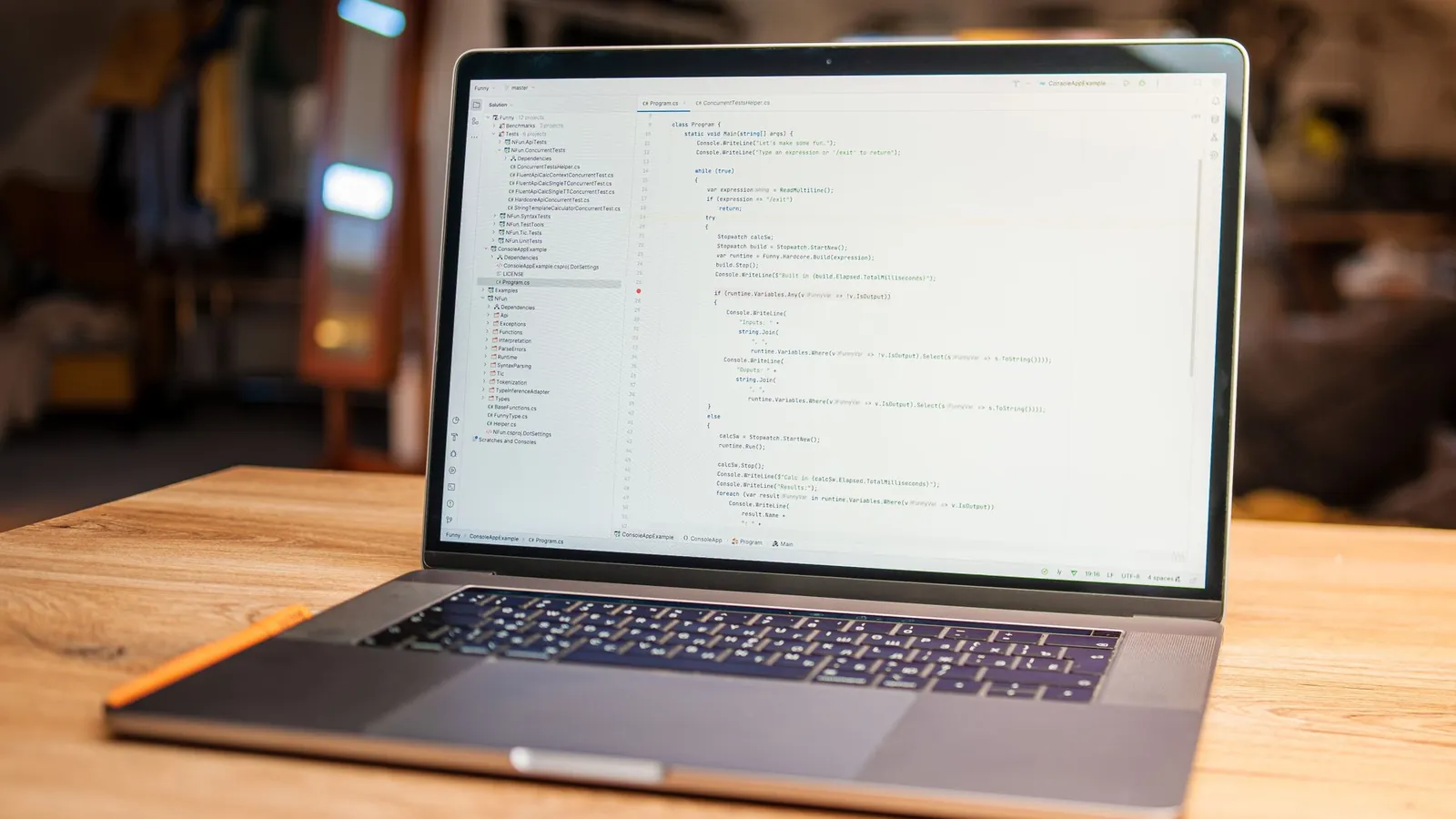
Laptop, phone and coffee on a round table, image in the newsletter

image

A calm photo of a workspace suits any news. SmartChat takes an image from your website, or you upload a screenshot of your software.

๐Ÿ‘‹ Hello Stefan, ๐Ÿงพ from now on you write e-invoices directly from your quote, as XRechnung or ZUGFeRD. ๐Ÿ›๏ธ Many public clients already require exactly this format today. โš™๏ธ When writing, you only tick a box. The software fills in customer data, line items and tax automatically. ๐Ÿ” Before sending, it checks every file and shows you missing mandatory details in red. ๐Ÿ“จ Once created, it reaches your customer as usual, also via the authorities' portals. ๐Ÿ’ถ The new feature is included in all plans, at no extra charge.
08:30

Text

You give SmartChat AI your notes on the new version. From them comes a text that even customers without technical knowledge understand.

Try the e-invoice

button

One click takes your customer straight to the new feature in your software. He doesn't have to click through menus.

Your software reports in, SmartChat sends the message.

Welcome, note about the trial account and reminder for the demo: SmartChat sends them when the time comes, without you having to take care of it. Custom automations are available from Basic.

As soon as a contact confirms
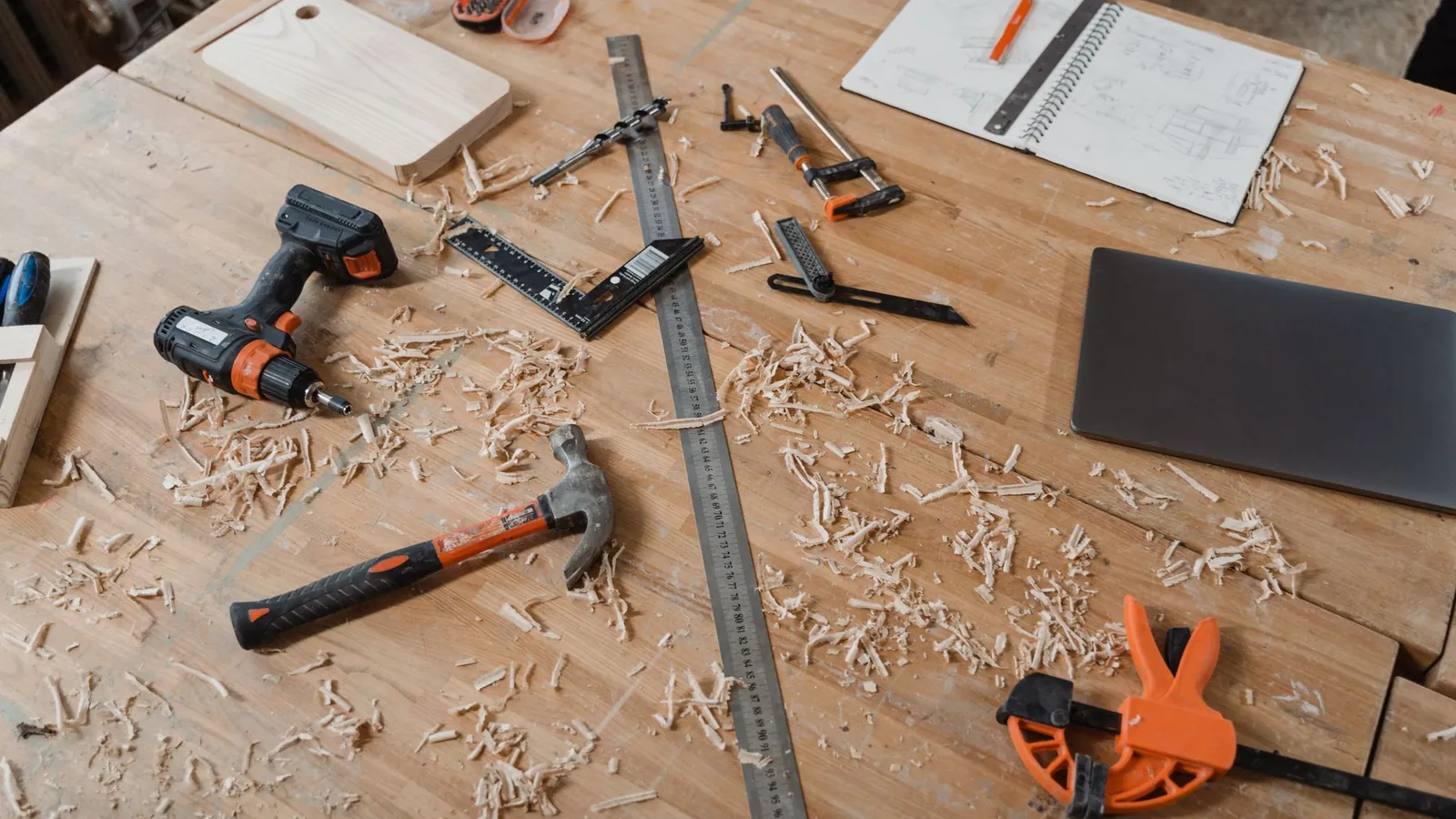
A workbench with various woodworking tools alongside sketches and wood shavings, indicating an active project.
๐Ÿ™Œ Thank you, you are now signed up.๐Ÿ› ๏ธ We build software for trade businesses: quotes, invoices and time tracking in one place.๐Ÿ†• Here you'll hear about new features, dates for our live trainings and planned maintenance.๐Ÿ™‹ Have a question about how to use it? Write it right in this chat, our support answers here.๐Ÿ“˜ To get started, we have a help page with all the basics prepared.11:21
View first steps

Thank-you after confirmation

Anyone who has agreed gets a short welcome right away. It says which messages he'll get from you in the future.


As soon as your software reports a trial account
A craftsman stands inside a sunlit workshop, surrounded by tools and machinery.
๐Ÿ‘‹ Hello Frank,โณ your trial account ends on Friday. All customers, quotes and invoices you've created stay saved.๐Ÿ’ก If you choose your plan by then, you'll work without interruption further.๐Ÿงฐ Basic is enough for a business with up to three users, Plus brings time tracking for the whole team.๐Ÿ“ž Not sure which is right? Our sales team will advise you in a short call, just write here when it suits you.09:00
Keep access

Note about the trial account

When your software reports a new trial account to SmartChat via webhook, the automation starts and writes the trial user a message about the trial account.

1 day before the demo
From above of workspace with cup of hot coffee and pen on empty notepad near modern laptop on wooden table
๐Ÿ‘‹ Hello Monika,๐Ÿ“… tomorrow at 10 am we'll show you our software in a video demo.๐Ÿงญ In the 30 minutes we'll look at how your business handles quotes and invoices writes.๐Ÿ“‚ Have a typical example from your day-to-day ready, we'll build it together.๐ŸŽง A headset with microphone is enough, you don't need a camera.๐Ÿ“ฒ Prefer a different day? Just reply briefly, we're happy to reschedule.10:00
Open video call

Reminder before the demo

SmartChat takes the appointment from your calendar (iCal) and reminds your prospect the day before. He then has the link to the video call right in WhatsApp.

This is how you collect contacts for your software.

Trial users and customers sign up themselves: through a window on your website, a link in your software's help area or a QR code. Only once they have confirmed in WhatsApp does SmartChat send them your newsletter.

  1. 1

    Your customer starts the trial account

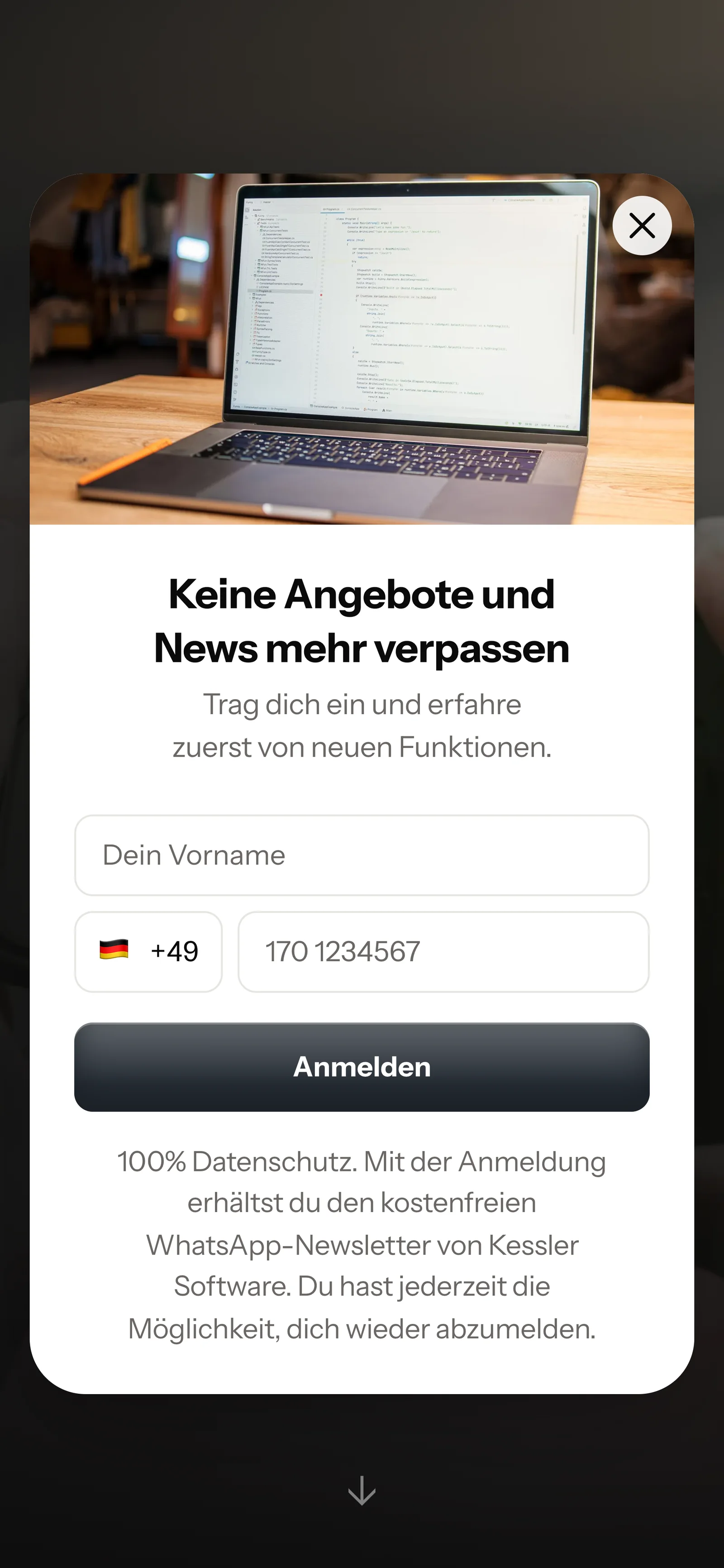
    After sign-up or on your pricing page, a window asks whether he wants news on WhatsApp. You add the code for it to your website once.

    Real website popup from Kessler Software with photo at the top, mobile view: heading Never miss quotes and news again, fields for first name and phone number, button Sign up
  2. 2

    Your customer enters first name and phone number

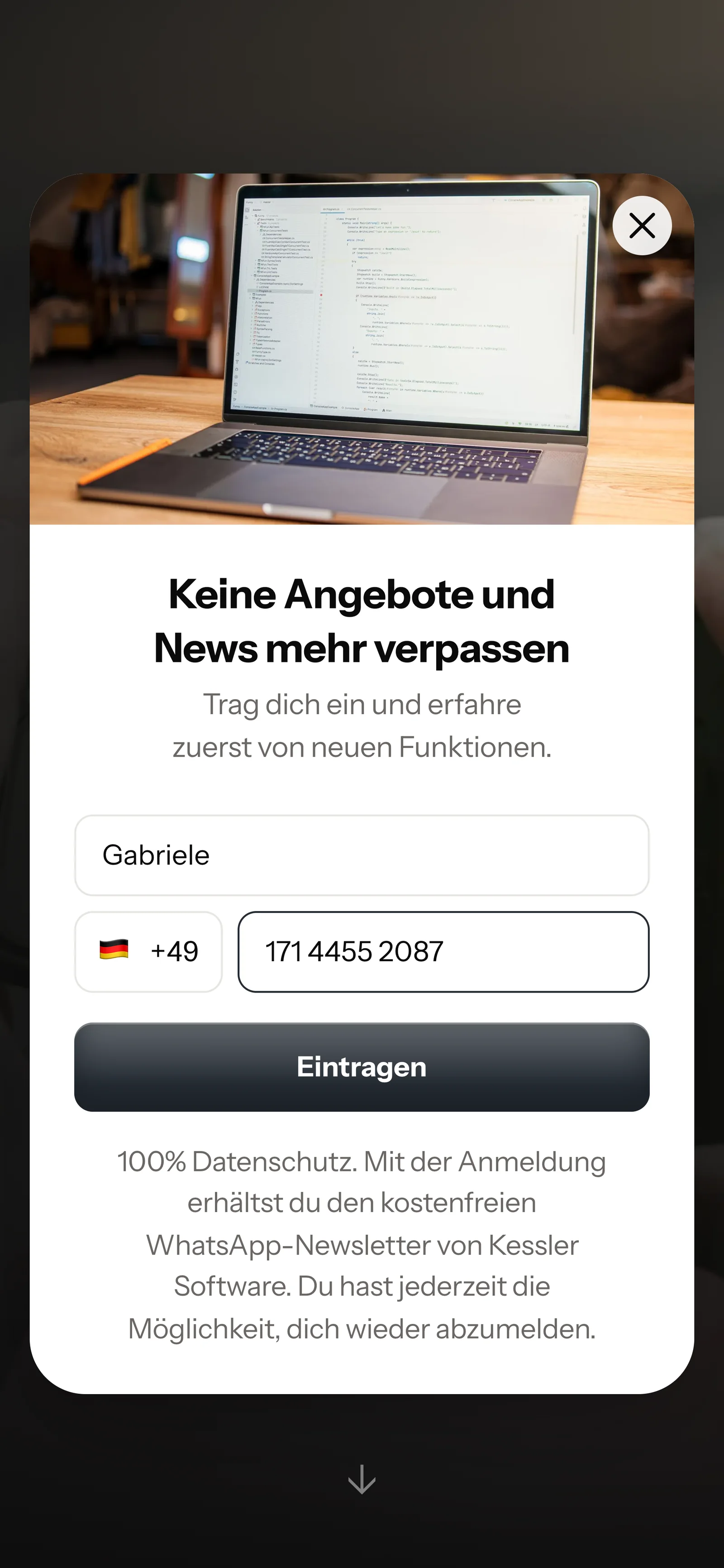
    Only first name and WhatsApp number are asked for. SmartChat needs nothing more.

    Real website popup from Kessler Software with photo at the top, mobile view: heading Never miss quotes and news again, first name Gabriele and phone number entered, button Sign up
  3. 3

    Your customer agrees in WhatsApp

    He clicks Confirm, done. This double opt-in means: every contact confirms their sign-up themselves in WhatsApp.

    ๐Ÿ‘‹ Hello Gabriele,๐Ÿ’ป here you'll hear about new features, our live trainings and planned maintenance.โœ… Do you want to receive these messages? Then click the button below: Confirm.๐Ÿ”’ You can unsubscribe at any time. Just write STOP.11:20
    Confirm
    Confirm11:20
  4. 4

    You have the proof

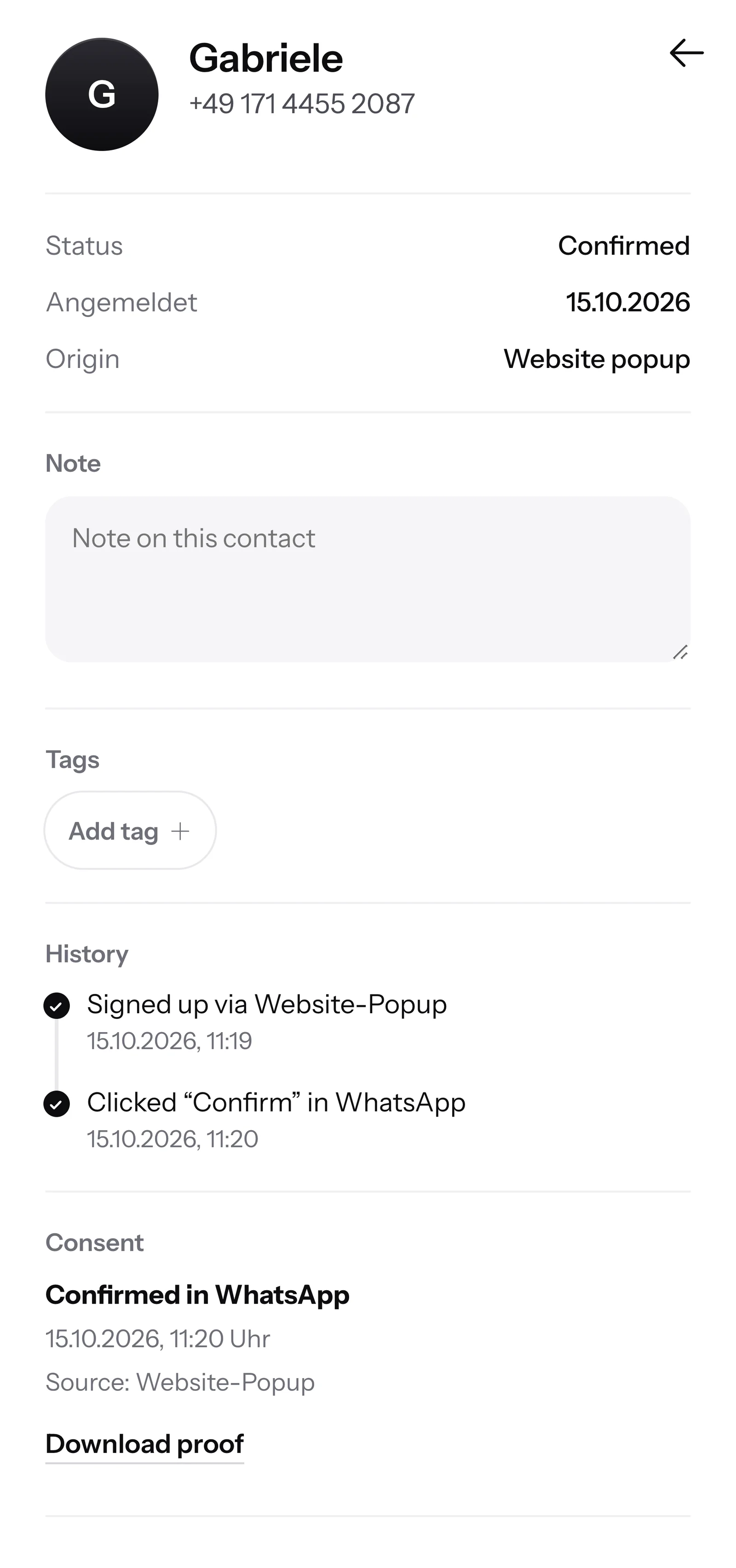
    For every contact, SmartChat records when and through which window he agreed. The proof is available as a PDF at any time.

    Contact Gabriele in SmartChat, mobile view: status Confirmed, signup history, consent confirmed in WhatsApp and button Download proof

SmartChat AI answers support questions.

When a trial user wants to know in the evening whether she can bring over her old customer data, and your support has gone home, SmartChat AI answers fully automatically for you. She answers with the knowledge she has learned from your website and your documents. If she has no source, she hands over to you.

Inbox in SmartChat: SmartChat AI answers a WhatsApp question from a Kessler Software customer
  • Also after closing time

    If someone tests your software in the evening, he still gets an answer right away.

  • From your manual

    Upload your manual, price list and help articles. SmartChat AI answers with exactly this knowledge.

  • Your support takes over

    If SmartChat AI can't answer, the conversation is passed on to your support in the inbox.

Frequently asked questions about WhatsApp marketing for software providers.

Can I message trial users of my software on WhatsApp?

Only if they have agreed themselves. Testing your software doesn't sign someone up for WhatsApp. Your trial user signs up and confirms once in WhatsApp, and SmartChat stores this agreement as proof of consent. Whether your privacy policy covers this is best clarified with your data protection advisor.

How do I ask trial users for their WhatsApp number?

With the Website popup from SmartChat. You show it, for example, after sign-up or on your pricing page, and for that you add a short code to your website. You also place the link to your Landing page in your software's help area.

Can my software start messages through SmartChat by itself?

Yes, through a webhook. Your software reports an event to SmartChat, such as a new trial account, and the matching automation starts. The contact's phone number is required. Other fields such as the name or the end date of the trial are inserted into the message by SmartChat. If a value is missing, SmartChat does not send the message to that contact. More on this under Automations.

Does every trial user that my software reports get a message?

Only if you have set up an automation for it. Messages from automations are sent to every contact who hasn't unsubscribed with STOP. He only gets your newsletter once he has confirmed in WhatsApp.

Is there an API for my software?

Yes. With your own API key, your program creates contacts, sets tags or schedules a newsletter. The API is included in every plan at no extra cost. You connect AI apps via MCP. All the details are under API.

Can I test an automation without messaging customers?

Yes. Testing an automation is a simulation. You see which steps the automation goes through, and nothing is sent.

Can I bring over my existing customers from my CRM?

Yes, as a file via Import contacts. Imported contacts are unconfirmed at first. They only get newsletters after confirmation, either by clicking the confirmation message or with proof.

Does SmartChat AI answer questions about how to use my software?

Yes, if the knowledge is in SmartChat. SmartChat AI analyzes your website and all the Documentsyou upload, for example your manual or your price list as a PDF. After a new version, you upload the current one. If SmartChat AI doesn't know an answer, the question stays in the inbox for your team.

Who on my team can answer the WhatsApp conversations?

Everyone you invite. Support and sales work in the same inbox. Free has 1 seat, Starter 3, Basic 6 and Pro 12. There are two roles. The admin sets up SmartChat and sends marketing messages. The team member only sees the inbox and settings and replies there to incoming messages.

Can I run sales and support through separate numbers?

Each SmartChat account has exactly one WhatsApp number. For a second number, you create a second account. With Multiple accounts you switch between the two with one login.

What does SmartChat cost for a software company?

With Free you start at โ‚ฌ0. Free has no time limit, needs no credit card and includes 100 messages one time. The paid plans Starter, Basic and Pro cost โ‚ฌ299, โ‚ฌ499 and โ‚ฌ999 per month, with 3,000, 6,000 or unlimited messages. Sending itself costs no credits. All prices plus VAT, details under Pricing.

What fees does Meta charge for my WhatsApp messages?

Meta, the company behind WhatsApp, bills its fees directly to you. For that, you add a payment method in your Meta account. SmartChat only bills you for your plan. You'll find the exact prices here.

How many automations are included in my plan?

Free and Starter only have the fixed automation for new contacts (confirmation and thank-you). Custom automations are available from Basic: Basic has 3, of which 1 is the fixed one, and Pro has unlimited. A custom automation sends messages automatically, for example a note about the trial account.

How quickly can I get started with SmartChat as a software provider?

You give SmartChat AI the address of your software's website. In 60 seconds, your WhatsApp marketing system with landing page is ready. After that, you connect your phone number and add the webhook whenever it suits you.

How does a client unsubscribe from my WhatsApp messages?

Anyone who has confirmed your newsletter writes STOP into the chat with your company. From then on, SmartChat sends him nothing more. In your contact list he shows as unsubscribed.

WhatsApp marketing for your software in 60 seconds.

SmartChat AI analyzes your software's website. In 60 seconds, your WhatsApp marketing system with landing page and QR code is ready, and you test your first automation without a real customer. With Free you pay โ‚ฌ0, and you don't need a credit card.