Knowledge & documents for SmartChat AI.
Upload your business's price lists, info sheets and other documents to SmartChat, and SmartChat AI answers your contacts' WhatsApp questions with exactly that information.

Which file answers which question.
Each document answers its own kind of questions. Click a file and see what SmartChat AI replies from it by WhatsApp.
Each document answers its own kind of questions. Tap a file and see what SmartChat AI replies from it by WhatsApp.
Which documents belong to the first meeting? SmartChat AI lists them exactly as they appear in your checklist.
If your contact has legal expense insurance, SmartChat AI explains the process from your fact sheet.
Prefer video? How the conversation on screen works is in your info sheet, and SmartChat AI explains it.
A short TXT file is enough for changed hours between the years. SmartChat AI mentions them as soon as someone asks.





Your file becomes an answer.
You upload a document once. From then on, SmartChat AI works with the information in it, for every question by WhatsApp.
Upload file
Drag your PDF, Word document or TXT file into the Knowledge & documents card.
SettingsAnalyze text
SmartChat AI analyzes the text from the file and puts it into your knowledge. It can't analyze pure image scans without text.
PDF, Word, TXTContact asks
Your contact asks by WhatsApp about a price, a time or a rule.
WhatsAppAnswer from your knowledge
SmartChat AI finds the right passage and replies. If SmartChat AI can't answer, it is passed on to you.
From your knowledge
Just drag the file in.
You'll find the Knowledge & documents card in the settings under Company. There you drag your files in or select them, even many at once.

PDF, Word and TXT
You upload many files at once.
Clear message when there's a problem
If a file doesn't fit, SmartChat tells you exactly why and what you can do.
Only admins can upload
Employees don't see the card. They work in the inbox.
Replies come from your knowledge.
SmartChat AI replies with learned knowledge from your documents. If it has no source, it hands the question over to you.
Reply with a source
SmartChat AI replies with the knowledge it has learned from your website and your documents.
Sensitive matters stay with your team
SmartChat AI doesn't reply to medical and legal questions. The question stays in the inbox with your team.
In every language
If a contact writes in English, SmartChat AI replies in English, with the same information from your file.

Unanswered questions are collected for you.
If SmartChat AI couldn't answer something, the question appears under AI questions in your Knowledge & documents card. You write the answer once, and from then on SmartChat AI knows it.

Same questions together
If several contacts ask the same thing, the question appears only once, with the number of times it came up.
Without name and number
SmartChat only remembers the text of the question, never who asked it.
Cleans up automatically
If nobody asks about it for a while, the question disappears from the list automatically.
New prices or times? The old version disappears.
If prices or times change, you simply upload the new file. SmartChat makes sure there are never two versions side by side.
- 1
You upload the new version
Give the file the same name as the old one, so here again "Sprechzeiten.pdf".
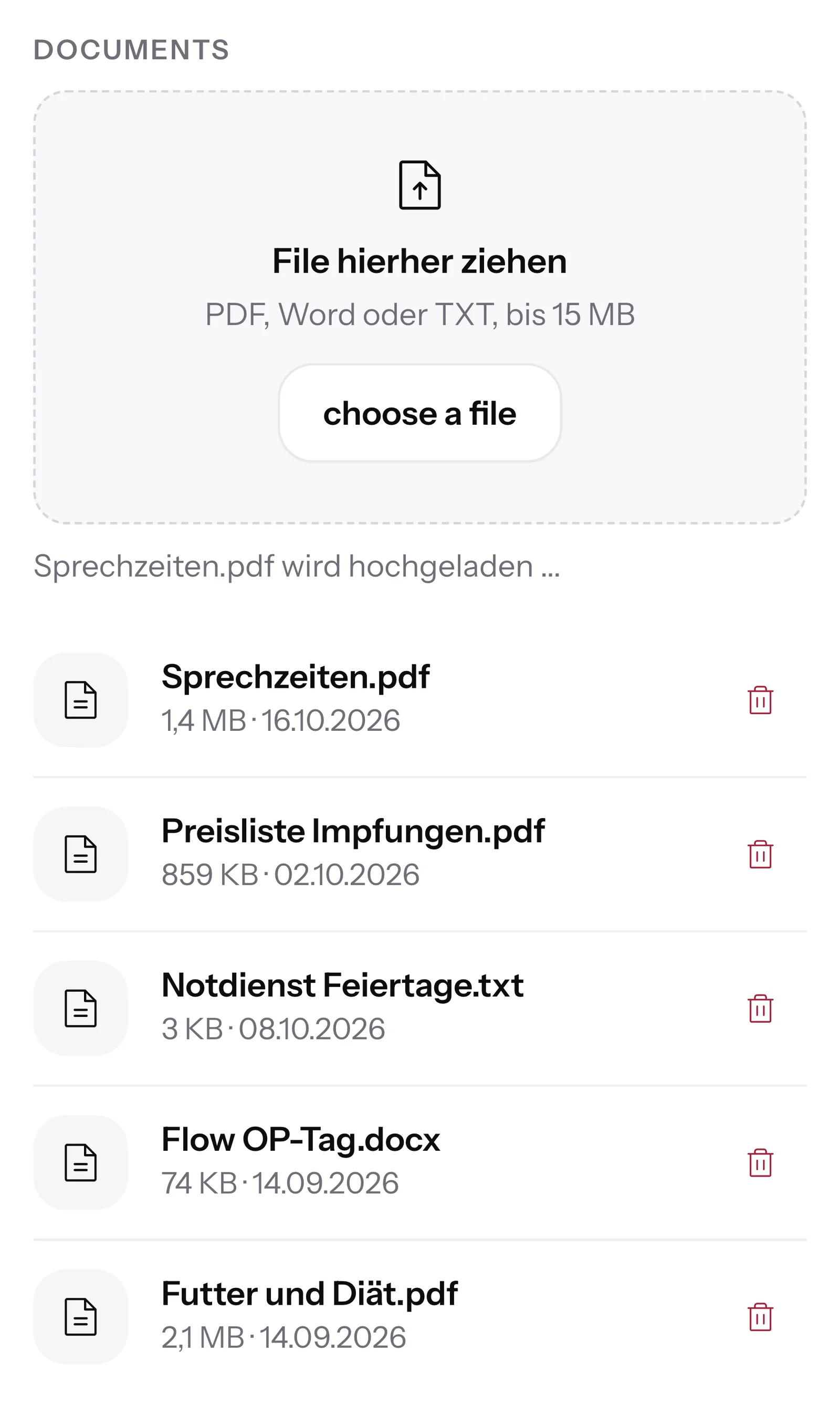
- 2
SmartChat asks once
If the name already exists, SmartChat asks whether the old version should be replaced. One click on Replace is enough.
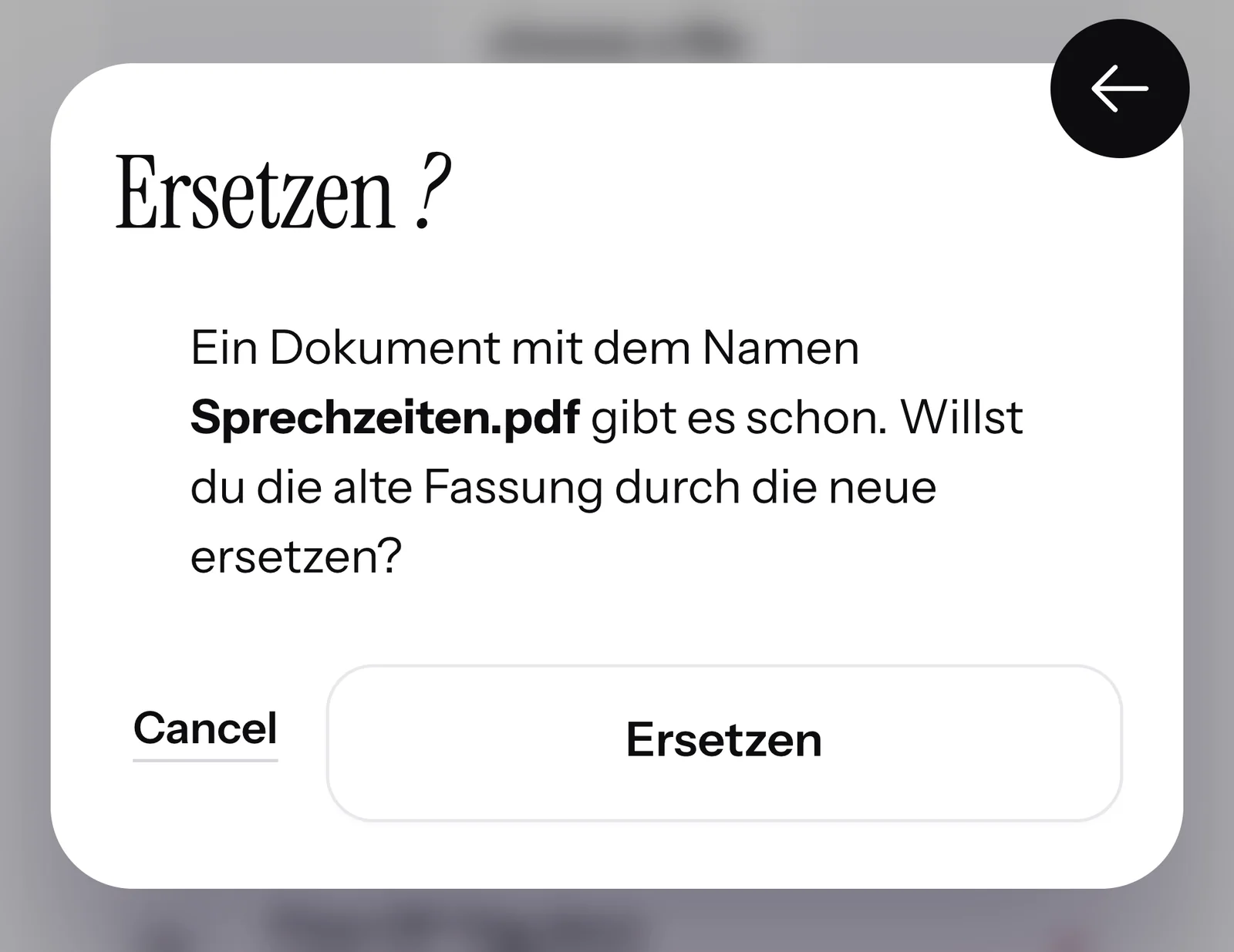
- 3
The old version is gone
Only once SmartChat has analyzed the new file does it remove the old one. If something goes wrong, your existing knowledge stays in place.
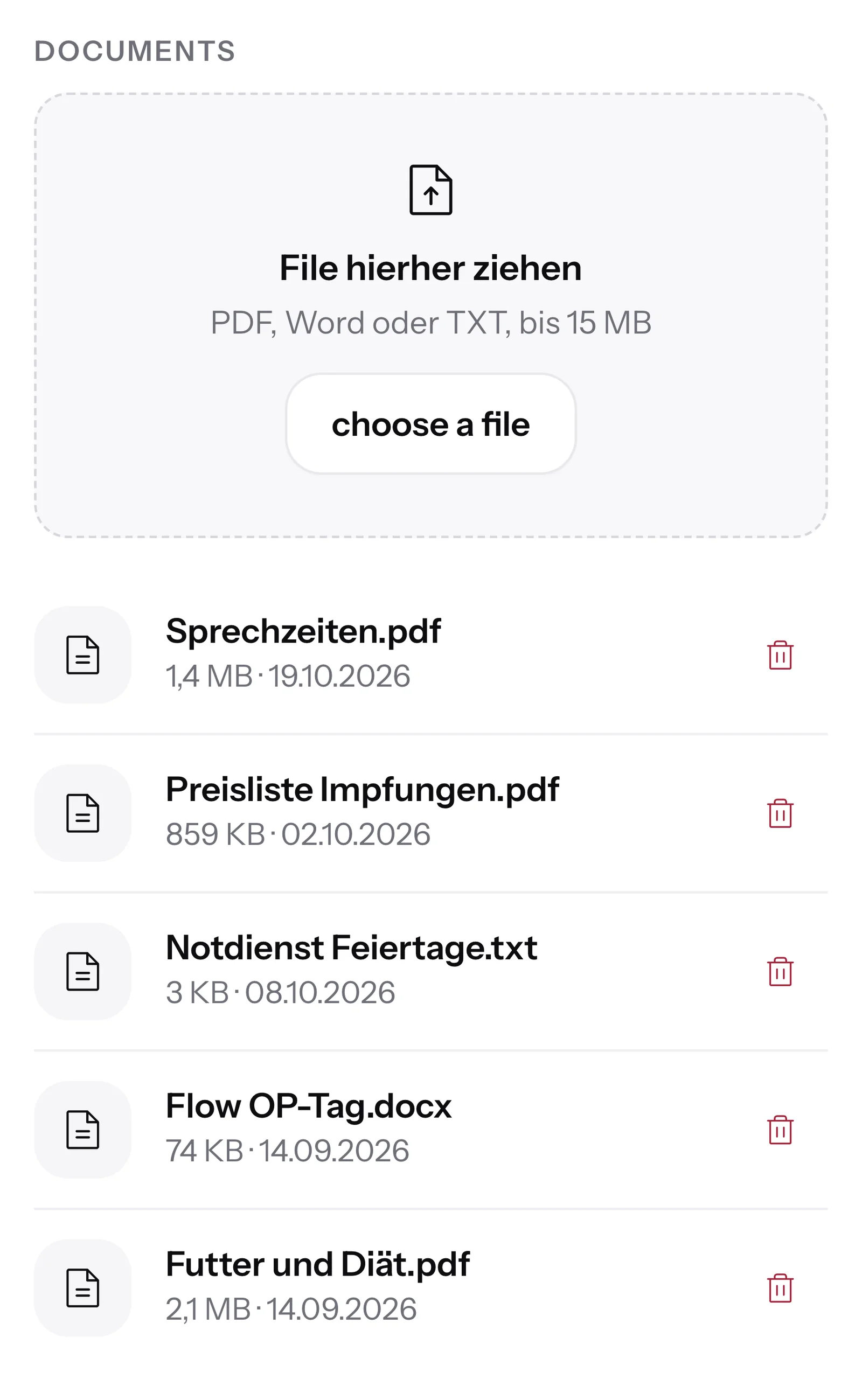
- 4
Your contact gets the new times
From the very next question, SmartChat AI only mentions what's in the new opening hours.
Are you still open until 7 pm on Wednesdays?17:40 👋 Hello Wolfgang,🕖 from November 2 we're open Mondays and Wednesdays until 7 pm for you.🌅 New is the early consultation on Tuesday from 7:30 am.🐾 On Saturdays we're open as usual from 9 to 12 opened.📅 You book an appointment for your darling through our booking link.🚑 Outside opening hours, you can reach our emergency service.17:40
In the inbox you see what SmartChat AI replies.
Every reply from your knowledge appears in the inbox, marked with SmartChat AI. You read along and write yourself whenever you like.

Even after closing time
In the evenings and on weekends, SmartChat AI replies with your knowledge, even when nobody is reachable anymore.
You have the last word
If you reply to a message yourself, SmartChat AI does nothing more about it.
Gaps arrive by email
If SmartChat AI can't answer, you get an email right away.
Your knowledge is also in the AI Chat.
SmartChat AI also uses your documents when it writes a newsletter for you in the AI Chat . Dates, times and prices come from your files.
- 1
You name the topic
Write your idea, for example about the info evening on wills and estate planning.
- 2
SmartChat AI gets to work
SmartChat AI takes the date, time and place from your document about the info evening.
- 3
The draft is ready
You check the header, text and button, and SmartChat sends the newsletter to everyone who has agreed.
 👋 Hello Thomas,📜 on Tuesday, 17 November, we invite you to our info evening on wills and powers of attorney on.🕖 We start at 7 pm in the firm's meeting room, and the evening lasts about 90 minutes.🧾 Our specialist lawyer for inheritance law explains what belongs in a living will belongs in it and when a handwritten last will is enough.☕ Afterwards there is time for your questions, over coffee and sandwiches in the foyer.🎟️ Attendance is for free, but there are only 30 places.👉 Reply with the number of people, and we will keep them free for you. Family members are warmly welcome.9:00Secure your seats
How much knowledge is included in the plan?
AI questions are the same on all plans. You need credits for SmartChat AI's replies. All prices excl. VAT.
| Free | Starter | Basic | Pro | |
|---|---|---|---|---|
| Price per month | 0 € | 299 € | 499 € | 999 € |
| AI’s questions | yes | yes | yes | yes |
| AI reply in the inbox | yes | yes | yes | yes |
| Credits for SmartChat AI | 500 one-time | 3,000 per month | 6,000 per month | 12,000 per month |
Frequently asked questions about Knowledge & documents.
Which files can I upload to my knowledge?
You upload PDF, Word and TXT. You drag several files at once into the Knowledge & documents card.
What does uploading documents cost?
Uploading costs no credits. SmartChat AI uses credits when it replies: Free has 500 one-time, Starter 3,000, Basic 6,000 and Pro 12,000 per month. The plans cost 0 €, 299 €, 499 € and 999 € per month, all prices excl. VAT.
Does Meta charge anything for replies from my knowledge?
Meta bills you directly for WhatsApp message fees, through the payment method in your Meta account. With SmartChat, you pay your plan on top of that. What Meta charges is listed in the Trust Center under Meta fees.
Can I upload a photo or a scanned notice?
No, SmartChat AI only analyzes text from PDF, Word and TXT. For a scan without text, SmartChat tells you that no text was found. In that case, write the notice into a Word document and upload that.
What happens if I upload a new version of my price list?
If the file has the same name, SmartChat asks whether the old version should be replaced. After you click Replace, SmartChat AI only uses the new one. If you upload exactly the same file again, SmartChat tells you that nothing has changed.
What happens if I delete a document?
SmartChat AI forgets what it learned from that document. From then on, it no longer gives any information from it.
Can SmartChat AI quote prices that aren't in my price list?
No. SmartChat AI replies with the knowledge it has learned from your documents. If it has no source, it hands the question over to you.
What are the AI’s questions?
These are questions from your contacts that SmartChat AI couldn't answer. They appear in the Knowledge & documents card, each with how often they were asked. If you save an answer, SmartChat uses it right away.
Can I see who asked the AI's questions?
No, SmartChat only stores the text of the question there, no name and no number. SmartChat groups similar questions together, and a question that nobody has asked for a while disappears automatically.
Who on my team can upload documents?
An admin uploads documents. Employees don't see the Knowledge & documents card, because they work in the inbox. More about roles: Team.
Do I need documents if everything is on my website?
SmartChat AI has already analyzed your website during onboarding. Documents are worth adding for everything that's missing there: a property management company might upload its house rules (WhatsApp marketing for property management companies), a vet practice its opening hours (WhatsApp marketing for vets) and a law firm the materials for its info evening (WhatsApp marketing for law firms).
In which languages does SmartChat AI reply with my knowledge?
In every language your contact writes in. You only upload your document once for that.
Does a contact still get replies from my knowledge after STOP?
No. If a contact writes STOP, they are unsubscribed, and SmartChat AI sends them no more replies.
Your knowledge for WhatsApp.
Enter your website: in 60 seconds your WhatsApp marketing system is ready, and SmartChat AI has already analyzed your business. Afterwards, you add price lists, info sheets and other documents under Knowledge & Documents.