WhatsApp marketing for agencies.
With SmartChat, you offer your clients WhatsApp marketing and manage all client accounts with one login.

Partner program for agencies.
As an agency partner, you get 30 % off your own SmartChat account and all client accounts.
- 30 %off your own account and all client accounts
- 1 loginfor all clients, each with their own WhatsApp number, their own contacts and their own plan
- 60 sec.SmartChat AI builds every client's WhatsApp marketing system
- 24/7Premium support from our team
How to become an agency partner.
Apply
You fill in the form with your agency and the number of clients you have.
We get back to you
After you apply, we check whether the partner program is a good fit and get back to you.
Set up clients
You set up your clients in SmartChat, with 30 % off every client account.
How to create a new client account.
You create a separate account for each client, and you can log in to all of them with your personal account.
- 1
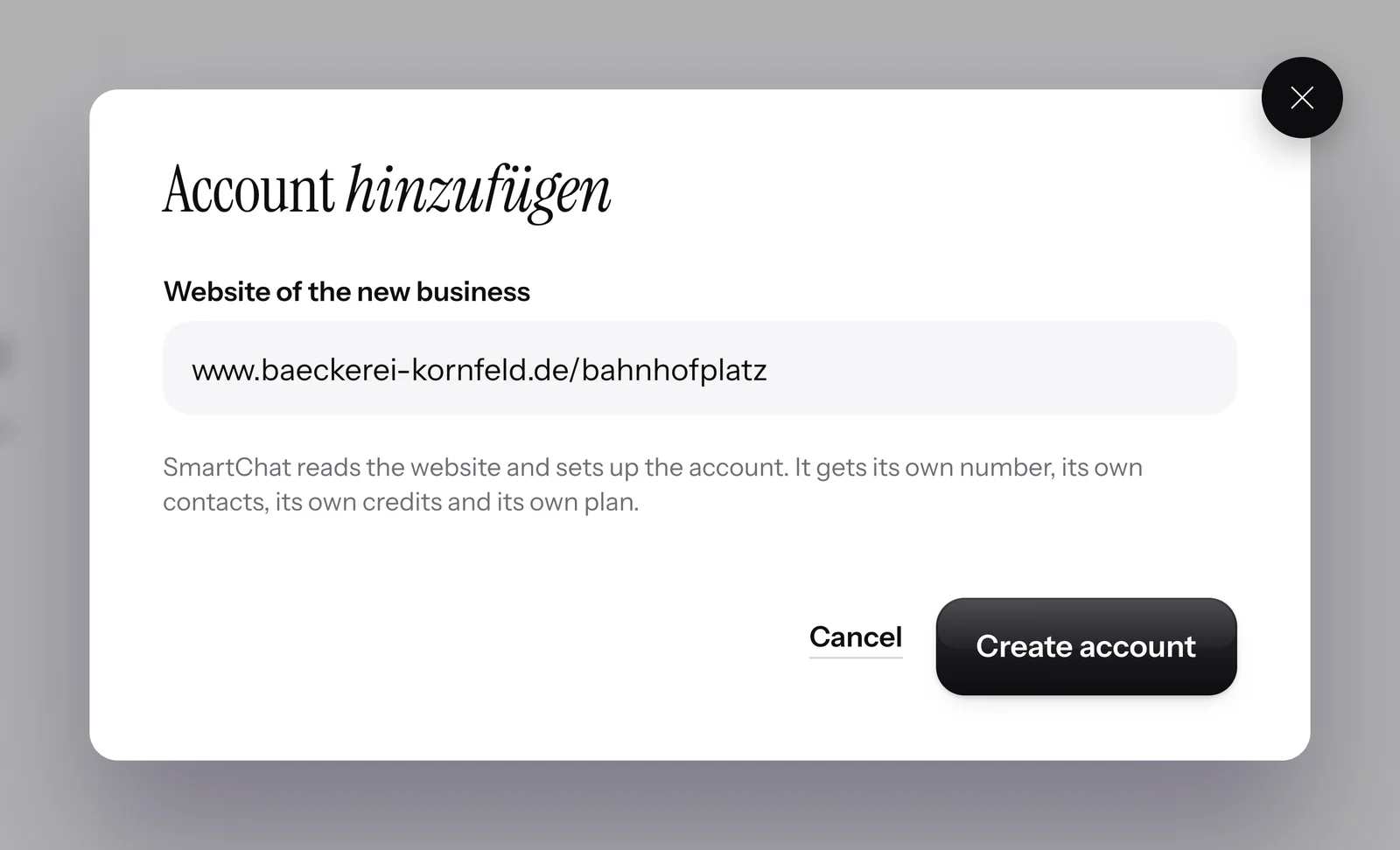
Enter your client's website
For a new account, SmartChat only needs your client's website.
- 2
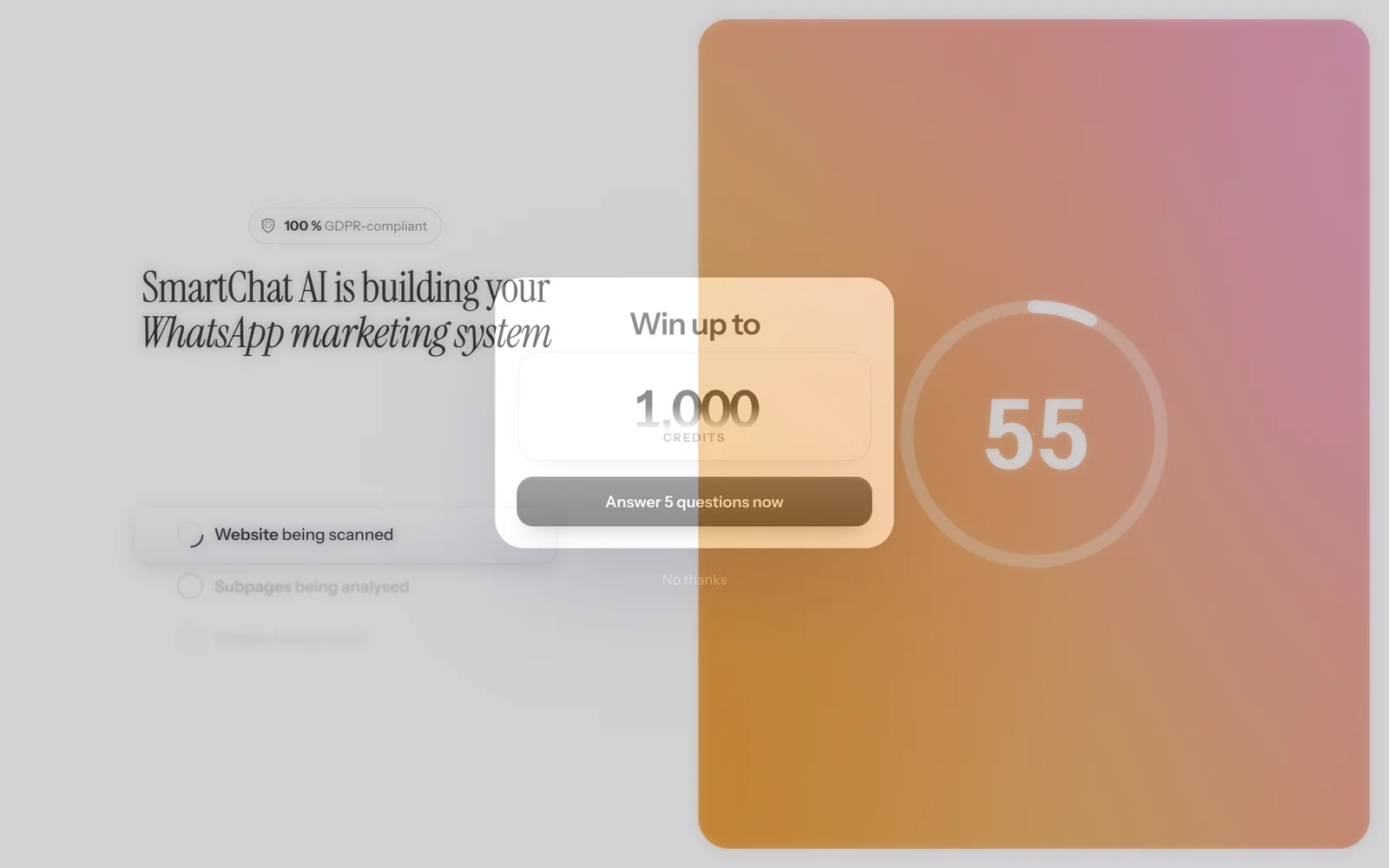
SmartChat AI builds the system
SmartChat AI analyzes the website and builds your client's WhatsApp marketing system in 60 seconds.
- 3
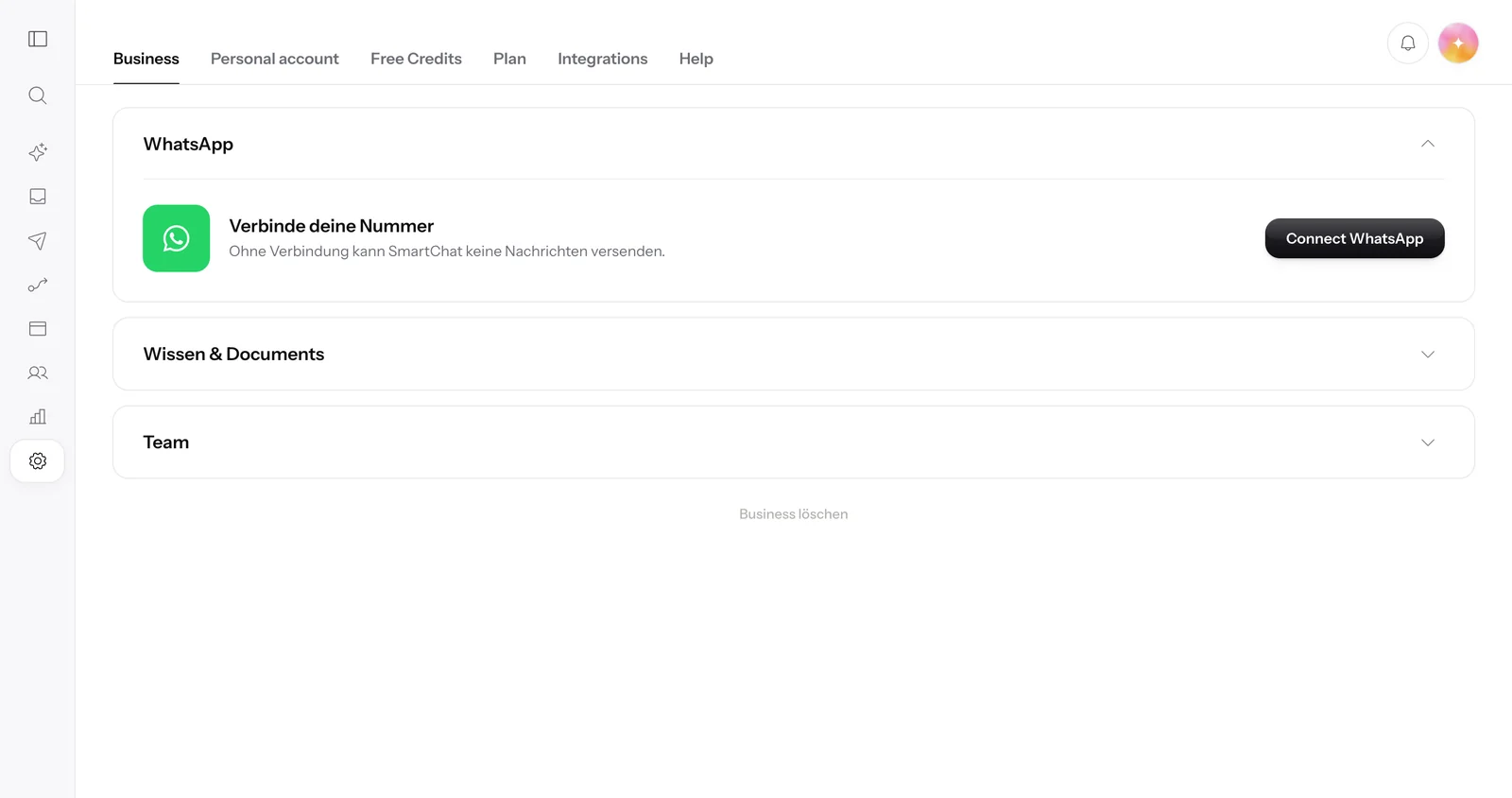
Connect WhatsApp number
Every client account sends from your client's own WhatsApp number.
- 4
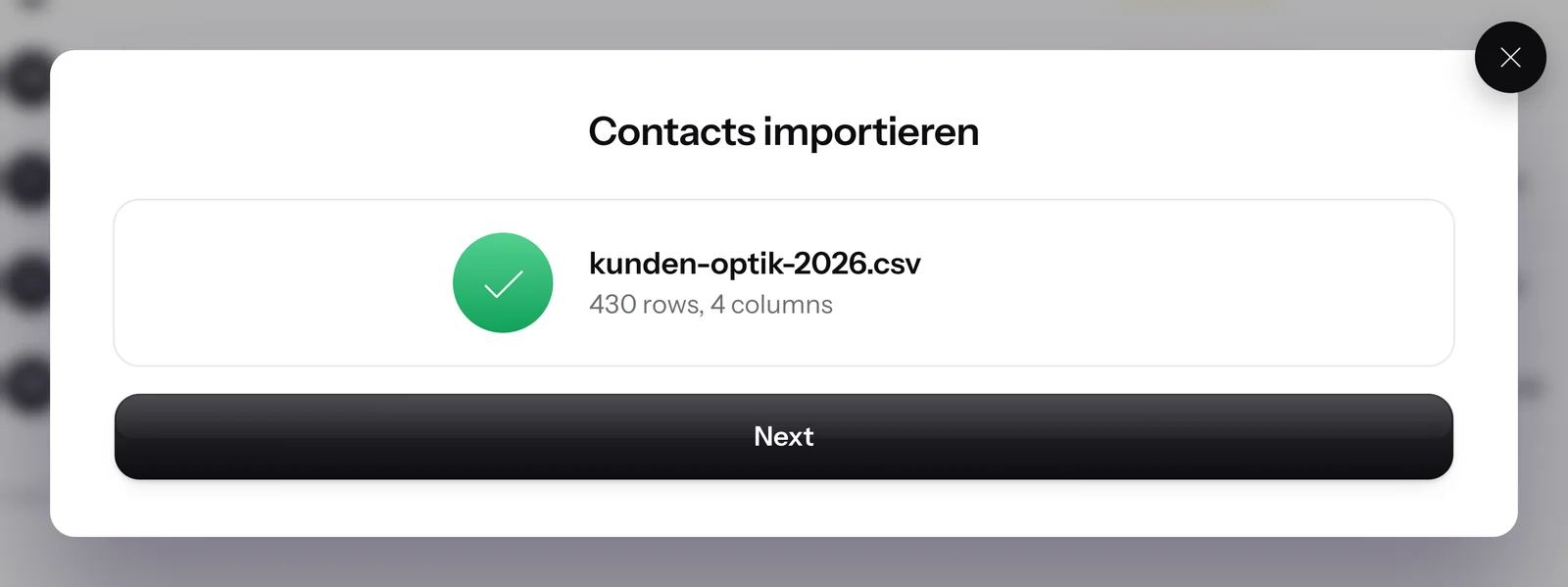
Import contacts
You upload the client list, and SmartChat asks each contact for their consent via WhatsApp.


Who creates the account ?
Both ways work, and you decide again for each client.
You create the account
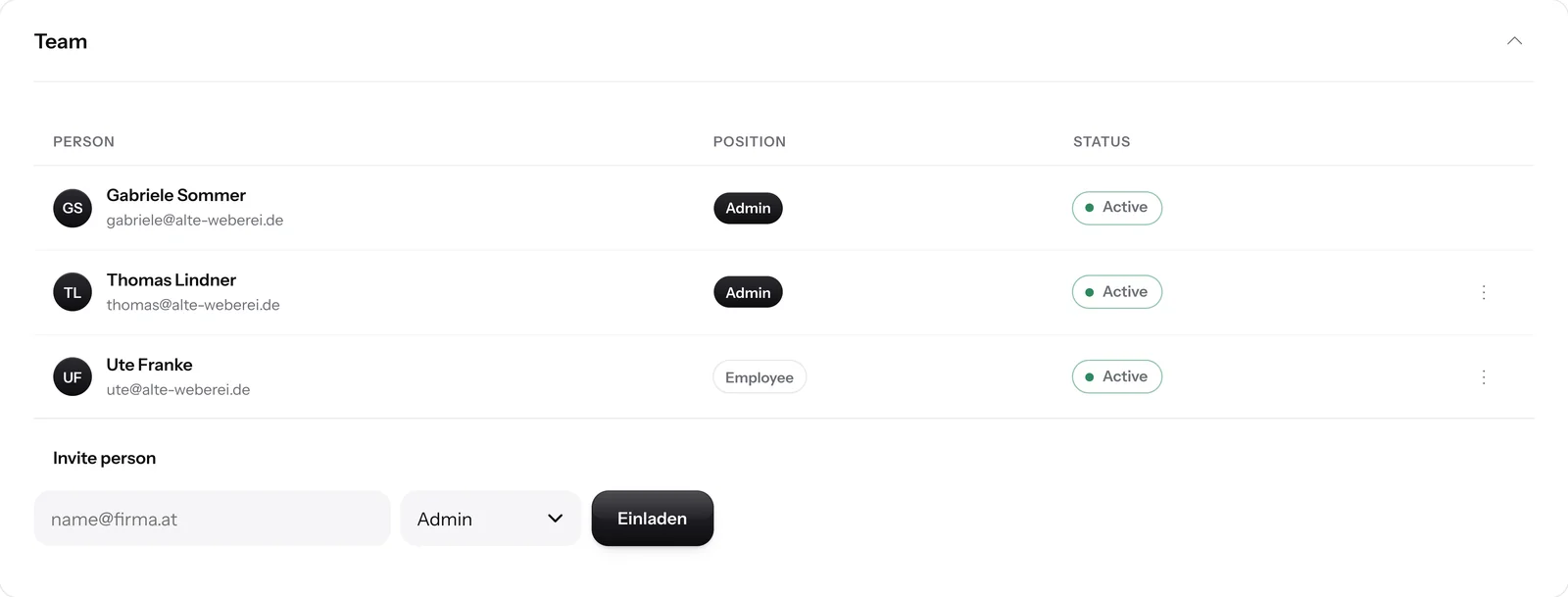
You pay for the plan and bill your client yourself. You invite your client to the account's team.
Your client creates the account
Your client pays for the plan directly and invites you as an admin to their team . You use your existing account for this.


Every client sends under their own name.
Every client account has its own WhatsApp number, its own contacts and its own plan.
Your client's branding
The landing page shows your client's logo, colors and images.
Your own domain
If you like, the landing page runs on your client's own domain .
Separate invoices
Every client account has its own plan and its own invoice.
Apply now as an agency partner.
Fill in the form, and we'll get back to you.
Frequently asked questions about SmartChat for agencies.
What is the agency partner program?
As an agency partner, you get 30 % off your own SmartChat account and all client accounts. To join, you apply with your agency, and we check whether the partner program is a good fit.
How do I apply as an agency partner?
Fill in the form with your first name, your agency's name, your email, your website and the number of clients you have. After you apply, we check whether the partner program is a good fit and get back to you.
Does every client need their own SmartChat account?
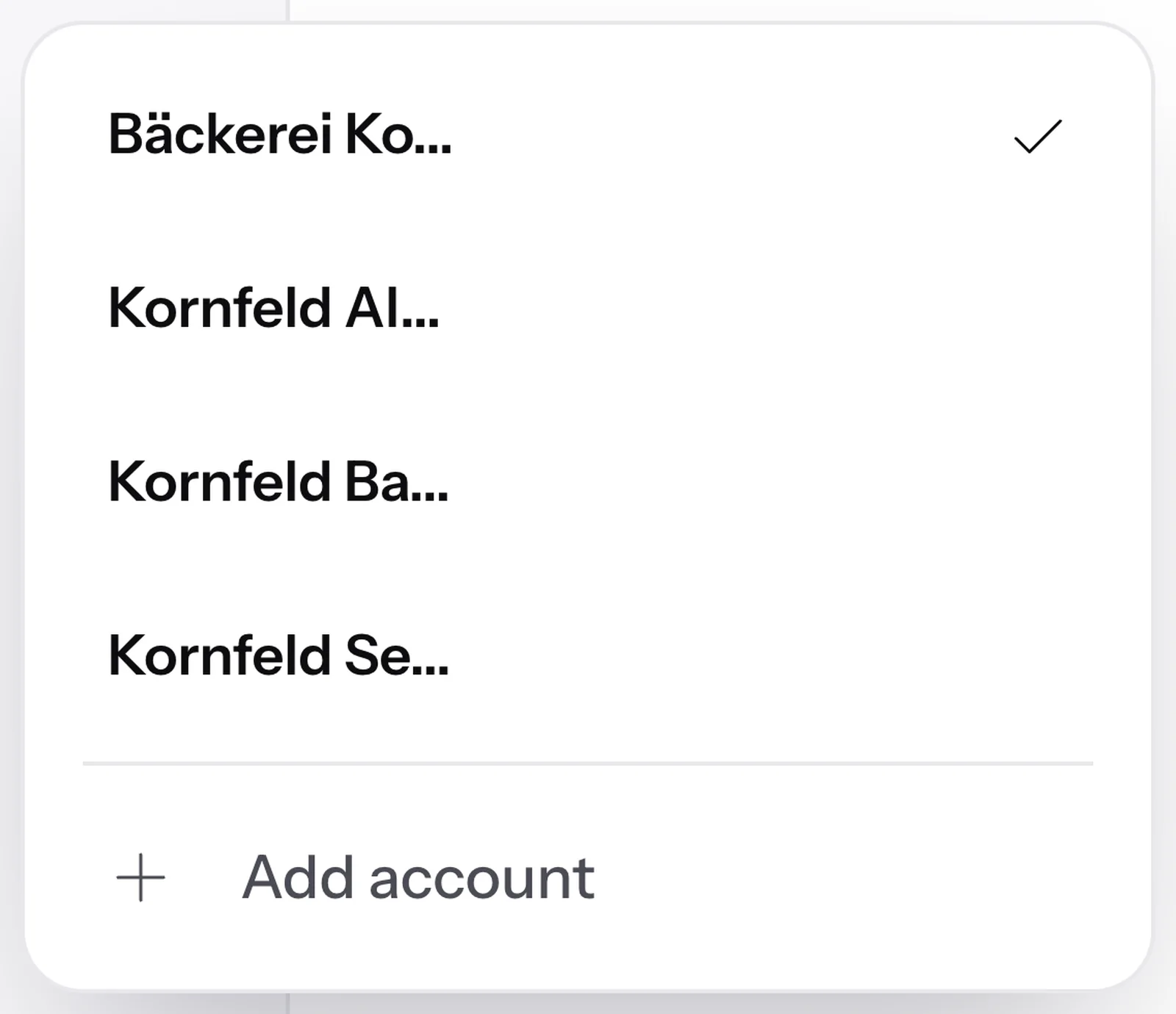
Yes. Every client has their own account with their own WhatsApp number, their own contacts and their own plan. With multiple accounts you switch between all your clients with one click.
How many client accounts can I manage with one login?
You can create up to 10 accounts of your own. Accounts your clients have invited you to don't count towards this.
How do I create an account for a new client?
In your list of accounts, choose Add account and enter your client's website. SmartChat AI builds your client's WhatsApp marketing system in 60 seconds.
Can my client invite me to their existing account?
Yes. Your client invites you as an admin to their team , and you accept the invitation with your existing login.
What rights do I have in my client's account?
That depends on your role. The admin sets up SmartChat and sends marketing messages. The team member only sees the inbox and settings and replies to incoming messages there.
Which plan does my client need if I work in their account?
Free has one seat on the team. If you work in your client's account, your client needs at least Starter with 3 seats. Basic has 6 seats and Pro 12.
What does SmartChat cost for my clients?
Each account pays for its own plan: Free €0, Starter €299, Basic €499 and Pro €999 per month, all prices plus VAT. Sending doesn't cost any credits in SmartChat. As an agency partner you get 30 % off your account and all client accounts. You'll find all the details under Pricing.
Does my client also have to pay Meta?
Yes. Meta charges the fees for WhatsApp messages directly through the Meta account your client's number is connected to. According to Meta's price list from October 1, 2026, a marketing message costs around 4.9 cents (Austria, Switzerland) to 11.3 cents (Germany). You'll find all prices under WhatsApp pricing from Meta.
Do my client's contacts see their name?
Yes. All messages come from your client's WhatsApp number, with their name and their WhatsApp profile. The landing page shows your client's logo, colors and images.
Is my clients' data kept separate?
Yes. Contacts, conversations and newsletters always belong to exactly one account. In the inbox you only see the conversations of the account you're currently working in.
How does a contact unsubscribe from my client?
The contact sends STOP to your client's number. After that, they no longer get newsletters from this account.
Which industries is SmartChat a good fit for?
SmartChat fits businesses in many industries, for example restaurants, hair salons and gyms. You'll find all examples under Industries. For marketing your own agency, there's the page WhatsApp marketing for marketing agencies.
Who do I contact with questions about my agency?
Write to us at team@smartchat.marketing. Our team supports you with 24/7 premium support.
Become an agency partner.
Apply for 30 % off your account and all client accounts. SmartChat AI builds every client's system in 60 seconds.