Proof of consent as a PDF for every contact.
For every WhatsApp contact, SmartChat records when, where and with what wording they agreed, and gives you everything as a PDF with one click.

What is in the proof.
The PDF has three parts: who the person is, how they agreed and whether they have opted out again. At the very top, it states which business SmartChat created the proof for.

person
Name, WhatsApp number, when the contact was created, where they came from and their current status.
Consent section shows you
Every entry with source, time and wording. The oldest is at the top, so you see the history from the start.
Revocation
Every recorded opt-out with the time. If there is none, it says so explicitly.
Every step becomes an entry.
SmartChat saves every consent and every opt-out as its own entry with date and time. None of it is overwritten later, new entries are only added.
Sign-up form
When a prospect signs up through your website popup or your landing page SmartChat saves the consent text shown below the form.
Consent requestedConfirmation
When they click Confirm in WhatsApp, the double opt-in is added as a second entry.
Consent confirmedimport
If you upload existing contacts via import the contact shows what you brought as consent.
Brought in with the importUnsubscribe
If you unsubscribe someone yourself, it appears with the time in the Revocation section. After a STOP, the status shows Unsubscribed.
RevocationPDF
With one click, SmartChat combines all entries of this contact in one document.
Download proof
The text your contact agreed to is saved exactly as it was
Below every sign-up form is a consent text that your prospects agree to. SmartChat saves exactly this text at the moment someone signs up.
- 1
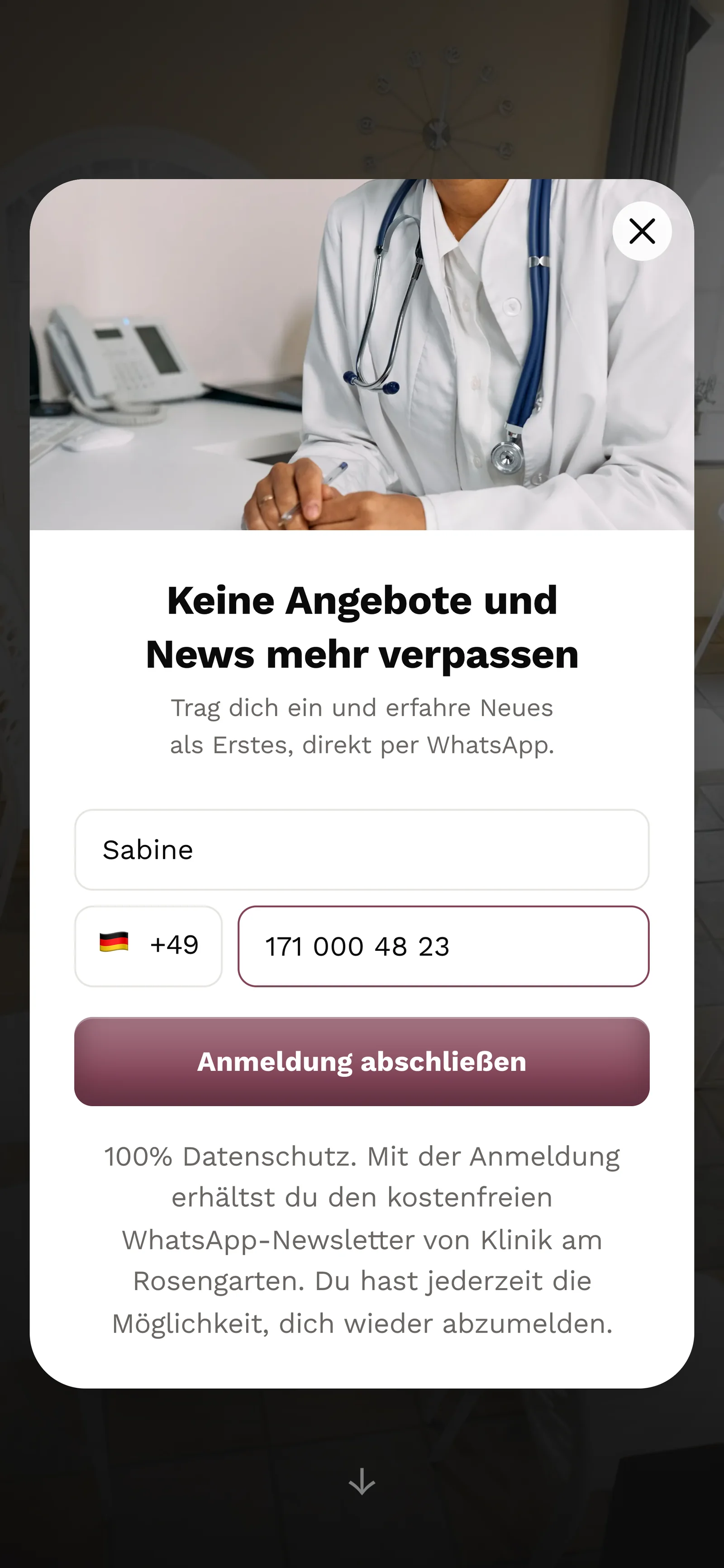
A prospect signs up
On the clinic's website, the prospect enters her first name and phone number in the website popup. Below that is the consent text she agrees to.
- 2
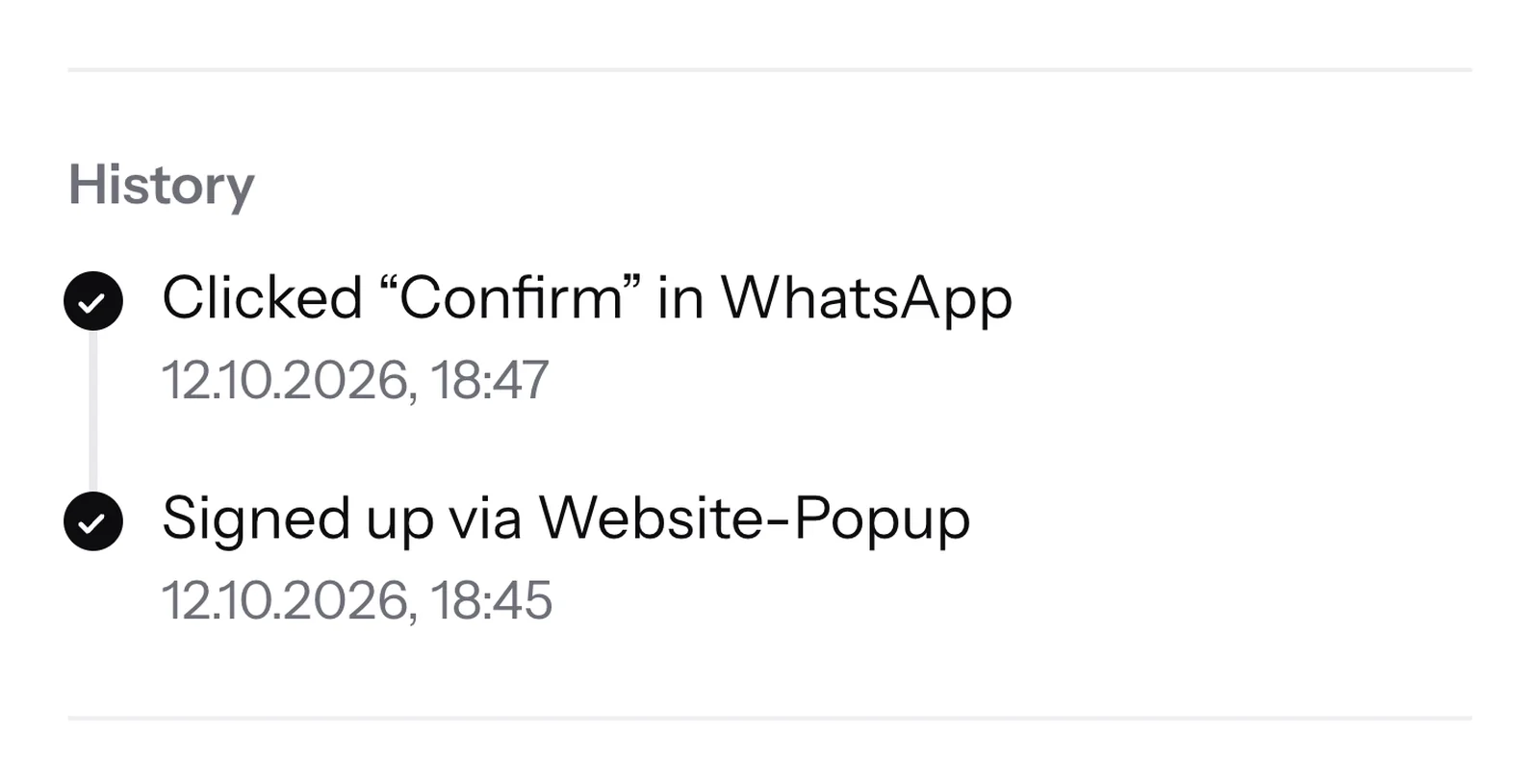
The consent text is saved
The consent text goes into the proof unchanged, with source and time. If you change your form later, this contact keeps the text they agreed to.
- 3
Confirmation in WhatsApp
SmartChat sends the prospect a confirmation message via WhatsApp. Her click on Confirm becomes the second entry.
👋 Hello Sabine,🌿 great that you want news from the Klinik am Rosengarten via WhatsApp.📅 You'll hear about open consultation appointments, our info evenings and news from the team.✅ Click Confirmbelow, and you're in.🔒 You can unsubscribe at any time. Just write STOP.18:47ConfirmConfirm18:47 - 4
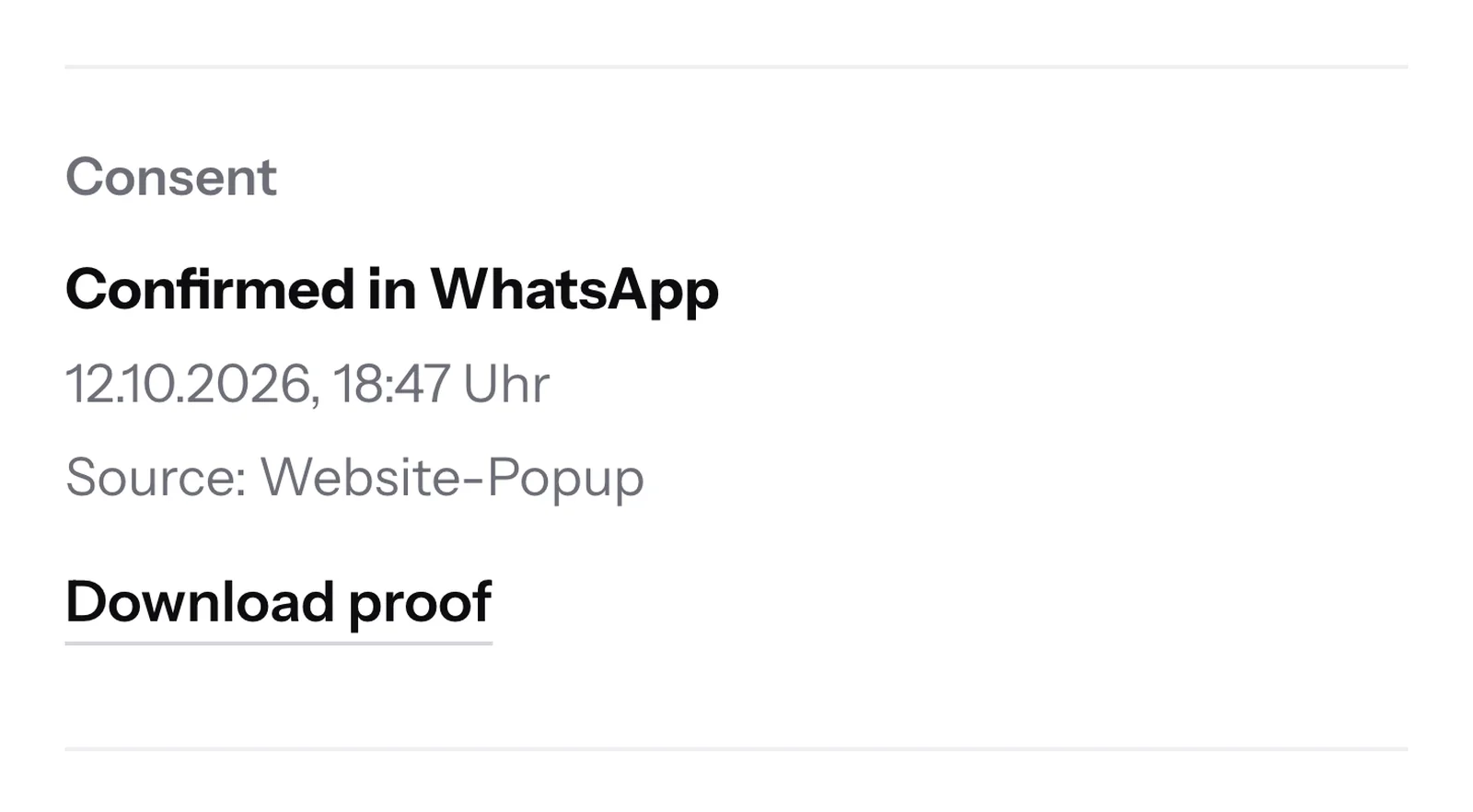
The proof is ready
The contact now has the status Confirmed, and their proof is ready to download as a PDF.


Consent on paper? Here's how to record it.
If a contact agreed on paper, for example on a sign-up form, you create them by hand and choose I already have consent. What you enter becomes the entry in their proof.

Description becomes wording
In the PDF, your text appears as the wording, along with the date of the consent and the day you recorded it.
Scan as an attachment
You can optionally attach a PDF or image, for example a scan of the signed form.
All details required
Without a type, date, source and a description, SmartChat does not save the contact.
The proof is stored with the contact.
You open the contact, and in the Consent section you'll find the Download proof button. SmartChat only creates the PDF at that moment, from everything saved up to then.

When a contact asks.
If a contact asks why they receive your WhatsApp newsletter, you have the answer with one click.
Without proof
- You flip through old forms and lists to see when someone signed up.
- Nobody remembers exactly which text a contact agreed to at sign-up.
- Opt-outs are scattered across chats, notes and emails.
With SmartChat
- One click on the contact, and the PDF with all entries is there.
- The text the contact agreed to appears in the PDF exactly as it was.
- Status and opt-out are in the same document, with date and time.
Unsubscribed with STOP.
If a contact writes STOP, SmartChat unsubscribes them immediately and confirms it to them in WhatsApp. In the proof, the current status then shows Unsubscribed.
Unsubscribed immediately
After the STOP, SmartChat no longer sends newsletters, follow-ups or automations to this contact.
Blocked, even after deletion
SmartChat remembers the number. If you delete the contact and import them again later, they stay unsubscribed.
Back only with START
The contact is only subscribed again if they write START themselves. Their new consent appears as its own entry in the proof.

Manual opt-outs appear with the time in the PDF.
If a contact doesn't want any more messages, for example after a phone call, you unsubscribe them yourself in Contacts. SmartChat writes the revocation with the time into their proof.

The opt-out stays in place
Nobody sets an unsubscribed contact back to Confirmed by hand. Even a later START does not undo your opt-out.
Many at once, too
If you select several contacts and unsubscribe them, each one gets exactly this entry.
No revocation? It says so, too
If nobody has opted out, the PDF states in so many words: No revocation on record.
The proof costs nothing extra.
You get the proof of consent in every plan, even in Free. The download uses no credits. All prices plus VAT.
| Free | Starter | Basic | Pro | |
|---|---|---|---|---|
| Price per month | 0 € | 299 € | 499 € | 999 € |
| Proof of consent as a PDF | yes | yes | yes | yes |
| Double opt-in in WhatsApp | yes | yes | yes | yes |
| Contacts | unlimited | unlimited | unlimited | unlimited |
| Automations | 1 | 1 | 3 | unlimited |
Frequently asked questions about proof of consent.
What is the proof of consent in SmartChat?
A PDF for a single contact. It shows who the person is, how they agreed to your WhatsApp newsletter and whether they have opted out again, each with source, time and wording. See how this looks day to day in WhatsApp marketing for cosmetic surgery clinics, WhatsApp marketing for naturopaths and WhatsApp marketing for daycare centers.
Where do I download the proof?
In Contacts, you open the contact and click Download proof in the Consent section. You'll find the same button in the contact details in the inbox. It appears for all contacts with the status Confirmed or Unsubscribed.
Who on my team can download the proof?
The admins of your account. Team members work in the SmartChat inbox. Every proof only applies to contacts of your own account.
Is the proof of consent legal advice?
No. The PDF shows what SmartChat has stored about a contact, and says so in the footer of every page. Whether a consent is enough in your case is something you clarify with your lawyer.
What wording appears in the proof?
The consent text that appeared under your website popup or landing page when the person signed up. SmartChat saves it at the moment of submission. If you change the text later, existing contacts keep the old wording.
What does the PDF say if a contact never gave consent?
It then states explicitly that no consent is saved for this contact.
What does the proof show when someone writes STOP?
After a STOP, the current status shows Unsubscribed, and SmartChat sends the contact nothing more. If you unsubscribe a contact yourself, the opt-out also appears with the time in the Revocation section.
Can an unsubscribed contact sign up again?
After a STOP, yes, if they write START themselves. Their new consent then appears as its own entry in the proof. If you unsubscribed them yourself, they stay unsubscribed.
Can I change entries in the proof?
No. SmartChat only adds entries. A new confirmation or an opt-out is added as another entry, and the old ones stay unchanged.
What does the proof show for imported contacts?
During the import, SmartChat records what you bring as consent. If you choose Proof, the contacts count as confirmed after a review, and what you entered appears as the wording in the PDF.
How do I record consent given on paper?
You create the contact by hand, choose I already have consent and enter the type, date, source and a description. You can optionally attach a scan, for example of the signed sign-up form.
In which language does SmartChat create the proof?
If your SmartChat account is set to German, the PDF is in German. For all other account languages, SmartChat creates the proof in English.
Which time is shown in the proof?
Every point in time appears with date, time and the time zone Europe/Zurich. That is the same time as in Germany, Austria and Switzerland.
Does downloading the proof cost anything?
No, the download costs no credits, in every plan, even in Free for €0. The paid plans cost €299, €499 or €999 per month, all prices plus VAT.
Does Meta charge anything when I download the proof?
No. The download is not a WhatsApp message, so Meta charges nothing for it. Your contact doesn't notice it either.
Every confirmation comes with a proof.
Enter your website. SmartChat AI analyzes it, and in 60 seconds your WhatsApp marketing system is ready. Every new contact comes with proof.