

Thank-you after sign-up
Once a patient has confirmed in WhatsApp, they immediately get a thank-you message and know how to reach your practice.

With SmartChat you send your patients on WhatsApp what's coming up in your practice: the new appointments for next month, the invitation to the evening talk or the next fasting week in the group.


After sign-up, after booking the first appointment and the day before every treatment, your practice gets in touch automatically on WhatsApp.

Once a patient has confirmed in WhatsApp, they immediately get a thank-you message and know how to reach your practice.


If your scheduling software can report new bookings to SmartChat, your patient immediately gets everything they need to know for the first visit.

SmartChat takes your appointments from the calendar and reminds every patient the day before. If they can't come, they cancel here, and you can pass the free appointment on.
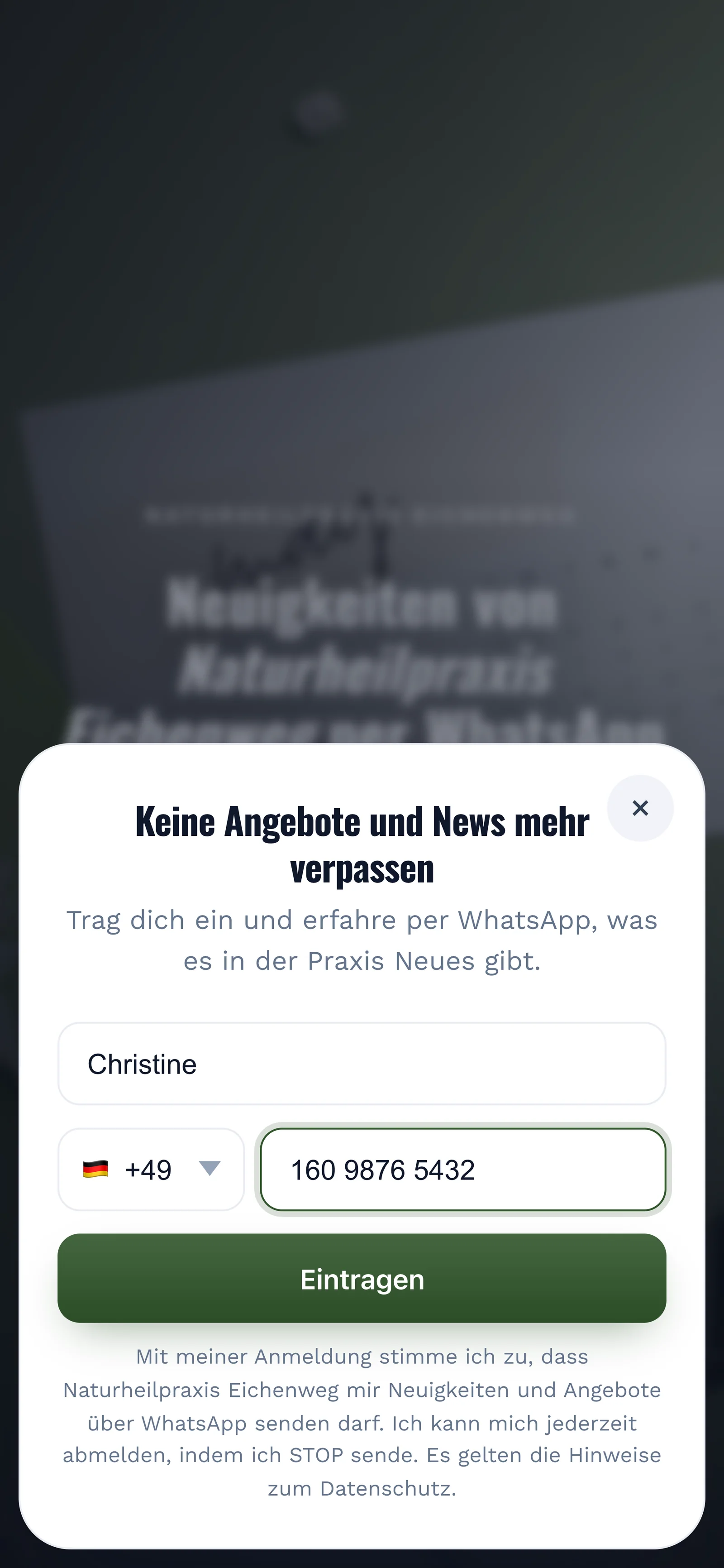
Your patients sign up themselves, through the QR code at the practice, your website or your link. Only once they have confirmed in WhatsApp do you send them your newsletter.
A small stand sits in the waiting room, and the code also fits on your appointment card. SmartChat creates the QR code for your landing page, and you just print it.
The form asks for nothing more. No address, no date of birth, no questions about health.

Right after that, a message arrives with the Confirm button. That is the double opt-in: only this click makes the sign-up valid.
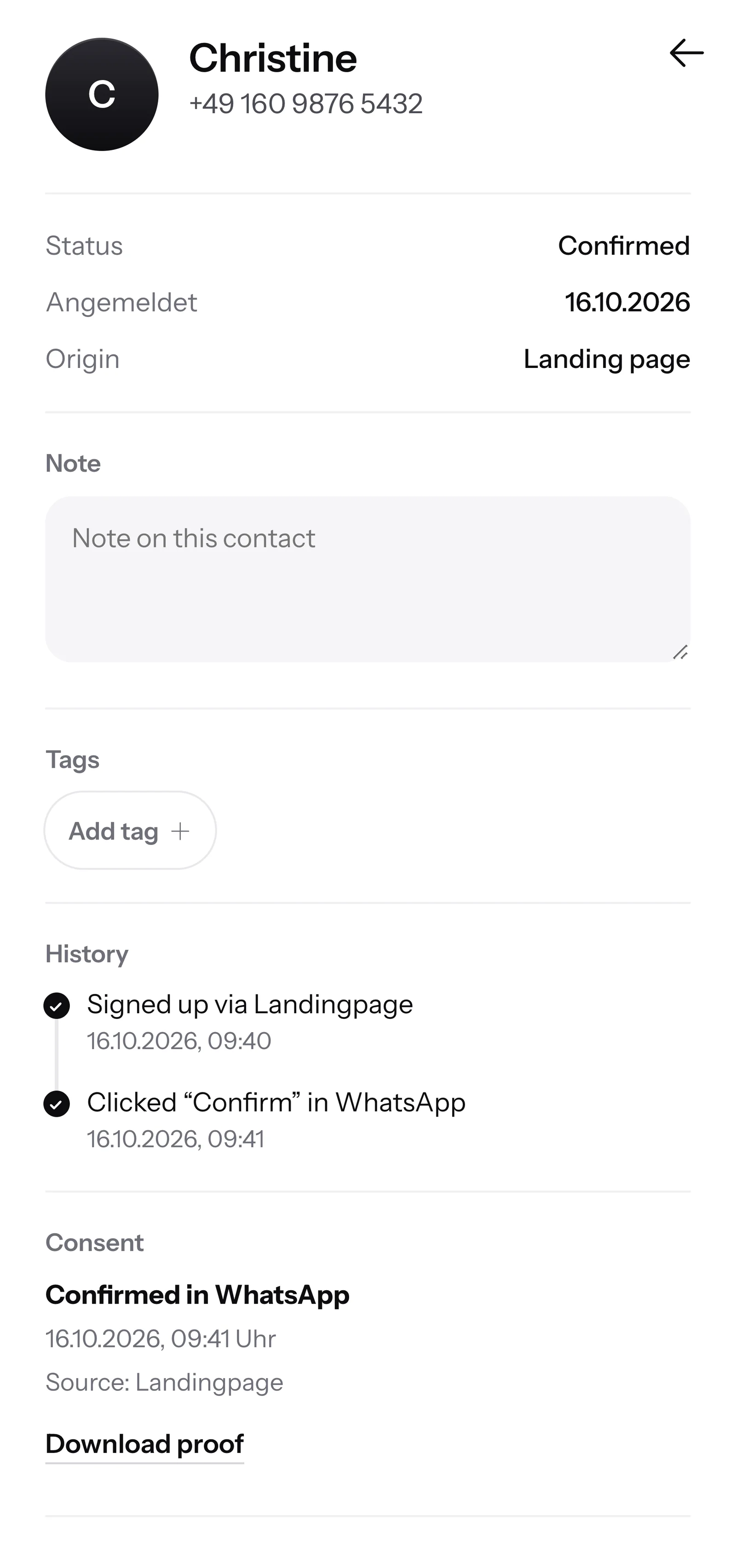
SmartChat records when and how your patient agreed. If someone asks, you download the proof as a PDF.

When a patient writes but nobody at the practice is reachable anymore, SmartChat AI replies fully automatically for you. It replies with the knowledge it has learned from your website and your past conversations. If it has no source, it hands over to you.

If a patient writes late in the evening, they still get an immediate answer.
SmartChat AI replies in the language your patient writes in. That way they understand the message right away.
If SmartChat AI doesn't know something, the question stays in the inbox, and you or your front desk take over.
Yes, if the patient has agreed beforehand. They sign up themselves, for example through the QR code, your website or a link, and confirm once in WhatsApp. SmartChat saves this consent as proof.
Test results, diagnoses and treatment plans don't belong in a newsletter. Use SmartChat for appointments, talks, courses and practice news.
Don't promise a cure or guaranteed success. SmartChat AI suggests texts to you, and you check each one before sending.
Through your landing page, which SmartChat creates for you with a QR code. You put the code in the waiting room, print it on the appointment card or put it up wherever patients can see it. On your website, a popup asks visitors whether they want news on WhatsApp.
Yes, with an automation. SmartChat takes the appointments from your calendar and sends a reminder the day before. Free and Starter have only the fixed automation for new contacts. Custom automations like this reminder start with Basic: Basic has 3, 1 of which is fixed, and Pro has unlimited. More on this under Automations.
You send the appointment as a short newsletter to your subscribers. Whoever replies first gets it. All replies land in the SmartChat inbox, where you confirm the appointment to the patient.
Yes. You tell SmartChat AI the topic, such as your evening talk or the fasting week in spring, and get a finished text. The sign-ups arrive as replies in the inbox. SmartChat does not keep a participant list with payment, that stays with you.
SmartChat AI analyzes your website and the documentsthat you upload, for example your price list or the info sheet for the fasting week. If you change something, you upload the new version, and SmartChat AI answers with it from then on.
You can take over the conversation in the inbox yourself at any time. Once a human has replied in the chat, SmartChat AI stays out of that message. It's best to answer health questions in person, at the appointment or by phone.
No. You send with the number your patients already know. You connect it once to SmartChat and confirm it with a code from Meta, the company behind WhatsApp. You connect one number per account.
SmartChat Free costs €0, with no time limit and no credit card, with 100 messages one time only. Starter costs €299 a month with 3,000 messages, Basic €499 with 6,000 and Pro €999 with unlimited messages. Sending costs no credits. All prices plus VAT, details under Pricing.
Yes, Meta charges the fees for WhatsApp messages directly to you. For this, you add a payment method in your Meta account. You only pay SmartChat for your plan. You can find the exact prices here.
You give SmartChat AI the address of your practice website. In 60 seconds your WhatsApp marketing system with landing page and QR code is ready. Then you connect your number and send your first newsletter.
Anyone who has confirmed your newsletter writes STOP into the WhatsApp chat with your practice. From then on SmartChat sends them nothing more, and in your contact list they show up as unsubscribed.
SmartChat AI analyzes your practice's website and builds a landing page and QR code in 60 seconds. Free costs €0 and runs without a credit card.