Thank-you after sign-up
Once a new customer has signed up and confirmed, they immediately get a thank-you message and know what your salon will send them.
With SmartChat, you send your customers every piece of news from your salon by WhatsApp, whether new autumn colors, a spot at the mirror that has become free at short notice or the party hairstyle for New Year's Eve.


Thank-you after sign-up, booking confirmation and reminder before the appointment: SmartChat sends them automatically for your salon. Custom automations are available from Basic.

Once a new customer has signed up and confirmed, they immediately get a thank-you message and know what your salon will send them.

When your checkout or appointment software reports a new online booking to SmartChat, the confirmation goes to your customer by WhatsApp right afterwards.

SmartChat takes the appointment from your calendar and reminds your customer one day before. If they cancel, you can still give the slot to someone else.
Your customer signs up themselves: via the QR code in the salon, the window on your website or your link on Instagram. They only get your newsletter once they have confirmed in WhatsApp.
Stick it on the mirror, put it in the waiting area or print it on the appointment card. SmartChat creates the code for your landing page.
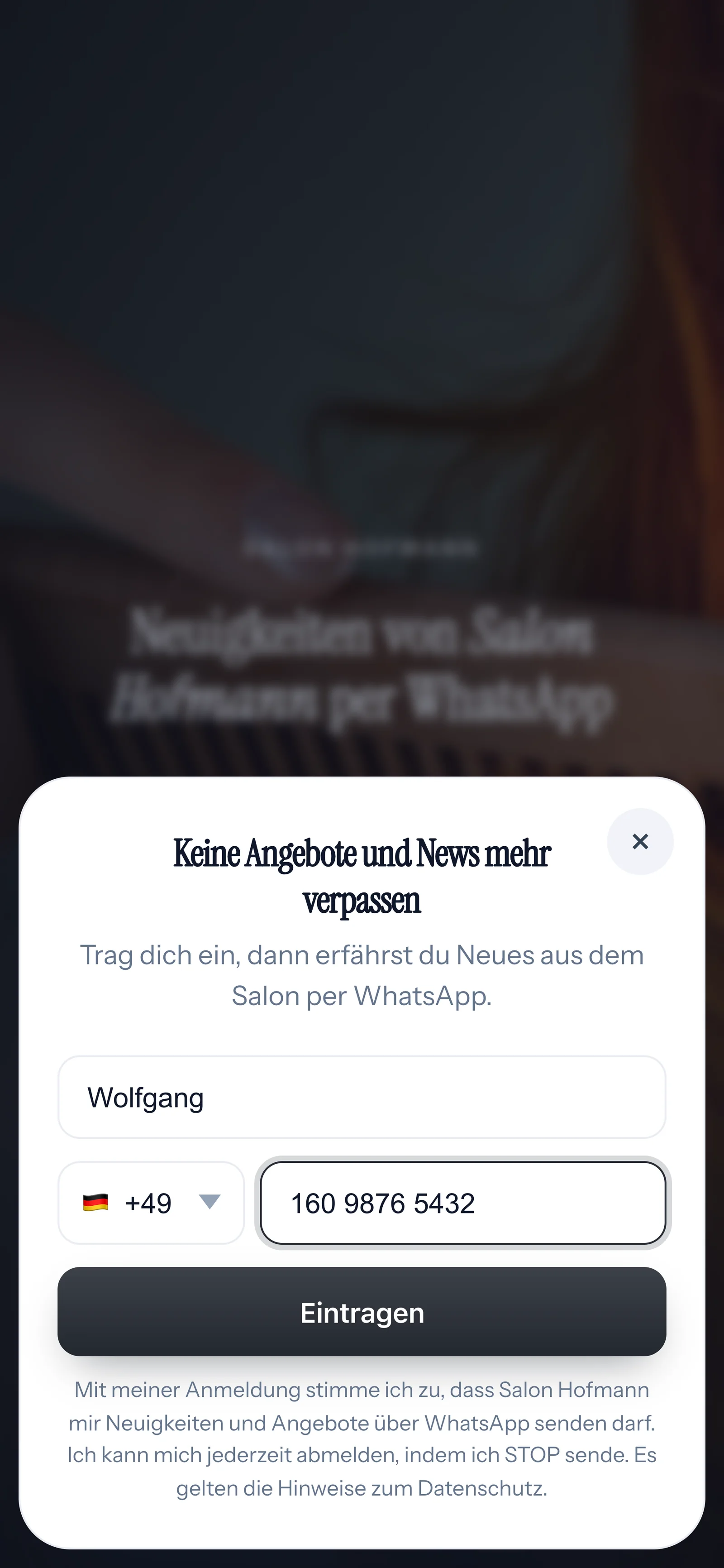
Then your landing page opens. It needs no more than these two details.

Right after, a WhatsApp from your salon arrives. Your customer confirms their sign-up themselves in WhatsApp, with one click on the button. That is the double opt-in.
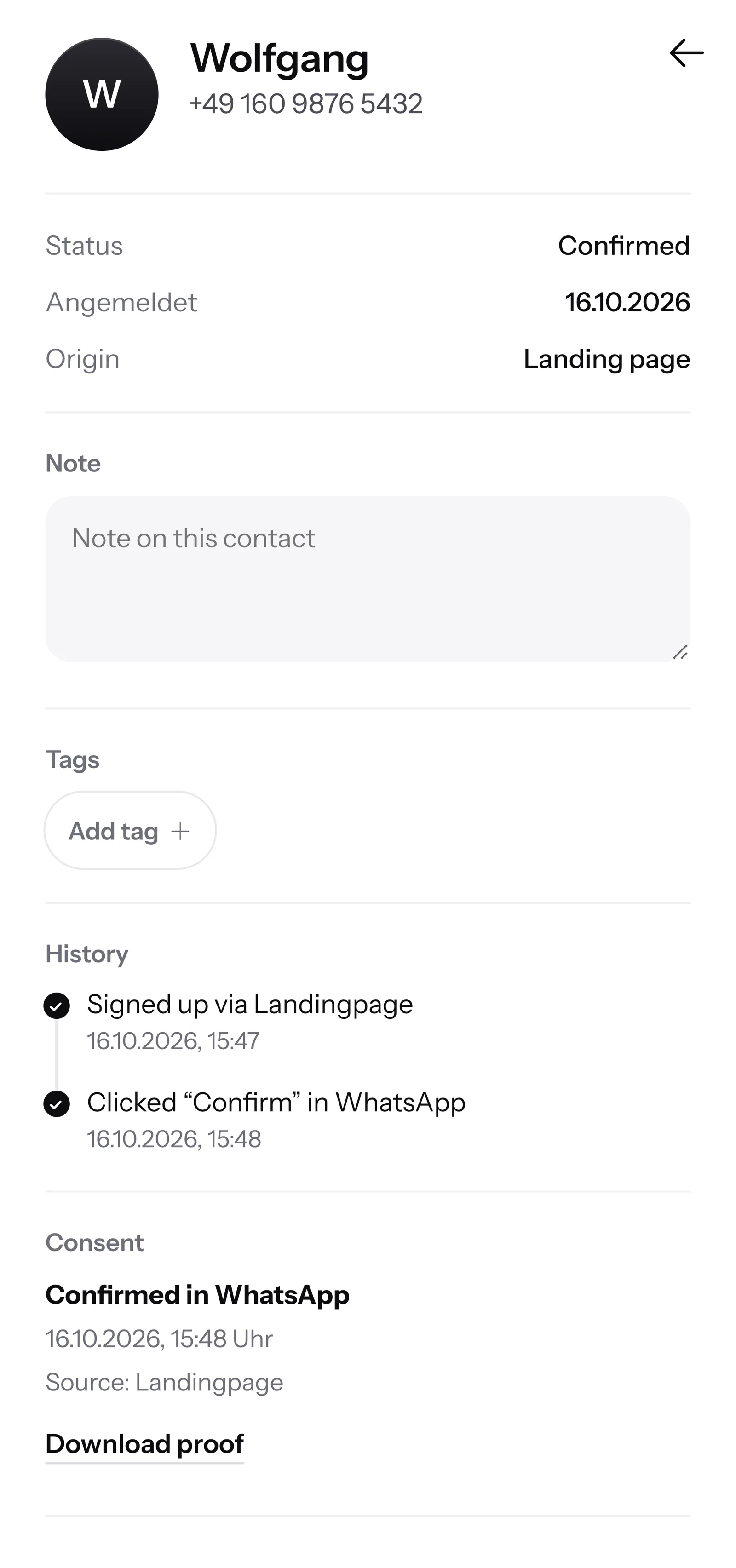
SmartChat records when your customer agreed and through which route. You can download this proof as a PDF at any time.

If a customer writes but nobody in the salon can be reached right now, SmartChat AI replies fully automatically for you. It replies with learned knowledge that it picks up from your website and your past conversations. If it has no source, it hands the question over to you.

If someone writes in the evening, the answer to their questions is in the chat right away.
SmartChat AI replies in the language your contact writes in, for example German, English, Italian, French or Spanish. New customers from abroad understand the message right away.
If SmartChat AI lacks an answer, the question waits in the inbox. Whoever is not at the chair right now replies themselves.
Yes, if your customer has agreed beforehand. They sign up themselves, for example via the QR code in the salon, your website or a link, and confirm once in WhatsApp. SmartChat saves this consent as proof of consent. You don't message customers who haven't signed up themselves.
Where your customer waits a few minutes: at the mirror, in the waiting area or on the appointment card to take away. While the color is setting, they have their phone in their hand anyway. On your website, a popup asks visitors whether they want to sign up.
No. You keep booking appointments in the software you are used to. SmartChat takes them over through an iCal address from your calendar and uses it to send the reminder the day before. If your software can report new bookings by webhook, SmartChat also sends the confirmation. How that works is explained under Automations.
You tell SmartChat AI the free slot, for example tomorrow at 8:30 am. SmartChat AI writes the message, you check it and send it to all subscribers or just one group. Whoever replies lands in the inbox, and your team books them in.
Yes. In SmartChat you give your contacts Tags, for example men's cut, color or kids. You then send the newsletter about the new autumn colors only to the group it is meant for.
Yes. Your newsletter can have an image or video at the top. You take it from your media library or upload your own. If a customer is visible in the photo, ask them first whether you may use it.
SmartChat AI does not answer questions about allergies. The question stays in the inbox, and your team replies themselves.
No. SmartChat AI writes the newsletter from your website and your price list. You just say what it is about, for example the new Thursday evening appointments. Then you read the text and send it with one click.
Yes. All conversations come together in one inbox, and everyone on your team replies from there using the salon's number. Free has 1 team seat, Starter 3, Basic 6 and Pro 12.
No. You send with your salon's number. You connect it to SmartChat and confirm it with a code from Meta, the company behind WhatsApp. You connect one number per account.
SmartChat Free costs โฌ0, with no time limit and no credit card, with 100 messages one time only. Starter costs โฌ299 a month with 3,000 messages, Basic โฌ499 with 6,000 and Pro โฌ999 with unlimited messages. Sending costs no credits. All prices plus VAT, details under Pricing.
Meta bills you directly for the fees for WhatsApp messages. For this, you add a payment method in your Meta account. You pay SmartChat only for your plan. You can find the exact prices here.
Free and Starter only have the fixed automation for new contacts (confirmation and thank-you). Custom automations are available from Basic: Basic has 3, 1 of them for new contacts, Pro has unlimited. An automation sends automatically, for example the reminder the day before a coloring appointment.
You give SmartChat AI the address of your salon website. In 60 seconds, your WhatsApp marketing system, your landing page and your QR code are ready. Then you connect your number and send the first newsletter.
Your customer writes STOP into the WhatsApp chat with your salon. From then on, they get no more newsletters, and SmartChat shows them in your contact list as unsubscribed.
SmartChat AI analyzes your salon's website and builds your WhatsApp marketing system with landing page and QR code from it in 60 seconds. Free costs โฌ0, and you don't need a credit card for it.