Custom domain for your landing page.
With SmartChat, you can connect your landing page to your own domain.

Your domain is connected in three steps.
You only need access to the provider where your domain is hosted. SmartChat shows you everything else step by step.
- 1
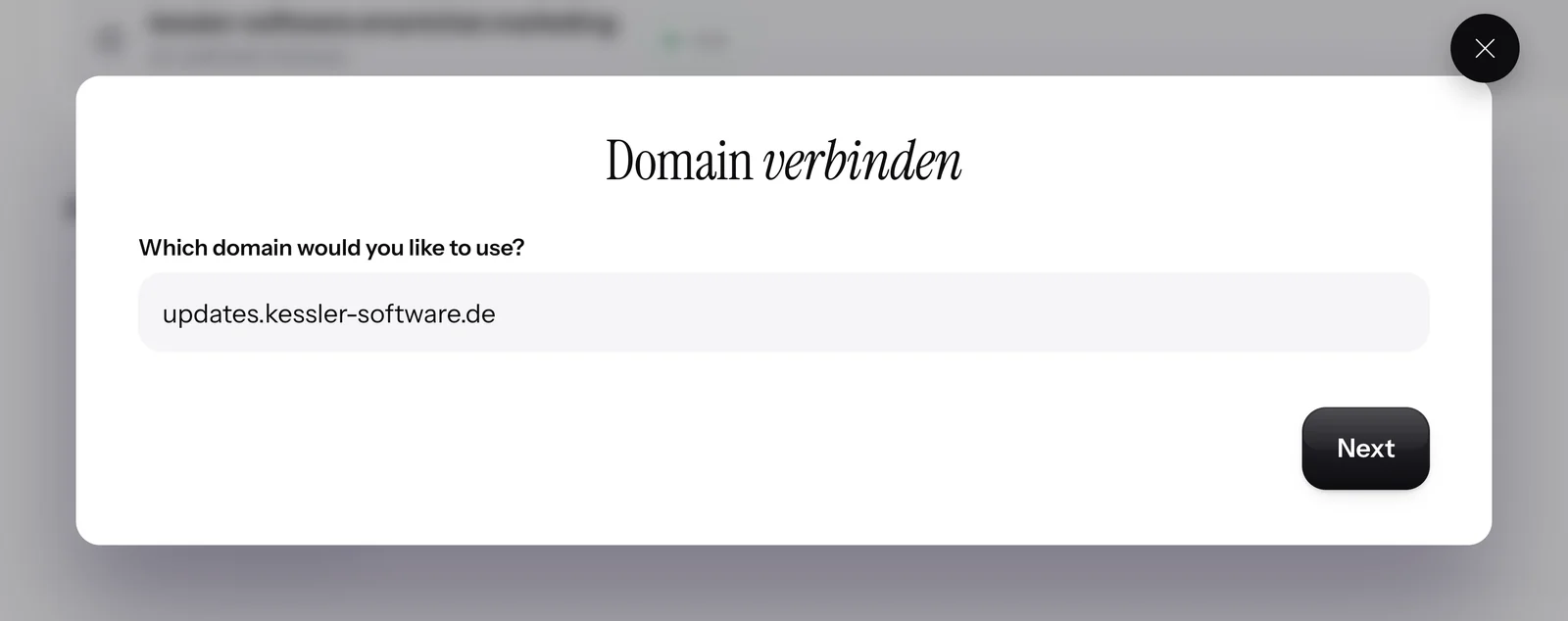
Enter your domain
On your landing page, click Connect domain and enter the domain it should appear under.
- 2
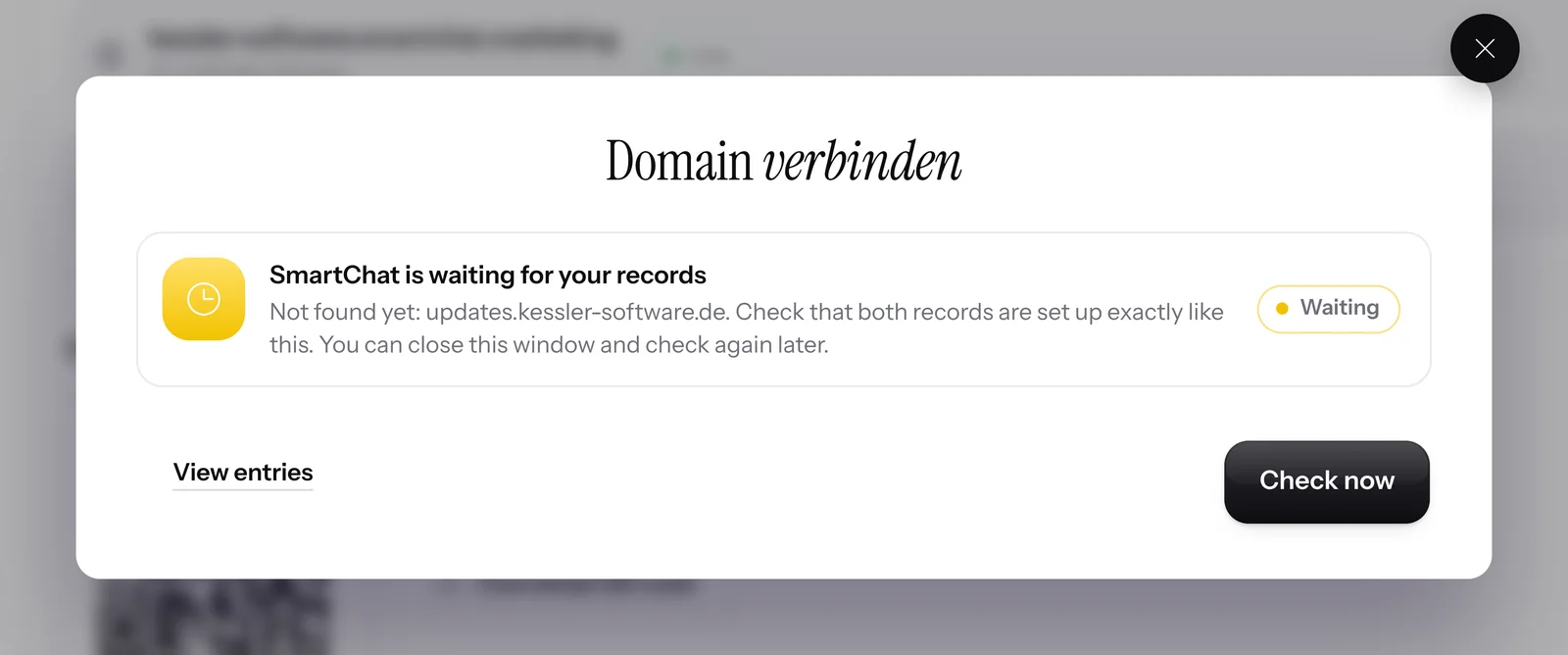
Add the records
SmartChat shows you the records you add at your domain provider. With one click on Check now, you see whether everything is right.
- 3
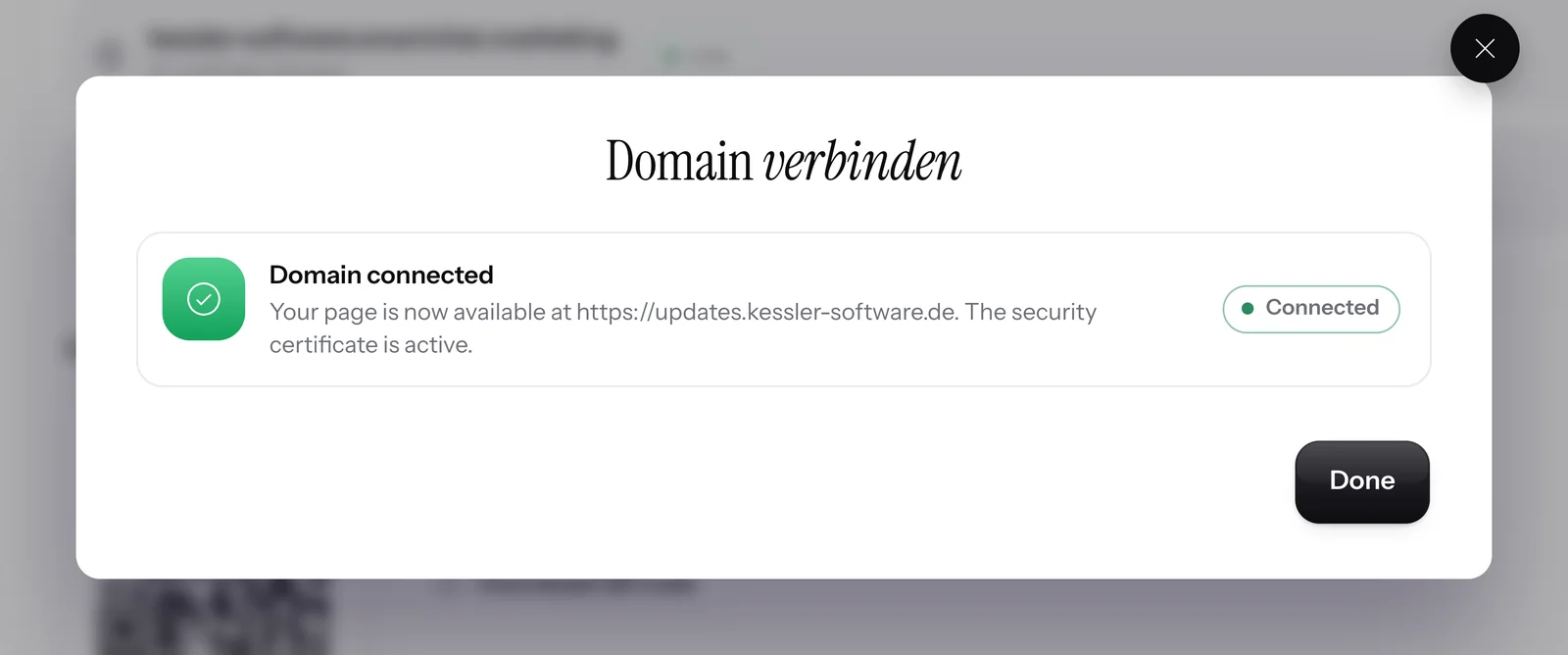
Your page is live
From now on, your landing page opens at your domain. SmartChat sets up the secure https connection automatically.


SmartChat keeps your domains in view.
After connecting, SmartChat checks your domains regularly and automatically. In the app, you can see at any time which domain is connected and which one is still missing a record.

Checked regularly
SmartChat automatically checks whether your domain is connected correctly and runs securely with https.
See exactly what's missing
If a record is missing, SmartChat shows you exactly which one it is and what has to go there.
Remove with one click
If you disconnect a domain from your landing page, the landing page stays reachable at your SmartChat Domain.
Link and QR code take over your domain.
As soon as your domain is connected, SmartChat uses it for the link and the QR code of your landing page. The SmartChat subdomain keeps working.

New QR code
You download the QR code from your landing page as usual, and it leads to your own domain.
The newest domain is used
If you've connected more than one domain, SmartChat uses the most recently added one for the link and QR code.
One link with your domain
Share the link everywhere, for example in your Instagram profile, in your email signature or on your website.
Signing up starts on your landing page.
A prospect scans your QR code, opens your landing page on your own domain and signs up for your WhatsApp newsletter .
Your domain in the QR code
The QR code leads to your own domain, not to a foreign ending.

No domain yet? You can buy it here.
From the Starter plan, you search for your desired domain right in SmartChat, see the price for one year and buy with one click. SmartChat sets up the connection to your landing page automatically.

Available or taken
You see right away whether your desired domain is still available.
Paid with credits
You pay with the credits from your plan. You see the price for one year before you buy.
Renewed automatically
SmartChat renews your purchased domain automatically every year. You can turn off renewal at any time.
Which plan can do what?
A domain you already own, you connect in every plan. A new domain you buy directly in SmartChat from Starter. All prices plus VAT.
| Free | Starter | Basic | Pro | |
|---|---|---|---|---|
| Price per month | 0 € | 299 € | 499 € | 999 € |
| Free SmartChat Domain | yes | yes | yes | yes |
| Connect your own domain | yes | yes | yes | yes |
| Buy a domain in SmartChat | no | yes | yes | yes |
| Secure connection with https | yes | yes | yes | yes |
| QR code with your domain | yes | yes | yes | yes |
You pay for a purchased domain with credits from your plan.
Frequently asked questions about Custom domain.
Does connecting my own domain cost anything?
No, you can connect your own domain in every plan, even Free for €0. You only pay your domain provider, as before. The paid SmartChat plans start at €299 per month, all prices plus VAT.
What domain does my landing page run on without my own domain?
Without your own domain, your landing page runs on a free domain on smartchat.marketing, for example kessler-software.smartchat.marketing from our example for WhatsApp marketing for software providers. You can find everything about the free domain under SmartChat domain.
Should I connect a subdomain or my main domain?
It's best to use a subdomain like angebote.deinefirma.de. Your current website then stays unchanged. If you connect the main domain, it then shows the landing page instead of your website. You can find examples under WhatsApp marketing for jewelers and WhatsApp marketing for photographers.
Which records do I create at my domain provider?
A CNAME record for a subdomain, an A record for a main domain and a CNAME record for www. On top of that comes a TXT record as proof. SmartChat shows you all the values, and you copy them with one click.
How long does it take until my domain is connected?
A new DNS record is often active after a few minutes, in rare cases only after 24 hours. You can close the window and click Check now again later, your entries stay saved.
Do I have to take care of the security certificate?
No, SmartChat sets up the certificate for https automatically as soon as your domain is connected. In the app, it then says: The security certificate is active.
What happens if a record goes missing later?
SmartChat checks your domains regularly. If a record is missing, for example after switching providers, SmartChat shows this at your domain. With Check now, you see which value is expected.
Does my QR code change when I connect my own domain?
Yes, as soon as your domain is connected, the link and QR code of your landing page lead to your own domain. Your SmartChat Domain keeps working, so links you've already shared stay valid.
Why can't I buy a domain in Free?
Buying a domain is available from the Starter plan for €299 per month. In Free, you connect a domain you already own to your landing page for free.
What do I pay for a purchased domain with?
With the credits from your plan. You see the price for one year in SmartChat before you buy. If the purchase doesn't go through, SmartChat doesn't deduct any credits.
Can I turn off automatic renewal?
Yes, at any time at the domain. If renewal is on, SmartChat renews the domain by one year in good time before it ends. If you turn it off, your page stays reachable at this domain until the end of the term.
Can I remove a connected domain again?
Yes, with one click on Remove, you disconnect the domain from your page. Your landing page then stays reachable at your SmartChat Domain.
Does my own domain change anything about signing up through WhatsApp?
No, signing up works exactly the same: your contact confirms in WhatsApp, and anyone who doesn't want to receive anything anymore writes STOP. Only the domain of your landing page is now your own.
Does Meta charge fees for my WhatsApp messages?
Meta charges the fees for WhatsApp messages directly to you. For that, you add a payment method in your Meta account. Sending through SmartChat costs no credits. With SmartChat, you also pay for your plan. You can find the exact prices under Meta fees.
Your landing page on your own domain.
Enter your website, and SmartChat AI analyzes it. In 60 seconds your WhatsApp marketing system with a landing page is ready, and you connect your own domain afterward in every plan.