

Thank-you after sign-up
Once a customer confirms, their branch immediately sends a short welcome message with opening hours.

With SmartChat you send your customers on WhatsApp what each location wants to tell them: the promotion for all branches, the opening in their city or the pre-order for Christmas.


Every location has its own automations. The head office uses them for conversations with new partners. Custom automations are available from Basic.

Once a customer confirms, their branch immediately sends a short welcome message with opening hours.


If your checkout or ordering system can report a finished pre-order to SmartChat, the customer is notified right away by WhatsApp.

SmartChat takes the appointments with new partners from the head office's calendar and reminds every interested person the day before.
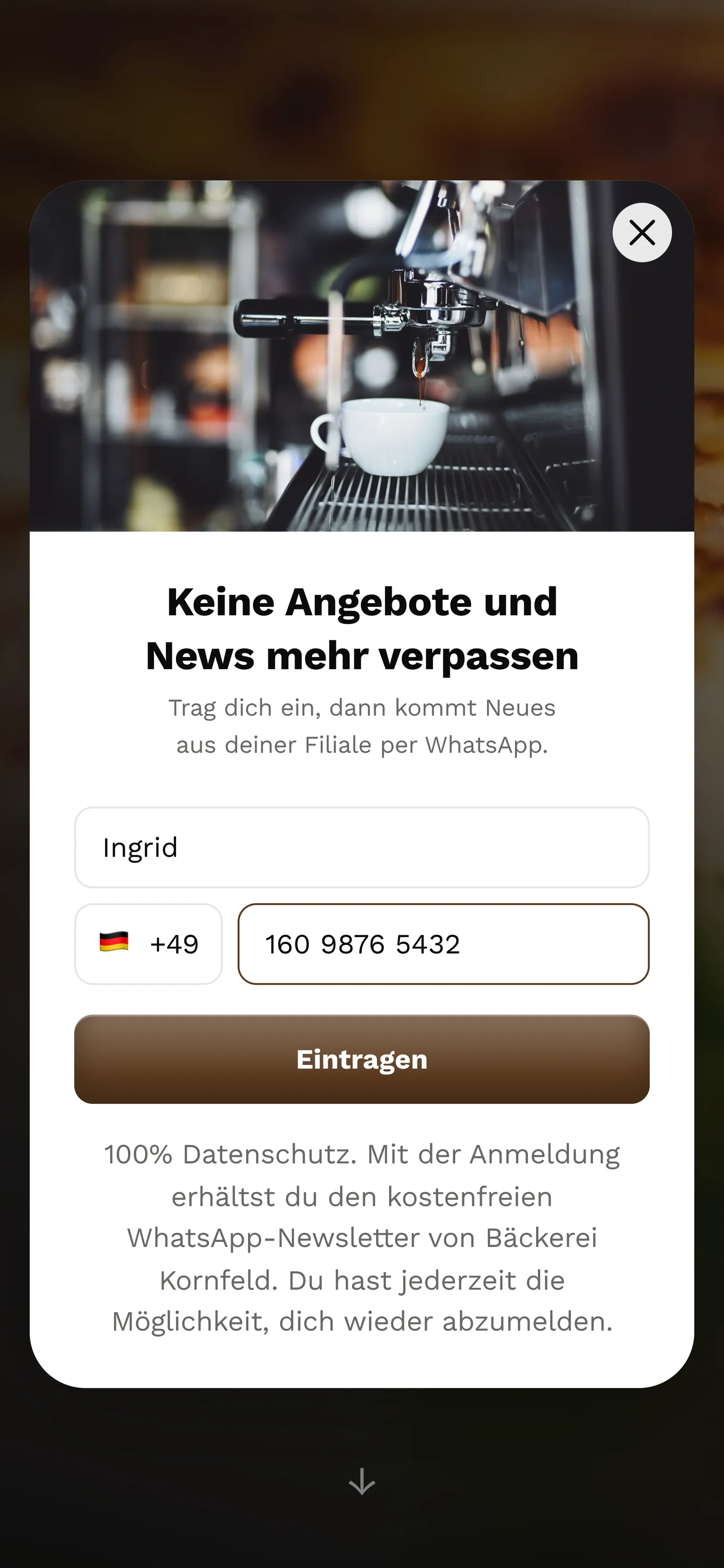
Every branch has its own landing page and its own QR code. Your customers sign up themselves, via the QR code in the branch, on the location's website or through a link, and confirm it in WhatsApp.
The code is stuck up in the shop, printed on the bread bag or on the receipt. SmartChat creates it for that location's landing page.
On the page of their branch, a small form asks for just these two details.

They click Confirm once. This double opt-in comes from their branch's number, not from the head office.
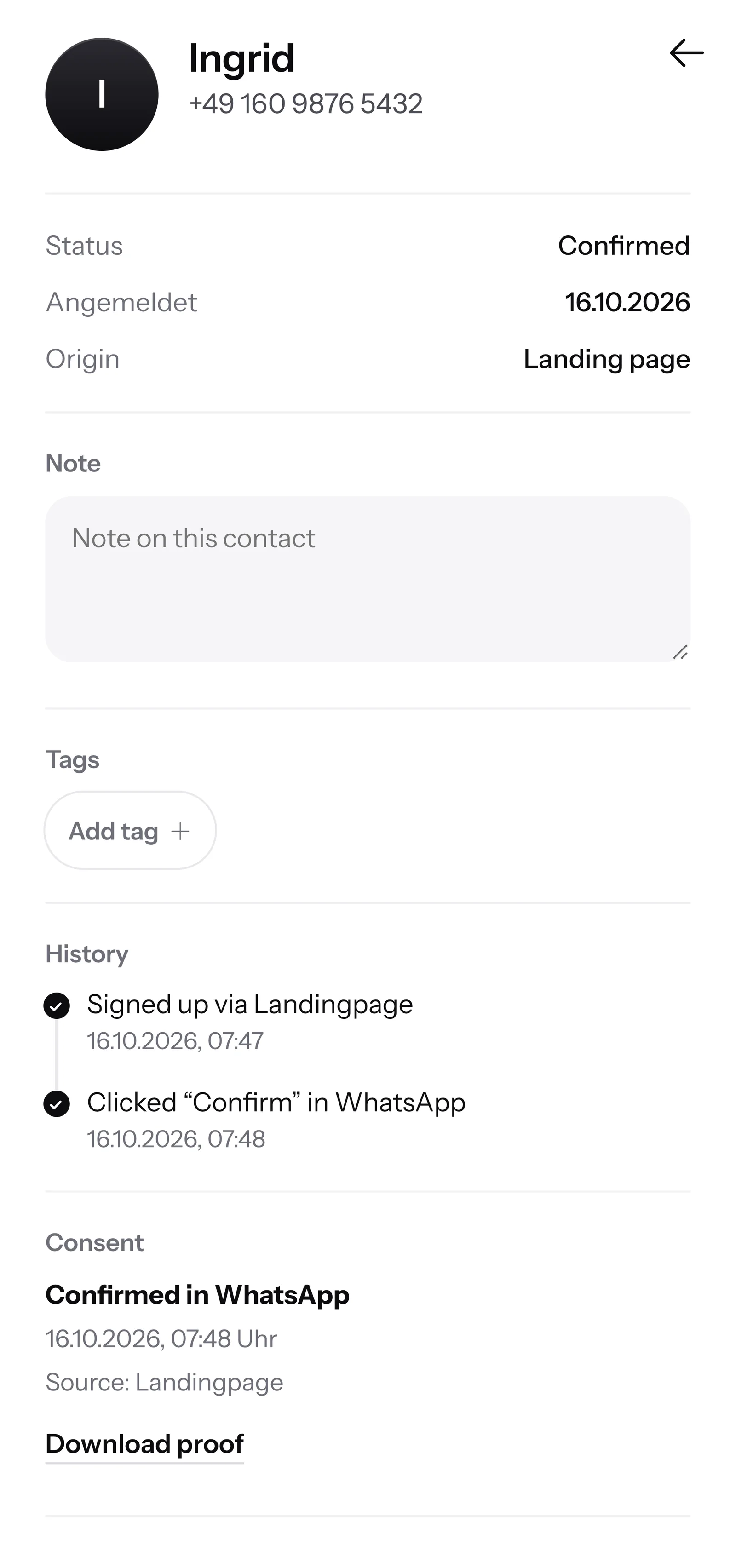
SmartChat saves for every location when and how a customer agreed. You can show the proof as a PDF at any time.

If a customer writes on Sunday evening and nobody can be reached at their branch, SmartChat AI replies fully automatically for you. It replies with learned knowledge that it picks up from the location's website and past conversations.

If a customer writes in the evening, they get an answer to their questions right away.
SmartChat AI replies in the language your contact writes in, for example German, English, Italian, French or Spanish. Travellers at the station and holidaymakers in the town centre understand the message right away.
If SmartChat AI can't answer, the message is forwarded to the branch in the inbox of its account.
Yes. In SmartChat every location is its own account with its own phone number, because you connect exactly one number per account. That way your customers always write with the branch where they shop.
Yes. With one login, you switch between the accounts of your locations. So you don't sign in again for every branch, and you still see each inbox separately. More on this under Multiple accounts.
Whoever creates an account is the admin there and carries the subscription. You invite other people as admin or as employee. The admin sets up SmartChat and sends marketing messages. The employee only sees the inbox and settings and replies there to incoming messages. You decide yourselves who gets which role. More on this under Team.
Each branch has its own account. A newsletter always goes out from one account to its contacts. For a joint promotion you create it in each account. SmartChat AI adapts it to the location there, for example with address and opening hours.
Your franchise agreement decides that, not SmartChat. In SmartChat the contacts sit in the account through which the customer signed up, and an admin can export them there. Clear the question with your lawyer before you start.
Through the location's landing page. SmartChat creates a QR code, which every branch can put up wherever it likes, for example in the shop window or on the bread bag. On the branch's website, a Website popup asks visitors. A Click-to-WhatsApp button only opens the chat with the branch. Customers do not get onto the list that way.
Create a separate account for headquarters. On your page for new partners, an interested person signs up and confirms in WhatsApp. After that you send them the invitation to the info day, and SmartChat AI answers their first questions from the documents you uploaded.
That's up to you. In each account you set the logo, colors and font of the landing page. If you use the same settings everywhere, your brand looks the same at every location. Each branch maintains its own address and opening hours.
No. SmartChat AI writes the newsletter to fit the location. The partner only gives the topic, for example the autumn promotion. They check the text and send it with one click.
SmartChat AI answers with the knowledge of the account the message arrives in: the location's website and the documentsuploaded there, such as range or opening hours on public holidays. If SmartChat AI can't answer, the message is forwarded in the inbox to the local team.
Every location is its own account with its own plan. SmartChat Free costs €0, with no time limit and no credit card, with 100 messages one time. Starter costs €299 per month with 3,000 messages, Basic €499 with 6,000 and Pro €999 with unlimited messages. Sending costs no credits. All prices plus VAT, details under Pricing.
Meta is the company behind WhatsApp and charges the fees for WhatsApp messages directly. For this, you add a payment method in your Meta account. With SmartChat, each location only pays for its plan. You can find the exact prices here.
That depends on the account's plan. Free and Starter only have the fixed automation for new contacts (confirmation and thank-you). Custom automations are available from Basic: Basic has 3, 1 of them for new contacts, Pro has unlimited. An automation sends automatically, for example the message that an order is ready.
You give SmartChat AI the website of the location. In 60 seconds its WhatsApp marketing system with landing page and QR code is ready. Then the branch connects its phone number and sends the first newsletter.
They write STOP into the WhatsApp chat with their branch. From then on, they get no more newsletters from that location and show up in the contact list as unsubscribed. If they are also signed up with another branch, they unsubscribe there separately.
SmartChat AI analyzes the website of your first location and builds the landing page with QR code in 60 seconds. You use the Free plan without a credit card and without a time limit.