



Welcome after sign-up
Whoever signs up and confirms gets a thank-you right away. They then know what you support people with and what they will hear from you.

With SmartChat you send your clients everything that helps them on WhatsApp: an exercise between sessions, free slots for an intro call or the invitation to your next workshop.


New signup, booked intro call or session the next day: SmartChat sends the right message without you having to take care of it. Custom automations are available from Basic.

Whoever signs up and confirms gets a thank-you right away. They then know what you support people with and what they will hear from you.


If your booking tool reports new appointments to SmartChat, SmartChat sends the confirmation right away on WhatsApp. Your client has everything for the call in one message.

SmartChat takes your appointments from the calendar and reminds each client one day before. If they have to cancel, they write to you directly in the chat.
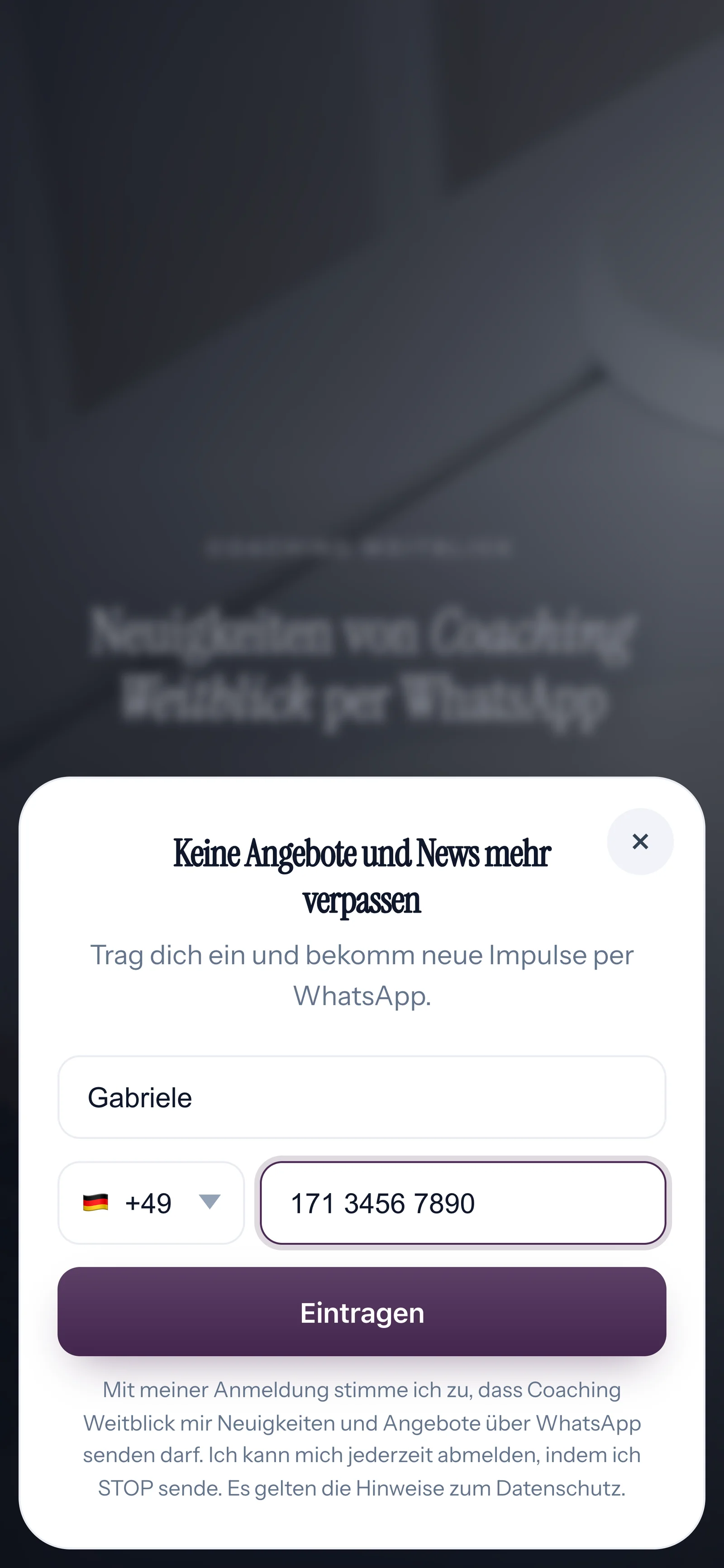
Prospects sign up themselves: on your website, via the link under your posts or with the QR code at your talks. You send them your newsletter only once they have confirmed in WhatsApp.
When someone reads about your coaching, a small window opens. It asks only for first name and WhatsApp number.

On your worksheet or the last slide there is a QR code. SmartChat creates it to match your landing page.
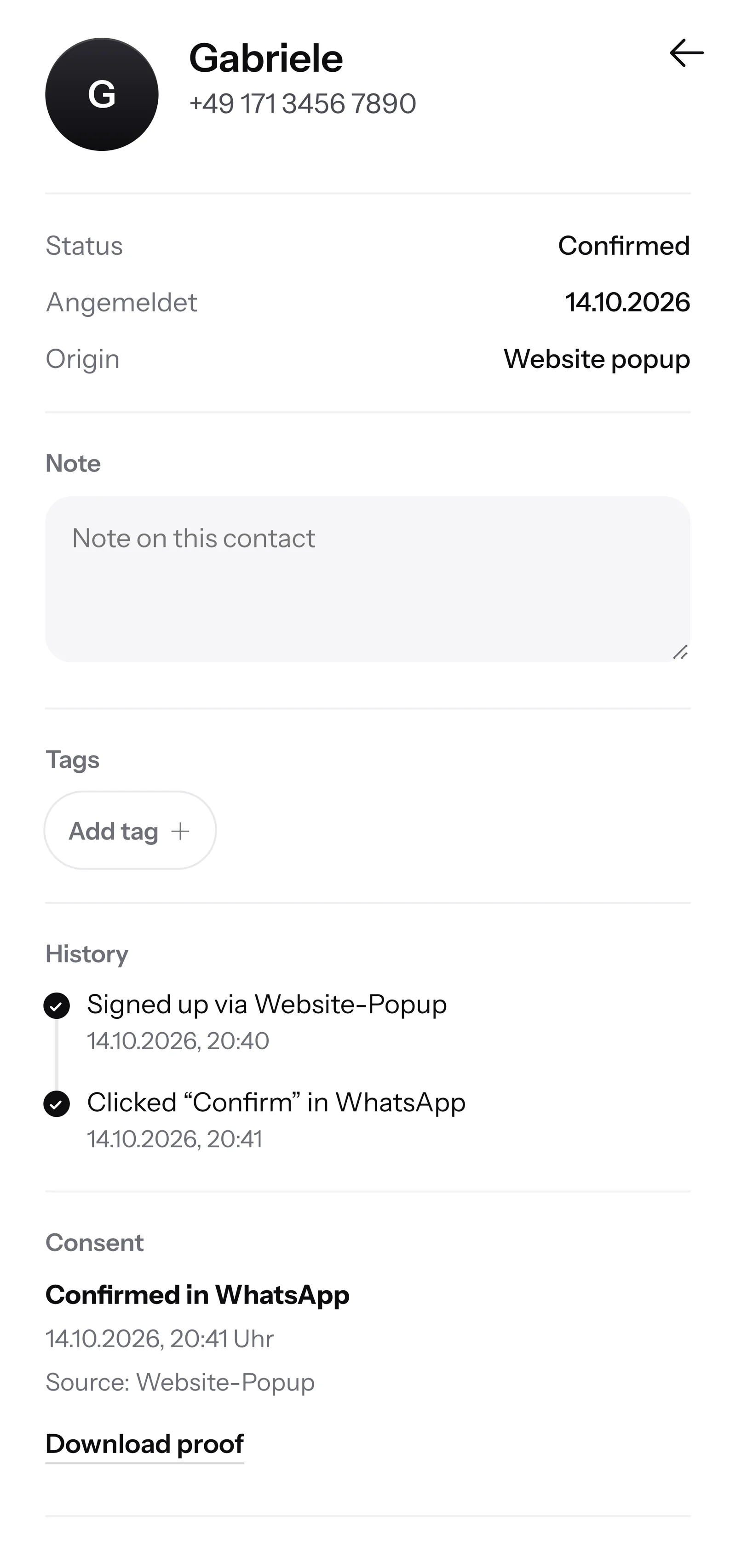
One click on Confirm, and the signup is complete. This second consent is called double opt-in.
SmartChat records when and how your client agreed. You download the proof as a PDF.

When a prospect wants to know late in the evening how a coaching with you works, and you are not available at that moment, SmartChat AI replies fully automatically for you. It replies with the knowledge it has learned from your website and your documents. If it has no source, it hands over to you.

Whoever thinks about coaching in the evening gets an answer right away, even while you are in a session.
SmartChat AI replies in the language of the question, in any language.
If SmartChat AI cannot answer, the message is forwarded to you in the inbox, and you reply yourself.
No, only after their consent. Your prospect signs up themselves, on your website or via the QR code at your talks, and then confirms once in WhatsApp. SmartChat stores this consent as proof of consent and so supports you with consent that complies with data protection law.
Through your website. A website popup asks your visitors for their first name and WhatsApp number. A Click-to-WhatsApp button opens the chat with you, but does not put anyone on the newsletter list. You also place the link to your landing page under your posts and articles.
WhatsApp works well for exercises, appointments and invitations. Very personal topics are best discussed in the session. Tell your clients at the start what you use WhatsApp for. Whether this fits your rules on confidentiality, you clarify with a lawyer if in doubt.
Yes. SmartChat AI analyzes your website and all documentsyou upload, for example your price list or the description of your group program as a PDF. That way SmartChat AI answers your prospects' questions even at night and on weekends.
No. SmartChat AI answers questions about your offers with the knowledge you have provided. You do the coaching yourself. If SmartChat AI cannot answer, the message is forwarded to you in the inbox. If a person has replied in a conversation, SmartChat AI adds nothing to that message.
Yes. You give the participants in your contacts a tag, for example the name of the group. You then send the newsletter with the date for the next evening only to these contacts.
You can import contacts. Imported contacts are unconfirmed at first. But only clients who have agreed themselves get newsletters. So show your QR code in the last session. Whoever scans it signs up themselves and confirms in WhatsApp.
Yes, with an automation. SmartChat takes your appointments from your calendar via an iCal link and sends your client a reminder on WhatsApp the day before. If they have to cancel, they reply to you directly in the chat.
Free and Starter include only the fixed automation for new contacts (confirmation and thank-you). Custom automations are available from Basic: Basic has 3, 1 of them fixed, Pro has unlimited. A custom automation sends messages automatically, for example the confirmation after a booked intro call.
SmartChat Free costs 0 β¬, with no time limit and no credit card, and includes 100 messages once. Starter costs 299 β¬ per month with 3,000 messages, Basic 499 β¬ with 6,000 and Pro 999 β¬ with unlimited messages. You pay no credits for sending. All prices plus VAT, more under Pricing.
Meta bills you directly for the fees for WhatsApp messages. Meta is the company behind WhatsApp. You add a payment method for this in your Meta account, and you pay SmartChat only for your plan. You can find the exact prices here.
No. You connect your own number with SmartChat and confirm it with the code that Meta sends you. From then on, you send your messages with this number. You connect one number per account.
You give SmartChat AI the address of your website. In 60 seconds, your WhatsApp marketing system with landing page and QR code is ready. Then you connect your number and send your first newsletter.
Anyone who has confirmed your newsletter writes STOP in your WhatsApp chat. From then on, SmartChat sends them nothing more and they show up as unsubscribed in your contact list.
SmartChat AI analyzes your coaching website. After 60 seconds you have your landing page and your QR code. Free costs 0 β¬ and needs no credit card.