




Spot in the course confirmed
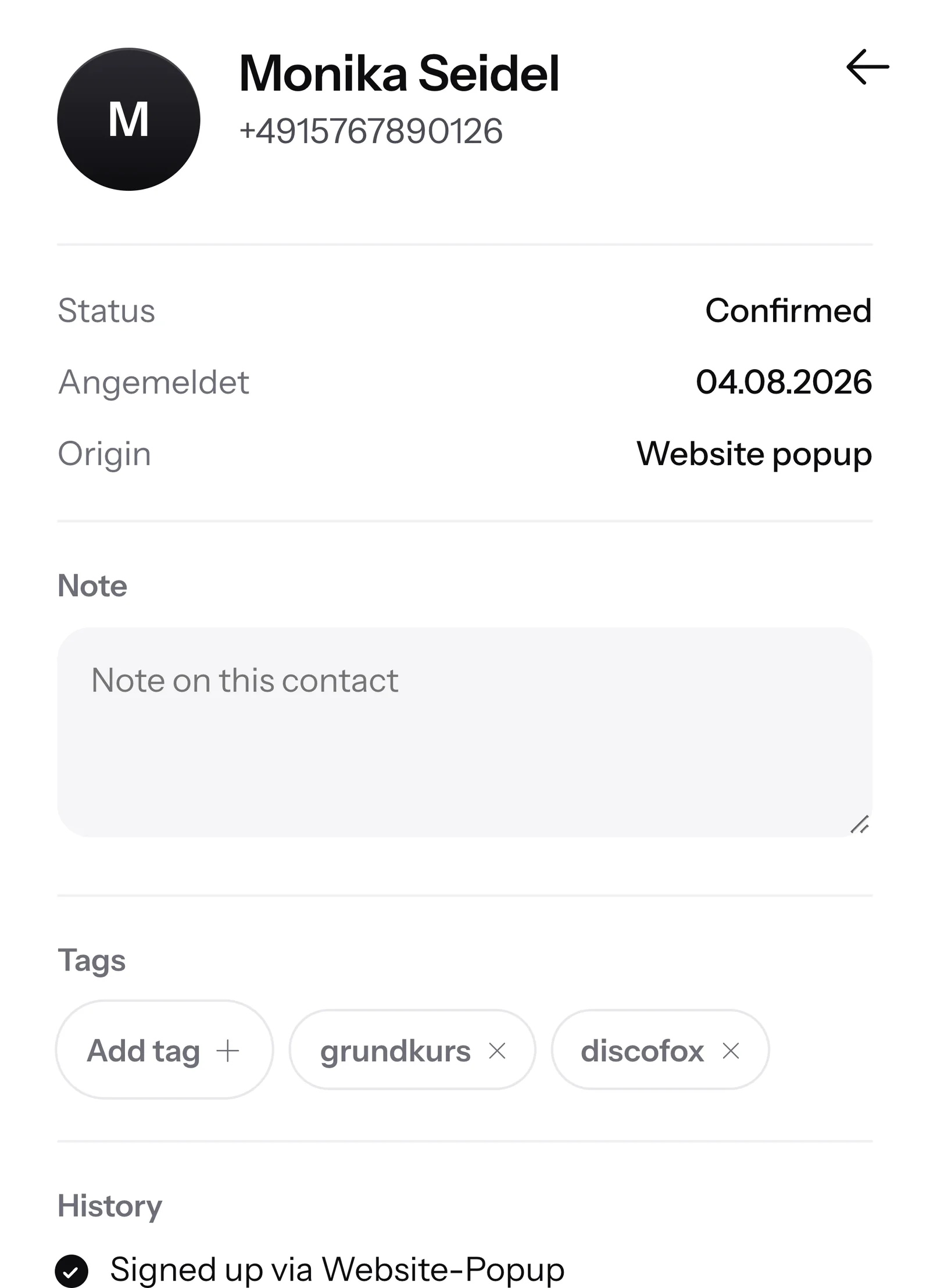
If your program for course signups can report new bookings to SmartChat, SmartChat confirms the spot via WhatsApp and then sets the tag grundkurs.

With tags, you divide your WhatsApp contacts into groups and send every newsletter only to the contacts it is meant for.

Every group gets its own topic. Click a tag on the left and see exactly what these contacts read in WhatsApp.
Every group gets its own topic. Tap a tag and see exactly what these contacts read in WhatsApp.
Anyone who likes red wine hears about the new bottles from the wooden cask.
White wine fans read about the new vintage. Anyone who only likes red wine gets nothing about it.
Anyone who likes to taste gets the invitation to the sparkling wine evening before New Year's Eve.
Collectors hear about rare bottles before they are in the store.


Whether individually, for many at once or fully automatically: You decide which way fits best.

You open a contact and click Add tag. You choose an existing tag or create a new one with Create a tag .

You select contacts in the list, filter by source, for example Landing page, and click Set tag. In the same window, you can also remove a tag again.

If your file has a column like Interest or Group, you map it during the import to the field Tag . SmartChat only takes over what you map yourself.

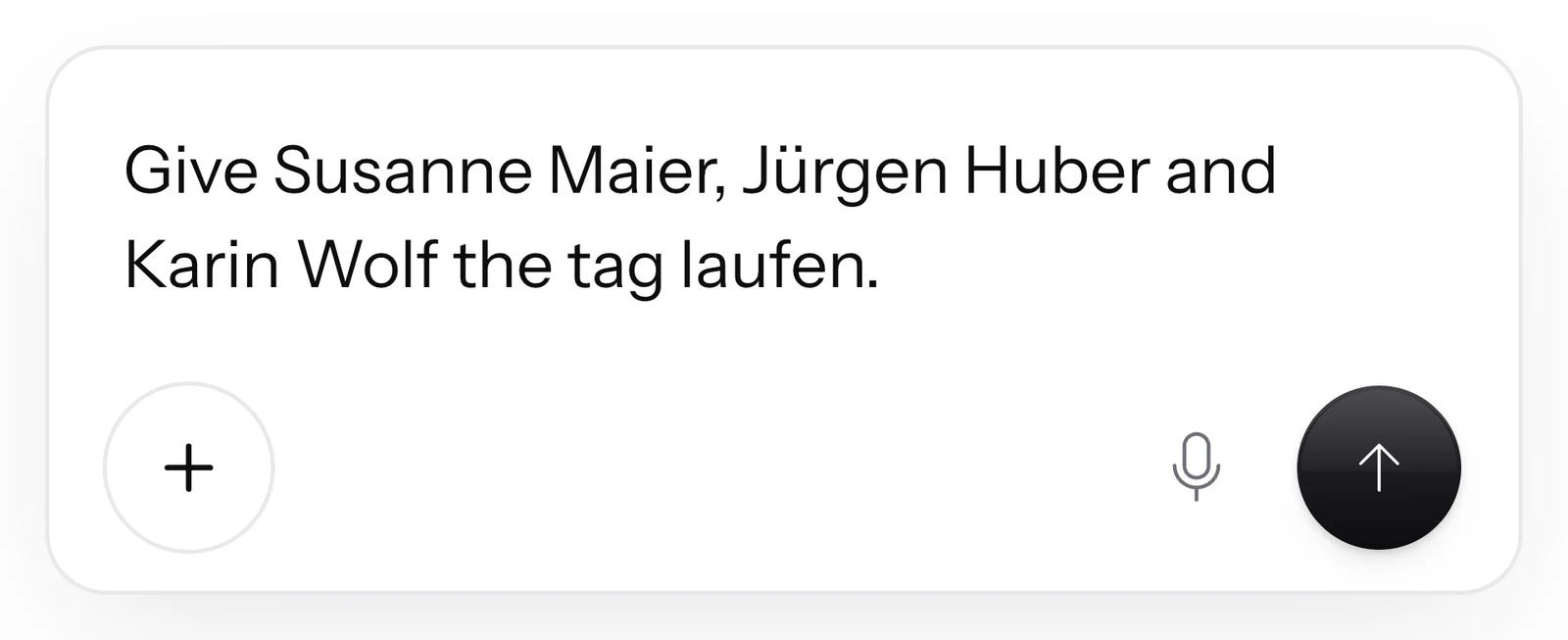
You write SmartChat AIwho should get which tag. SmartChat AI sets tags only when you ask it to, or in an automation that you built. Afterwards, it tells you how many contacts it marked.

A step Set tag marks every contact that runs through the automation . That way your list sorts itself while SmartChat sends messages.
Under Manage tags, every tag appears with its number of contacts. If you rename or delete it, SmartChat changes it for all contacts at once.

"fitness" becomes "fitness and yoga", for every contact with this tag at the same time.
If a tag already exists, SmartChat points it out. Uppercase or lowercase doesn't matter here.
The Tag filter shows only contacts with the chosen tag. The search above the list finds tags too.
In the Recipients card, you click Selected contacts only and then the matching tags. SmartChat counts the number of recipients right away.

Besides tags, you also choose the source: landing page, website popup, import or manual.
The number of recipients changes with every click. You always know beforehand how many will receive it.
Only confirmed contacts count here. Under Manage tags, on the other hand, every contact with the tag appears, which is why the numbers are higher there.
Every automation can set a tag as a step. Anyone who books, has an appointment or newly signs up automatically gets the right tag. Your own automations are available from the Basic plan.

If your program for course signups can report new bookings to SmartChat, SmartChat confirms the spot via WhatsApp and then sets the tag grundkurs.


SmartChat takes the class date from your calendar and sends a reminder in the morning. In the same run, the automation sets the tag walzer.

When someone has newly signed up and confirmed, SmartChat thanks them and sets the tag kursinteresse.
In the WhatsApp chat, only your message appears. No label, no group, no list of other recipients.
Which tags a contact has is only visible in your SmartChat. The contact doesn't notice anything.
A newsletter is not a WhatsApp group. Nobody sees who else received it.
If your contact writes back, the reply lands in the inbox, and SmartChat AI can answer right away.

A newsletter doesn't always fit all contacts. Without tags, every confirmed contact gets every newsletter, even if it doesn't interest them.
Four steps, and every contact reads only what fits them.
One by one, for many at once, during import, by automation or in the chat.
ContactsWrite in the chat your message to SmartChat AI, for example: newsletter about the Saturday tasting, only to contacts with the tags rotwein or weißwein.
AI ChatSmartChat tells you the number of recipients before you confirm sending.
312 recipientsImmediately or automatically at the time you want, only to confirmed contacts with the tag.
SendingAssigning tags and sending newsletters to selected tags works in every plan. The plans only differ in the numbers. All prices plus VAT.
| Free | Starter | Basic | Pro | |
|---|---|---|---|---|
| Price per month | 0 € | 299 € | 499 € | 999 € |
| Assign tags | yes | yes | yes | yes |
| Newsletter to selected tags | yes | yes | yes | yes |
| Messages | 100 one-time | 3,000 per month | 6,000 per month | unlimited |
| Automations | 1 | 1 | 3 | unlimited |
| Contacts | unlimited | unlimited | unlimited | unlimited |
With tags, you divide your contacts into groups, such as "ski" or "running". For a newsletter, you choose tags, and SmartChat sends only to the contacts that match.
That depends on what you write about. A sports shop might separate by "ski" and "running", a dance school by courses, a wine shop by "rotwein" and "weißwein". You'll find more examples under WhatsApp marketing for sports shops, for dance schools and for wine shops.
No, tags only exist in your SmartChat account. In WhatsApp, your contacts only get the newsletters that fit them.
In the Recipients card, you choose Selected contacts only and click the matching tags. SmartChat immediately shows you how many recipients match the selection.
Then every contact gets the newsletter where at least one of the chosen tags matches. If you also choose a source like landing page, that is enough too.
Yes, in the chat. For example, tell SmartChat AI the newsletter should go to everyone except contacts with the tag "club". "Only to contacts who have both tags" works the same way.
No, only contacts with the status Confirmed. Anyone who is unconfirmed, has written STOP, or came through an automation or support gets no newsletter, even if the tag matches.
Yes, but only if you ask it to. You name contacts and the tag in the chat, SmartChat AI sets it and tells you how many contacts it marked. Without your request, SmartChat AI only sets tags in an automation that you built.
Yes, under Manage tags. Renaming and deleting apply to all contacts with that tag at once, and the contacts themselves are kept.
Yes, if you map a column of your file to the Tag field. SmartChat never maps this column automatically, you decide during the import.
No, SmartChat doesn't save fixed groups. Your groups are the tags: you choose them anew for every newsletter, and it only takes a few clicks.
Tags are included in every plan, even in Free for 0 €, and cost no credits. Sending to tags costs no credits either. Starter costs 299 €, Basic 499 € and Pro 999 € per month, all prices plus VAT.
Meta charges the fees for WhatsApp messages directly to you. For that, you add a payment method in your Meta account. SmartChat adds nothing on top. With SmartChat, you only pay for your plan. You'll find the current Meta fees under Meta fees.
Anyone who has confirmed your newsletter can unsubscribe at any time with STOP. From then on, they get no more newsletters, no matter which tags they have, and appear in your contact list as unsubscribed.
Enter your website. In 60 seconds your WhatsApp marketing system is ready, and right after that you assign your first tags.