
Skip to content

WhatsApp marketing for holiday rentals.

With SmartChat, your guests get WhatsApp messages as a template approved by Meta: a week that has become free, the preferred week for next summer, or the first snow on the mountain.

WhatsApp newsletter from a holiday apartment in autumn

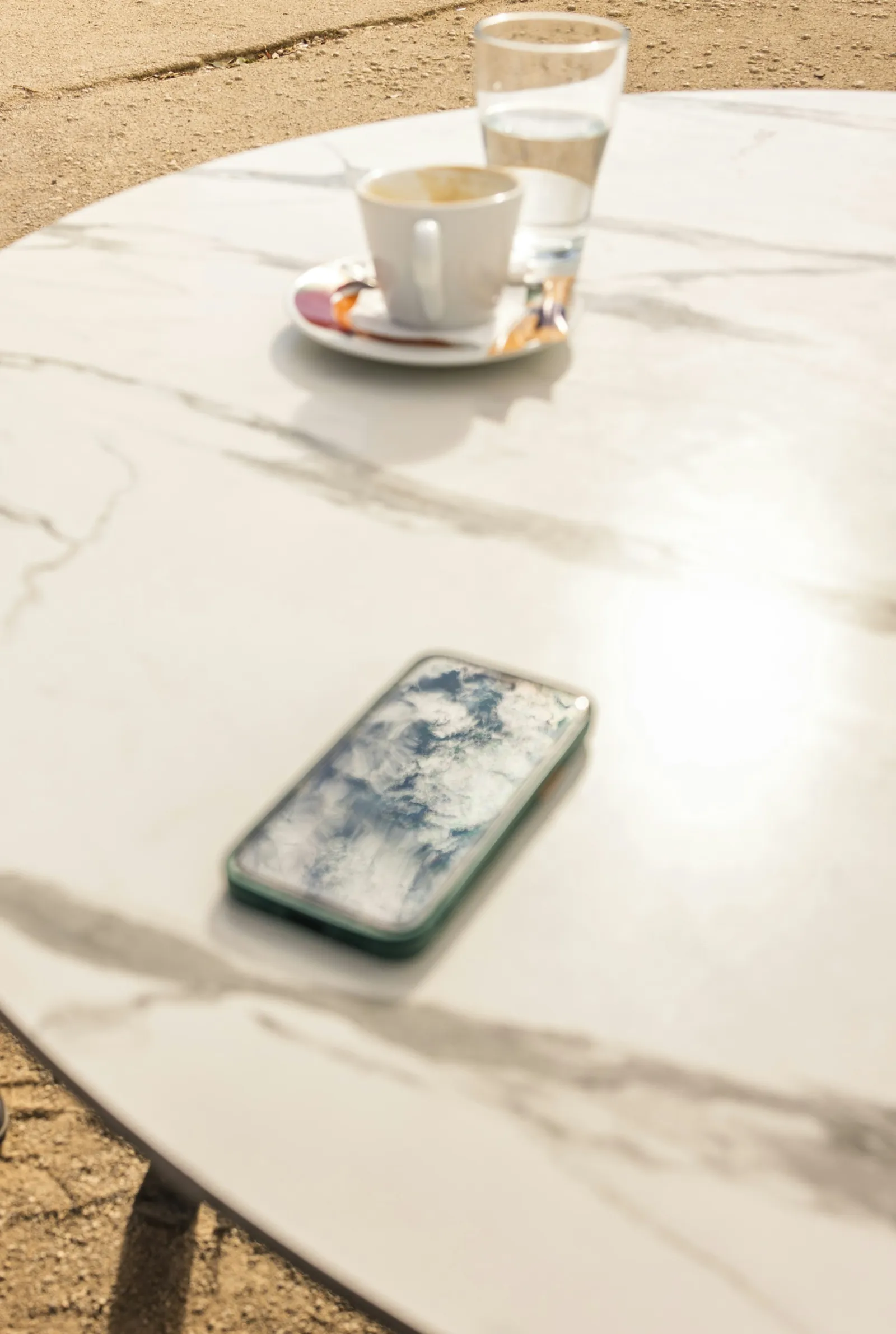
Coffee cup and phone on an outdoor table, image in the newsletter

image

A picture of breakfast in the autumn sun makes you want a vacation. It comes from your website or your own photos.

👋 Hello Christine, 🍁 now begins the most beautiful hiking season of the year: clear air, warm days and colorful forests. ☕ Breakfast is on the balcony in the autumn sun, and you get fresh rolls at the village bakery. 🥾 To the alpine hut with Kaiserschmarrn you hike from the front door in two hours. 🧀 On Saturday there is a cheese market on the village square, with mountain cheese straight from the dairy. 🔥 In the evening the wood stove, the wood is already stacked. 📅 In November there are still a few weeks free, ideal for anyone who likes it quiet.
17:30

Text

SmartChat AI writes it from the information about your apartments and your region. Dates and offers are in bold.

View free weeks

button

One click shows your guest all the free weeks. They land directly on your page with the occupancy calendar.

SmartChat accompanies your guests until arrival.

From the first thank-you to the key box code: SmartChat sends these messages automatically, without you having to take care of it. Your own automations are available from Basic.

Right after the double opt-in

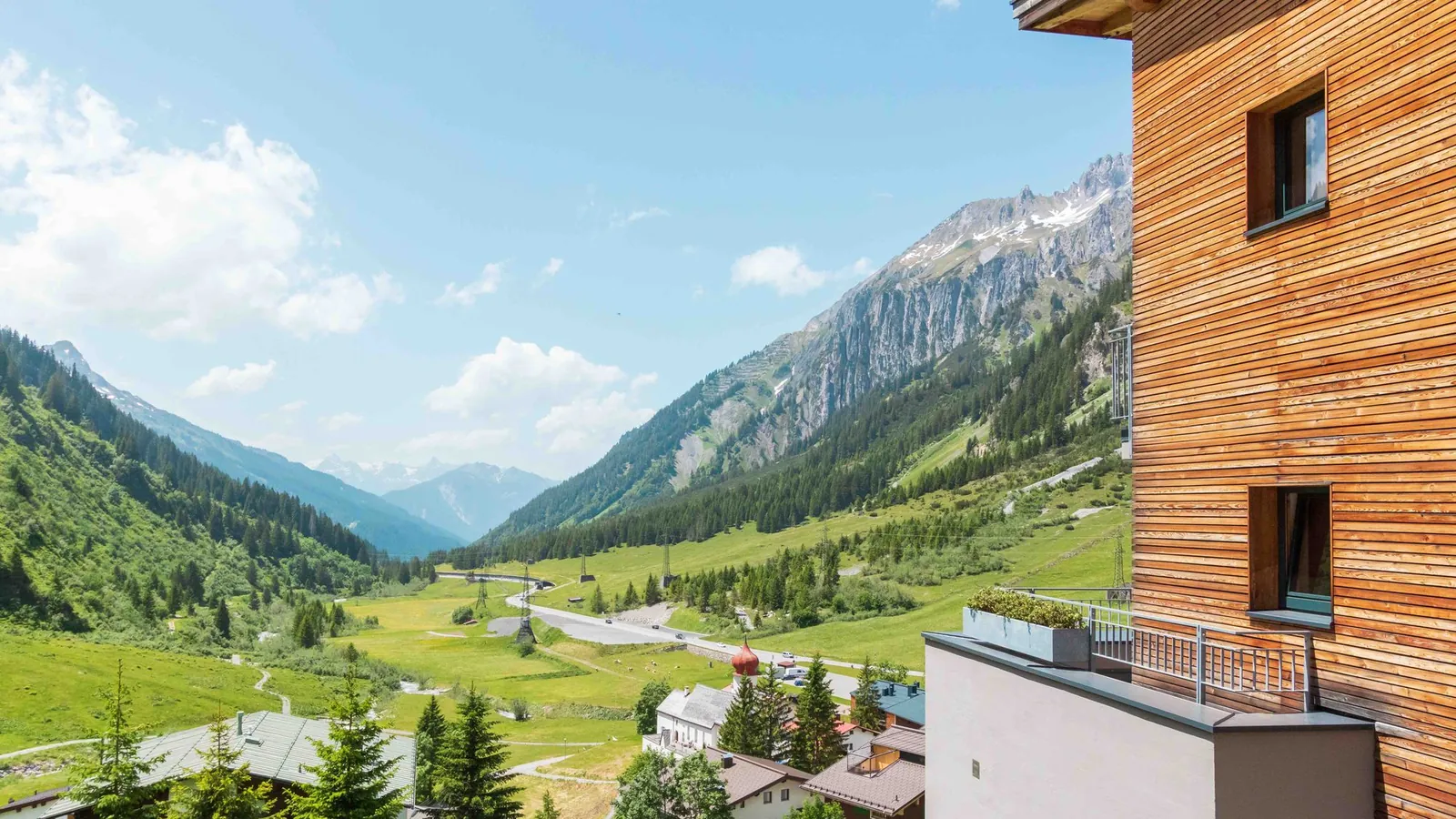
Scenic view of a serene mountain village nestled in a lush green alpine valley under a cloudy sky.
🏔️ Thanks, you're now signed up.🏡 Our four apartments are on the sunny slope above the village, quiet and with a wide view of the valley.❄️ You'll hear from us when weeks become free, the next summer opens for booking or winter begins.🥾 In autumn we'll send you our favorite hiking trails around the house, with a map and places to stop for a bite.👋 See you soon here on the mountain.20:14
View apartments

Welcome after confirmation

Once a guest has signed up and confirmed, they get a thank-you right away. They then know what you'll inform them about.
New booking in the booking system
Modern baby room featuring a white crib, soft decor, and pastel accents.
👋 Hello Andreas,✅ your booking is confirmed: Alpenrose apartment, from July 3 to 10, for four people.👶 Crib and high chair will already be in the bedroom when you arrive.🚗 A parking spot in the garage is reserved for your car.📲 On the day before arrival you'll get everything about the key and Wi-Fi here in the chat.11:05
View booking

Booking confirmation

If your booking system reports a new booking to SmartChat through a webhook, the confirmation appears right away in your guest's WhatsApp chat.

On the day before arrival
Artistic shot of a vintage seahorse keyring with keys on a wooden table, alongside candle and letter.
👋 Hello Renate,🏡 your vacation with us starts tomorrow, and you can check in from 4 pm.🔑 The key is in the key box to the left of the front door, the code is 2417.📶 The Wi-Fi password on the card on the fridge.🚗 Your parking spot is the number 3 is right in front of the entrance.🛒 The supermarket in town is also open until the evening on Saturdays.16:00
Open directions

Arrival info the day before

If the arrival is in your calendar (iCal), SmartChat sends your guest the key box code and the Wi-Fi details one day before. That way they get into the apartment even late in the evening.

This is how your guests sign up.

A QR code in the guest folder, a pop-up on your website, or a link in your booking confirmation leads to your landing page. Your guest only gets your newsletter once they have confirmed in WhatsApp.

  1. 1

    Your guest scans the QR code

    SmartChat creates the QR code for your landing page. It fits in the welcome folder, on the fridge, or next to the Wi-Fi password.

  2. 2

    Your guest enters first name and phone number

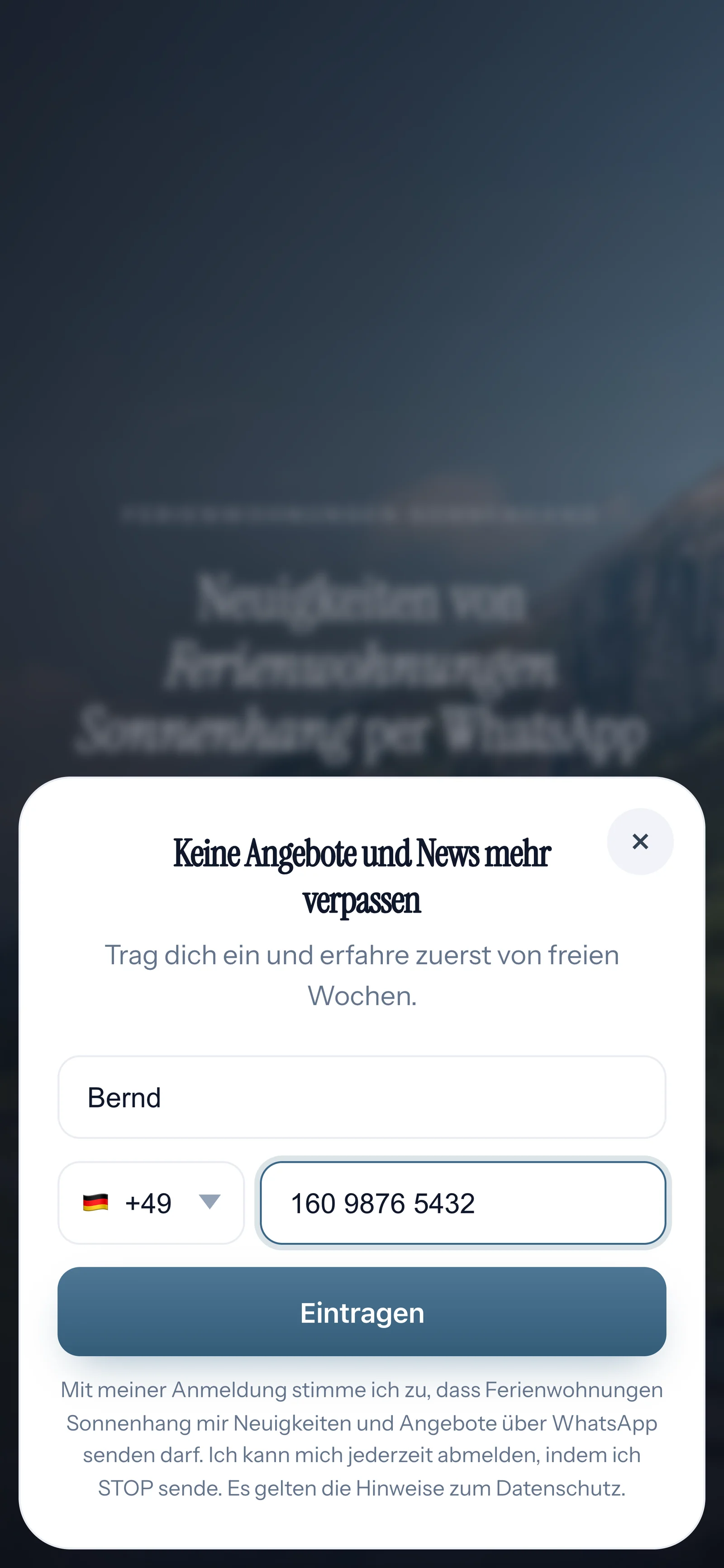
    A small window opens on the landing page. All it needs is a first name and a WhatsApp number.

    Real sign-up pop-up on the landing page of Ferienwohnungen Sonnenhang, mobile view: headline Keine Angebote und News mehr verpassen, first name Bernd and phone number filled in, button Eintragen
  3. 3

    Your guest confirms with one click

    This is how double opt-in works: every guest confirms their own sign-up in WhatsApp.

    👋 Hello Bernd,🏔️ here you'll hear about weeks that have become free, new dates for the summer, and the first snow on the mountain.✅ Do you want to receive these messages? Then click the button below: Confirm.🔒 You can unsubscribe at any time. Just write STOP.19:05
    Confirm
    Confirm19:05
  4. 4

    You have the proof

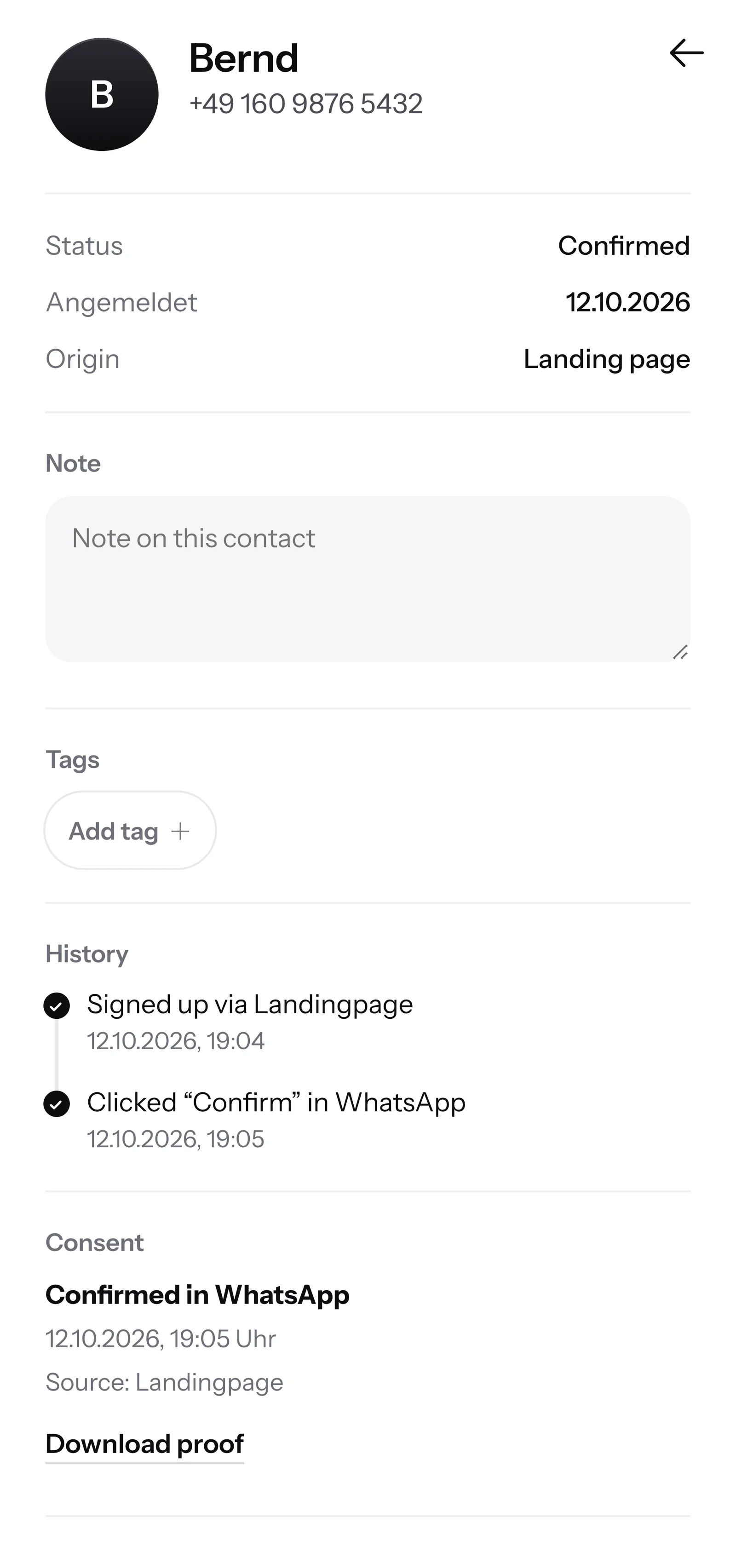
    SmartChat records when and how your guest gave consent. You can download the proof as a PDF at any time.

    Contact Bernd in SmartChat, mobile view: status Confirmed, sign-up history, consent confirmed in WhatsApp and button Download proof

SmartChat AI answers questions before booking.

When a family wants to know late in the evening whether their dog can come along, and you can't be reached, SmartChat AI answers fully automatically for you. It answers with the knowledge it has learned from your website and your documents. If it has no source, it hands over to you.

Inbox in SmartChat: SmartChat AI answers a customer's WhatsApp question for Ferienwohnungen Sonnenhang
  • Even late in the evening

    If a guest asks at midnight, they still get an answer to their question right away.

  • For guests from abroad

    SmartChat AI answers in your guest's language, for example English, French, Italian, Spanish, or German. The family from Milan understands the message right away, in Italian.

  • You decide on special requests

    If SmartChat AI can't answer, for example when someone asks about an early check-in, the message is passed on to you in the inbox.

Frequently asked questions about WhatsApp marketing for vacation rentals.

May I message my guests on WhatsApp after their vacation?

Yes, if your guest has agreed. They sign up themselves, through the QR code, your website, or a link, and confirm once in WhatsApp. SmartChat saves proof of consentfor that. The phone number from the booking alone is not enough for SmartChat.

How do my guests' numbers get into SmartChat?

Your guests sign up themselves. To do that, you put the QR code for your landing page in the apartment, or show a popupon your website. A Click-to-WhatsApp button on your website opens the chat with you. After signing up, each guest confirms once, briefly, in WhatsApp.

Is SmartChat a booking system or a channel manager?

No. SmartChat manages neither your occupancy nor your prices, and your booking software stays. There is no ready-made connection to booking portals. If your booking software reports new bookings via a webhook, SmartChat sends the confirmation automatically.

How does SmartChat know when my guest arrives?

From your calendar. You connect it to SmartChat through its iCal address. If the arrival is in there as an appointment, together with the guest's mobile number, the automation sends the key box and Wi-Fi info the day before.

Can I offer my regular guests free weeks first?

Yes. You mark your regular guests in SmartChat with a tag, a label like "Regular guest". You then send the newsletter about next summer only to these contacts, before the dates go online.

Do I have to write the texts for my holiday apartment myself?

No. You give SmartChat AI the topic, for example a week in October that has become free. SmartChat AI writes the newsletter to fit your apartments, you read it briefly and send it.

Does SmartChat AI know my occupancy calendar?

No, not automatically. SmartChat AI answers with what is on your website and in your uploaded documents, such as house rules, amenities and directions. If a guest asks about a specific date, you check it yourself and reply in the inbox.

Does SmartChat AI understand guests from abroad?

Yes. SmartChat AI replies in English, French, Italian, Spanish and German. If a family from Milan asks about check-in in Italian, they get the answer in Italian.

Who replies on changeover day if I have no time?

SmartChat AI answers your guests' questions right away. Everything else stays in the inbox until you have time. If you reply to a message yourself, SmartChat AI stays quiet on that message.

Can my family or my cleaner join the inbox?

Yes. Each person gets their own access. With the Staff role, they work in the inbox without getting to the plan or the account. Free has 1 team seat, Starter 3, Basic 6 and Pro 12.

Do I need a second phone number for my holiday apartment?

No. You use your own number and connect it to SmartChat once. Meta, the company behind WhatsApp, sends you a code for confirmation. You connect one number per account.

What does SmartChat cost for holiday apartments?

With Free you pay €0, with no time limit and no credit card, and you get 100 messages one time. Starter costs €299 per month with 3,000 messages, Basic €499 with 6,000, and Pro €999 with unlimited. Contacts are unlimited in every plan, and sending costs no credits. All prices plus VAT, more at Pricing.

What does Meta charge for my holiday apartment's WhatsApp messages?

Meta bills you directly for the fees for WhatsApp messages, through a payment method in your Meta account. You only pay SmartChat for your plan. You can find the exact prices here.

How many automations can I set up for my guests?

Free and Starter only have the fixed automation for new contacts (confirmation and thank-you). Your own automations start at Basic: Basic has 3, 1 of them fixed, Pro has unlimited. For welcome, booking confirmation and arrival info the day before, you need three, so Basic.

How does a guest unsubscribe from my WhatsApp messages?

Anyone who has confirmed your newsletter can unsubscribe at any time with STOP in the chat with your vacation rental. SmartChat then sends them nothing more and lists them in your contacts as unsubscribed.

WhatsApp marketing for your vacation rental in 60 seconds.

SmartChat AI analyzes your website. In 60 seconds, your landing page and the QR code are ready. Free costs €0 and needs no credit card.