



Welcome after confirmation
Our areas of law

With SmartChat you send your clients by WhatsApp what you want to tell them: free appointments for an initial consultation, the invitation to the info evening on wills and estate planning or the note about a review appointment for the utility bill.


Your firm reminds clients of appointments

Our areas of law

Appointment is entered

, then we will give the time to someone else.
SmartChat gets the appointments from your calendar and reminds your client the day before. That way all the documents are on your desk tomorrow.
Your client scans the QR code
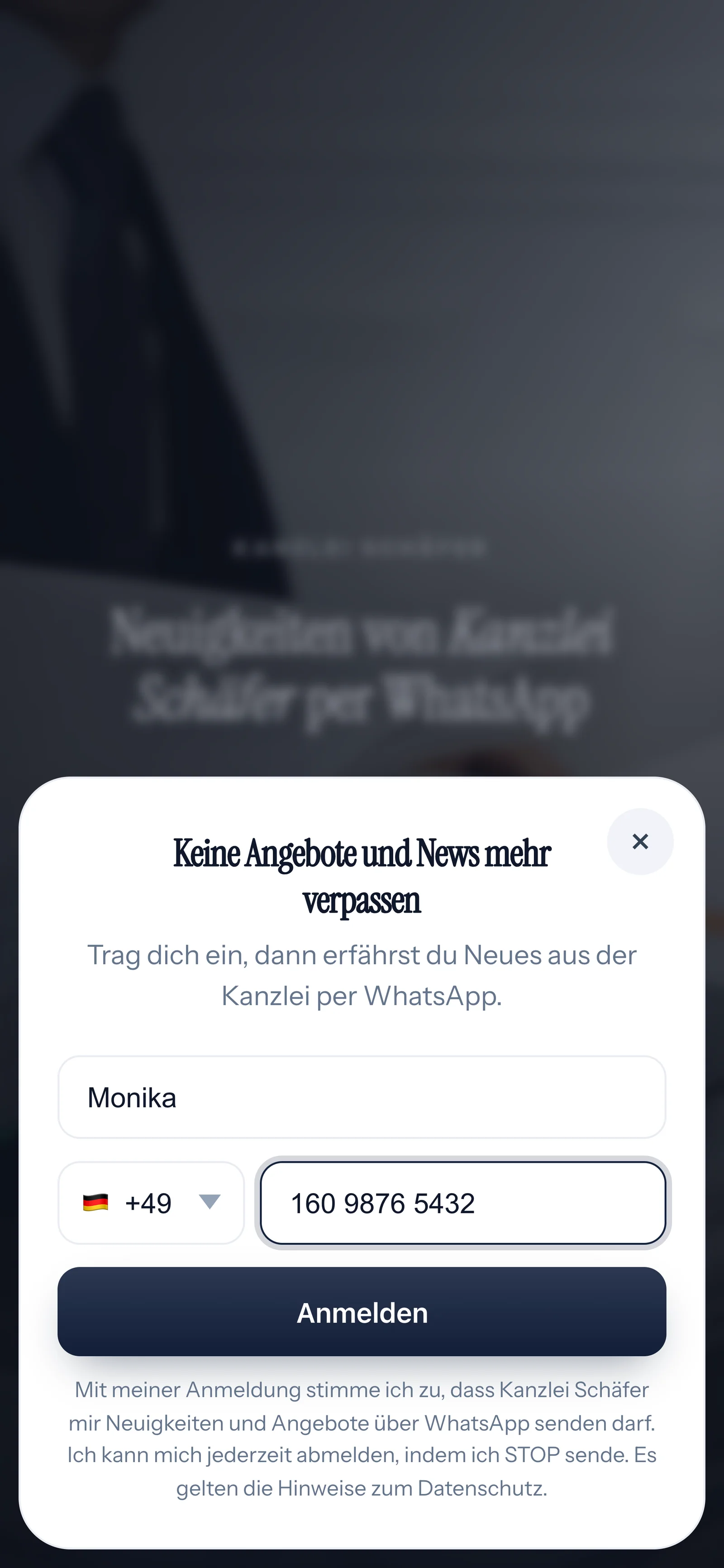
Your client enters their first name and phone number

Your client confirms in WhatsApp
and notes about

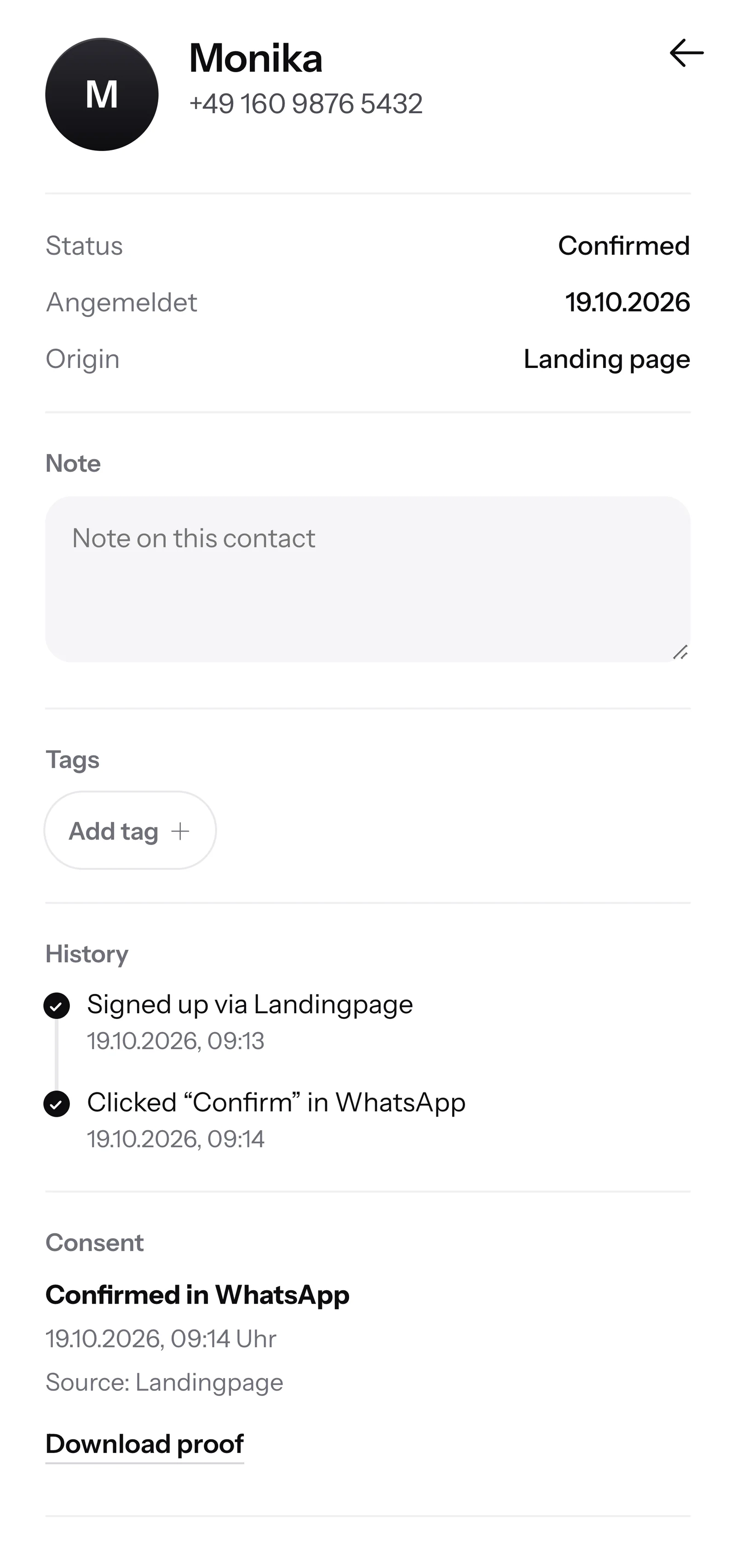
SmartChat records when and how your client agreed. For your records you download the proof as a PDF.

Inbox in SmartChat: SmartChat AI answers the WhatsApp question of a customer of Kanzlei Schäfer
Anyone who writes in the evening gets an answer to their questions right away.
The case stays with you
You only send newsletters to contacts who signed up themselves and confirmed in WhatsApp. SmartChat saves this consent with date and time as proof. SmartChat supports you with consent.
Through SmartChat you send general messages: free appointments, info evenings, guides and reminders. Details of a case do not belong in a newsletter.
SmartChat's servers are in Germany. For every contact, SmartChat records when and how they agreed. This is how SmartChat supports you with data-protection-compliant consent. Which other documents you need for your firm's data protection, you check with your data protection officer.
SmartChat AI does not answer legal questions. The question stays in the inbox with your team. SmartChat AI only knows what is on your website and the documents you upload. So upload office hours, directions, the process of an initial consultation and lists of documents. Questions about a person's own case are answered by you or your team in the inbox. If a person has replied in the chat, SmartChat AI stays out of that message.
SmartChat creates a landing page and a QR code for it. You put the code in the waiting area, print it on your business card or hang it wherever clients will see it. On your website, a popup asks visitors if they want appointments and guides by WhatsApp. There is also a Click-to-WhatsApp button on your website. It opens the chat with you, but it does not put anyone on the newsletter list.
Messages with a clear benefit for the reader: reminders about deadlines, invitations to info evenings, freed-up appointments for an initial consultation and short guides like a checklist after an accident. How often you send is up to you.
Yes, from Basic with an automation. SmartChat takes your appointments from the calendar and sends a message the day before with the time and the list of documents. Free and Starter only include the fixed automation for new contacts (double opt-in), Basic includes 3 and Pro unlimited ones. More under Automations.
No. You give SmartChat AI the topic, for example your info evening on inheritance law. SmartChat AI writes a newsletter from it that fits your firm. Read it carefully before sending, change what does not fit, and then send it with one click.
Yes. All conversations come together in a shared inbox, and your colleagues answer there too. Free has room for 1 person, Starter for 3, Basic for 6 and Pro for 12.
You use the number you already have. You connect it to SmartChat and confirm it with the code Meta sends you. Meta is the company behind WhatsApp. In every account you use exactly one number.
Free costs 0 €, with no time limit and no credit card, with 100 messages one time. Starter costs 299 € a month with 3,000 messages, Basic 499 € with 6,000 and Pro 999 € with unlimited messages. Sending costs no credits. All prices plus VAT, overview under Pricing.
Yes, Meta charges the fees for WhatsApp messages directly to you. For this, you add a payment method in your Meta account. You only pay SmartChat for your plan. You can find the exact prices here.
You give SmartChat AI the address of your firm's website. In 60 seconds your WhatsApp marketing system with landing page and QR code is ready. Then you connect your number and send your first newsletter.
They write STOP in the chat with your firm. From then on, SmartChat no longer sends them newsletters, and in your contact list they show as unsubscribed.