The SmartChat domain for your landing page.
With SmartChat, your landing page is online right away under a free SmartChat subdomain, and prospects can sign up there for your WhatsApp newsletter immediately.

In 60 seconds online.
You don't have to set anything up for your domain. SmartChat creates it for you during onboarding, together with your landing page.
- 1
You enter your website
That's all SmartChat needs for onboarding. Your subdomain is created from your website too.
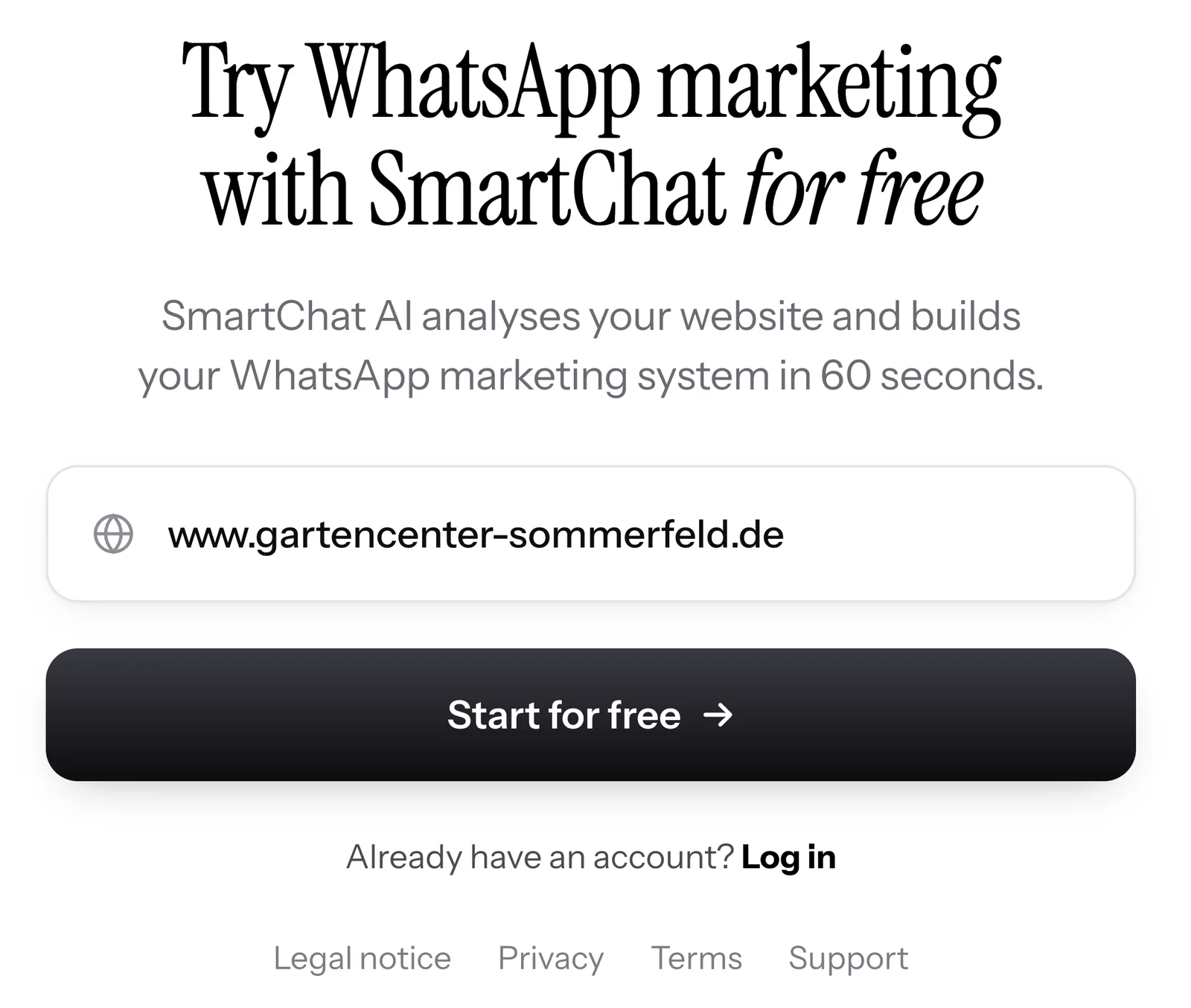
- 2
SmartChat builds everything for you
SmartChat analyzes your website, builds your landing page and creates your SmartChat Domain with it.
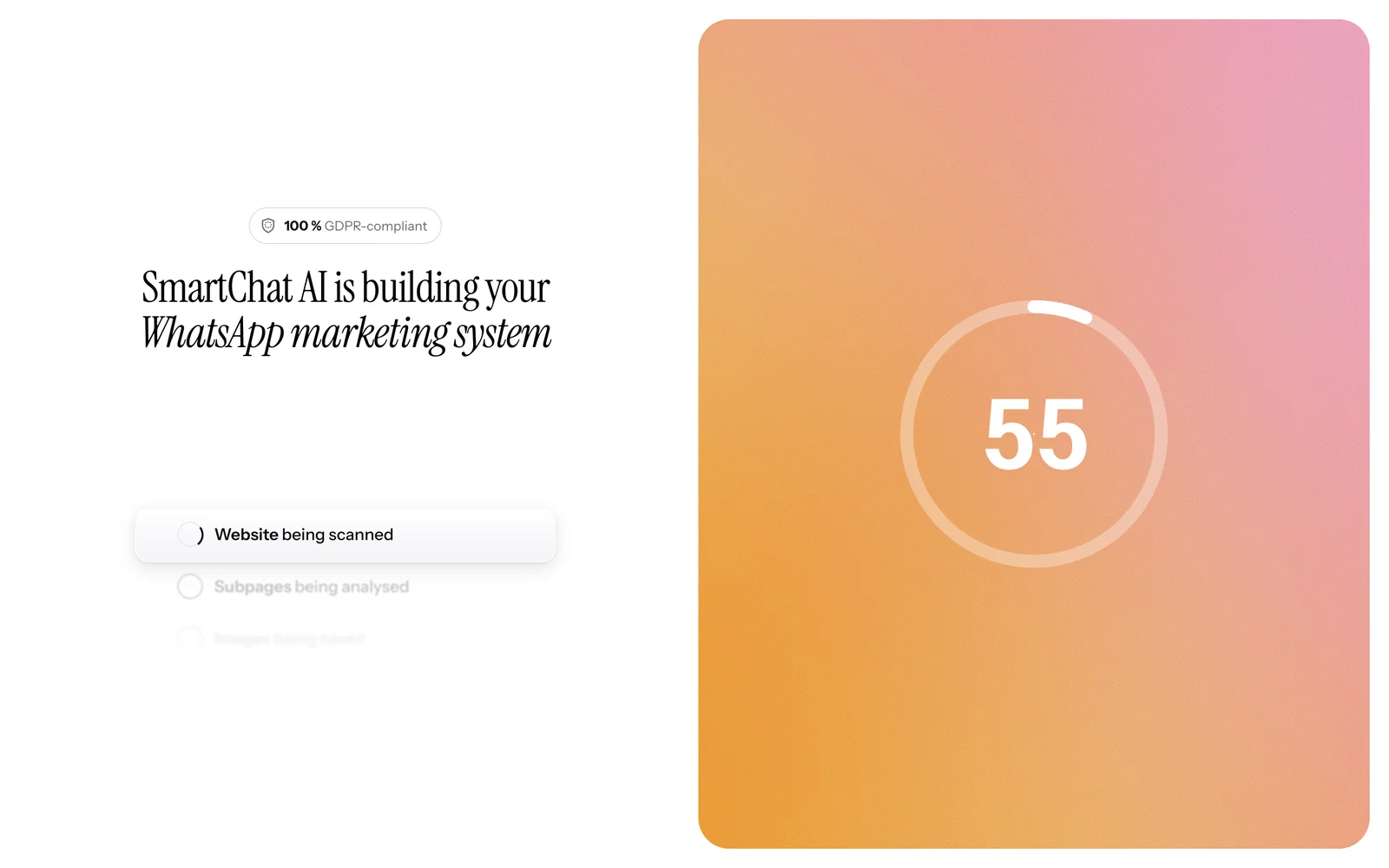
- 3
Your page is online
Anyone who opens your domain signs up with first name and phone number. The connection runs encrypted over https.
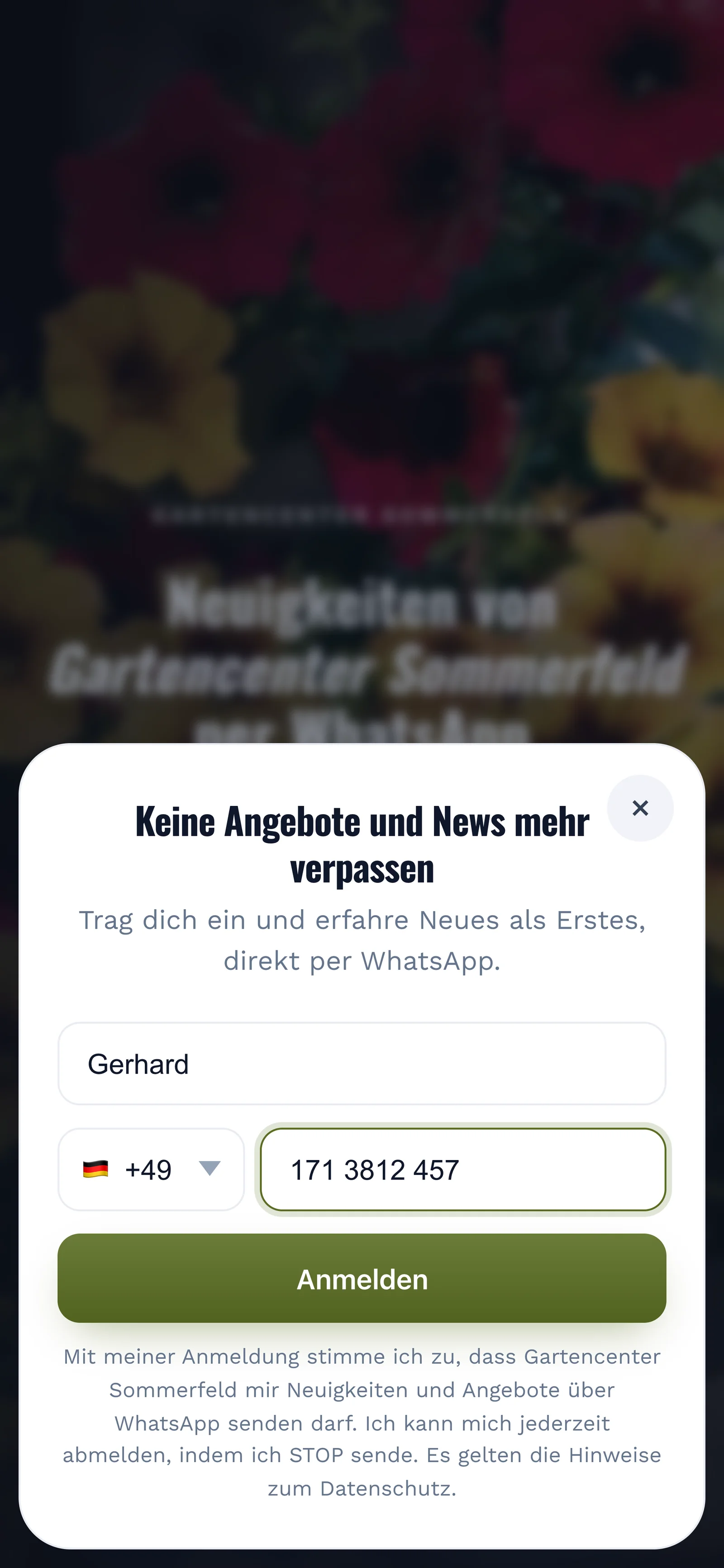
- 4
You share your link
Copy the link with one click or download the QR code . Both lead to exactly this domain.


Benefits of the free SmartChat subdomain.
For your landing page, you don't need your own domain or a technician. SmartChat gives you a fitting domain at no cost to you.
- Instantlyyour landing page is online under the subdomain, encrypted over https.
- Without anentry at a domain provider. SmartChat sets up your subdomain for you during onboarding.
- 0 €does the subdomain cost, in every plan and in Free too.
All domains at a glance.
In the settings of your landing page, the Domain tab shows every domain your page can be reached under.

Included in every plan
The SmartChat Domain costs nothing extra, not even in Free for 0 €.
With security certificate
The lock in the browser shows your visitors that the connection to your page is secure.
One page, several domains
If you also connect one or more custom domains, all domains open the same landing page.
How to change your subdomain.
If you no longer like your subdomain, you change it in four steps. SmartChat immediately checks whether the new name is available.
- 1
Open the Domain tab
For your landing page, click Settings and, in the Domain tab, click Change subdomain.
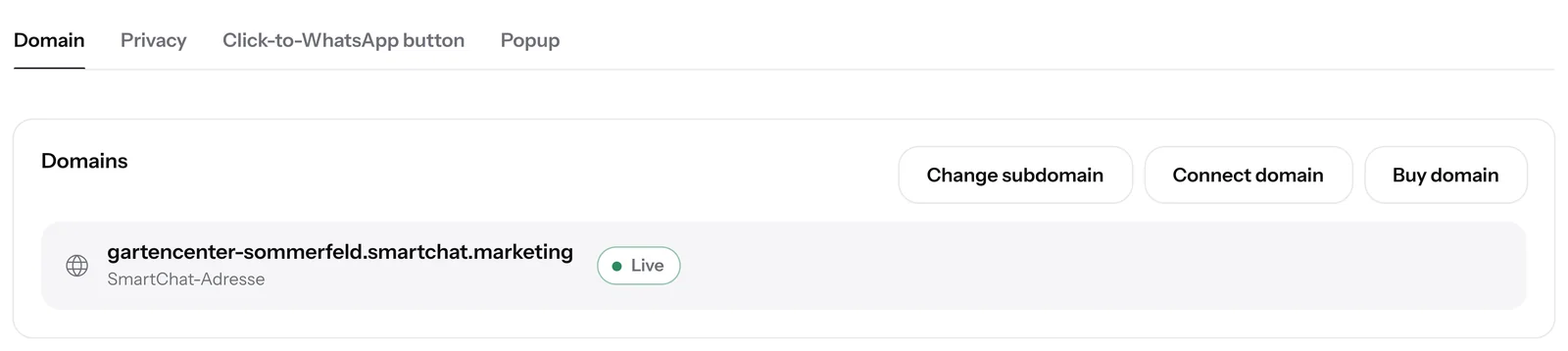
- 2
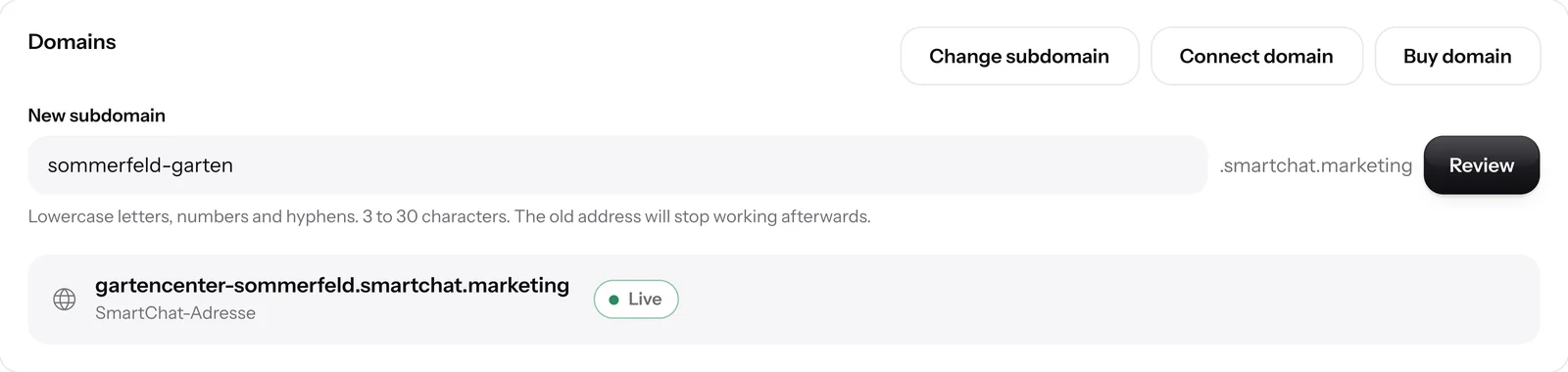
Enter the new name
In the New subdomain field, you only write the front part. smartchat.marketing is already there behind it.
- 3
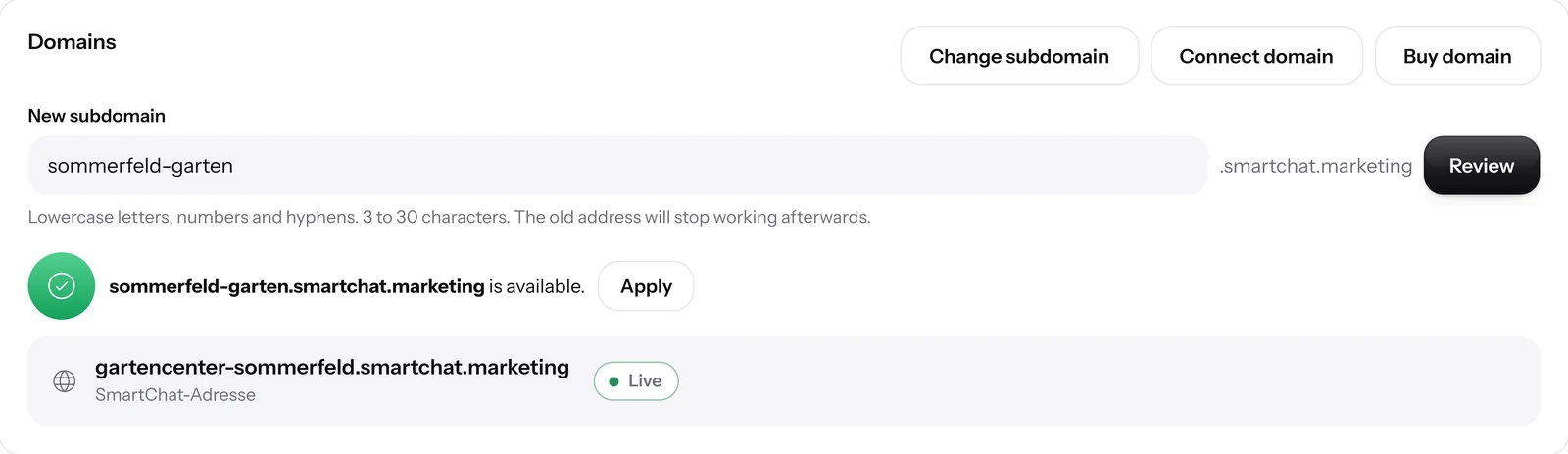
Click Check
If the name is available, SmartChat shows it with a green check mark, and you click Apply.
- 4
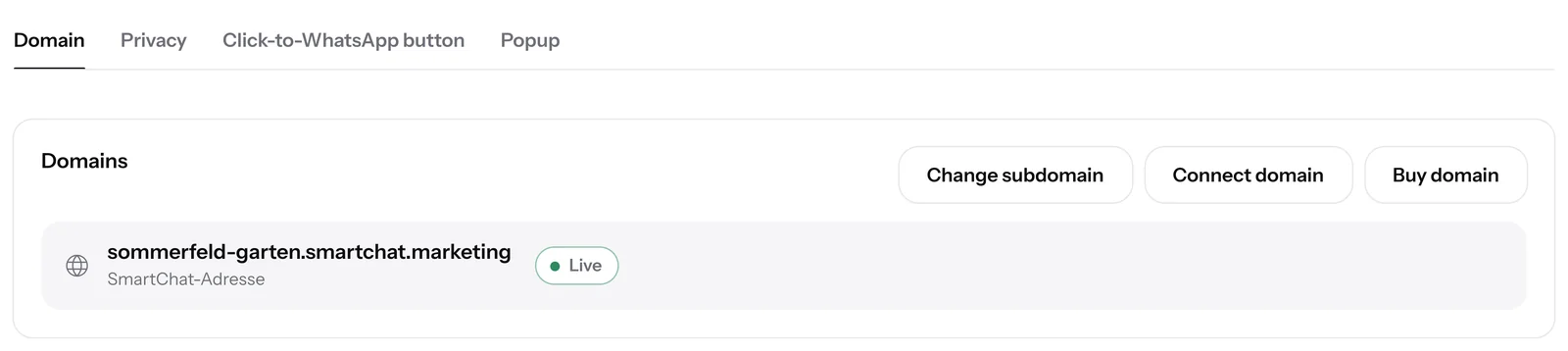
Confirm with Change address
A final notice shows you the new domain. After the click, it is active immediately and appears in the Domain tab.


SmartChat tells you immediatelywhat doesn't fit.
If a name doesn't fit, the reason is shown right below the field, in simple words. That way you know right away what to change.

Technical names blocked
Names like www, app, admin, api or support stay reserved for SmartChat.
No dubious words
Swear words and dubious words are blocked.
Every domain is unique
As long as you use a name, no other user can get it.
What does the SmartChat domain cost?
Nothing. The SmartChat Domain and changing the subdomain are included free in all four plans. All prices plus VAT.
| Free | Starter | Basic | Pro | |
|---|---|---|---|---|
| Price per month | 0 € | 299 € | 499 € | 999 € |
| SmartChat domain | yes | yes | yes | yes |
| Change subdomain | yes | yes | yes | yes |
| QR code for the domain | yes | yes | yes | yes |
| Connect custom domain | yes | yes | yes | yes |
| Buy custom domain | no | yes | yes | yes |
Frequently asked questions about SmartChat domain.
Does the SmartChat Domain cost anything?
No, the SmartChat Domain is included in every plan, even in Free for 0 € with no time limit and no credit card. The paid plans cost 299 €, 499 € and 999 € per month, all prices plus VAT.
What does WhatsApp cost at Meta for my messages?
Meta charges the fees for WhatsApp messages directly to you. For this, you add a payment method in your Meta account. Sending costs no credits in SmartChat. With SmartChat, you also pay for your plan. More on this under Meta fees.
Where does the name in my domain come from?
From your website. SmartChat analyzes it during onboarding and creates your subdomain from it, for example hundeschule-am-waldrand.smartchat.marketing from www.hundeschule-am-waldrand.de.
Which names can I choose for my subdomain?
You choose a name made of lowercase letters, numbers and hyphens. Technical names like www, app or support are blocked, as are swear words and names that another account already uses.
Can I use umlauts in my domain?
No, umlauts and spaces don't work in a domain. Simply write oe instead of ö and a hyphen instead of a space, for example pfoetchen-training.
Do I have to enter anything with my domain provider?
No, the SmartChat domain is online right away, with no entry at a domain provider. You only need entries if you also connect a custom domain
How do I change my subdomain?
Open the settings of your landing page and, in the Domain tab, click Change subdomain. Enter the new name, click Check and Apply, and confirm with Change address. The new QR code is a different one. Old QR codes still work, but lead to an empty page or to another business's page, because someone else can claim the old subdomain.
Which domain does my QR code point to?
Your QR code always points to the main domain of your landing page. Without your own domain, that is the SmartChat domain; with a connected custom domain, it is your own domain. You'll find everything about the QR code under QR code.
Does the SmartChat domain stay when I connect my own domain?
Yes, both domains open the same landing page. If you remove your own domain again, your page stays reachable under the SmartChat Domain.
Which businesses is the SmartChat Domain suitable for?
For every business that builds a landing page with SmartChat. You'll find examples under WhatsApp marketing for delicatessens, WhatsApp marketing for garden centers and WhatsApp marketing for dog schools.
How many SmartChat Domains does an account have?
Each account has exactly one SmartChat domain for its landing page. If you run several businesses as several accounts, each account gets its own SmartChat domain.
Is the connection to my domain encrypted?
Yes, your SmartChat Domain runs over https with its own security certificate. Your visitors see the lock in front of the address in the browser.
Your domain is waiting for you. Online in 60 seconds.
Enter your website, and your landing page is online under your individual SmartChat Domain on smartchat.marketing.