
Welcome after confirmation
Anyone who signs up and confirms gets a thank-you message right away. It says which messages they'll get from your business.
With SmartChat, you send your customers WhatsApp messages about their windows and doors as a template approved by Meta, such as the quote after the site measurement, the new front doors in your showroom or the window check before winter.


Three moments come back with every job: the sign-up, the booked measurement and the day before installation. SmartChat sends the message for each, without you having to take care of it. Your own automations are available from Basic.

Anyone who signs up and confirms gets a thank-you message right away. It says which messages they'll get from your business.

If your scheduling software can report new measurement appointments to SmartChat, your customer has the confirmation in WhatsApp right away.

SmartChat analyzes your calendar and gets in touch the day before installation. Your customer clears the windowsills, and your team starts on time.
Your customers sign up themselves: via the QR code on your quote, on your website or via a link. Only once they have confirmed in WhatsApp do you send them your newsletter.
The code is on the quote folder, on your business card and at the sample windows. SmartChat creates it to match your landing page.
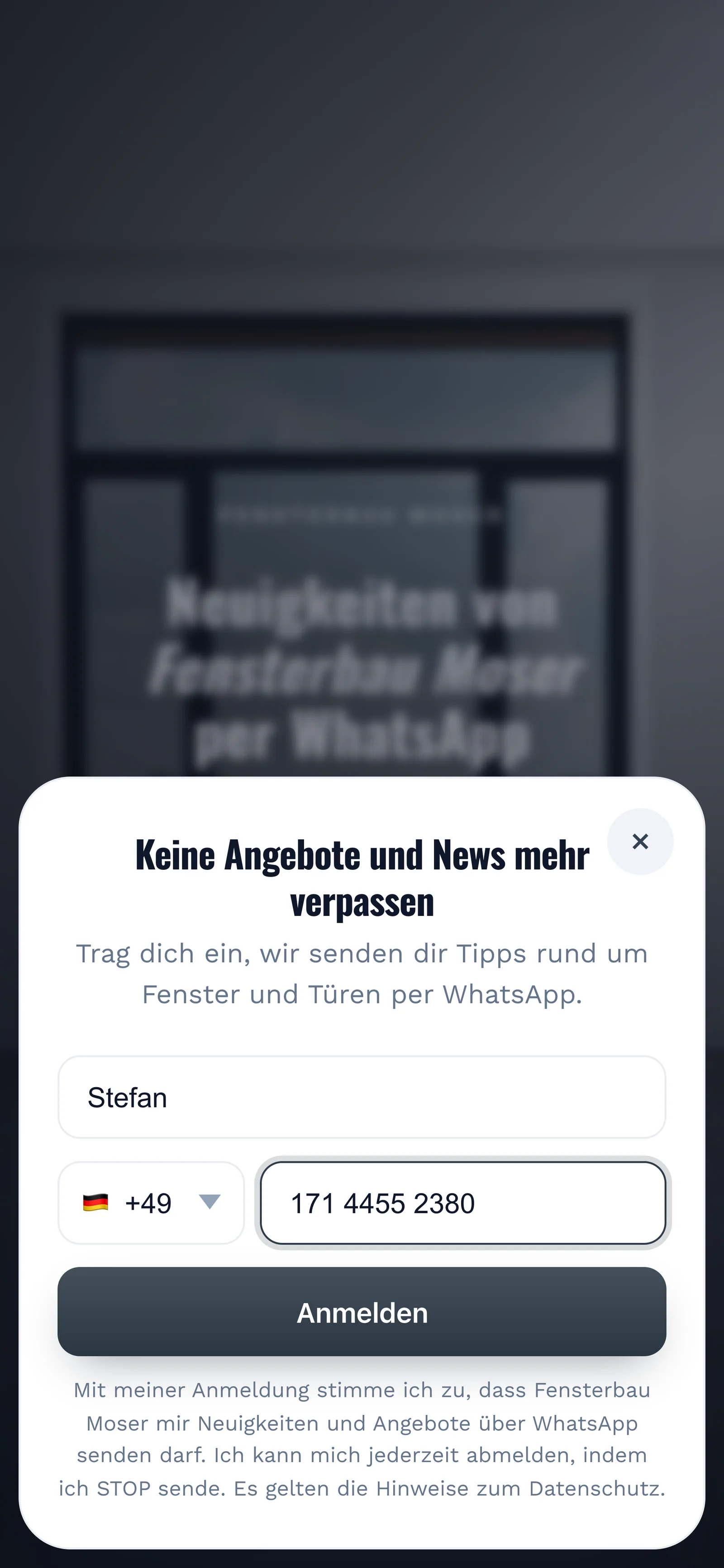
A small window opens on your landing page. It needs no more than these two details.

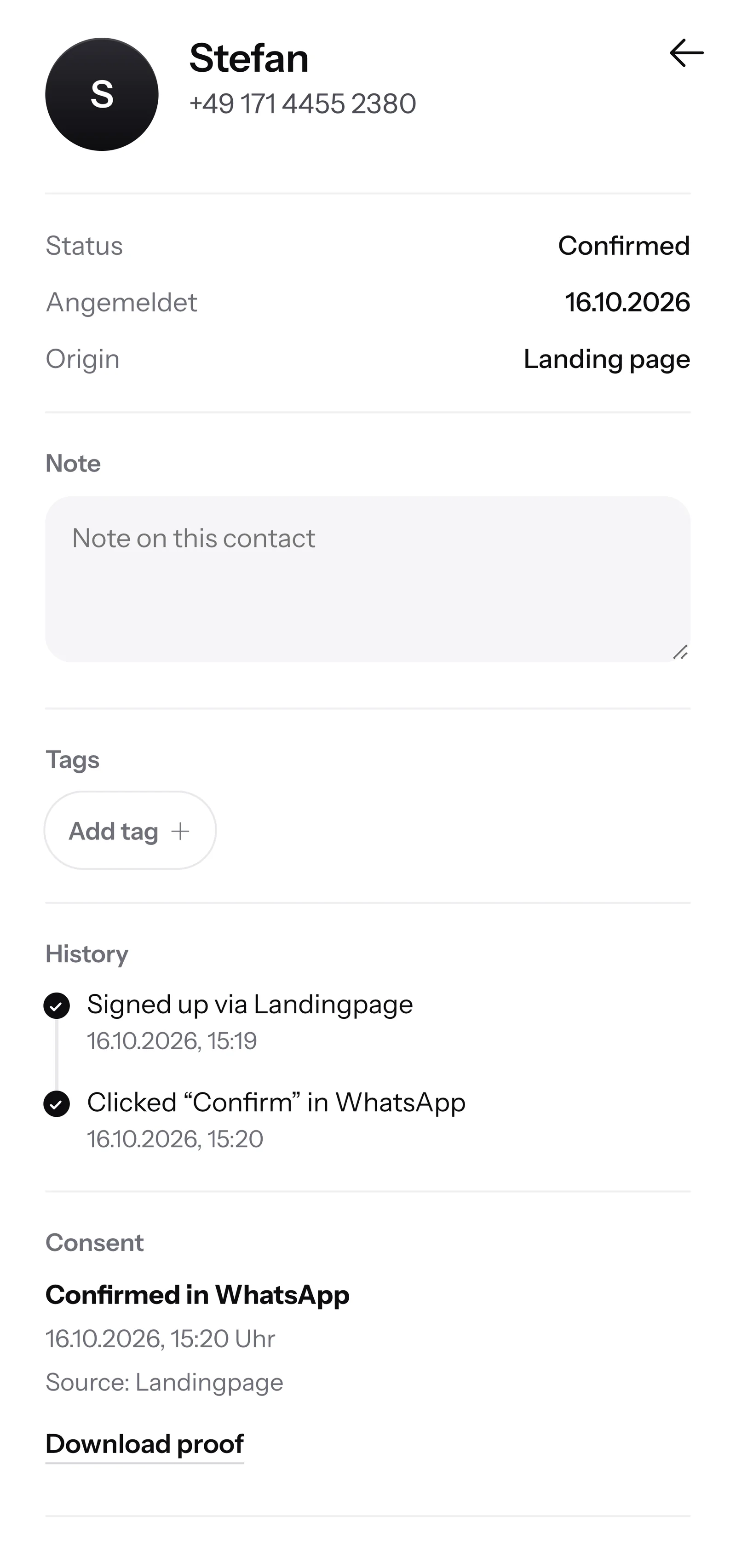
This confirmation is called double opt-in. Every customer confirms their sign-up themselves in WhatsApp before they get your newsletter.
For every contact, SmartChat records when and where they agreed. You download the proof as a PDF.

When a customer writes on Sunday evening and nobody in your office is reachable, SmartChat AI replies fully automatically for you. It answers with the knowledge it has learned from your website and your documents. If it has no source, it hands over to you.

Questions in the evening or on the weekend get an instant answer while your office is closed.
SmartChat AI replies in your customer's language, for example German, English, Italian, French or Spanish.
If it's about an exact quote or an appointment, your team gets the question in the inbox and replies themselves.
Yes, if your customer has agreed beforehand. They sign up themselves, via the QR code on your quote, your website or a link, and confirm once in WhatsApp. SmartChat saves this consent as proof and so supports you with the consent.
Put a stand with the QR code next to the sample windows. Your customer scans it with their phone, enters their first name and phone number and confirms in WhatsApp. SmartChat creates the code to match your landing page.
No, not without their consent. Invite them instead to sign up themselves, for example with the QR code on the next invoice or the popup on your website. Only after they confirm in WhatsApp do you send them your newsletter.
No. You keep calculating quotes in your own software. With SmartChat, you tell your customer on WhatsApp that their quote is ready, and you answer their follow-up questions in the inbox. If your software can report events through a webhook, SmartChat sends a message automatically.
Yes, with an automation. SmartChat analyzes your calendar (iCal) and sends your customer a message the day before the installation, for example asking them to clear the windowsills.
Only if they are on your website or in your uploaded documents. For an exact price, windows almost always need a measurement. If SmartChat AI can't answer, the message is forwarded to your team in the inbox.
Yes, if the answers are in your knowledge. Upload the product sheets for your window profiles and front doors as PDF. SmartChat AI also analyzes your website and answers with exactly this information.
Hardly anyone buys new windows twice. But then come the front door, roller shutters, insect screens or the window check before winter. With WhatsApp, your customers don't forget you, even years after the installation.
Yes. All WhatsApp conversations come together in one inbox, and every team member replies from there. Free has 1 team seat, Starter 3, Basic 6 and Pro 12.
No. You connect your own business number to SmartChat and confirm it with a code from Meta, the company behind WhatsApp. You connect one number per account.
Free costs β¬0, with no time limit and no credit card, with 100 messages one-time. Starter is β¬299 a month with 3,000 messages, Basic β¬499 with 6,000 and Pro β¬999 with no limit. You pay no credits for sending. All prices plus VAT, more under Pricing.
Meta bills the fees for WhatsApp messages directly to you. For that, you add a payment method in your Meta account. You only pay SmartChat for your plan. You'll find the exact prices here.
Free and Starter only include the fixed automation for new contacts (confirmation and thank-you). Your own automations start at Basic: Basic has 3, 1 of them fixed, Pro has unlimited. A custom automation runs on its own, for example the reminder the day before the installation.
You give SmartChat AI your website address. In 60 seconds, your WhatsApp marketing system, your landing page and your QR code are ready. Then you connect your number and send the first newsletter.
Anyone who has confirmed your newsletter can unsubscribe at any time with STOP in the WhatsApp chat with your business. From then on, SmartChat sends them nothing more, and your contact list shows them as unsubscribed.
SmartChat AI analyzes your business's website. After 60 seconds, your landing page and QR code are ready. With Free you start for β¬0, with no time limit and no credit card.