Thank-you after sign-up
Once a new contact has confirmed in WhatsApp, they immediately get a thank-you message. It says what you will keep them informed about.

With SmartChat you send your customers on WhatsApp what you want to tell them: the appointment for new shower grout, leftover stock from your warehouse or the invitation to the advice day in your showroom.


Thank-you after signup, confirmation of the measuring appointment and a notice before laying: SmartChat sends these messages for your tiling business, without you having to remember. Custom automations start with Basic.

Once a new contact has confirmed in WhatsApp, they immediately get a thank-you message. It says what you will keep them informed about.

If your trade software can report new appointments to SmartChat, your customer gets the measuring appointment on WhatsApp immediately.

SmartChat reads your calendar and contacts the customer the day before laying. That way the bathroom is empty when your people ring the bell.
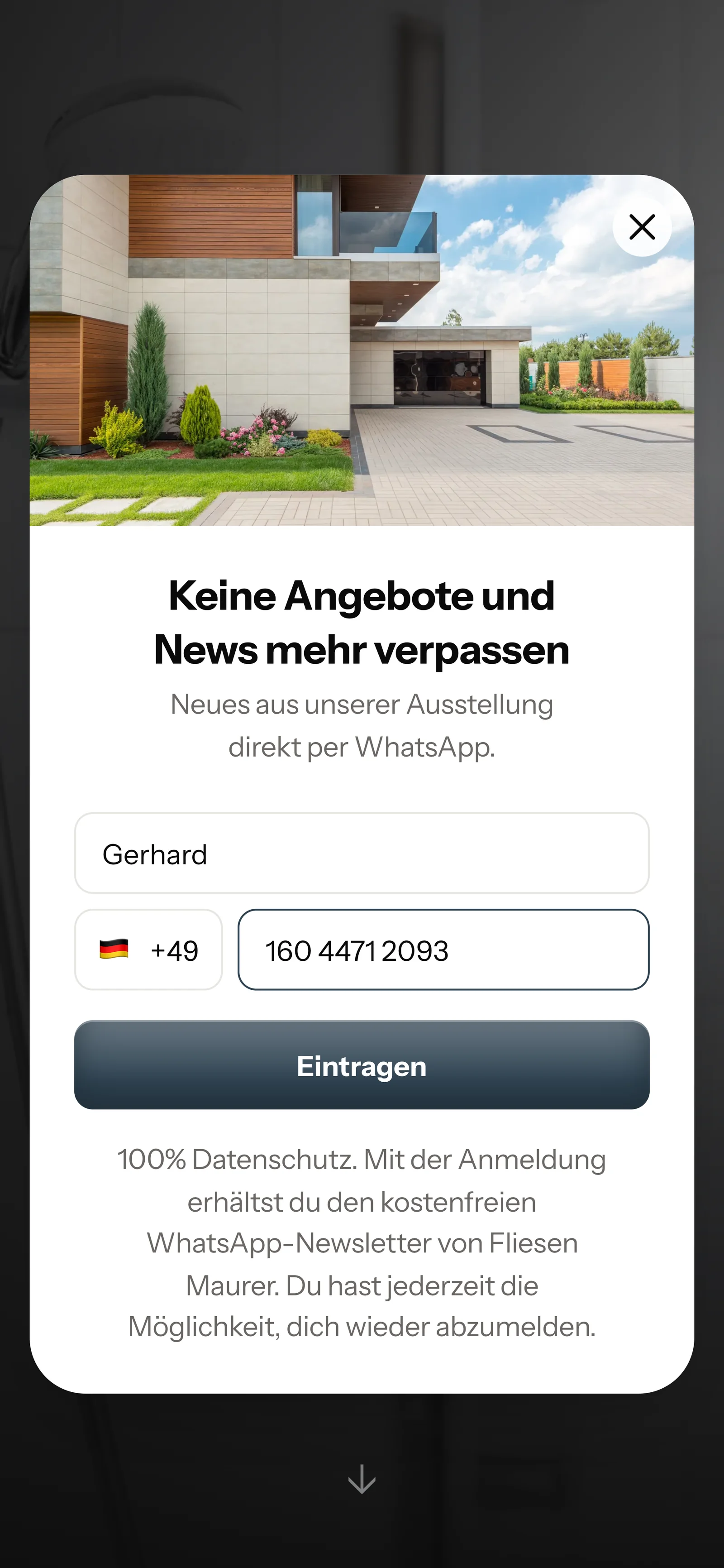
Your customers sign up themselves: through the QR code on your quote, on your website or via a link. You only send them your newsletter once they have agreed in WhatsApp.
The code hangs in your showroom, sits at the bottom of every quote and fits on any flyer. SmartChat creates it for your landing page.
On your website, a small window opens for this. That's all it takes.

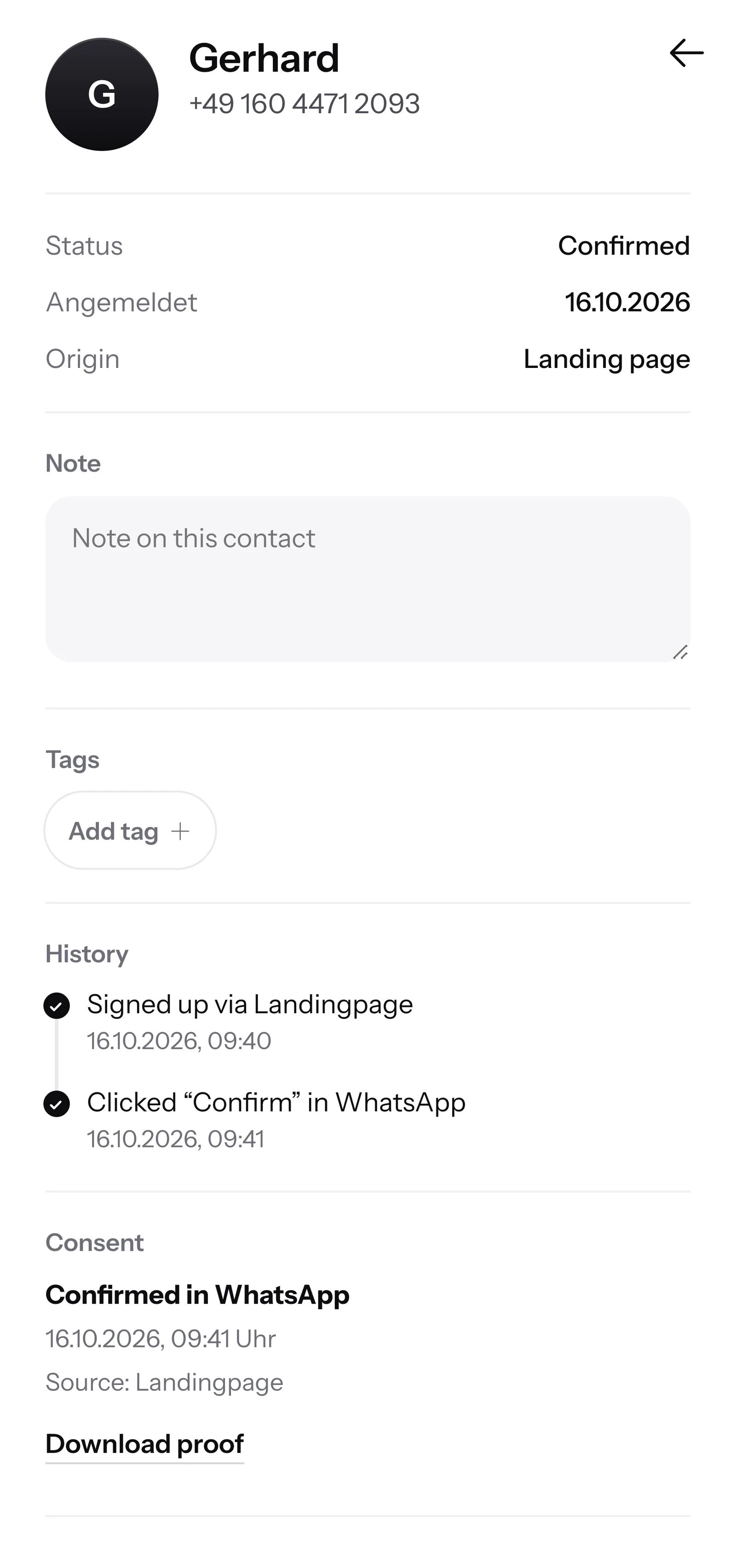
They click Confirm once. That is the double opt-in, only after that are they on your list.
SmartChat records when and how your customer agreed. You can show it as a PDF at any time.

When a customer writes but nobody is available anymore, SmartChat AI replies fully automatically for you. It answers with learned knowledge that it picks up from your website and your past conversations. If it has no source, it hands the question over to you.

Even in the evening and on weekends, every customer gets an instant answer to their questions.
SmartChat AI replies in the language your contact writes in, for example German, English, Italian, French or Spanish. Every customer gets the message in the language they write in.
If SmartChat AI can't answer, the message is forwarded in the inbox to you and your team.
Yes, if your customer has agreed beforehand. They sign up themselves, via the QR code, your website or a link, and confirm once in WhatsApp. SmartChat saves this consent as proof. Simply messaging old numbers from your phone is not allowed.
Through your landing page with a QR code, which SmartChat creates for you. Hang the code in your showroom, put it next to the samples or print it on your quote. On your website, a small window asks visitors if they want to sign up.
Little. SmartChat AI writes your newsletter, you just give the topic, for example your leftover stock. You read the text, change it if needed and send it with one click. Automations like the confirmation of the measuring appointment run without you.
Yes. Every newsletter can include a picture. SmartChat takes it from your website, or you upload your own photo. If you show a customer's bathroom, ask them first if they are fine with it.
Yes. You give your contacts tags, for example patio, bathroom or leftover stock, and build segments from them. Then you send the newsletter only to the matching segment.
No, SmartChat is not trade software. If your software can report new appointments to SmartChat through a webhook, SmartChat sends your customer the confirmation on WhatsApp. You keep writing quotes and invoices as before.
Yes, with an automation. SmartChat reads your appointments through the calendar connection (iCal) and sends a message the day before. Free and Starter only have the fixed automation for new contacts (confirmation and thank-you). Custom automations start with Basic: Basic has 3, 1 of them for new contacts, Pro has unlimited.
SmartChat AI analyzes your website and all documents you upload, for example your price list or a brochure as a PDF. When a new collection arrives in the showroom, you upload the new documents, and SmartChat AI answers with the new information.
Then the question stays in the inbox, and you or your team answer it yourselves. Questions that only a look on site can settle are yours. Once a person has answered a message, SmartChat AI does not step in there.
No. You send with your own phone number. You connect it to SmartChat and confirm it with the code from Meta, the company behind WhatsApp. You connect exactly one number per account.
SmartChat Free costs €0, with no time limit and no credit card, with 100 messages one-time. Starter costs €299 per month with 3,000 messages, Basic €499 with 6,000 and Pro €999 with unlimited messages. Sending costs no credits. All prices plus VAT, more at Pricing.
Meta bills you directly for the fees for WhatsApp messages. For this, you add a payment method in your Meta account. You pay SmartChat only for your plan. You can find the exact prices here.
You give SmartChat AI the website of your business. In 60 seconds your WhatsApp marketing system with landing page and QR code is ready. Then you connect your number and send your first newsletter.
They write STOP in the chat with your tiling business. From then on they get no more newsletters from SmartChat, and in your contact list they show as unsubscribed.
SmartChat AI analyzes the website of your tiling business and builds a landing page and QR code from it in 60 seconds. Free costs €0 and needs no credit card.