




Welcome after confirmation
Whoever signs up and confirms gets a thank-you message right away. That way, your reader knows which messages they will get from your publishing house.

With SmartChat, you send your readers newsletters and messages by WhatsApp as a template approved by Meta: the new volume of a series, the invitation to a reading, or the next issue of your magazine.


After sign-up, when a pre-order ships, and before a reading, SmartChat sends the right message, without you having to take care of it.

Whoever signs up and confirms gets a thank-you message right away. That way, your reader knows which messages they will get from your publishing house.


If your web shop can report the shipment to SmartChat, the reader gets a WhatsApp as soon as their book leaves the warehouse.

Once the reading is in your calendar, SmartChat reminds every registered contact the day before. If someone cancels, you pass their tickets on.
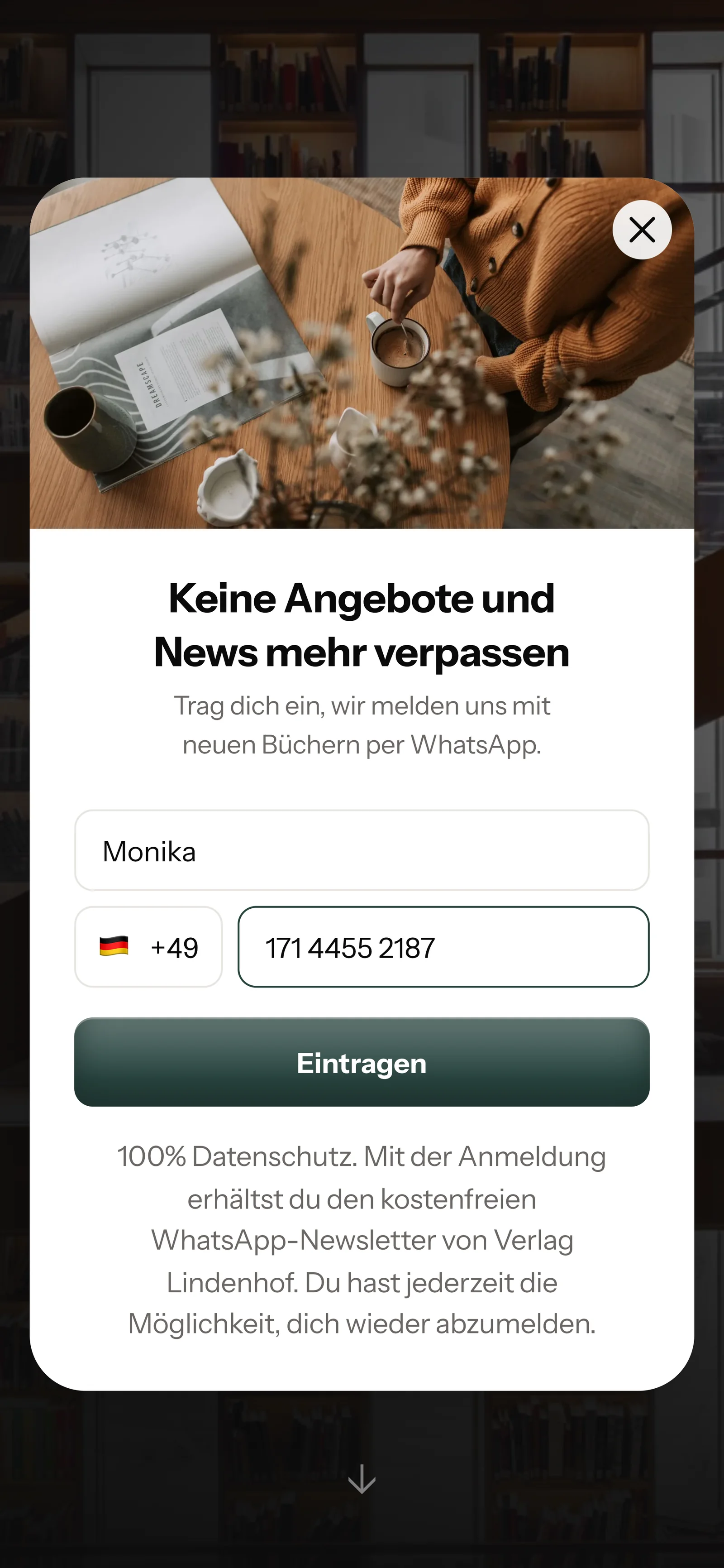
Your readers sign up themselves: via the QR code in the book, on your website, or via a link in the shop. You only send your newsletter once they have confirmed in WhatsApp.
You print the code on the last page, on a bookmark, or in the magazine. SmartChat creates it for your landing page.
A small window opens on your publisher's page. Your reader enters their first name and phone number, nothing more.

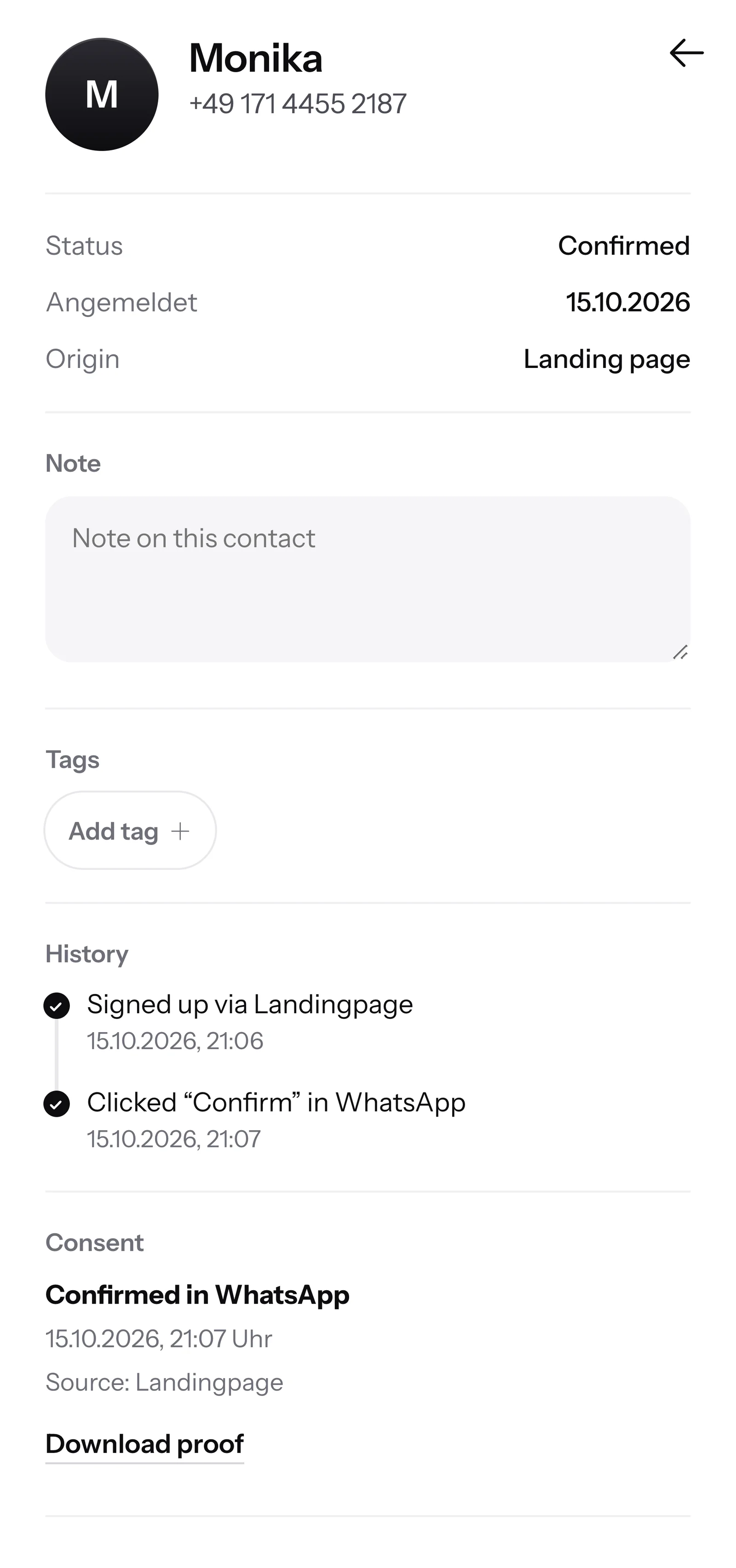
One click on Confirm is enough. With this double opt-in, every reader confirms their sign-up themselves in WhatsApp.
SmartChat records when and in which way your reader agreed. You download the proof as a PDF.

When a reader writes late in the evening and nobody at your publishing house can be reached any more, SmartChat AI replies fully automatically for you. It answers with the knowledge it learned from your website and your documents. If it has no source, it hands over to you.

Many messages come in late in the evening. SmartChat AI replies right away, on weekends too.
If a reader writes in French, SmartChat AI replies in French. That applies to every language.
Questions about manuscripts, rights or invoices that SmartChat AI cannot answer end up in your team's inbox.
No, only to readers who have agreed. They sign up themselves, via the QR code in the book, your website or a link, and confirm once briefly in WhatsApp. SmartChat stores this consent as proof.
SmartChat creates the QR code for your landing page. You hand it over as an image file for the layout, for example for the last page, the cover flap or a bookmark. It works just as well in the magazine and on the poster for the reading.
Yes, if they scan the QR code in the book and sign up. The bookstore doesn't have to do anything. From the confirmation in WhatsApp on, the reader is one of your contacts, no matter where they bought the book.
SmartChat is not a shop. The button in your message leads to the book in your web shop, where the reader orders as usual. If they reply in the chat instead, their message lands in SmartChat's inbox and your team takes care of it.
Yes. You announce the new issue with its cover story and point the button to your subscription page. You keep managing the subscriptions themselves in your own software.
Yes. In SmartChat you give your contacts tags, for example โCrimeโ or โBakingโ, and build segments from them. Then you send your newsletter only to the readers who are interested in the topic.
No. SmartChat AI writes the newsletter from your blurb and your website, to fit your publishing house. You proofread the text, change what you want, and send it with one click.
SmartChat AI analyzes your website and all the documentsthat you upload to SmartChat, for example your publisher's catalog as a PDF. When a new program comes out, you upload the new catalog. From then on, SmartChat AI answers with the new titles.
If SmartChat AI can't answer a question, it stays in the inbox and your team replies themselves. Once a person has replied in the conversation, SmartChat AI writes nothing more about that message. Free has 1 seat on the team, Starter 3, Basic 6 and Pro 12.
No. You send with your own number. You connect it to SmartChat and confirm it with the code from Meta, the company behind WhatsApp. You connect one number per account.
SmartChat Free costs โฌ0, with no time limit and no credit card, with 100 messages one-time. Starter costs โฌ299 per month with 3,000 messages, Basic โฌ499 with 6,000 and Pro โฌ999 with unlimited messages. You pay no credits for sending. All prices plus VAT, details at Pricing.
Meta bills you directly for the fees for WhatsApp messages. For this, you set up a payment method in your Meta account. You only pay SmartChat for your plan. You can find the exact prices here.
You tell SmartChat AI your publishing house's website. In 60 seconds, your WhatsApp marketing system is ready, with landing page and QR code for your next book. Then you connect your number and send your first newsletter.
The reader writes STOP in the chat with your publishing house. From then on, they no longer get your newsletter, and SmartChat shows them as unsubscribed in your contact list.
SmartChat AI analyzes your publisher's website. In 60 seconds, your WhatsApp marketing system is ready, with landing page and QR code. You use the Free plan with no time limit and no credit card.