

Welcome after confirmation
When a patient has confirmed in WhatsApp, they get a thank-you message right away and know which messages your practice sends them.
With SmartChat you send your patients every piece of news from your practice by WhatsApp, for example a freed-up appointment, the new back course or equipment training after the last prescription.


Welcome, appointment series and the reminder the day before run automatically for your practice, without you having to take care of it. The thank-you after sign-up runs in every plan, your own automations are available from Basic.

When a patient has confirmed in WhatsApp, they get a thank-you message right away and know which messages your practice sends them.

If your practice software reports a newly scheduled series to SmartChat, your patient sees all the days at a glance in WhatsApp.

SmartChat analyzes your calendar and reminds patients one day before every treatment. If someone cancels, you send the free time with a booking link to your patients.
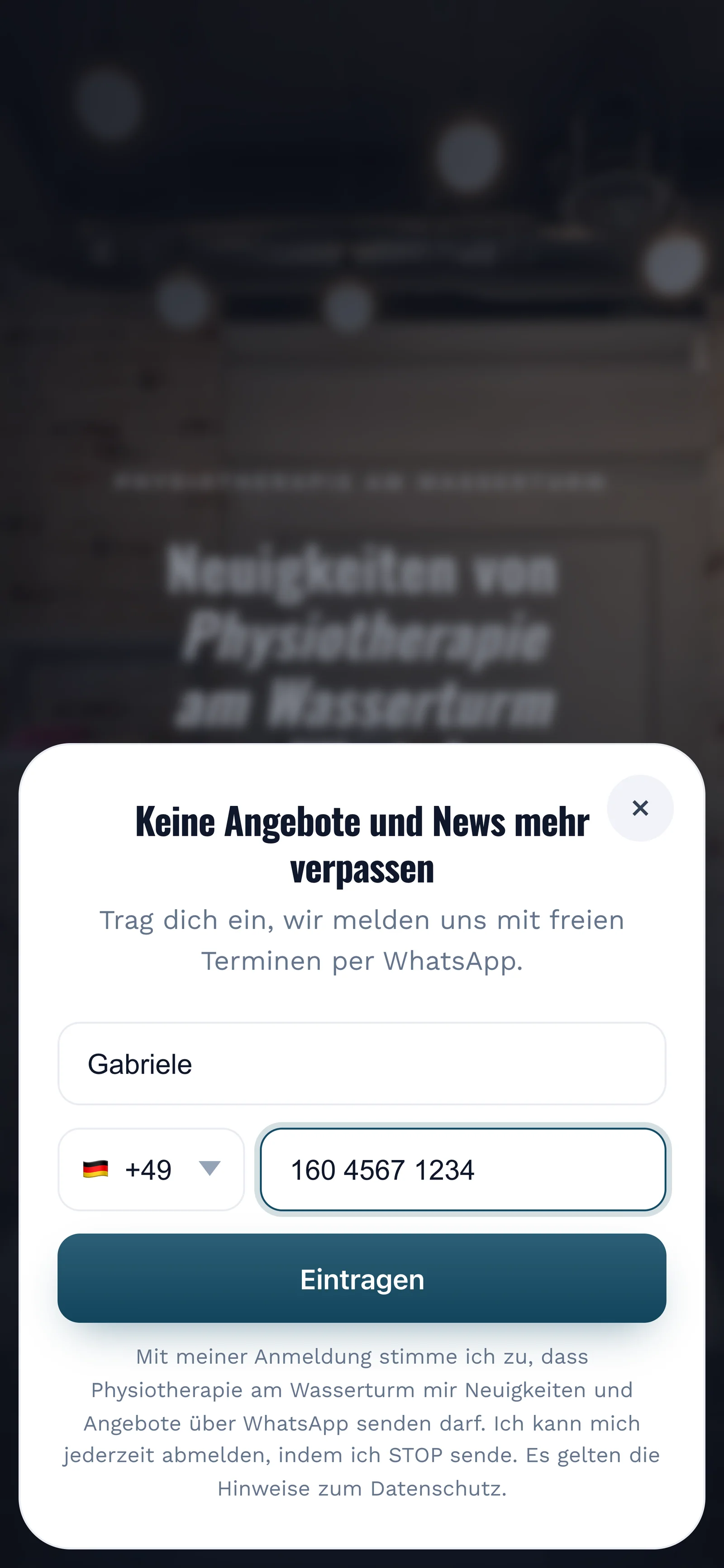
Your patients sign up themselves: through the QR code on the appointment card, on your website or through a link. Your patient only gets your newsletter after confirming in WhatsApp.
You print the QR code on the appointment card, hang it in the waiting area or put it on your website. SmartChat creates it to match your landing page.
The window asks only for these two details, nothing about health insurance or complaints.

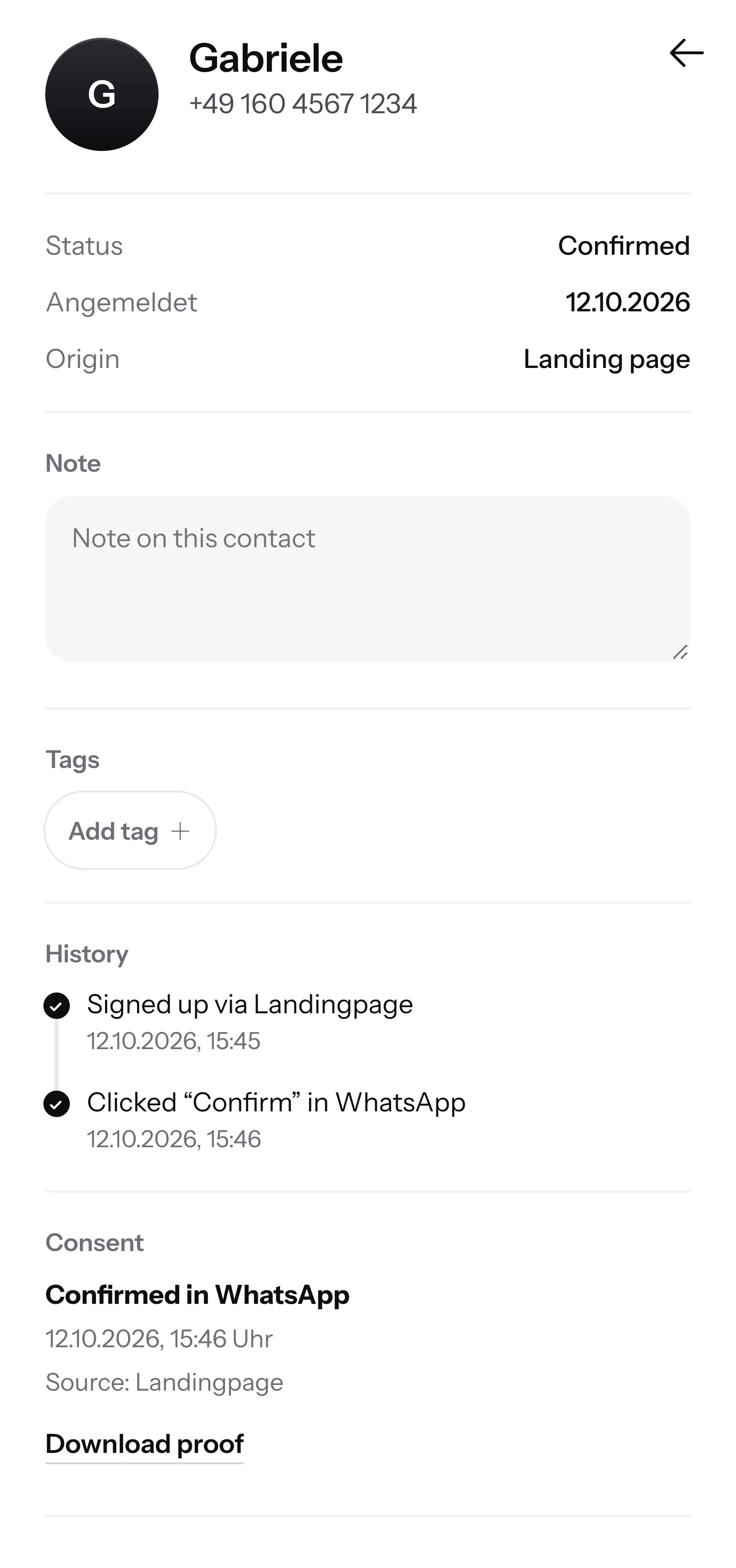
They click Confirm. Every patient does this double opt-in once themselves before your practice writes to them.
SmartChat records when and how your patient agreed. You file the proof with your records as a PDF.

When a patient writes in the evening and nobody in your practice can be reached anymore, SmartChat AI replies fully automatically for you. She answers with the knowledge she has learned from your website and your documents. If she has no source, she hands over to you. If there are sensitive questions, your team can take over.

SmartChat AI answers their questions, even when your registration is already closed.
SmartChat AI replies in the language your patient writes in. Every patient understands the message right away, in the language of their question.
Only put in organizational things. Everything else then lands with your therapists in the inbox.
Yes, if the patient has agreed beforehand. They sign up themselves, through the QR code on the appointment card, your website or a link, and confirm once in WhatsApp. SmartChat saves this consent for you as proof.
Best to keep it to organizational matters: day, time, place, courses and what to bring to the appointment. Diagnoses, complaints and details from the prescription do not belong in a WhatsApp message. Which content suits your practice is something you clarify with your data protection officer. This is not legal advice.
Factual info about offers, prices and appointments is common. Anyone who sends marketing by WhatsApp usually needs the contact's consent. Do not promise cures or results. For a specific wording, your professional association or a lawyer can help.
When someone cancels, you send the free time as a newsletter with a booking link to your contacts. Whoever books first gets the appointment. With tags you choose who gets the message.
Yes, from Basic with an automation. SmartChat analyzes your calendar through an iCal link and sends a reminder by WhatsApp the day before. Free and Starter only include the fixed automation for new contacts (double opt-in), Basic 3 and Pro unlimited.
There is no ready-made connection to individual practice programs. If your program offers an iCal link, SmartChat takes your appointments from it. If it can report new appointments by webhook, SmartChat uses that to start a message.
SmartChat AI does not answer medical questions. The question stays in the inbox with your team. SmartChat AI answers with what is on your website and in your documents. Only put organizational things there, like opening hours, co-payment and directions. Your therapists answer everything else in the inbox.
Through your landing page. SmartChat creates a QR code for it, for the appointment card, the counter or the notice board in the waiting area. On your practice website, a small popup asks visitors if they want free appointments by WhatsApp.
Yes. You give your contacts tags, for example "Back course" or "Equipment training". You then send the newsletter about the new course only to the right group.
Yes. All WhatsApp conversations of your practice come together in one inbox , and everyone on the team answers from there. Free has 1 seat, Starter 3, Basic 6 and Pro 12.
No. You connect your practice's number to SmartChat and confirm it with a code from Meta, the company behind WhatsApp. That is one number per account.
You start with SmartChat Free for 0 โฌ, with no time limit and no credit card, with 100 messages one time. Starter costs 299 โฌ a month for 3,000 messages, Basic 499 โฌ for 6,000 and Pro 999 โฌ for unlimited. We do not deduct credits for sending. All prices plus VAT, more at Pricing.
Meta bills your practice directly for the fees for WhatsApp messages. For that you add a payment method in your Meta account. You pay SmartChat only for your plan. You can find the exact prices here.
You give SmartChat AI the address of your practice website. In 60 seconds your landing page and QR code for your appointment card are ready. Then you connect your phone number and send your first message to your patients.
They write STOP in the chat with your practice. From then on they get no newsletter and no free appointments from SmartChat, and in your contact list they show as unsubscribed.
SmartChat AI analyzes the website of your physiotherapy practice. In 60 seconds your landing page and QR code are ready. Free costs 0 โฌ and needs no credit card.