



Skip to content

WhatsApp marketing for nonprofit organizations.

With SmartChat you send your supporters on WhatsApp what is happening in your organization right now: the donation appeal before winter, the report on the finished project or the search for new volunteers.

WhatsApp newsletter from Kinderhilfe Regenbogen about the wish-list campaign

Brown shipping box on a light background, image in the newsletter

image

A photo makes your campaign tangible. SmartChat takes it from your website, or you upload your own.

πŸ‘‹ Hello Karin, πŸŽ„ this year again, the wish lists of our children are hanging on the Christmas tree at the Regenbogen. ✏️ Every child has written down one thing they wish for: crayons, a book or warm gloves. 🎁 You pick a wish slip online and pack the gift as a parcel. πŸ“¦ Bring it by December 12 or send it by post to our office. πŸ’Ά Rather donate than pack? With 30 € we shop for you. ✨ The gifts are unwrapped at the Christmas party on December 19.
17:30

Text

SmartChat AI writes it from your website and your materials about the campaign. Dates and amounts are bold.

Pick a wish slip

button

One click leads to the list of wish slips. Your supporter picks one right away.

SmartChat thanks your donors automatically.

Welcome, thanks for the donation and reminder of the shift: these three messages SmartChat sends automatically for your organization.

As soon as a supporter confirms
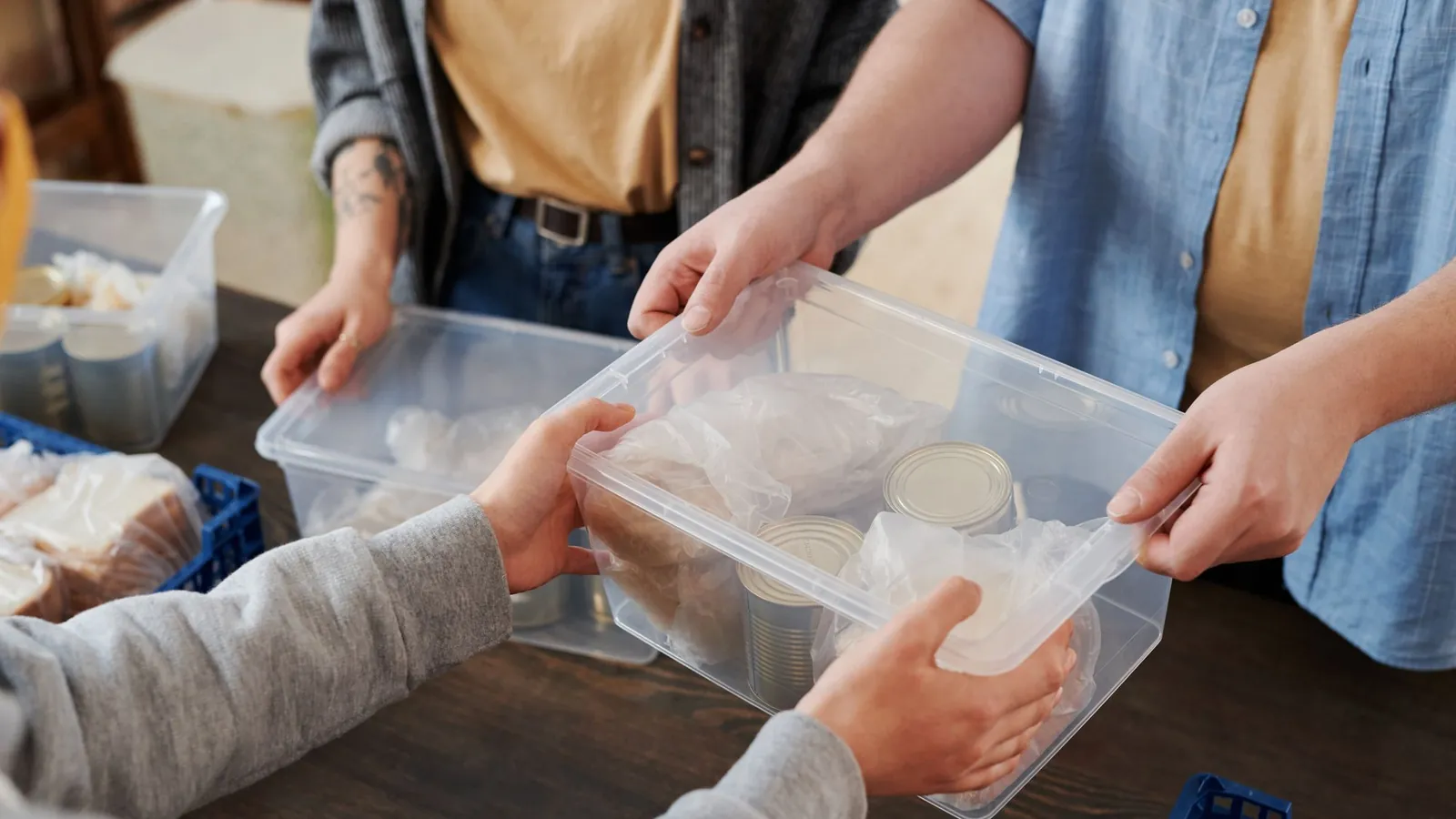
Close-up of volunteers distributing food packages during a charity event.
πŸ’› Your signup is confirmed, thanks for your interest in the Regenbogen.🏑 With us, children get after school a warm meal, help with homework and a safe place to play.πŸ“¬ On WhatsApp you hear about current projects, our donation campaigns and what happened with the money.🀝 Now and then we also look for helping hands for parties and outings.🌱 Every bit of support makes the families' everyday life a little easier.19:05
See our work

Welcome after sign-up

Every new supporter gets a message right after their confirmation. It says what your organization stands for and what they will hear from you in future.


As soon as a donation arrives
Close-up of hands exchanging a flavorful dish served on a white plate.
πŸ‘‹ Hello Gabriele,πŸ’› your donation of 40 € it's arrived. Thank you very much!🍲 With it we cook eight lunches for the children at the Regenbogen.πŸ“„ We'll send you your donation receipt in the January by post.πŸ“Έ How things go on with the lunch table, we'll show you in the coming weeks here in the chat.09:40

Thanks for the donation

If your donation software can report new donations to SmartChat, the donor immediately gets a personal thank-you message on WhatsApp.

1 day before the visit
A student writes geometric formulas by hand in a notebook on a desk.
πŸ‘‹ Hello Martin,πŸ“… tomorrow from 2 to 5 pm you're on for the homework help assigned.πŸ“ This time math and German for fourth grade are on the plan.πŸ”‘ The key to the study room on the first floor you'll get at the office by the entrance.πŸ™‹ Can't you make it? Write us briefly and we'll find someone else.12:00
View shift plan

Reminder before the shift

SmartChat analyzes the shift plan of your volunteers in your calendar and reminds them the day before. If someone drops out, you find a replacement in good time.

This is how you win supporters for WhatsApp.

Whoever wants to help you signs up themselves: through the QR code on your thank-you letter, a window on your website or a link. They get your newsletter only once they have agreed in WhatsApp.

  1. 1

    Your supporter scans the QR code

    The code is on the thank-you letter, the flyer at the info stand or the poster for the summer festival. SmartChat creates it for your landing page.

  2. 2

    Your supporter enters first name and phone number

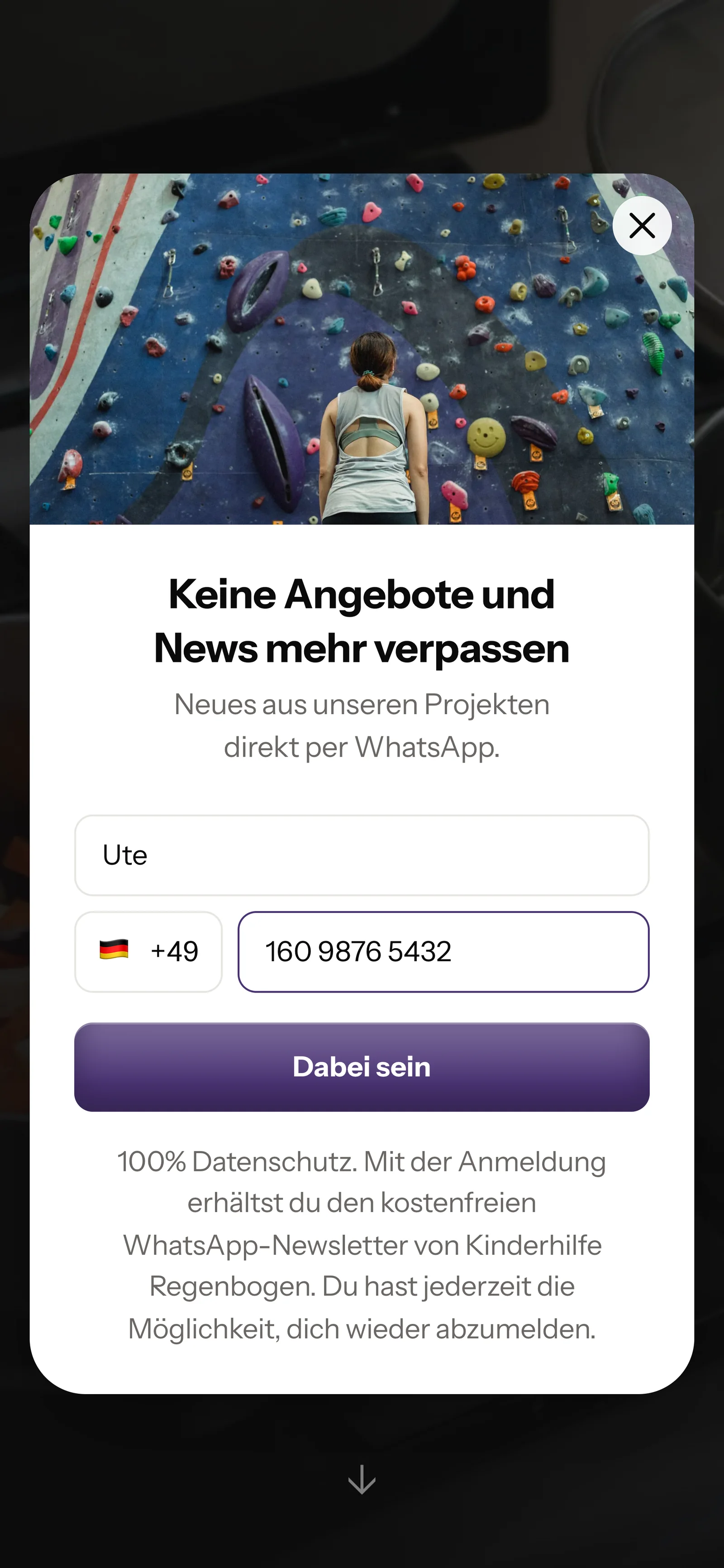
    A small window opens on your donation page. That's all it takes.

    Real website popup of Kinderhilfe Regenbogen with photo on top, mobile view: headline Never miss offers and news again, first name Ute and phone number entered, button Count me in
  3. 3

    Your supporter confirms in WhatsApp

    With one click on Confirm they agree themselves. This second step is called double opt-in.

    πŸ‘‹ Hello Ute,🏑 here you hear about our projects at the Regenbogen, about donation campaigns and dates to lend a hand.βœ… Do you want to receive these messages? Then click the button below: Confirm.πŸ”’ You can unsubscribe at any time. Just write STOP.18:05
    Confirm
    Confirm18:05
  4. 4

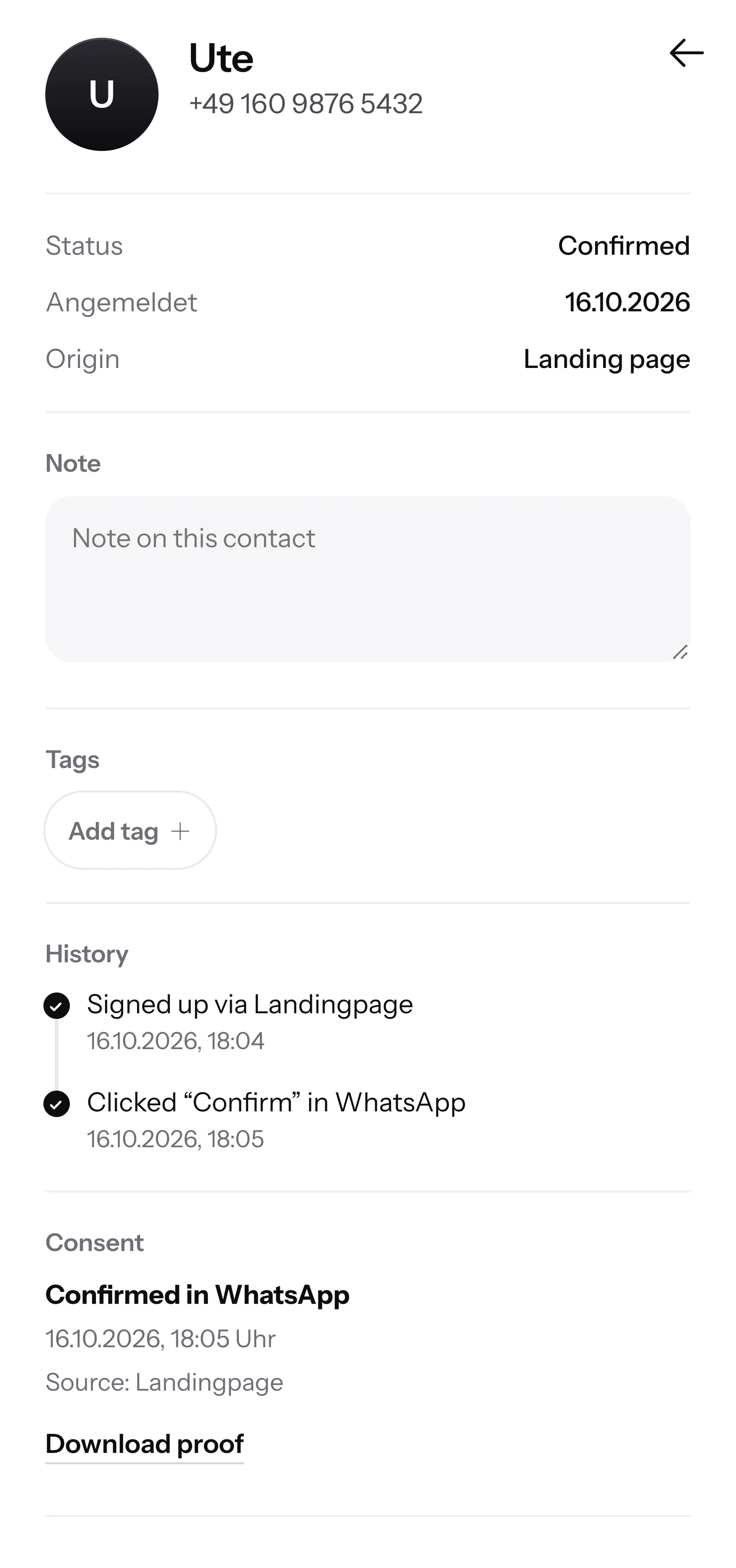
    You have the proof

    For every supporter, SmartChat records when and where they agreed. If someone asks, you download the proof as a PDF.

    Contact Ute in SmartChat, mobile view: status Confirmed, signup history, consent confirmed in WhatsApp and button Download proof

SmartChat AI answers your donors.

When a donor writes but nobody in your office can be reached anymore, SmartChat AI replies fully automatically for you. It answers with the knowledge it has learned from your website and your documents. If it has no source, it hands over to you.

Inbox in SmartChat: SmartChat AI answers a customer's WhatsApp question for Kinderhilfe Regenbogen
  • Also on weekends

    Your office is closed, and still every donor gets an instant answer.

  • In every language

    SmartChat AI replies in the contact's language. Supporters from abroad also understand the message right away.

  • Office and volunteers reply too

    If SmartChat AI can't answer, the message is passed on to your people in the inbox.

Frequently asked questions about WhatsApp marketing for nonprofit organizations.

Can our organization simply message donors on WhatsApp?

Only if the donor has given consent themselves. A phone number from your donor database alone is not enough. They sign up themselves, through the QR code, your website or a link, and confirm once in WhatsApp. SmartChat saves this consent as proof and thus supports you with consent.

How do we invite our existing donors to WhatsApp?

Print the QR code from SmartChat on your next donation letter, your thank-you letter or the flyer at the info stand. Whoever scans it lands on your landing page, signs up and confirms in WhatsApp.

Can other supporters see who donates to us?

No. Every supporter gets your message in their own chat with your organization. Nobody sees the numbers, names and replies of the others.

Can we accept donations directly in WhatsApp?

No, no money moves through SmartChat. The button in your message leads to your donation page. There your supporter donates as usual by bank transfer, direct debit or whichever payment method you offer.

Does SmartChat create our donation receipts?

No. Your organization continues to issue the donation receipt itself. As soon as it is ready, you send your donors a WhatsApp. What form it must have, you clarify with your tax advisor.

Can we message volunteers and donors separately?

Yes. You give your contacts tags, for example "volunteer", "sponsor" or "regular donor". Then you send the call for the homework help only to the volunteers and the project report to everyone.

Who writes the donation appeals for our organization?

SmartChat AI writes them to fit your organization. You name the topic, for example the wish-list campaign in Advent. Then you read the text, change what you don't like and send it with one click.

How does SmartChat AI know our projects and office hours?

SmartChat AI analyzes your website and everything you upload to SmartChat, for example your annual report or the flyer for the summer festival as a PDF. If SmartChat AI doesn't know an answer, the question stays in the inbox and your team replies themselves.

Can volunteers reply in the inbox too?

Yes. All WhatsApp conversations come together in one inbox, and every team member replies with their own login. Free has 1 seat, Starter 3, Basic 6 and Pro 12.

Does our organization need a new phone number?

No. You send with your own number, for example your office number. You connect it to SmartChat and confirm it with a code from Meta, the company behind WhatsApp. You connect one number per account.

What does SmartChat cost for a nonprofit organization?

Free costs €0, with no time limit and no credit card, and includes 100 messages once. Starter costs €299 a month with 3,000 messages, Basic €499 with 6,000 and Pro €999 with no limit. SmartChat deducts no credits for sending. All prices plus VAT, more under Pricing.

What fees does Meta charge our organization?

For WhatsApp messages, Meta bills its fees directly to you. For that you set up a payment method in your Meta account. You pay SmartChat only for your plan. You can find the exact prices here.

How many automations does our organization have?

In Free and Starter there is only the fixed automation for new contacts (double opt-in: confirmation and thank-you). Your own automations are available from Basic: Basic has 3, one of which is the fixed one, Pro has unlimited. An automation runs by itself, for example the thank-you after every donation or the reminder before a volunteer shift.

How long does it take to get started with SmartChat?

You give SmartChat AI the address of your website. In 60 seconds your WhatsApp marketing system with landing page and QR code is ready. Then you connect your number and send your first appeal.

How does a supporter unsubscribe from our WhatsApp messages?

They write STOP in the chat with your organization. From that moment, SmartChat sends them nothing more, and SmartChat lists them in your contacts as unsubscribed.

WhatsApp marketing for your organization in 60 seconds.

SmartChat AI analyzes your website. In 60 seconds, your landing page and QR code are ready. Free costs 0 € and needs no credit card.