




Welcome after confirmation
Anyone who signs up and confirms gets an answer right away. It says what your office helps with.

With SmartChat you send your clients on WhatsApp what you want to tell them: the offer of a financing confirmation before buying a house, the tip about bundling expensive installments, or the reminder about the special repayment.


Welcome, loan approval message and reminder before the consultation: SmartChat sends these three messages for you, without you having to take care of it. The thank-you message is included in every plan, the other two are your own automations from Basic.

Anyone who signs up and confirms gets an answer right away. It says what your office helps with.

If your comparison software can report the status of a request to SmartChat, your client finds out on WhatsApp right away that the bank approved.

If the meeting is in your calendar, SmartChat sends a reminder the day before. It also lists which documents your client should bring.
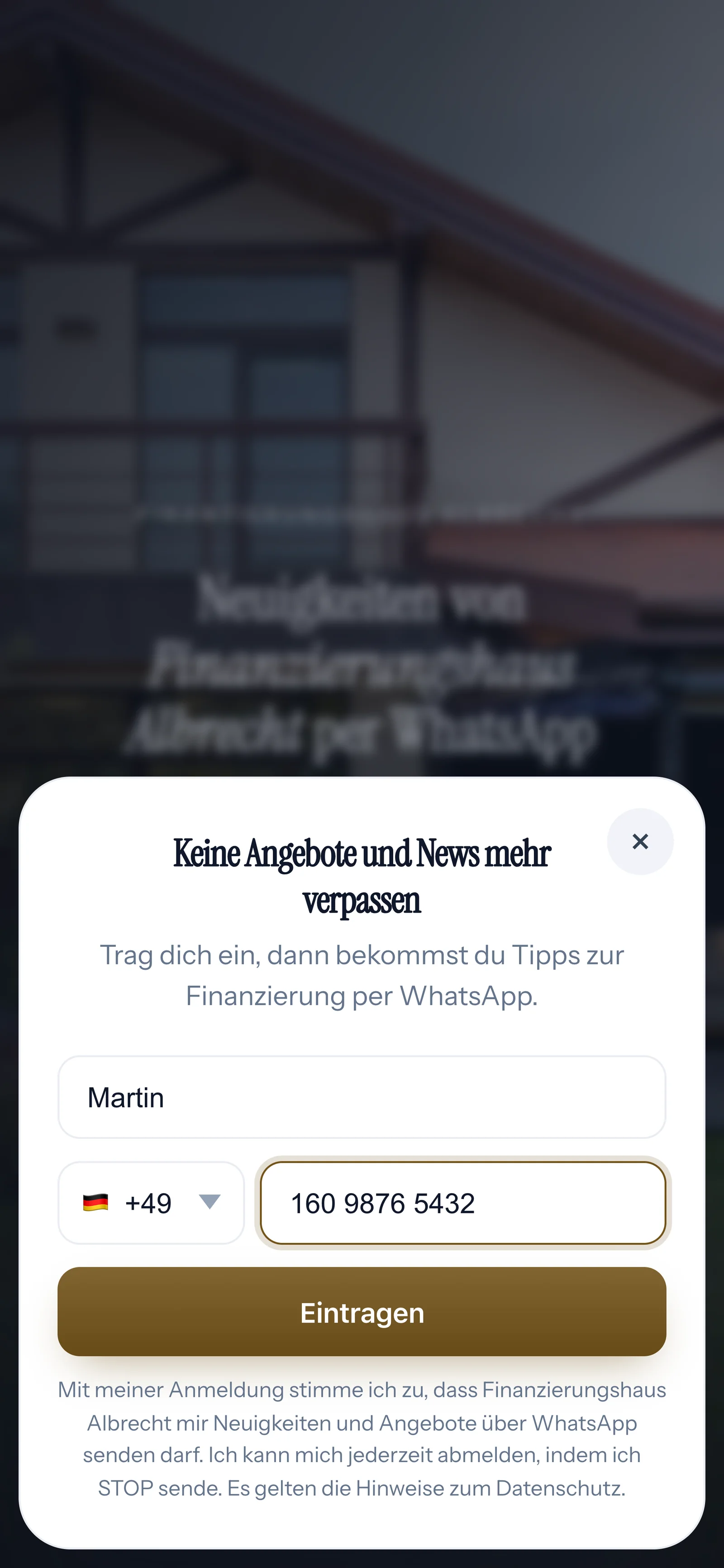
Your prospects sign up themselves: through the pop-up on your website, the QR code in your office or a link. You only send them your newsletter once they have confirmed in WhatsApp.
Once he has calculated his installment, a pop-up opens with two fields: first name and phone number.

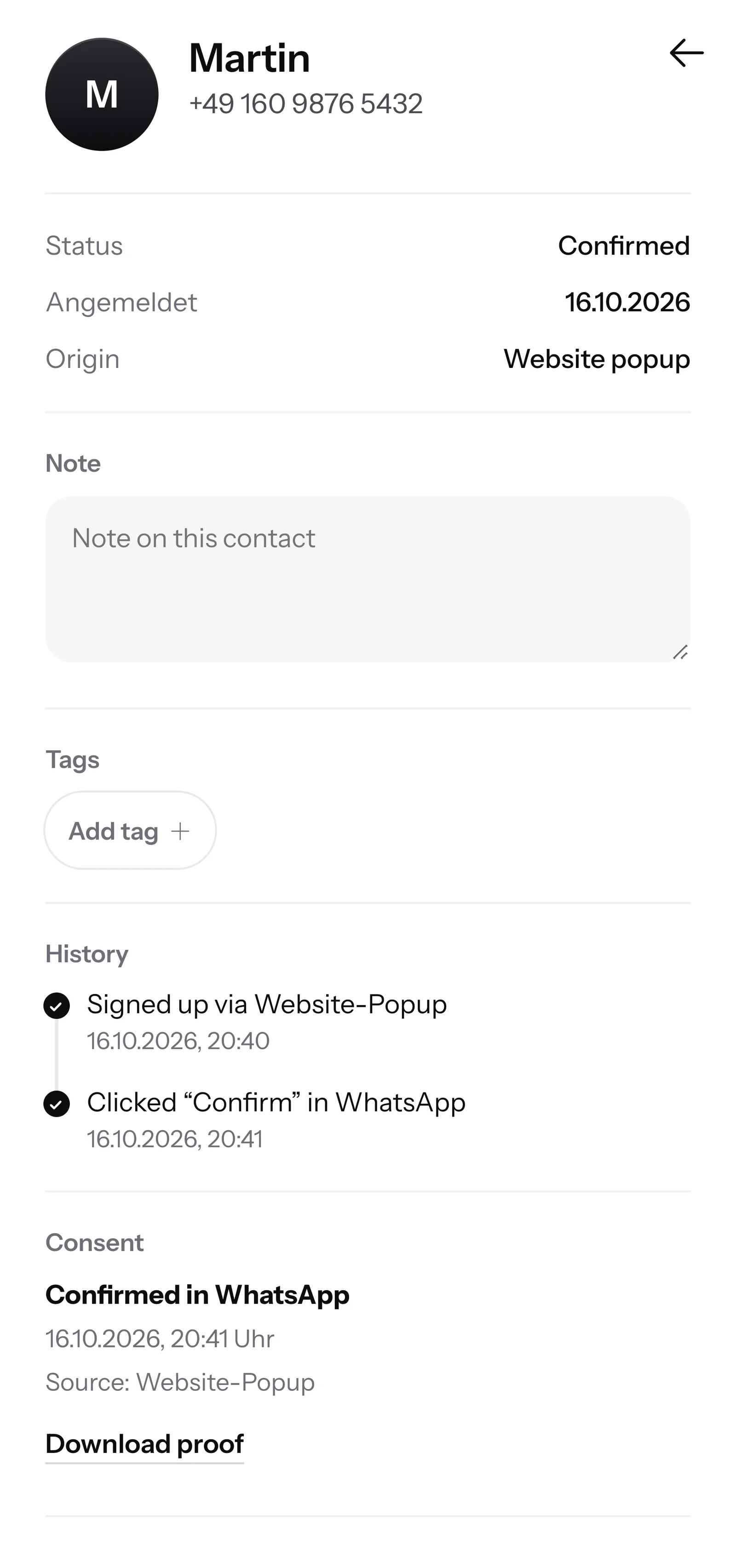
He taps Confirm once. That is how double opt-in works, and only then may you write to him.
SmartChat records the time and way of consent for every contact. You can keep the proof with your client records as a PDF.

When a prospect writes in the evening and nobody is active in the inbox, SmartChat AI replies fully automatically in WhatsApp for you. It answers with the knowledge it has learned from your website and your documents. If it has no source, it hands the chat over to you.

Anyone comparing loans on the sofa in the evening still gets an answer right away.
SmartChat AI replies in the language your client writes in. Clients with a different native language understand the message right away.
If SmartChat AI doesn't know an answer, the question stays in the inbox for your team. Only the bank gives a loan approval anyway.
Only with their consent. Your prospect signs up himself, for example through the pop-up on your website, and then confirms once in WhatsApp. SmartChat stores this consent as proof. Numbers without consent, for example from purchased lists, don't belong in SmartChat.
You only send what is allowed. SmartChat AI writes a suggestion, and you approve every text yourself before SmartChat sends it.
No. SmartChat AI answers general questions from your website and the documents you upload, for example from your checklist. Only the bank gives a loan approval. If SmartChat AI doesn't know an answer, the question stays in the inbox for your team.
No. You compare and submit requests in the software you're used to. SmartChat sends your clients newsletters, reminders and replies on WhatsApp. If your software can report events through a webhook, SmartChat sends, for example, the approval message automatically.
Through the website popup from SmartChat. You add it to your website, for example next to your loan calculator, and it asks for first name and phone number. You also get a landing page with a QR code and a Click-to-WhatsApp button.
If your comparison software reports the approval to SmartChat through a webhook, SmartChat sends the message automatically. Without this connection you write to your client yourself, right in the SmartChat inbox.
Yes, with a WhatsApp newsletter in the fall. SmartChat AI writes the text, you check it and send it to your subscribers. What your individual loan contract says, you then clarify in a personal conversation.
On servers in Germany. For every contact, SmartChat records when and how they agreed. SmartChat supports you with consent, but responsibility for your client data stays with you.
No. You tell SmartChat AI the topic, such as the new checklist for home buyers. SmartChat AI writes the newsletter to fit your business, you proofread it and send it with one click.
Yes. All WhatsApp conversations come together in a shared inbox. Free has 1 seat for your team, Starter 3, Basic 6 and Pro 12.
Yes. You connect your own number to SmartChat and confirm it with a code from Meta, the company behind WhatsApp. You connect one number per account.
Free costs โฌ0, with no time limit and no credit card, with 100 messages one-time. Starter costs โฌ299 per month with 3,000 messages, Basic โฌ499 with 6,000 and Pro โฌ999 with no limit on messages. Sending costs no credits. All prices plus VAT, more under Pricing.
Yes. Meta bills the fees for WhatsApp messages directly to you, through the payment method in your Meta account. You only pay SmartChat for your plan. You can find the exact prices here.
Give SmartChat AI the address of your website. In 60 seconds your WhatsApp marketing system, your landing page and your QR code are ready. After that you connect your number and send your first message.
A client who has confirmed your messages can unsubscribe at any time by sending STOP in the chat with your loan office. From then on SmartChat sends him nothing more and marks him as unsubscribed in your contact list.
Give SmartChat AI the address of your website. SmartChat AI analyzes it, and after 60 seconds you have your landing page with a QR code. Free costs โฌ0 and needs no credit card.