




Thank-you after confirmation
Anyone who newly signs up gets a reply right away. It says how you help them around the house.
With SmartChat you send your customers by WhatsApp what is coming up around their home: an open spot on your winter service route, the house check during their vacation or the repair day on their street.


After sign-up, after the order and the day before the job, SmartChat sends the matching message, without you having to remember it.

Anyone who newly signs up gets a reply right away. It says how you help them around the house.

If your job software can report new jobs to SmartChat, your customer immediately gets the confirmation with day and service.

SmartChat analyzes your calendar and gives your customer a heads-up the day before the visit. That way the gate is unlocked and the dog is in the house.
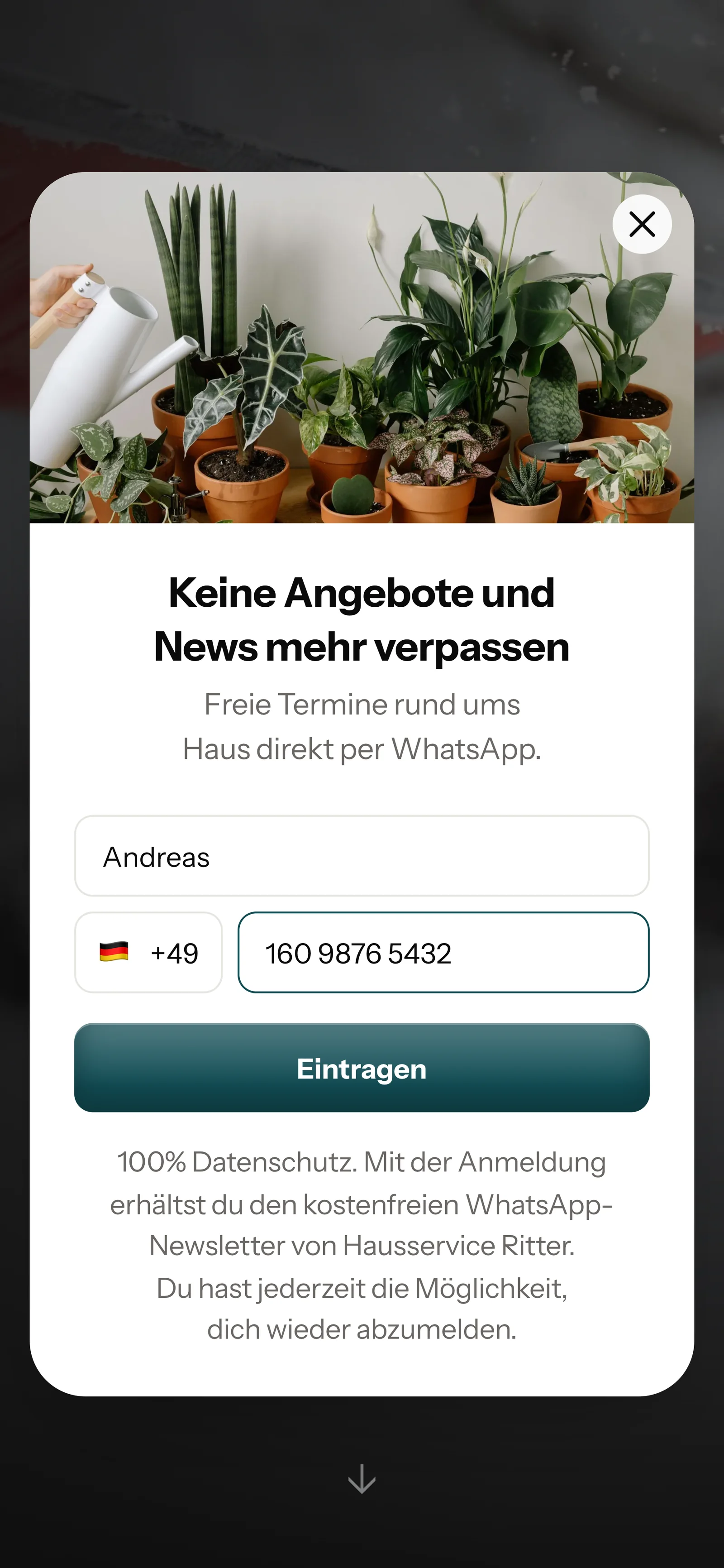
Your customer signs up themselves, through the QR code on the invoice or van, on your website or through a link, and then confirms in WhatsApp. Only after that do you send them messages.
It is on the invoice, the job slip or the back of the van. SmartChat creates the code for your landing page.
A small window asks only for these two details. On your website it appears as a popup.

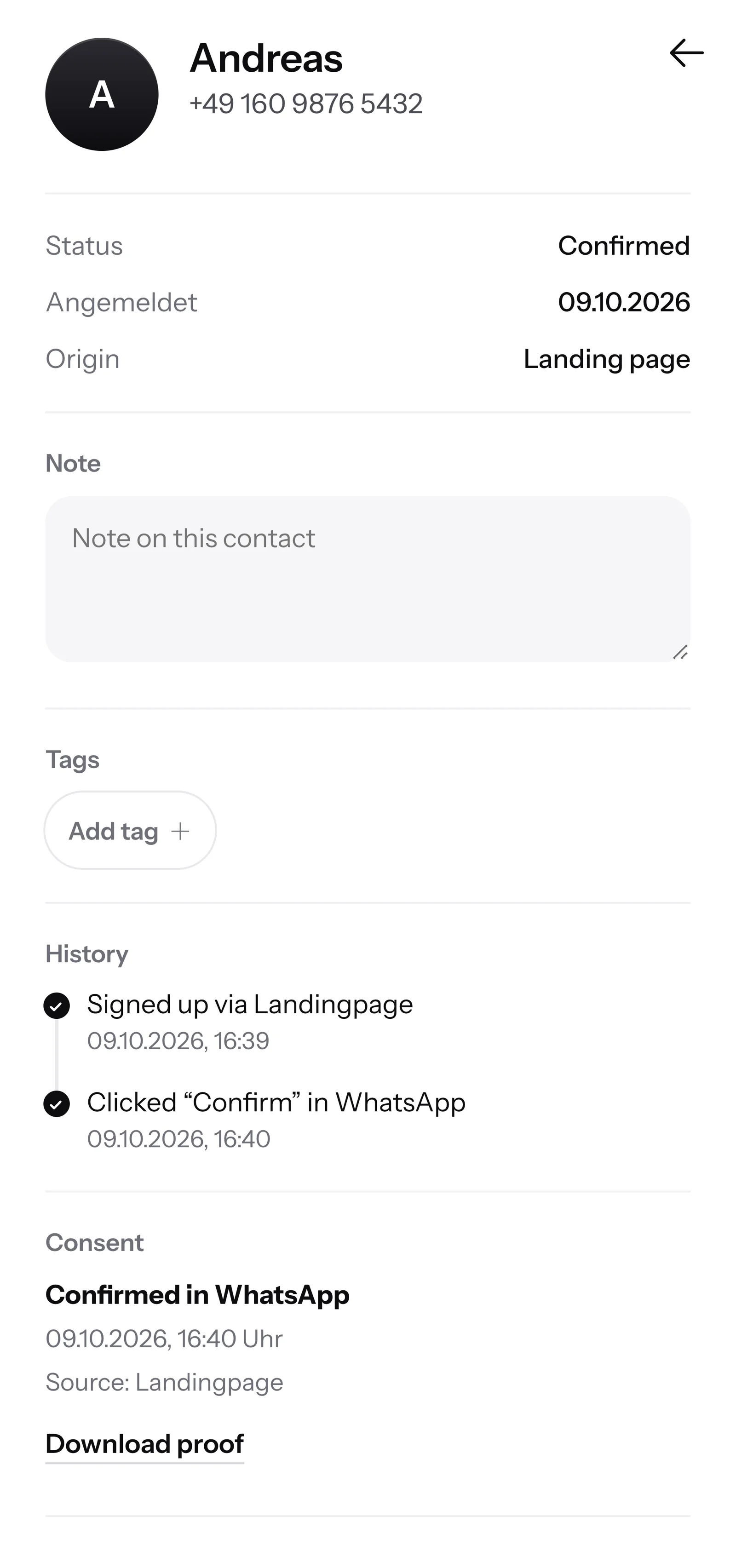
He clicks Confirm once. That is double opt-in: every customer agrees themselves in WhatsApp before they get messages from you.
SmartChat stores when and how your customer agreed. You download the proof as a PDF.

When an owner writes but nobody in your office can be reached anymore, SmartChat AI replies fully automatically for you. She answers with the knowledge she has learned from your website and your documents. If she has no source, she hands over to you.

If a customer writes on a Sunday, they get an immediate answer to their question.
SmartChat AI replies in the contact's language. Even residents who speak little German understand the message right away.
If SmartChat AI can't answer, the conversation is forwarded in the inbox to your office.
Yes, as soon as your customer has agreed. They sign up themselves, through the QR code, your website or a link, and then confirm once in WhatsApp. SmartChat stores this consent with date and time as proof. Simply messaging numbers from your address book is not possible.
Everywhere your customer sees you: on the invoice, the job slip, your business card and on the back of the van. SmartChat creates the QR code to your landing page. On your website, a small window asks visitors whether they want to sign up.
Yes. Put the QR code up in the stairwell, for example. Each resident signs up on their own and confirms in WhatsApp. With Tags you sort your contacts by residential complex and send each building only what concerns it, such as the date for the stairwell cleaning.
Yes. You send a newsletter to all contacts with the matching tag, for example "winter service". That way your customers find out when the season starts or that your team comes later after heavy snowfall.
No, SmartChat is not a program for job scheduling. You keep planning your routes as before. If an appointment is in a calendar that SmartChat can analyze via iCal, SmartChat reminds your customer the day before by WhatsApp.
SmartChat AI. You name the topic, for example your autumn job for leaves and hedges, and SmartChat AI writes the newsletter to fit your business. You read it through, change a word if needed and send it with one click.
Yes, if they are on your website or you upload them. SmartChat AI analyzes your website and all documents in SmartChat, for example your price list as a PDF. If prices change, you upload the new list.
The question stays in the SmartChat inbox, and you or your office answer it yourselves. If a person has replied in a conversation, SmartChat AI does nothing for that message.
Yes. All WhatsApp conversations come together in one inbox, and every member of your team replies there too. Free has 1 team seat, Starter 3, Basic 6 and Pro 12.
No. You connect your own phone number with SmartChat and confirm it with a code from Meta, the company behind WhatsApp. You connect one number per account.
Free costs β¬0, with no time limit and no credit card, and includes 100 messages once. Starter costs β¬299 a month with 3,000 messages, Basic β¬499 with 6,000, and Pro β¬999 with no limit on messages. You pay no credits for sending. All prices plus VAT, more at Pricing.
Yes. Meta charges the fees for WhatsApp messages directly to you, through the payment method in your Meta account. You only pay SmartChat for your plan. You can find the exact prices here.
Free and Starter have only the fixed automation for new contacts (double opt-in: confirmation and thank you). Custom automations start with Basic: Basic has 3, 1 of which is the fixed one, and Pro has unlimited. An automation sends automatically, for example the notice the day before the hedge trimming.
You give SmartChat AI your business's website. In 60 seconds, your WhatsApp marketing system, landing page and QR code are ready. Then you connect your number and send the first newsletter.
They write STOP into the WhatsApp chat with your property maintenance service. From then on SmartChat sends them nothing more, and SmartChat shows them in your contacts as unsubscribed.
SmartChat AI analyzes your website and builds a landing page and QR code from it in 60 seconds. Free costs β¬0 and needs no credit card.