Export contacts from SmartChat.
In SmartChat, you can download your WhatsApp contacts at any time, incl. first name, phone number, consent, status and tags.

You decide who is in the file.
Export all contacts or only a filtered group. You know the filters from the contact list: status, source and Tags.

Search by name or phone number
Enter a name or part of the phone number, and the list shows only the matches.
Across all pages
The list shows the contacts page by page. Select all still includes every match.
One click, one file
Export immediately downloads the file smartchat-kontakte.csv to your computer.
This is what your file looks like.
Every contact is on its own row. Header and values come in the language of your account: German, English, Italian, French or Spanish.
First name,Phone number,WhatsApp consent,Consent given,Source,Added on,Status Andrea,+491510001852,Confirmed,"10/02/2026, 06:14 PM",Landing page,"10/02/2026, 06:13 PM",Confirmed Thomas,+491600007309,Unconfirmed,,Import,"09/29/2026, 09:31 AM",Unconfirmed Sabine,+491720002644,Opted out,"09/12/2026, 08:02 PM",Landing page,"09/11/2026, 08:47 AM",Opted out Michael,+436640005517,Confirmed,"10/08/2026, 11:26 AM",WhatsApp,"10/08/2026, 11:25 AM",Confirmed Monika,+41790004412,Unconfirmed,,Manual,"10/15/2026, 04:02 PM",Support Klaus,+491590006177,Unconfirmed,,Import,"09/29/2026, 09:31 AM",AutomationFirst name,Phone number,WhatsApp consent,Consent given,Source,Added on,Status Andrea,+491510001852,Confirmed,"10/02/2026, 06:14 PM",Landing page,"10/02/2026, 06:13 PM",Confirmed Thomas,+491600007309,Unconfirmed,,Import,"09/29/2026, 09:31 AM",Unconfirmed Sabine,+491720002644,Opted out,"09/12/2026, 08:02 PM",Landing page,"09/11/2026, 08:47 AM",Opted out Michael,+436640005517,Confirmed,"10/08/2026, 11:26 AM",WhatsApp,"10/08/2026, 11:25 AM",Confirmed Monika,+41790004412,Unconfirmed,,Manual,"10/15/2026, 04:02 PM",Support Klaus,+491590006177,Unconfirmed,,Import,"09/29/2026, 09:31 AM",AutomationNome,Numero di telefono,Consenso WhatsApp,Consenso il,Origine,Aggiunto il,Stato Andrea,+491510001852,Confermato,"02/10/2026, 18:14",Landing page,"02/10/2026, 18:13",Confermato Thomas,+491600007309,Non confermato,,Importazione,"29/09/2026, 09:31",Non confermato Sabine,+491720002644,Disiscritto,"12/09/2026, 20:02",Landing page,"11/09/2026, 08:47",Disiscritto Michael,+436640005517,Confermato,"08/10/2026, 11:26",WhatsApp,"08/10/2026, 11:25",Confermato Monika,+41790004412,Non confermato,,Manuale,"15/10/2026, 16:02",Supporto Klaus,+491590006177,Non confermato,,Importazione,"29/09/2026, 09:31",AutomazionePrénom,Numéro de téléphone,Consentement WhatsApp,Consentement le,Source,Ajouté le,Statut Andrea,+491510001852,Confirmé,02/10/2026 18:14,Landing page,02/10/2026 18:13,Confirmé Thomas,+491600007309,Non confirmé,,Import,29/09/2026 09:31,Non confirmé Sabine,+491720002644,Désinscrit,12/09/2026 20:02,Landing page,11/09/2026 08:47,Désinscrit Michael,+436640005517,Confirmé,08/10/2026 11:26,WhatsApp,08/10/2026 11:25,Confirmé Monika,+41790004412,Non confirmé,,Manuel,15/10/2026 16:02,Support Klaus,+491590006177,Non confirmé,,Import,29/09/2026 09:31,AutomatisationNombre,Número de teléfono,Consentimiento WhatsApp,Consentimiento el,Origen,Añadido el,Estado Andrea,+491510001852,Confirmado,"02/10/2026, 18:14",Landing page,"02/10/2026, 18:13",Confirmado Thomas,+491600007309,Sin confirmar,,Importación,"29/09/2026, 09:31",Sin confirmar Sabine,+491720002644,Dado de baja,"12/09/2026, 20:02",Landing page,"11/09/2026, 08:47",Dado de baja Michael,+436640005517,Confirmado,"08/10/2026, 11:26",WhatsApp,"08/10/2026, 11:25",Confirmado Monika,+41790004412,Sin confirmar,,Manual,"15/10/2026, 16:02",Soporte Klaus,+491590006177,Sin confirmar,,Importación,"29/09/2026, 09:31",AutomatizaciónThe file shows when someone has agreed.
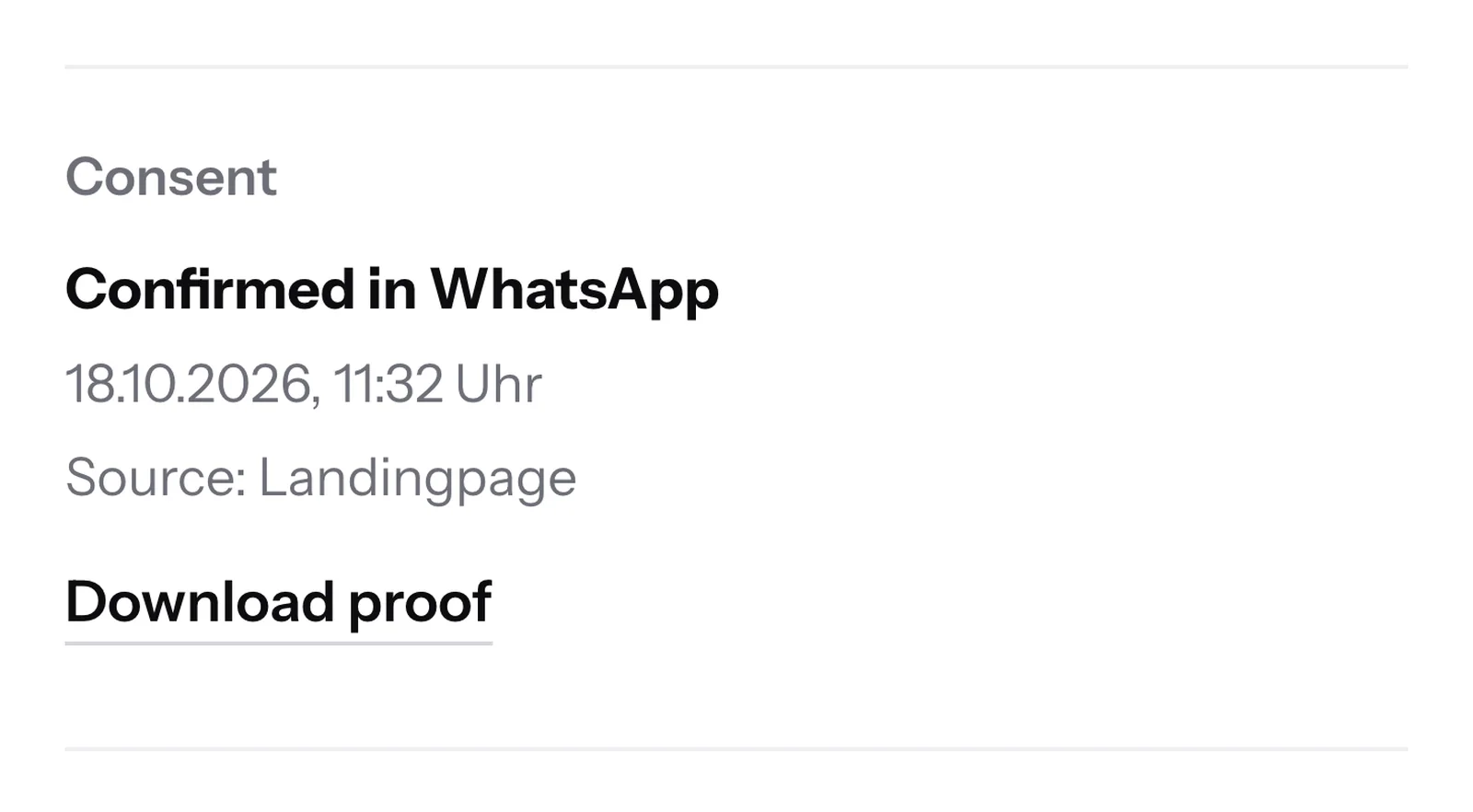
For every contact, the file contains the WhatsApp consent and its time. This way you see at a glance who may receive your newsletter.
- 1
- 2
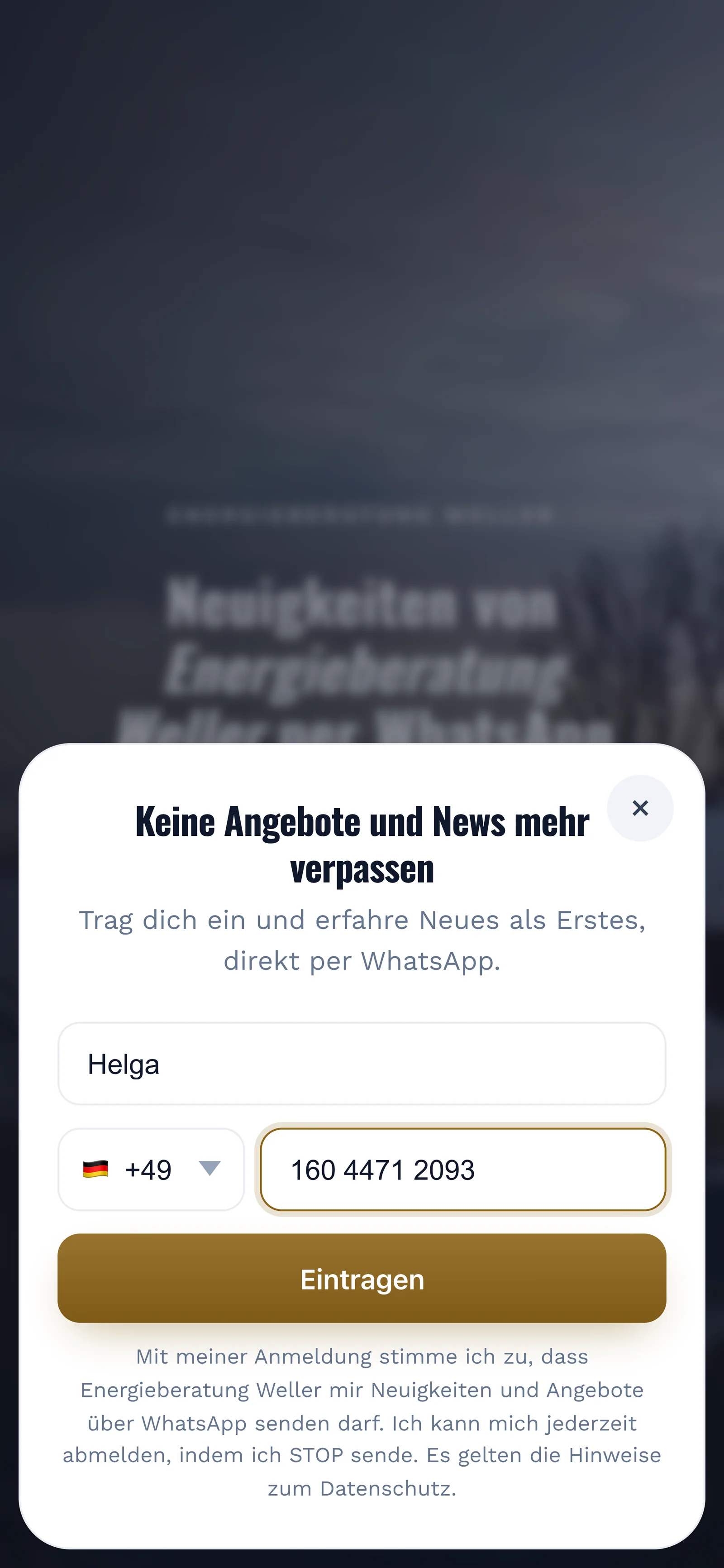
The prospect confirms
SmartChat sends her a confirmation message via WhatsApp. Her consent only counts once she clicks Confirm. This is called double opt-in..
👋 Hello Helga,🏡 great that you want news from Energieberatung Weller via WhatsApp.❄️ We'll get in touch with free appointments for thermal images, new funding programs and invitations to our info evenings.✅ Click Confirm, and you're on our list.🔒 You can unsubscribe at any time. Just write STOP.11:32ConfirmConfirm11:32 - 3
Detailed as a PDF
If you need more than the row in the file, you download the contact's proof of consent with the wording and timestamp as a PDF.

Count in Excel where your contacts come from.
The Source column tells you for every contact how they got onto your list: via the landing page, an import or a WhatsApp message. This way you see which route brings you the most contacts.
- 196Landing page
- 108import
- 67WhatsApp
- 15Manual
In all four plans included.
Whether Free or Pro, you download your contacts the same way. All prices plus VAT.
| Free | Starter | Basic | Pro | |
|---|---|---|---|---|
| Price per month | 0 € | 299 € | 499 € | 999 € |
| Contacts | unlimited | unlimited | unlimited | unlimited |
| Export as a CSV file | yes | yes | yes | yes |
| Retrieve contacts via API | yes | yes | yes | yes |
Frequently asked questions about Exporting contacts.
How do I export my WhatsApp contacts from SmartChat?
Open Contacts, tick the contacts you want and click Export in the bar above the list. SmartChat downloads the file smartchat-kontakte.csv right away.
How do I export all contacts at once?
Tick the box at the top of the table so all contacts on the page are selected. Then click Select all, and SmartChat also includes the contacts on the following pages.
Can I export only part of my contacts?
Yes. Filter the contact list beforehand by status, source or tag, or tick individual boxes. SmartChat then exports only the contacts you selected. See how this looks day to day in WhatsApp marketing for financial advisors and WhatsApp marketing for moving companies.
Which columns are in the export file?
The file contains first name, phone number, WhatsApp consent, consent given, source, added on, status and tags. Every contact is on its own row.
Are the tags in the export file?
Yes. The export contains all contacts with status and tags. If you filter the list by a tag before exporting, the file contains exactly the contacts with that tag.
Does Excel open the file correctly with umlauts and country codes?
Yes. SmartChat saves the file so that Excel displays umlauts like ä, ö and ü correctly. Every phone number starts with +, so the country code is kept.
What language are the columns in?
In your account's language: German, English, Italian, French or Spanish. Values like Confirmed or Unsubscribed are also in that language.
Can I see in the file who has unsubscribed?
Yes. Anyone who unsubscribed shows as Unsubscribed in the WhatsApp consent and status columns.
Can I import the exported file into SmartChat again?
Yes, the import handles CSV files. From this file, SmartChat takes the first name and phone number. Unsubscribed contacts stay unsubscribed, even if their number is in the file again.
Can I retrieve my contacts automatically?
Yes, through the API from SmartChat. Your program fetches the contacts automatically, only confirmed or only new ones if you like.
Can SmartChat AI export my contacts for me?
SmartChat AI tells you in the chat how many contacts you have. You download the file yourself with one click under Contacts.
Export your contacts at any time .
Enter your website. In 60 seconds, your WhatsApp marketing system is ready, and every new contact lands in a list you can download at any time.