AI reply for WhatsApp, even at night and on weekends.
SmartChat AI answers your contacts' WhatsApp messages at night and on the weekend too, and when sensitive questions come up, your team can take over.
How does an AI reply work??
After 3 minutes without a new message from your contact, SmartChat AI replies.
Your contact writes
A message arrives via WhatsApp.
WhatsAppSmartChat waits
When your contact writes a message, SmartChat AI waits briefly, then replies.
WaitsSmartChat AI looks it up
The reply comes from your website, your documents and the answers you've added yourself.
Your knowledgeOnly when completely sure
If SmartChat AI cannot reply, the message is forwarded to you or your team.
Otherwise handoverThe reply is sent
Your contact gets the reply in WhatsApp, and you find the whole conversation in the inbox.
In the inbox
Messages that arrive after closing time.
Many messages arrive when your business is already closed. SmartChat AI answers them right away anyway, using the knowledge about your business.
Your contact has no time during the day. SmartChat AI offers them suitable times, using the knowledge about your business.
Anyone planning an appointment asks about price and duration. SmartChat AI gives both.
Small questions before the first appointment often decide whether your contact chooses you. SmartChat AI answers them right away.
If your contact writes in English, SmartChat AI replies in English. The same goes for every other language.



You read along in every conversation.
Every message and every reply from SmartChat AI appears in the inbox. You see exactly what SmartChat AI wrote, and you write yourself as soon as you want to take over.

Even late in the evening
Even at 10:31 pm, the reply comes as soon as your contact has written you a message.
You can always write yourself
If you have answered a message, SmartChat AI notices and will not reply to it.
Your team reads along
Team members use the inbox and see every reply that SmartChat AI sent.
The same question, without and with SmartChat AI.
Without AI reply
- You only read a late-evening question the next morning.
- On weekends and public holidays, every question sits unanswered.
- You answer the same questions about prices and opening hours by hand every week.
- You translate questions in English or Italian yourself.
With AI reply
- The reply comes immediately, even late in the evening.
- SmartChat AI also replies on Saturdays, Sundays and public holidays.
- SmartChat AI answers recurring questions from your knowledge.
- Every contact reads the reply in their own language.
Sensitive questions go immediately to you.

Straight to your email
When SmartChat AI cannot answer a question, you get an email right away.
Also for knowledge gaps
If SmartChat AI cannot find the answer in your knowledge, the message is forwarded to you in the same way.
Every unanswered question makes SmartChat AI smarter.
What SmartChat AI could not answer, SmartChat collects under AI questions in the card Knowledge & documents. One answer from you, and the question is solved for all contacts.
- 1
Your contact asks something new
The answer is nowhere in your knowledge. That is why the message is forwarded to you.
Do you have an elevator? My mother uses a walker.18:52 - 2
The question is waiting for you
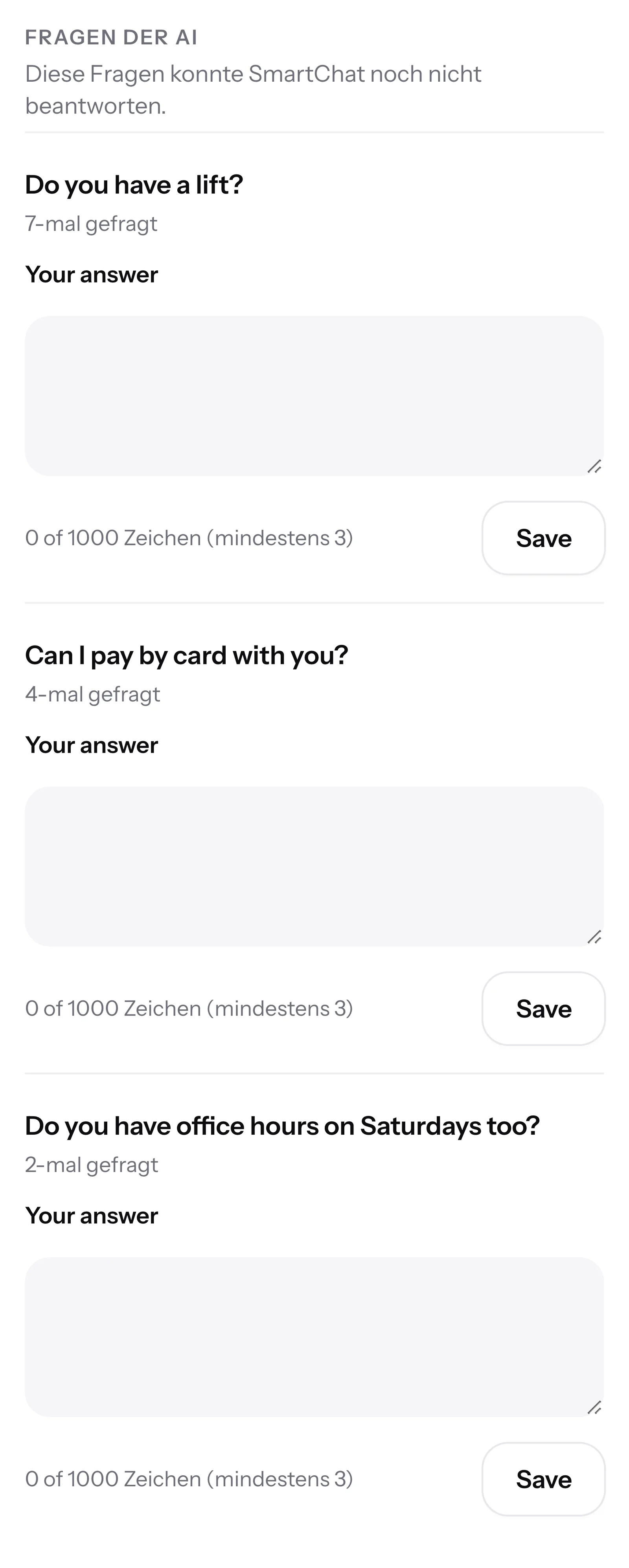
Under AI questions, you see every unanswered question and how often your contacts have already asked it.
- 3
You write the answer
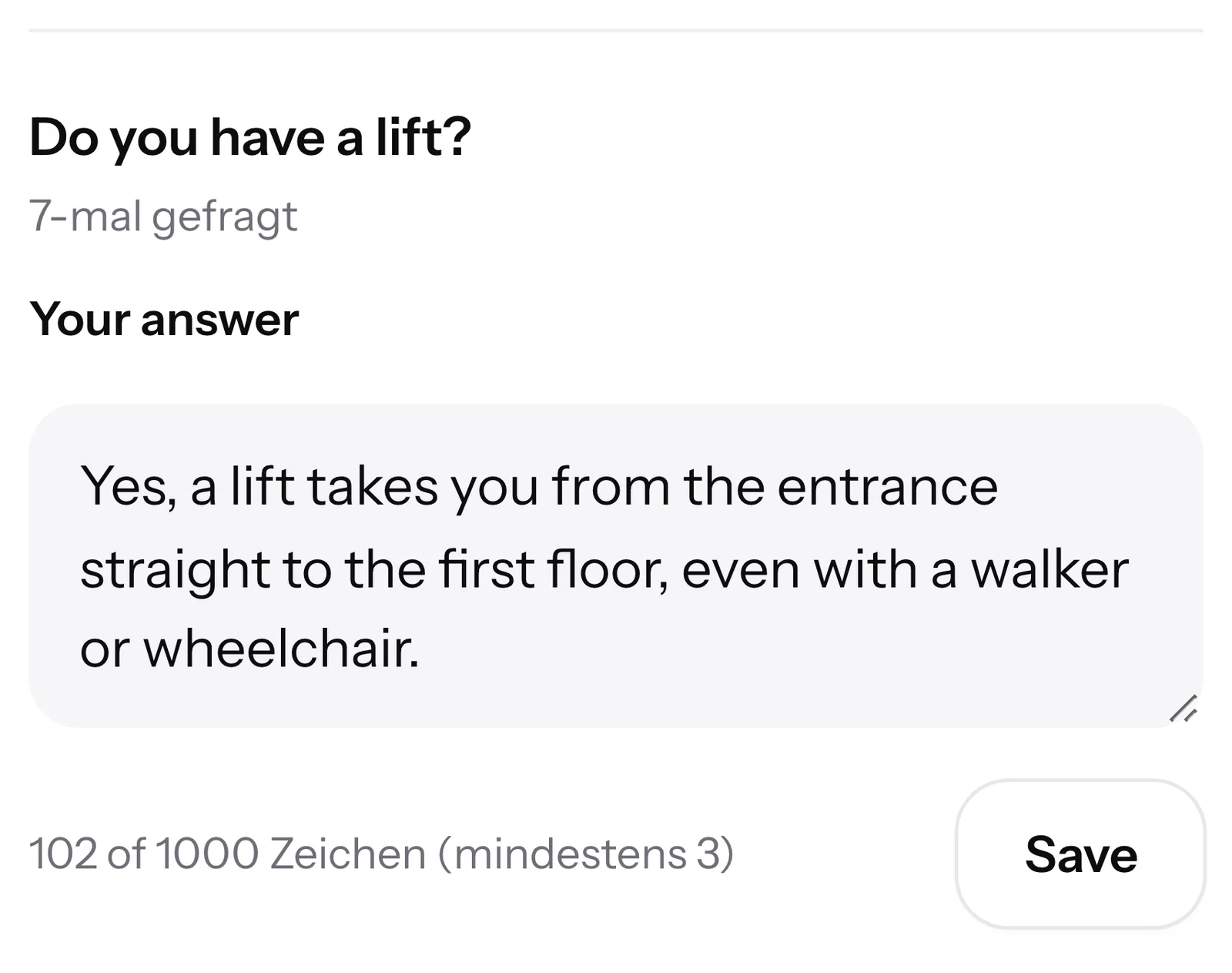
A short message is enough. After saving, SmartChat AI uses your answer right away.
- 4
From now on, SmartChat AI replies
If the next contact asks about an elevator, SmartChat AI replies with your knowledge.
Can I get to your practice in a wheelchair?19:30 👋 Hello Jürgen, yes, you can reach our practice without steps.🛗 An elevator takes you from the entrance straight to the first floor.🚪 Doors and treatment rooms are wide enough for a wheelchair.🅿️ Right in front of the building there is a disabled parking space.📞 Just let us know when you book, then we plan a little more time for you.19:33
Your contact knows that an AI is writing.
The EU regulation on artificial intelligence requires in Article 50, from 2 August 2026, that people recognize when they are talking to an AI. This section is not legal advice.
Once per conversation
The notice only appears before the first AI reply. After that, your contact only reads the replies.
In your contact's language
If your contact writes in English, Italian, French or Spanish, the notice is in that language too.
A human on request
If your contact writes that they would rather speak to a human, the conversation is forwarded to your team right away.

SmartChat AI sounds like your team.
SmartChat AI learns from the replies that you and your team write yourselves in the inbox, and adopts your writing style.
From your own replies
SmartChat needs enough of your own replies from you and your team to recognize your style.
Your form of address
If you address your contacts the same way every time, SmartChat AI uses that form of address in every reply.
Without any changes
SmartChat AI uses the learned style automatically from the next reply on. You just keep writing as usual.

One switch, and SmartChat AI replies.
The AI reply is one switch for your whole account. You find it in the settings under Company, and every change takes effect right away.

Admins only
Team members use the inbox. Only admins can change the account's AI settings.
Starts right away
From activation on, SmartChat AI replies to new messages.
Can be turned off at any time
If you turn off the AI reply, SmartChat AI no longer answers any messages.
AI reply is included in every plan.
The AI reply is part of every plan. Credits are only deducted for an AI reply that is actually sent. All prices plus VAT.
| Free | Starter | Basic | Pro | |
|---|---|---|---|---|
| Price per month | 0 € | 299 € | 499 € | 999 € |
| AI replies | yes | yes | yes | yes |
| Credits | 500 one-time | 3,000 per month | 6,000 per month | 12,000 per month |
| Seats in the team for the handover | 1 | 3 | 6 | 12 |
| Replies in your contact's language | yes | yes | yes | yes |
Frequently asked questions about AI reply.
Is the AI reply included in every plan?
Yes, the AI reply is included in every plan, even in Free for 0 €. Every AI reply that is sent uses credits from your plan, a handover to your team costs none. The paid plans cost 299 €, 499 € and 999 € per month, all prices plus VAT.
Does Meta charge fees for the AI replies?
Meta charges fees for WhatsApp messages directly to you, through the payment method in your Meta account. With SmartChat, you pay your plan on top of that. You can find the exact prices under Meta fees.
How quickly does SmartChat AI reply?
As soon as your contact has finished writing, SmartChat AI replies, even at night and on the weekend. If they write several messages in a row, SmartChat waits and answers them all together.
How does SmartChat AI know what to reply?
SmartChat AI uses the knowledge about your business: your website, your uploaded documents and the answers you saved under AI questions. What this looks like in everyday use is shown by WhatsApp marketing for hotels and WhatsApp marketing for auto repair shops.
What happens if SmartChat AI does not know an answer?
Then the message is forwarded to you or your team, and you get an email right away. At the same time, the question appears under AI questions, so you only need to answer it once.
Can a contact ask for a human themselves?
Yes, if a contact writes that they would like to speak to a human, the conversation is forwarded to your team right away. The notice before the first AI reply already points this out.
Does SmartChat AI reply if I have already replied myself?
No, if a human has answered a message, SmartChat AI does nothing about it. If your contact then sends a new message, SmartChat AI replies again.
Can I turn off the AI reply only for individual conversations?
No, the AI reply is one switch for your whole account. You do not need a switch for each conversation, because as soon as you reply yourself, SmartChat AI stays out of that message.
Which languages does SmartChat AI reply in?
SmartChat AI replies in the language your contact writes in, in any language. You can find everything about languages under 5 languages.
Do my contacts notice that an AI is replying?
Yes, before the first AI reply in every conversation, there is a short notice in your contact's language.
Does SmartChat AI also reply to contacts who wrote STOP?
No, anyone who unsubscribed with STOP gets no more AI replies. In your contact list, they appear as unsubscribed.
Who can turn the AI reply on and off?
An admin does this in the settings under Company. Team members use the inbox and see every AI reply there, but they do not change the account's AI settings.
What happens when my credits run out?
Then SmartChat AI no longer replies on its own. All messages still land in the inbox, and you answer them there as usual.
SmartChat AI replies for you.
Enter your website. In 60 seconds, your WhatsApp marketing system is ready, and SmartChat AI has already analyzed your business. The AI reply is included in Free.