Import contacts with consent.
You upload your customer list. The contacts start out unconfirmed. They only get your newsletter once they confirm, by clicking the confirmation message or through your proof.

Two ways to consent.
With every import, you choose how your contacts give consent. With Later, you import first and send the confirmation message afterwards.
- 👋 Hello Monika,👇 click the button "Confirm" to sign up for the WhatsApp newsletter of Tanzschule Kaiser. 🥳 With your click, you sign up for our free WhatsApp newsletter and get exclusive information, exciting insights and offers!✋ Of course, you can unsubscribe at any time. Just write "STOP".🧐 You can find our privacy policy on our website: tanzschule-kaiser.de/datenschutz10:04ConfirmConfirm10:04
SmartChat sends the confirmation message
Every new contact gets the confirmation message via WhatsApp. They only get your newsletter after clicking Confirm.
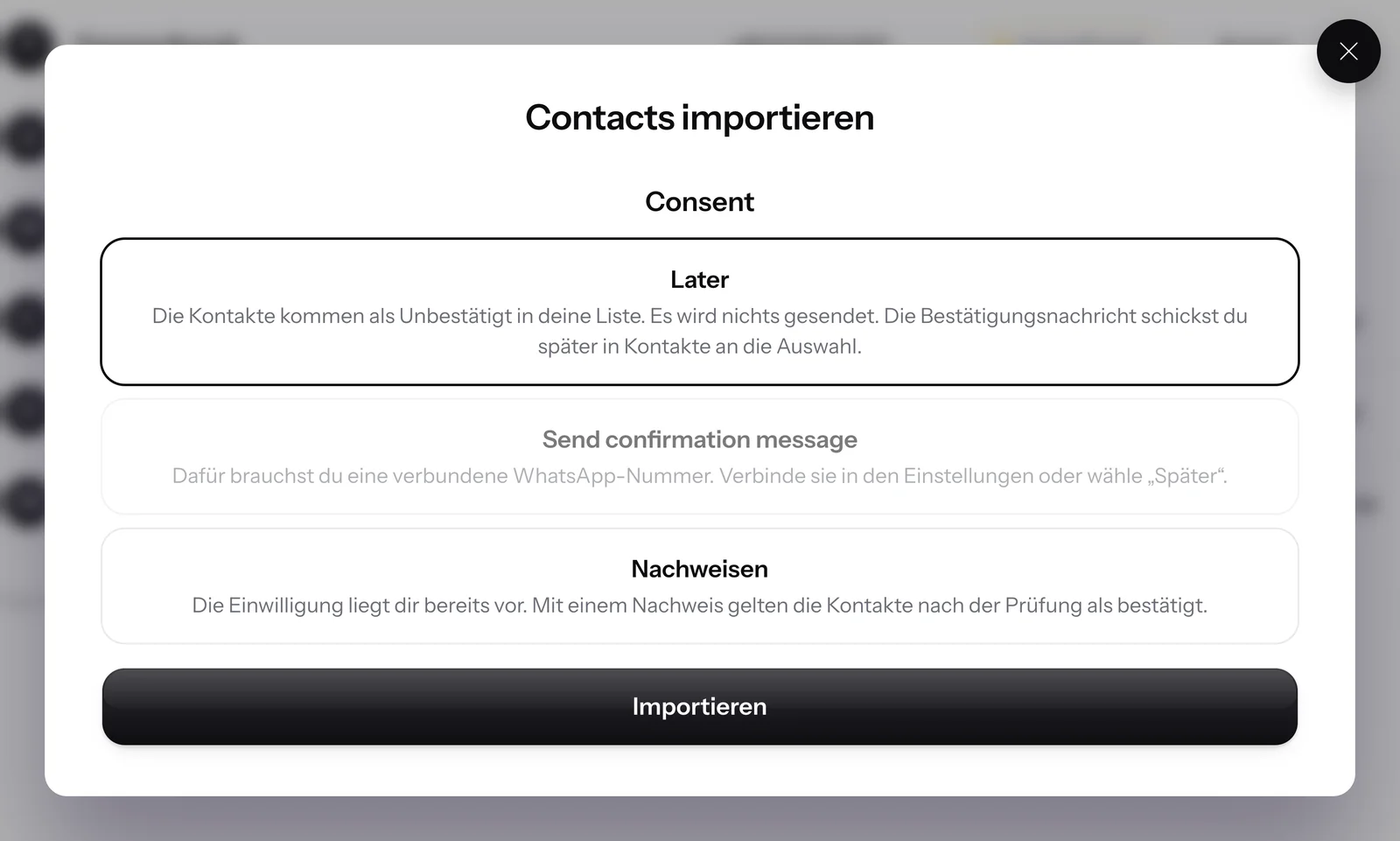
You already have their consent
If you have their consent in writing, for example on sign-up cards, choose Provide proof. With your proof, the contacts count as confirmed once it's checked.
These details belong in the proof.
If you choose Provide proof, you enter the consent once for the whole file. These are the same details as when you add a contact by hand. If any detail is missing, SmartChat won't import a single contact.

Type and date
How and when consent was given, for example on a signed paper form.
Source and description
Where the consent comes from and exactly what the contacts agreed to.
File optional
Attach a scan, for example of the sign-up card, as a PDF or image.
Unsubscribed contacts stay unsubscribed.
During import, SmartChat checks every number against your account's unsubscribes before a contact is created.

STOP still applies
If a number sent STOP in the past, it lands in your list as unsubscribed and gets no confirmation message.
Unsubscribed in your file
If a contact is marked Unsubscribed in your file, SmartChat keeps that unsubscribe.
"Confirmed" in the file doesn't count
A "confirmed" entry in your file is not proof. These contacts get the confirmation message, or you provide proof of their consent.
Confirmations matched to the daily limit of your number.
For long lists, SmartChat sends as many confirmation messages per day as Meta allows for your WhatsApp number and spreads the rest over the following days.
Frequently asked questions about Import and consent.
May I send imported contacts a newsletter right away?
No, only once they've agreed. If you choose Send confirmation message, every new contact first gets the confirmation message via WhatsApp. They get your newsletter as soon as they click Confirm.
Is a checkbox saying I have my contacts' permission enough?
No. If you have consent, you enter the type, date, source and a description when importing. Without these details, SmartChat won't import the file.
What's the difference between Later and Send confirmation message?
With Later, the contacts go into your list as Unconfirmed and nothing is sent. You then send the confirmation message from your contacts to everyone you select. With Send confirmation message, SmartChat writes to every contact right after the import.
My list has a "confirmed" column. Does SmartChat use it?
No, an entry in your file is not proof. Send these contacts the confirmation message or choose Provide proof when you import.
What happens to numbers that unsubscribed with STOP in the past?
They stay unsubscribed, even if they are in your file, and they don't get a confirmation message. Learn more under Unsubscribe with STOP.
What happens if a number appears twice in the file?
SmartChat creates each number only once. If it appears twice in the file or the contact already exists, no second contact is created.
How fast does a long list get the confirmation message?
SmartChat sends as many confirmation messages per day as Meta allows for your WhatsApp number. For long lists, sending is spread over several days automatically.
What do I need to send the confirmation message?
A connected WhatsApp number and a confirmation message approved by Meta. SmartChat submits the confirmation message to Meta for you.
What will the proof of an imported contact show later?
With proof, your consent details appear in the contact's proof. If a contact confirms via WhatsApp, that confirmation is added as a separate entry. Learn more under proof of consent.
How do I import my contacts step by step?
You'll find every step, from uploading the file to matching the columns, under Import contacts.
What does the import cost?
The import costs no credits and is included in every plan, even Free for €0. The paid plans cost €299, €499 or €999 per month, all prices plus VAT.
Does Meta charge anything for the confirmation messages?
Meta bills you directly for WhatsApp message fees, through the payment method in your Meta account. You'll find Meta's current prices under Meta fees.
Import your contacts with consent.
Enter your website. Your WhatsApp marketing system is ready in 60 seconds, then you upload your customer list.