Using API and webhooks safely.
SmartChat protects every connection to your programs and AI apps, so the data of your WhatsApp contacts only ends up where you allow it.

SmartChat stores your key never in plain text.
You see the full API key exactly once, right after you create it. SmartChat only saves a check value from it, which can't be used to work out the key.
- 1
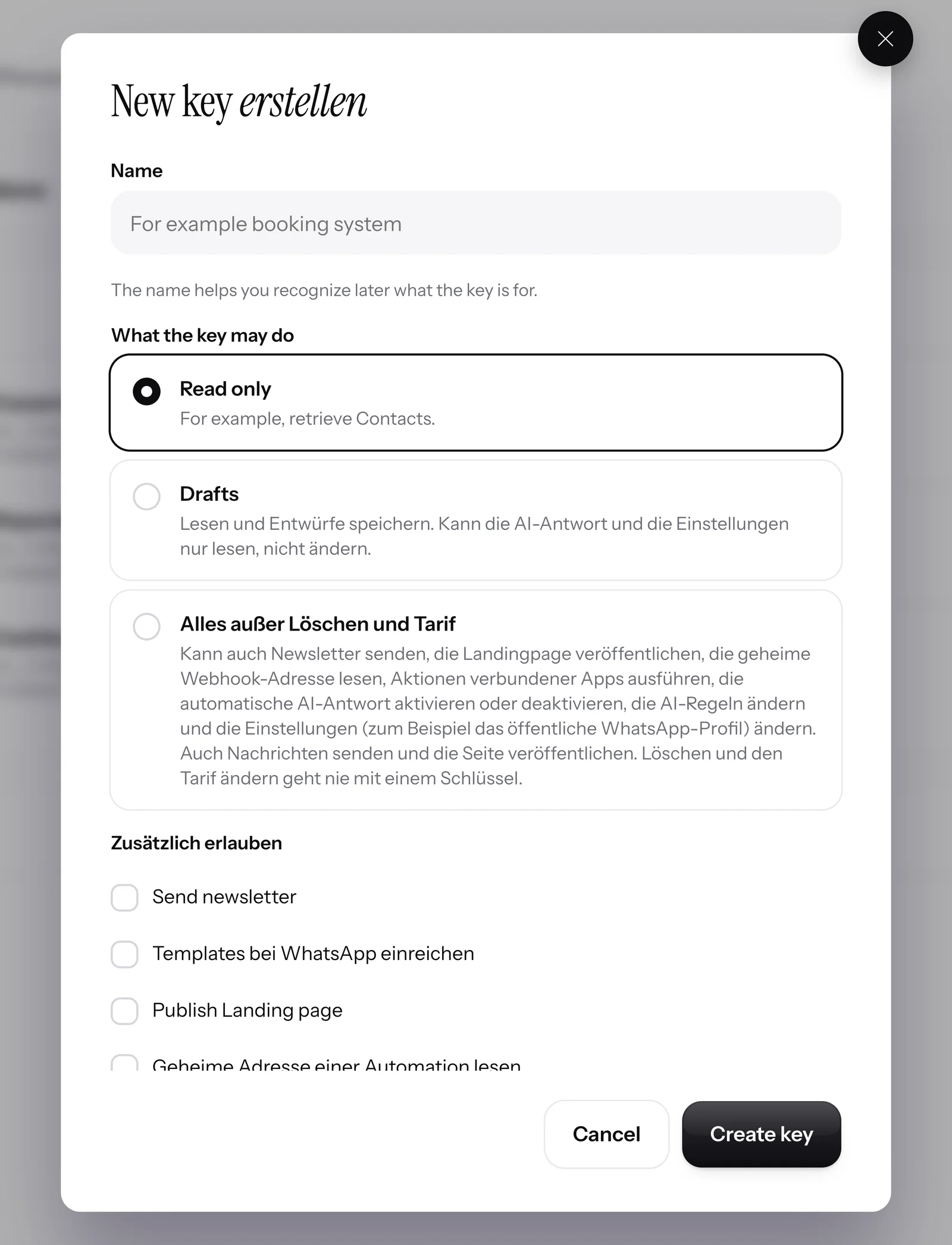
You decide what it can do
Every key gets a name and one permission: Read only or Read and write. It can never do more than that.
- 2
You copy it just once
After that, SmartChat only shows the beginning and the last four characters. With every request, SmartChat checks the key against the stored check value.
Authorization: Bearer DEIN_API_SCHLUESSEL - 3
You block it with one click
If you regenerate or delete a key, the old one stops working right away. SmartChat rejects every further request made with it.
# Response 401 "key": "apikey_widerrufen"

You connect AI apps only with your consent.
You connect an AI app to SmartChat via MCP . You sign in with your SmartChat account and confirm the permissions. You don't need to copy a key for this.

Only admins can connect
Team members can't connect an AI app to your account. Each connection applies to exactly one account.
Role checked with every request
If an admin becomes a team member or leaves your team, their connection ends with the next request.
Stolen access is useless
If someone tries to use an access that has already been used a second time, SmartChat cuts the entire connection.
Repeated requests are not sent twice.
Many programs repeat a request if the response takes too long. If your program sends an Idempotency-Key along with it, SmartChat runs the request only once and returns the same response for every repeat.
curl -X POST https://api.smartchat.marketing/v1/messages \ -H "Authorization: Bearer YOUR_API_KEY" \ -H "Content-Type: application/json" \ -H "Idempotency-Key: erinnerung-termin-4711" \ -d '{"contact_id": "CONTACT_ID", "text": "See you tomorrow at 10!"}' # Response 201: the message goes out { "ok": true, "message_id": "…" }# The same request with the same key, for example after a timeout # Response: exactly the response of the first request Idempotent-Replayed: true { "ok": true, "message_id": "…" } # The message is not sent again.# The same key, but a different text # Response 422 { "error": { "key": "idempotency_key_mismatch", "message": "This Idempotency-Key was already used for a different request." } }Your webhooks are protected.
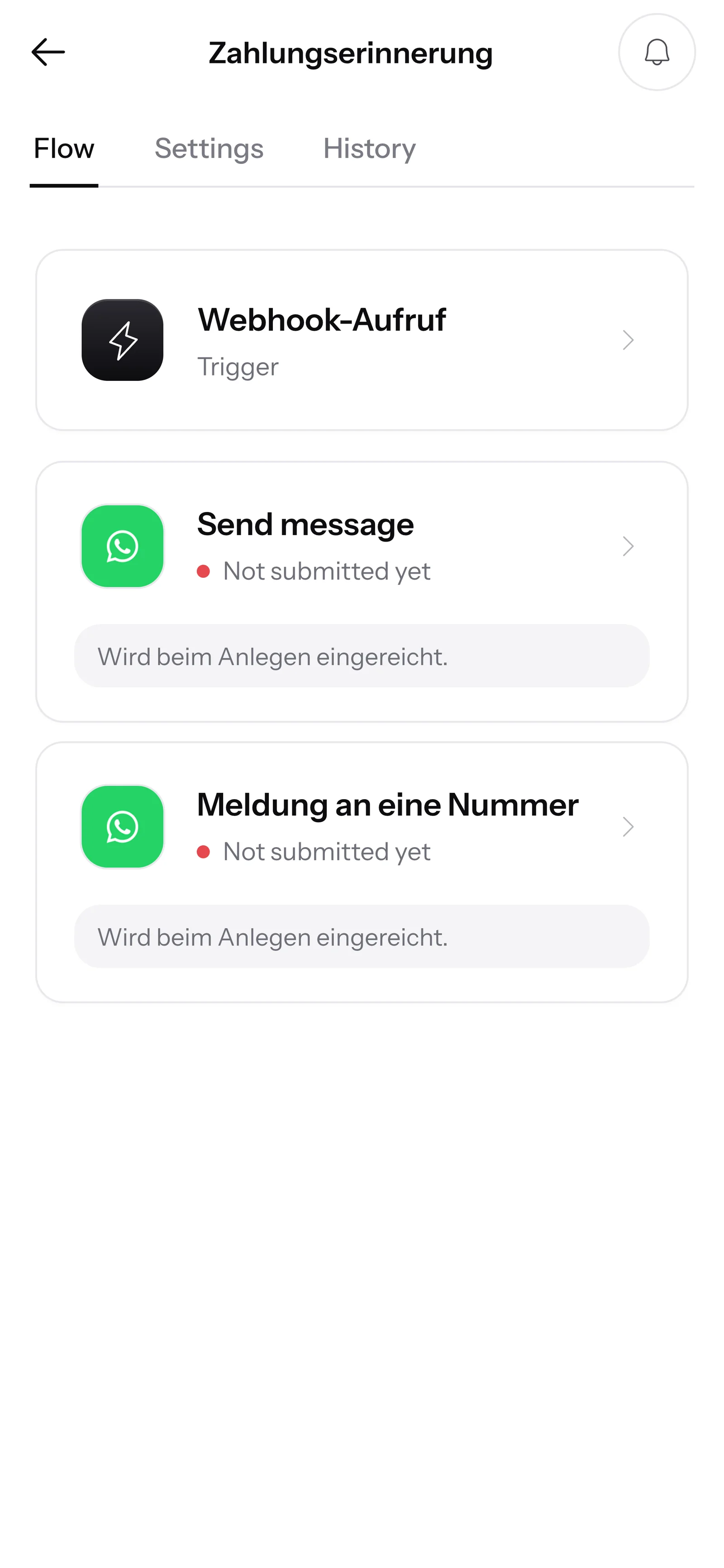
Your automations are started by a program only through a secret address, and by your website through its own key. Notifications from SmartChat to your system carry a signature.
A secret address for each automation
Only someone who knows the address can trigger your automation. It belongs to exactly one automation in your account.
<script src="…"></script> <script> smartchatTrigger({ "email": "{{email}}" }); </script>A separate key for your website
The secret address never appears on your website. If a browser calls it anyway, SmartChat rejects it.
1st call → The automation runs. 2nd call, same event → This event has already been processed.Every event only once
If a program sends the same event again shortly after, SmartChat recognizes the repeat and doesn't send anything twice.
X-SmartChat-Event: contact.created X-SmartChat-Timestamp: 1792400000 X-SmartChat-Signature: v1=…Signed notifications to your system
Every notification from SmartChat carries a timestamp and a signature. That way your system can check that it really comes from SmartChat.
https://… allowed http://… rejectedOnly to secure addresses
SmartChat only sends to https addresses on the open internet and doesn't follow redirects. If your system can't be reached, SmartChat tries again later.
Frequently asked questions about API and webhooks.
Can SmartChat show me my API key again?
No. SmartChat shows the full key only right after you create it and then only saves a check value. The list only shows the beginning and the last four characters. If you lose a key, you create a new one.
What happens if an API key gets into the wrong hands?
You create a new one in the settings under Integrations or delete it. From that moment on, SmartChat rejects every request with the old key. For each key, you also see when it was last used.
What can an API key do?
Exactly what you choose when you create it: read only, or read and write. If a program asks for something the key has no permission for, SmartChat rejects the request.
Who can create API keys and connect AI apps?
Only the admins of your account. Team members can neither create keys nor connect an AI app. Anyone who loses their admin role also loses, with the next request, the AI apps they connected. Learn more under Team.
Can a program send to any number via the API?
No. Even via the API, newsletters only go out after confirmation. Anyone who unsubscribed with STOP gets nothing more, no matter which program the request comes from.
What is an idempotency key?
A text of your choice that your program sends in the header of a request, for example a booking number. If the same request comes again with the same key, SmartChat doesn't run it again and returns the first response.
What happens if my program uses the same key for a different request?
SmartChat rejects the second request because the key already belongs to another request. If the first request is still running, SmartChat asks your program to try again shortly.
How does my system check that a notification really comes from SmartChat?
When you create a webhook subscription, you get a secret. With it, your system calculates the signature from the timestamp and content itself and compares it with the X-SmartChat-Signature header. If the timestamp is too old, you discard the notification.
What happens if my system doesn't accept a notification?
SmartChat tries again later.
Does SmartChat store the content of notifications sent to my system?
No. SmartChat only remembers which notification is still pending and reads the content only when sending. If a contact has been deleted in the meantime, nothing about them goes out anymore. Before every send, SmartChat also checks whether the subscription is active and the key is still valid.
What do I do if the webhook address of an automation gets into the wrong hands?
You open the automation and create a new address. The old one stops working after that. Enter the new address in all programs that send events to SmartChat. The code on your website stays the same.
Where do I find the technical guide to the API?
In the API quickstart. Everything you can do with the API is listed under API.
Connect your programs securely to SmartChat.
Enter your website. SmartChat AI builds your WhatsApp marketing system in 60 seconds, for free. You then create your first API key in the settings.