


Welcome after confirmation
Every new contact gets a thank-you message right after confirming, with the opening hours and what to expect from you.
With SmartChat, you send your customers a WhatsApp message about what's going on in your store: the open Sunday, the school backpack days in spring or your wedding registry for couples.


Welcome, pickup, consultation appointment: These messages run without you once you've set them up.

Every new contact gets a thank-you message right after confirming, with the opening hours and what to expect from you.


If your cash register or inventory system reports an arrived order to SmartChat, the message goes to your customer immediately. They only set off when the goods are really there.

SmartChat takes the appointment from your calendar and reminds on the day before. If someone cancels, you pass the time slot on to the next customer.
Your customers sign up themselves: through your website, a link or the QR code, for example in the shop window or on the carrier bag. Only once they confirm in WhatsApp do you send them your newsletter.
Print it on receipts and carrier bags or stick it in the shop window. Then even people walking by after closing time can scan it. SmartChat creates the code for your landing page.
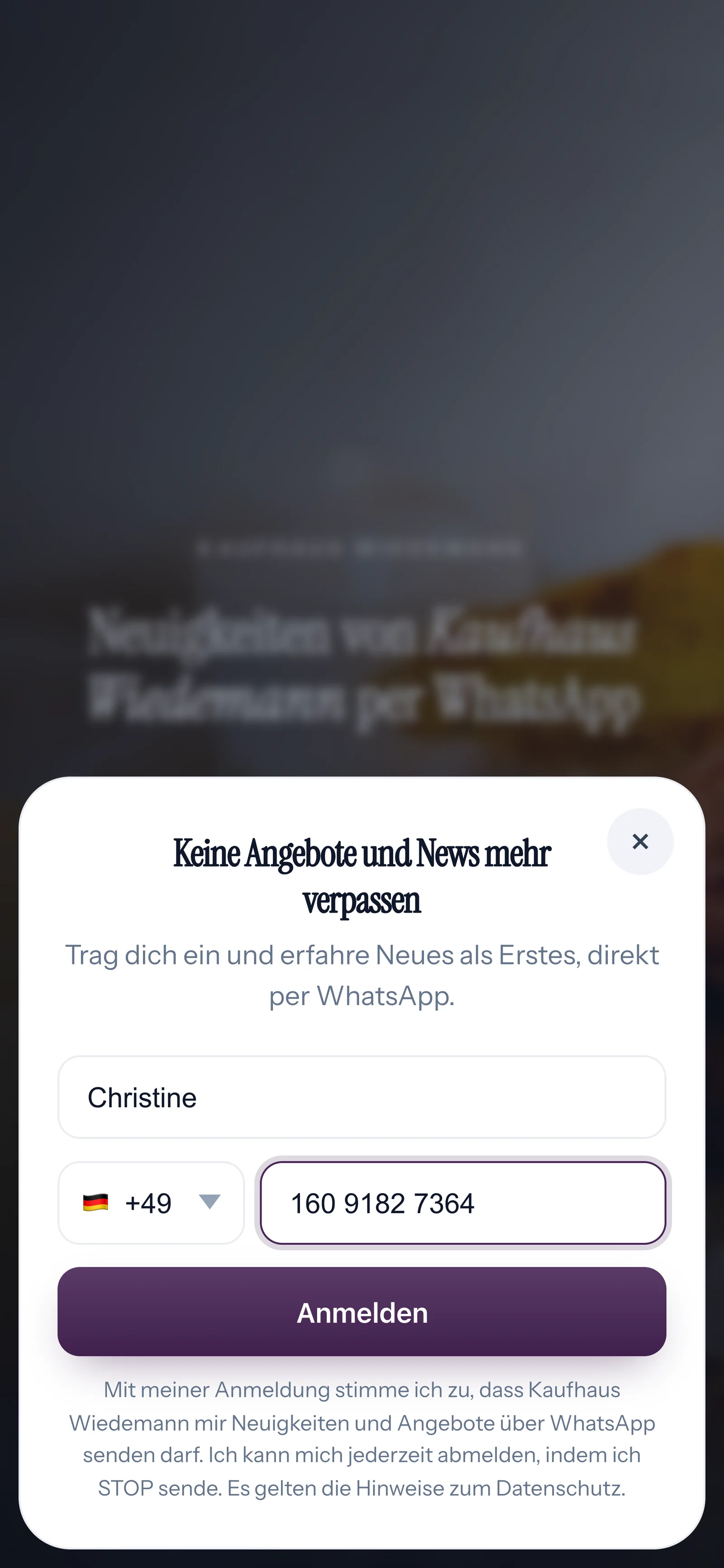
A small window appears on the landing page. SmartChat asks for nothing more than these two details.

They click Confirm and they're in. That's how double opt-in works: only their own consent in WhatsApp makes them a subscriber.
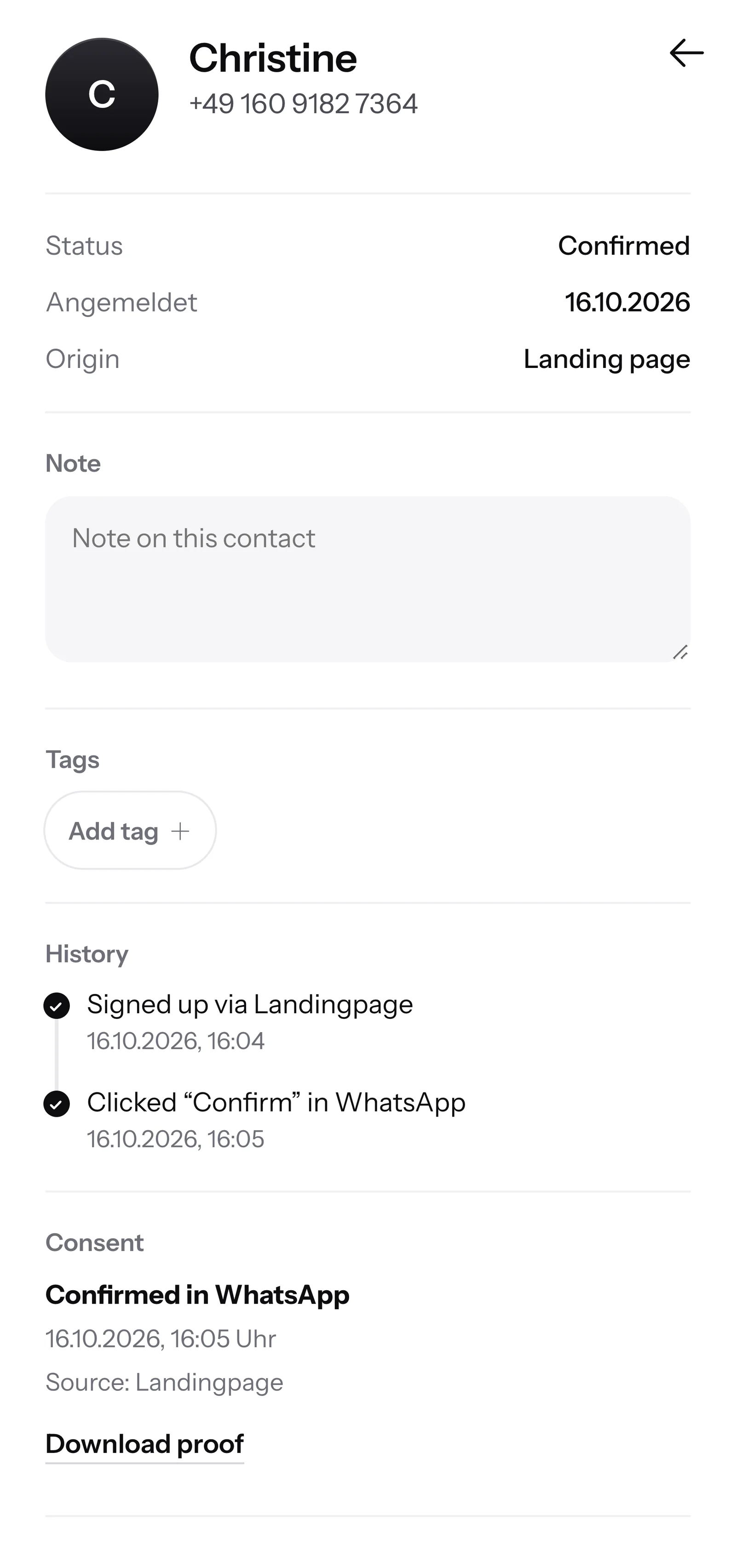
For every contact, SmartChat records when and where they gave consent. You download this proof as a PDF.

When a customer writes but nobody in your business can be reached, SmartChat AI replies fully automatically for you. It answers with the knowledge it has learned from your website and your documents. If it has no source, it hands over to you.

SmartChat AI answers questions in the evening or on Sunday right away, while your business is closed.
SmartChat AI replies in the language your customer writes in. Even vacationers in your town understand the message right away.
Questions about stock or special requests are answered by your team themselves in the inbox.
Only if they have agreed. Your customer signs up themselves, through your website, a link or the QR code in the shop window, and confirms once in WhatsApp. SmartChat stores this consent as proof and sends newsletters only to confirmed contacts.
Anywhere your customers stop for a moment: at the information desk, on the receipt, on the shopping bag or in the shop window. SmartChat creates the code for your landing page, and you print it as often as you like.
No. SmartChat is not a cash register or inventory management program. SmartChat AI knows your range from your website and from the documents you upload. If a customer asks about stock levels, your team answers in the inbox.
Yes. You write to your customer directly from the inbox. It works automatically with an automation, if your cash register or inventory system reports arrived goods to SmartChat via a webhook. A webhook is a message that one program automatically sends to another.
No. You tell SmartChat AI the topic, for example the open Sunday or the new kitchen department. SmartChat AI writes the newsletter to suit your store, you read it and send it with one click.
Yes. All WhatsApp conversations come together in one inbox, and your team answers from there. Free has 1 seat, Starter 3, Basic 6 and Pro 12.
You connect one phone number per SmartChat account. If both branches should have their own number, you set up two accounts and switch between them with one login. With a shared number, you reach the customers of both branches from one account.
No. You send with your store's number. You connect it to SmartChat and verify it with the code from Meta, the company behind WhatsApp.
Yes. SmartChat AI replies in the language your customer writes in. If a vacationer writes in Italian, they get the answer in Italian.
SmartChat Free costs 0 β¬, with no time limit and no credit card, with 100 messages one time only. Starter costs 299 β¬ per month with 3,000 messages, Basic 499 β¬ with 6,000 and Pro 999 β¬ with unlimited messages. Sending costs no credits. All prices plus VAT, details under Pricing.
Meta bills you directly for the fees for WhatsApp messages. For this, you add a payment method in your Meta account. You pay SmartChat only for your plan. You can find the exact prices here.
Custom automations are available from Basic. Basic includes 3 automations, 1 of which is the fixed double opt-in automation, and Pro includes unlimited automations. Free and Starter only have this fixed automation for new contacts. A custom automation runs on its own, for example the reminder the day before a consultation appointment.
You give SmartChat AI the address of your website. In 60 seconds, your WhatsApp marketing system, your landing page and your QR code are ready. Then you connect your phone number and send your first newsletter.
Anyone who has confirmed your newsletter writes STOP into the WhatsApp chat with your business. From then on, SmartChat sends them nothing more, and SmartChat lists them as unsubscribed in your contact list.
SmartChat AI analyzes your website. In 60 seconds, your landing page and QR code are ready. Free costs 0 β¬ and needs no credit card.