


Welcome to the waiting list
Anyone who signs up for a project and confirms gets a thank-you right away and knows what happens next.

With SmartChat, you send your prospective buyers messages on WhatsApp as templates approved by Meta: the sales launch of your new residential project, the invitation to the show apartment or the last available units.


From the first entry on the waiting list to the handover of the keys, SmartChat sends these messages without any effort on your part.

Anyone who signs up for a project and confirms gets a thank-you right away and knows what happens next.

If your sales software reports a new appointment to SmartChat via webhook, your customer has the confirmation in WhatsApp right away.

SmartChat analyzes the handover date in your calendar and reminds your buyer the day before. They then know what to bring.
Anyone who walks past your construction site, visits your project website or gets your link signs up themselves. You send your newsletter only after their confirmation in WhatsApp.
The QR code appears large on the construction sign, on the construction fence and in the sales brochure. SmartChat creates it to match your landing page.
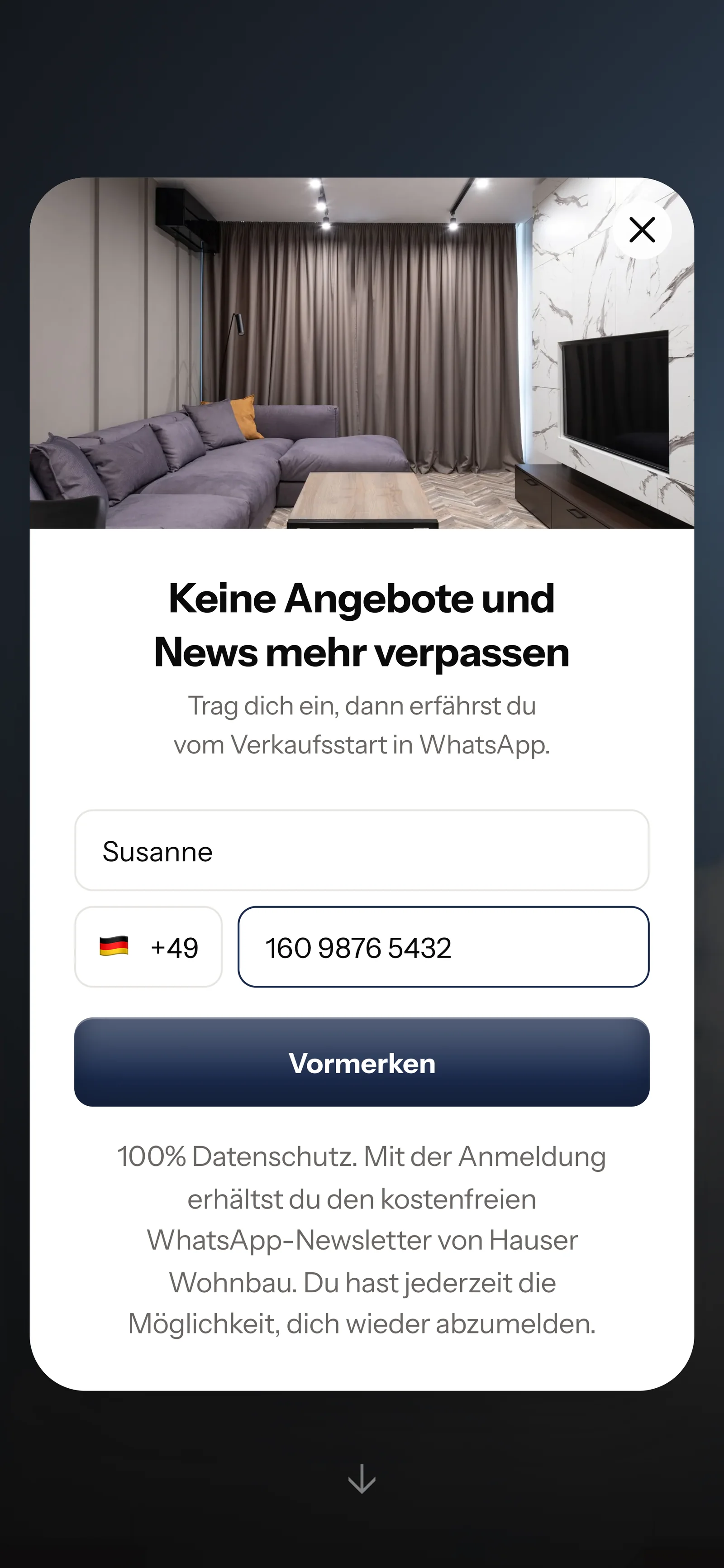
A popup on your project website asks only for first name and WhatsApp number.

One tap on Confirm is enough. This second confirmation is called double opt-in and comes from the prospective buyer themselves.
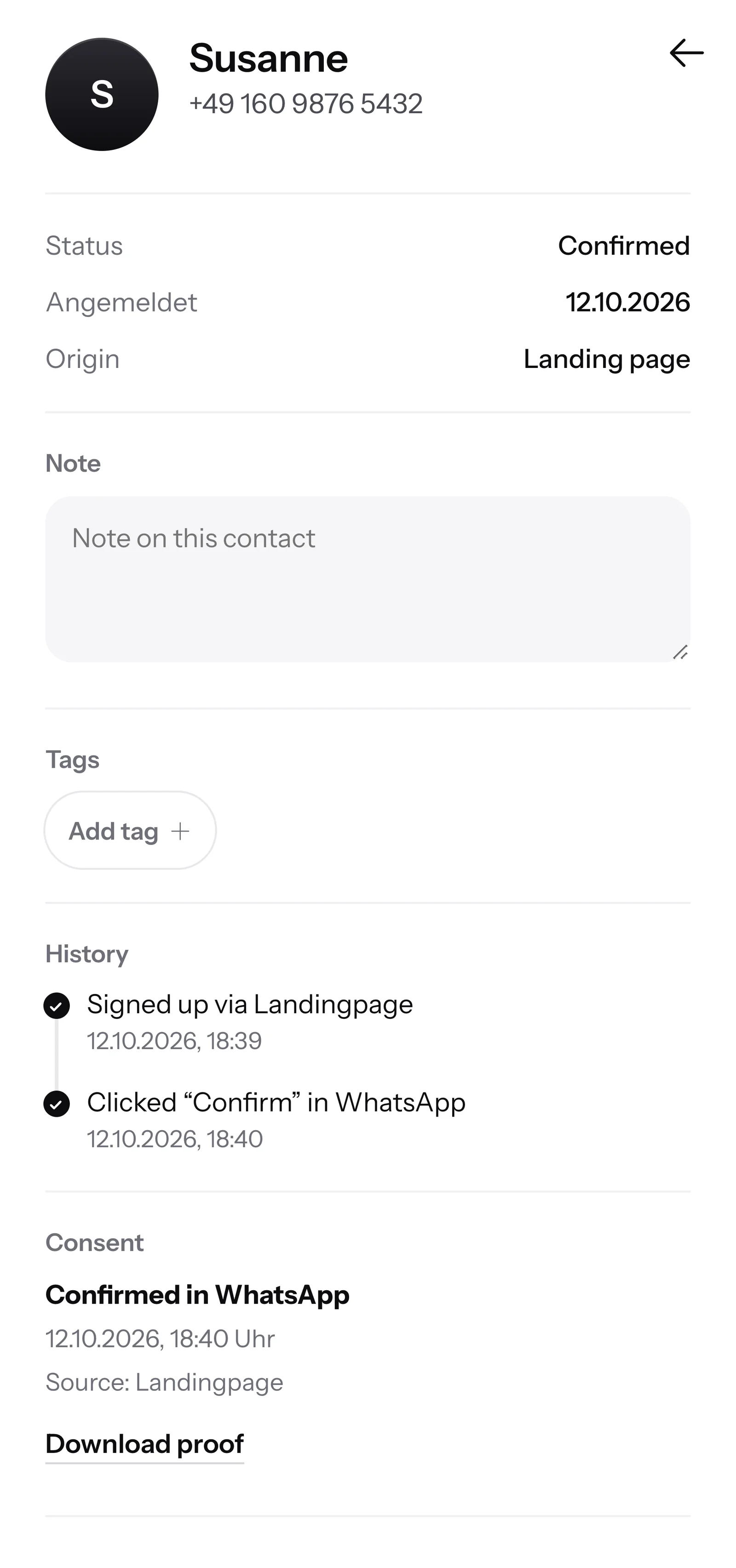
For every contact, SmartChat saves when and by which way they agreed. You get the proof as a PDF at any time.

When a prospective buyer writes but nobody in sales is reachable anymore, SmartChat AI replies fully automatically for you. It replies with the knowledge it has learned from your building description, your project website and your documents.

If a prospective buyer asks in the evening or on Sunday, they get an answer right away from your documents.
SmartChat AI replies in the language your contact writes in. Even buyers who do not speak German understand every answer.
If it is about price or contract and the answer is not in your documents, the question stays in the inbox for your sales team.
Only with their consent. SmartChat sends newsletters only to confirmed contacts. You can import contacts from a file, and they are unconfirmed at first. They only receive the newsletter once they are confirmed: either by tapping the confirmation message or with your proof of how and where you collected them. You can also send your existing prospects the link to your landing page . Anyone who signs up there and confirms is on your waiting list.
Yes, with tags. Give each contact the name of their project as a tag, for example "Mühlbach" or "Am Kirchberg". You then send the sales launch only to the contacts with that tag, and the list for your next project stays untouched.
Yes. Create a "Buyers" tag for each project and send photos of the shell construction, the topping-out ceremony or the interior finishing. Your buyers then see for themselves how far along their house is. They also sign up once themselves for this and confirm in WhatsApp.
SmartChat AI analyzes your project website and all documentsyou upload, for example building description, price list and floor plans as PDF. If the price list changes, you upload the new version. From then on, SmartChat AI answers with the new prices.
If the answer is not in your documents, the message stays in the inbox and your sales team writes back themselves. If someone from your team replies in the chat, SmartChat AI stays out of that message. You or the notary give binding information on contract and installments.
Yes. If you enter the finish selection appointments in your calendar, SmartChat analyzes them and reminds your buyer the day before on WhatsApp. For that, you connect your calendar once via an iCal link.
Yes, if it can send a webhook. Then your customer gets a confirmation on WhatsApp right after every booking of a consultation. Ask the provider of your software whether it supports webhooks.
Yes. All WhatsApp conversations come together in one shared inbox, and everyone in sales sees which question is still unanswered. Free has 1 team seat, Starter 3, Basic 6 and Pro 12.
No. You send for all projects with one number, your own. You connect it to SmartChat and confirm it with the code from Meta, the company behind WhatsApp. You connect one number per account.
Free costs €0, with no time limit and no credit card, with 100 messages one time only. Starter costs €299 per month with 3,000 messages, Basic €499 with 6,000 and Pro €999 with no message limit. You pay no credits for sending itself. All prices plus VAT, more under Pricing.
Yes. Meta charges the WhatsApp fees directly to you, via a payment method in your Meta account. SmartChat only bills you for your plan. You can find the exact prices here.
You give SmartChat AI your project website. In 60 seconds, your WhatsApp marketing system, landing page and QR code are ready. After that, you connect your number and send the first message to your list.
They write STOP into the chat. From then on, SmartChat sends them nothing more, and they are listed as unsubscribed in your contact list.
SmartChat AI analyzes your project website, and after 60 seconds you have your landing page and QR code. Free costs €0, and you do not need a credit card.