




Welcome to the waitlist
Anyone who signs up and confirms gets a message right away. That way your prospect knows they'll be there at the next course start.

With SmartChat you send your participants and prospects everything about your course via WhatsApp, for example the start of enrollment, the new lesson of the week or the invitation to the free challenge.


Welcome to the waitlist, access after purchase and reminder before the live feedback: SmartChat sends these messages for your course, even while you're teaching yourself. Access after purchase and reminder are separate automations from Basic.

Anyone who signs up and confirms gets a message right away. That way your prospect knows they'll be there at the next course start.


If your course platform or payment provider can report new purchases to SmartChat, the participant gets their access right away via WhatsApp.

SmartChat gets the date from your calendar and reminds them the day before. Every participant then knows by when to upload their painting.
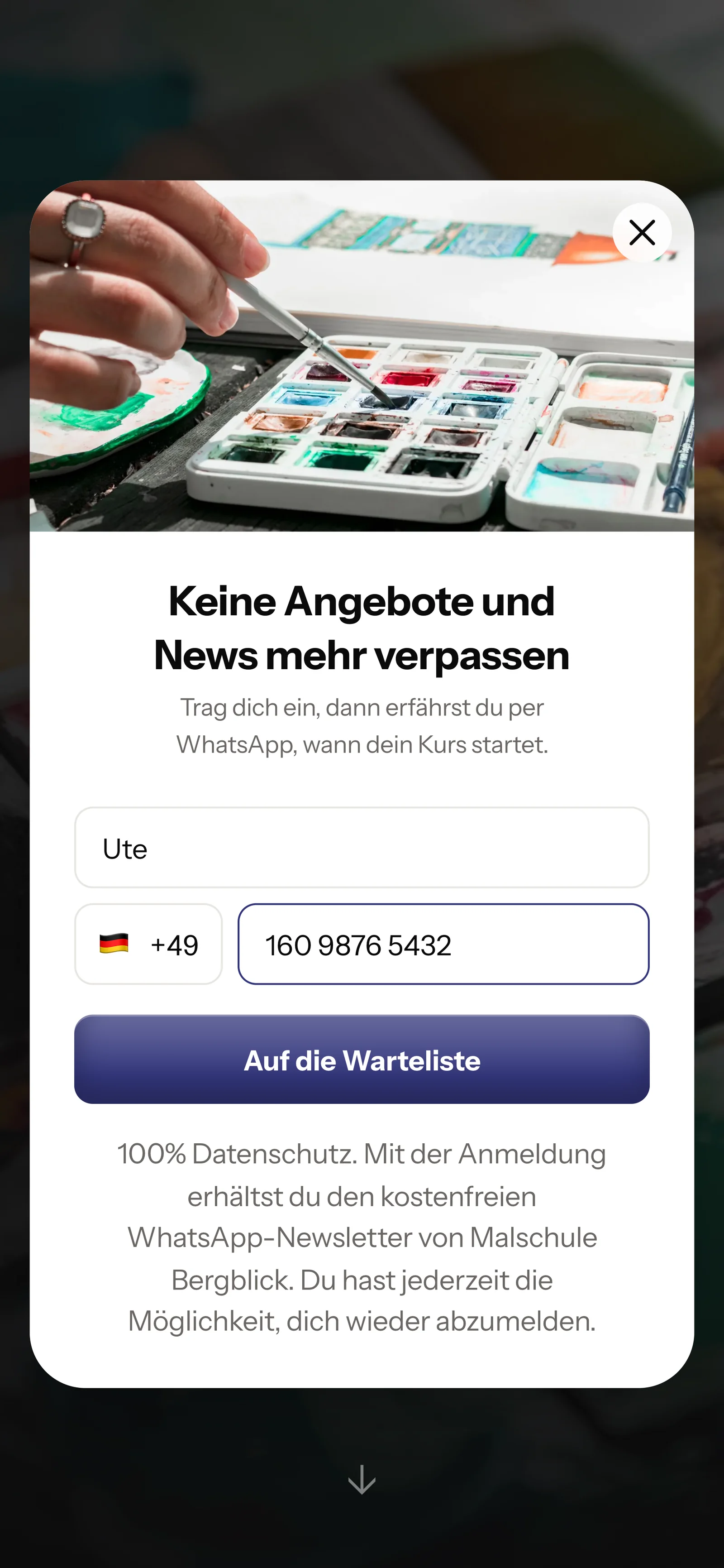
Prospects sign up themselves: on your course page or through a link in your profile. They only get your newsletter once they've confirmed in WhatsApp.
SmartChat shows the small window on your sales page. It only asks for first name and phone number.

You place the button on your course page. One click only opens the chat with you, it doesn't put them on the newsletter list.
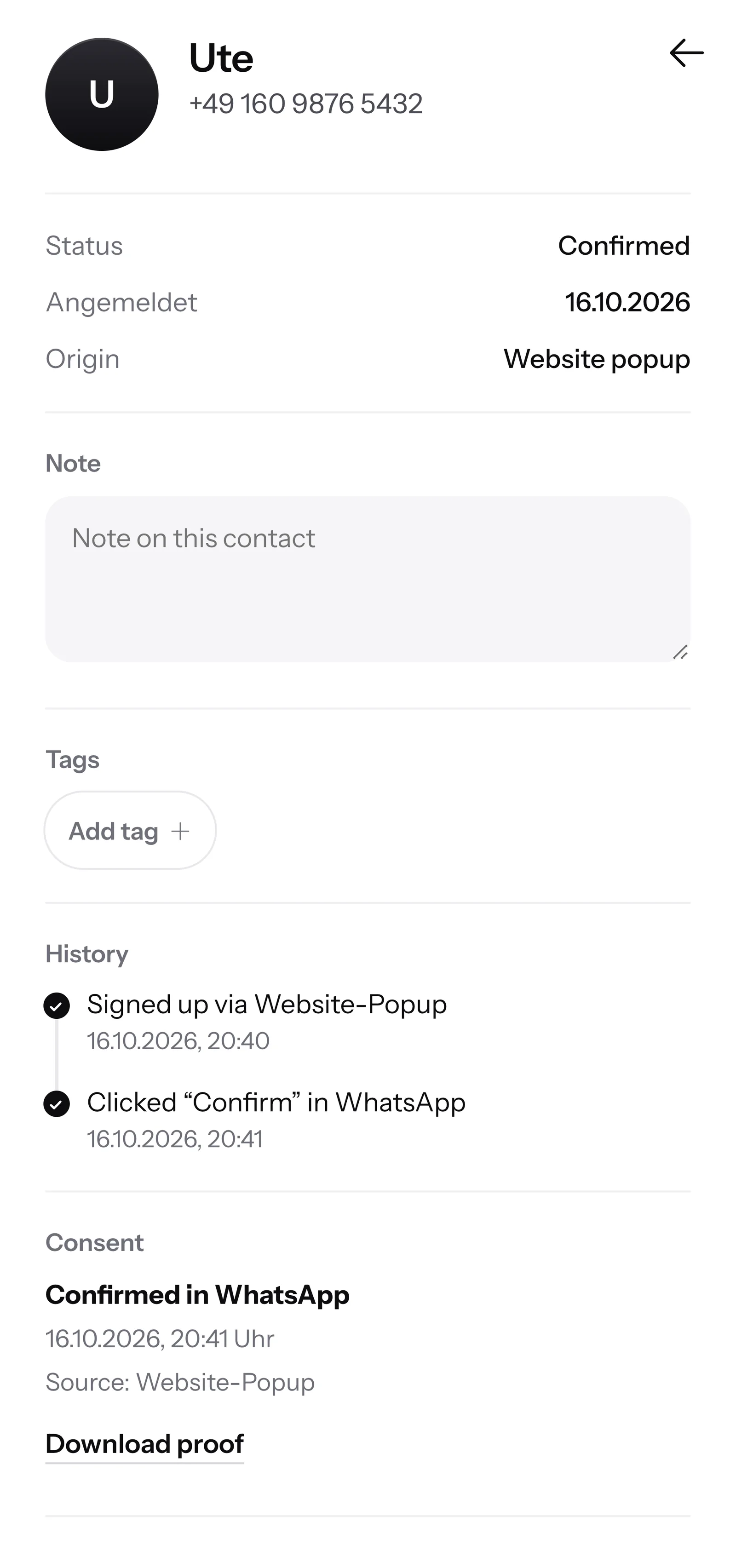
One click on Confirm is enough. With this double opt-in, every prospect confirms themselves in WhatsApp that they want your newsletter.
For every contact, SmartChat saves the time and way of consent. You download the proof as a PDF.

When a prospect writes late in the evening and nobody is reachable anymore, SmartChat AI replies fully automatically for you. It answers with the knowledge it has learned from your website and your documents. If it has no source, it hands over to you.

Anyone who reads your course page at eleven at night gets an answer right away and doesn't wait until the next morning.
SmartChat AI replies in the language your participant writes in. Even participants from abroad understand the message right away.
If SmartChat AI doesn't know something, the question stays in the inbox and you reply yourself.
No, only with their consent. Everyone signs up themselves, on your course page, and then confirms once in WhatsApp. SmartChat saves this consent with date and time as proof.
There is no ready-made integration with specific course platforms. If your platform or your payment provider can send a webhook, meaning an automatic notification to SmartChat, it can start, for example, the message with access after purchase.
No. SmartChat is neither a course platform nor a payment provider, you handle the purchase as before. SmartChat sends the messages before and after, such as the invitation to enroll and the access after purchase.
Yes. You send a newsletter to the participants of your course, with the link as a button at the end. If the date is in your calendar, an automation from Basic reminds them automatically the day before. SmartChat sends messages outside the inbox as a template approved by Meta, so don't plan the message only shortly before the start.
With Tags. You mark contacts, for example, with "Waitlist" or "Beginner course January" and send each message only to the matching group. That way nobody gets an invitation to a course they've already bought.
No. SmartChat AI writes the newsletter from your course page and the documents you upload. You name the topic, such as the new course start, read through the text and send it with one click.
SmartChat AI analyzes your website and all documents you upload, for example curriculum, materials list or price overview as a PDF. From that, SmartChat AI answers questions about prior knowledge, duration or access.
They stay in the SmartChat inbox, and you or your team reply yourselves. If someone on your team has written in the conversation, SmartChat AI holds back on that message.
No. You connect your existing number to SmartChat and confirm it with the code from Meta, the company behind WhatsApp. You connect one number per account.
Free costs β¬0 with no time limit and no credit card, with 100 messages one-time. For more, you choose Starter for β¬299 per month with 3,000 messages, Basic for β¬499 with 6,000 or Pro for β¬999 with no limit on messages. Sending costs no credits. All prices plus VAT, more at Pricing.
Meta bills you directly for the fees for WhatsApp messages. For this, you add a payment method in your Meta account. You pay SmartChat only for your plan. You can find the exact prices here.
Free and Starter include 1 automation, the fixed one for new contacts (double opt-in). Your own automations are available from Basic: Basic has 3, 1 of which is the fixed one, Pro has unlimited. Welcome (the fixed automation), access after purchase and reminder before the live session add up to 3 automations, 2 of them your own. Basic covers that.
Anyone who has confirmed your newsletter writes STOP in the chat with you. From then on SmartChat sends them nothing more, and in your contact list they appear as unsubscribed.
You give SmartChat AI the address of your course page. In 60 seconds, SmartChat AI builds your landing page for the waitlist from it. After that you connect your number and send the first message.
Give SmartChat AI the address of your course page. SmartChat AI analyzes it and builds your WhatsApp marketing with a landing page for the waitlist in 60 seconds. Free costs β¬0 and needs no credit card.