


Thank-you after confirmation
Everyone who signs up and confirms gets a message right away. It says what they will hear from you in future.

With SmartChat you send your guests everything related to your events via WhatsApp: the start of the presale, an extra date, or the info about admission and directions.


You never send the thank-you after sign-up, the booking confirmation and the reminder the day before by hand again. Your own automations are available from Basic.

Everyone who signs up and confirms gets a message right away. It says what they will hear from you in future.


If your ticket shop can report new orders to SmartChat, your guest gets their seats confirmed on WhatsApp right away.

If you enter bookings in your calendar, SmartChat contacts every guest one day before with entry time, seat and parking.
Your guests sign up themselves: through the QR code on the ticket, poster or screen, or when buying tickets on your website. They only get your newsletter after they confirm in WhatsApp.
The QR code is on the ticket, at the entrance, or on the screen during the break. SmartChat creates it to match your landing page.
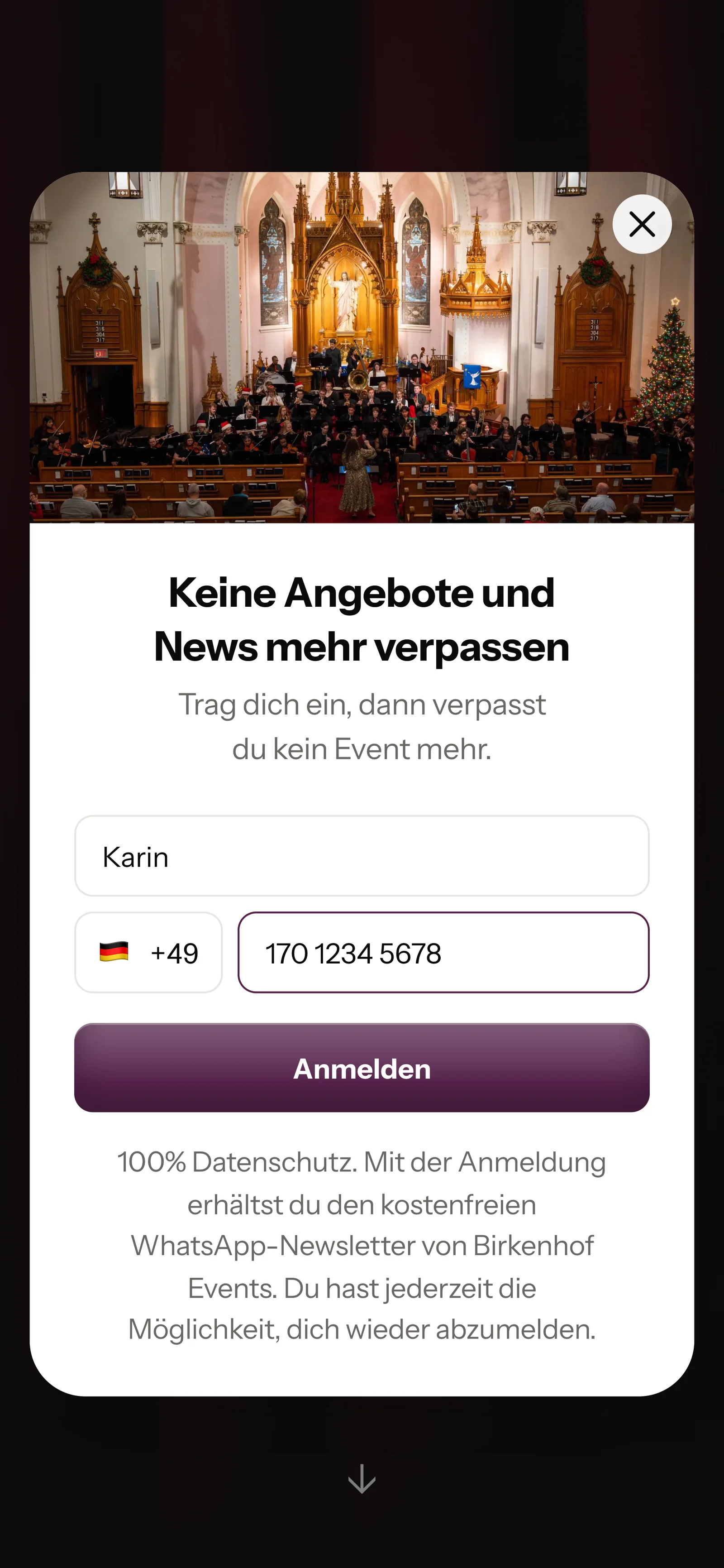
After the scan or when buying a ticket on your website, a small window opens. It only asks for first name and phone number.

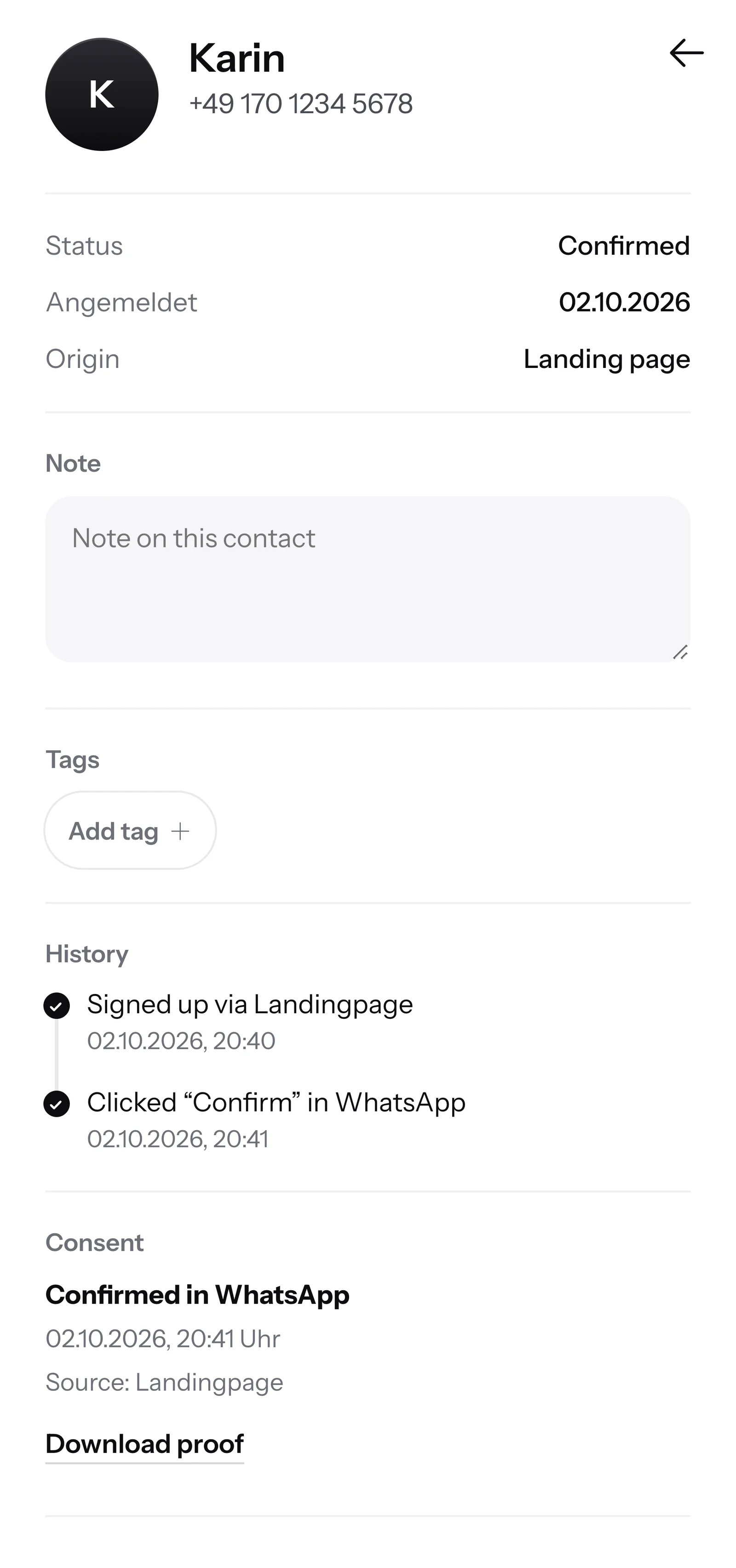
Only with this tap are they signed up. This is how the double opt-in works: the consent comes from your guest, right in WhatsApp.
SmartChat records when and how your guest gave consent. The proof is ready for you as a PDF.

When a visitor writes on Sunday evening and nobody is available, SmartChat AI answers fully automatically for you. It answers with what it has learned from your website and your documents. If it has no source, it hands over to you.

Your guests get an instant answer to their questions, even late in the evening and on weekends.
SmartChat AI answers in the language your guest writes in, for example German, English, Italian, French or Spanish. Guests from abroad understand the message right away.
If SmartChat AI can't answer, for example with a special request about the seating plan, the message is forwarded to your team.
No. Buying a ticket doesn't mean someone has signed up for your WhatsApp messages. Your guest signs up themselves, through the QR code or on your website, and confirms once in WhatsApp. SmartChat saves this consent as proof.
SmartChat creates a QR code that leads to your landing page. It fits on tickets, posters, flyers and on the screen during the break. On your website, a small window asks visitors whether they want to be part of it. On top of that comes a WhatsApp button on your website that opens the chat with you.
No, SmartChat is not a ticketing system. You keep selling your tickets through your ticket shop or the box office. If your ticket shop can report new orders to SmartChat, SmartChat sends the guest the confirmation via WhatsApp.
Yes. You give your contacts tags, for example "open-air" or "cabaret", and build segments from them. You then send the newsletter with entry details for the open-air evening only to this group.
Yes. You write the newsletter with SmartChat AI, pick a date and time, and SmartChat sends it at the scheduled moment. That way the message goes out right on time for the start of the presale, even when you are at an event.
No. You tell SmartChat AI about the event, for example the extra date for your Advent concert. SmartChat AI turns it into a newsletter that fits your business. You read it, change something if needed, and send it with one click.
SmartChat AI analyzes your website and all the documents you upload, for example your program flyer or a site map as a PDF. When a new season comes, you upload the new program. From then on, SmartChat AI answers with the new dates.
Then the message is forwarded to your team in the inbox, and you reply yourselves, for example for a seating request. Once a person has replied in the conversation, SmartChat AI doesn't step into that message.
Yes. All WhatsApp conversations come together in one shared inbox, and every team member replies from there. Free has 1 team seat, Starter 3, Basic 6 and Pro 12.
No. You send with your own phone number. You connect it to SmartChat and confirm it with the code from Meta, the company behind WhatsApp. You connect one number per account.
Free costs €0 a month, has no time limit and needs no credit card. It includes 100 messages, one time only. Starter costs €299 a month with 3,000 messages, Basic €499 with 6,000 and Pro €999 with unlimited messages. Sending costs no credits. All prices plus VAT, more at Pricing.
Meta bills you directly for the fees for WhatsApp messages. For that, you add a payment method in your Meta account. You only pay SmartChat for your plan. You can find the exact prices here.
Free and Starter include only the fixed automation for new contacts (confirmation and thank-you). Custom automations are available from Basic: Basic has 3, 1 of them fixed, Pro has unlimited. A custom automation sends automatically, for example the reminder with entry time and parking on the day before the event.
Anyone who has confirmed your newsletter can unsubscribe at any time with STOP . From that moment SmartChat sends them nothing more, and in your contact list they show as unsubscribed.
SmartChat AI analyzes the website of your events and builds your WhatsApp marketing system with landing page and QR code in 60 seconds. Free costs €0 and needs no credit card.