Legal notice and privacy on your landing page.
SmartChat links your own legal notice and privacy policy on your landing page, and below the form there's a fixed sentence about signing up for your WhatsApp newsletter.

The footer is fixed.
Legal notice and privacy always sit at the very bottom of your landing page. Neither SmartChat AI nor a change in the builder hides them.
- 2Links in the footer: legal notice and privacy.
- Yourlegal texts: SmartChat links to the ones on your website, never ours.
- FixedThe words legal notice and privacy stay recognizable as links.
This is how your links get onto the landing page.
SmartChat looks for your legal texts on your website and adds them. You can change them at any time.
Found on your website
At the start, SmartChat AI looks for the links to your legal notice and privacy policy on your website.
FoundOnly your pages
Links to SmartChat pages are blocked. A link on your own domain takes priority.
Only yoursAdd them yourself
In the landing page settings under Privacy, you can change both links.
ChangeA notice if one is missing
SmartChat doesn't make up links. If one is missing, you see this before publishing: "The link to the legal notice is missing."
One missing?
A fixed sentence below the form.
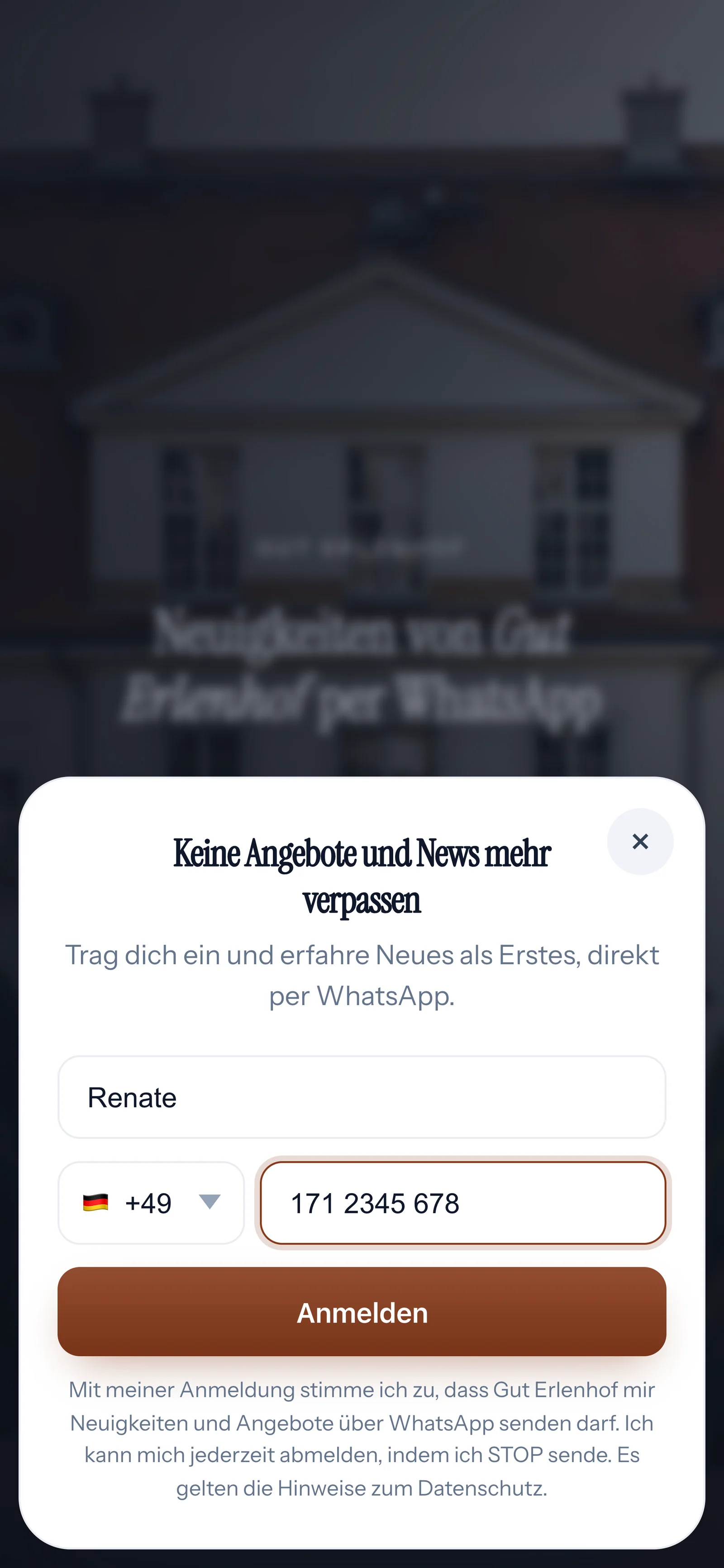
Below the sign-up form there's a fixed sentence with your business name, WhatsApp, STOP and the link to your privacy policy.
Built in
SmartChat AI can't rewrite the sentence; it's the basis of every sign-up.
Saved word for word
The sentence is saved as proof with every sign-up. Learn more under proof of consent.
Unsubscribe with STOP
The sentence tells your contact that they can unsubscribe at any time with STOP.
Your legal texts remain yours.
You are responsible for your landing page. So check whether your privacy policy mentions sign-up via WhatsApp and the pixels you add.
Frequently asked questions about legally required details.
Which legal notice appears on my landing page?
Your own. The footer links to the legal notice on your website, because you are responsible for your landing page.
Can SmartChat's legal notice appear on my landing page?
No. Links to SmartChat pages are blocked as your legal texts.
How does SmartChat know my links?
SmartChat AI looks for them on your website at the start. A link on your own domain takes priority over other sites.
Where do I change the links?
In the landing page settings under Privacy, in the fields Link to legal notice and Link to privacy policy.
What happens if SmartChat doesn't find a link?
Then SmartChat doesn't make one up. Before publishing, SmartChat shows you which link is missing so you can add it.
What is the copy of my legal notice?
If SmartChat doesn't know an address but has a saved copy of your legal notice, the landing page shows that copy. A line states which address and which day the text comes from.
Can SmartChat AI hide the legal notice and privacy policy?
No. The footer with legal notice and privacy can't be hidden, neither in the builder nor with SmartChat AI. What else SmartChat does to make your page easy to read is explained under Accessible landing pages.
What appears below the sign-up form?
"By signing up, I agree that [your business] may send me news and offers via WhatsApp. I can unsubscribe at any time by sending STOP. The privacy information applies." The word privacy links to your privacy policy.
Can I change the sentence below the form?
No. The sentence is the basis of every sign-up and is saved word for word as proof. That's why it's fixed.
Does my landing page also need a cookie banner?
As soon as you add a pixel, your landing page shows a cookie banner with a link to your privacy policy. Learn more under Cookies and tracking.
Does my privacy policy have to mention SmartChat?
That depends on your business and is a question for your legal advisor. You'll find our own texts under Privacy and Data processing.
Your landing page is ready in 60 seconds.
Enter your website. SmartChat AI builds your landing page and links your legal notice and privacy policy.