Set up two-factor authentication in SmartChat .
With two-factor authentication, SmartChat also asks for a code from an authenticator app when you log in, so your account and all its data are better protected.

What the second code changes.
Without two-factor, your whole account hangs on a single code. With two-factor, every login also needs a code from your authenticator app.
Without two-factor
- The code from your email is enough to log you in.
- Whoever gets into your email inbox gets into your SmartChat account too.
- Contacts, conversations and your WhatsApp number hang on one code.
With two-factor
- After the first code, SmartChat asks for the code from your authenticator app
- This code exists only in your authenticator app, and it keeps changing.
- Without this code, SmartChat opens not a single view of your account.
How to set it up.
You'll find two-factor authentication under Settings, Personal account, Security.
- 1
Click Turn on
In the Two-factor authentication card, SmartChat opens the Set up two-factor window.

- 2
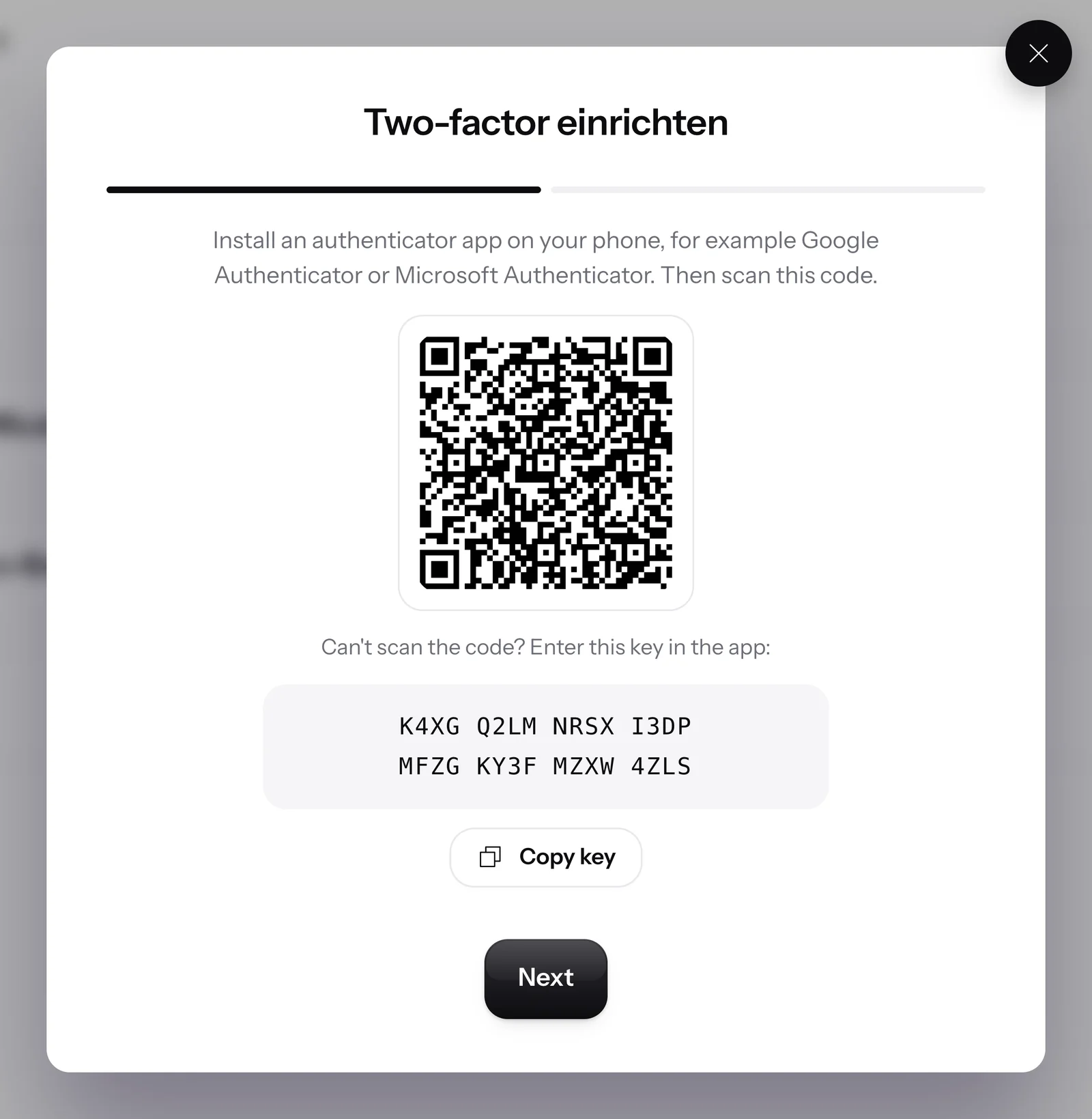
Scan the QR code
Install an authenticator app on your phone, for example Google Authenticator or Microsoft Authenticator, and use it to scan the QR code in the window. If scanning doesn't work, copy the key below the QR code and enter it in the app.
- 3
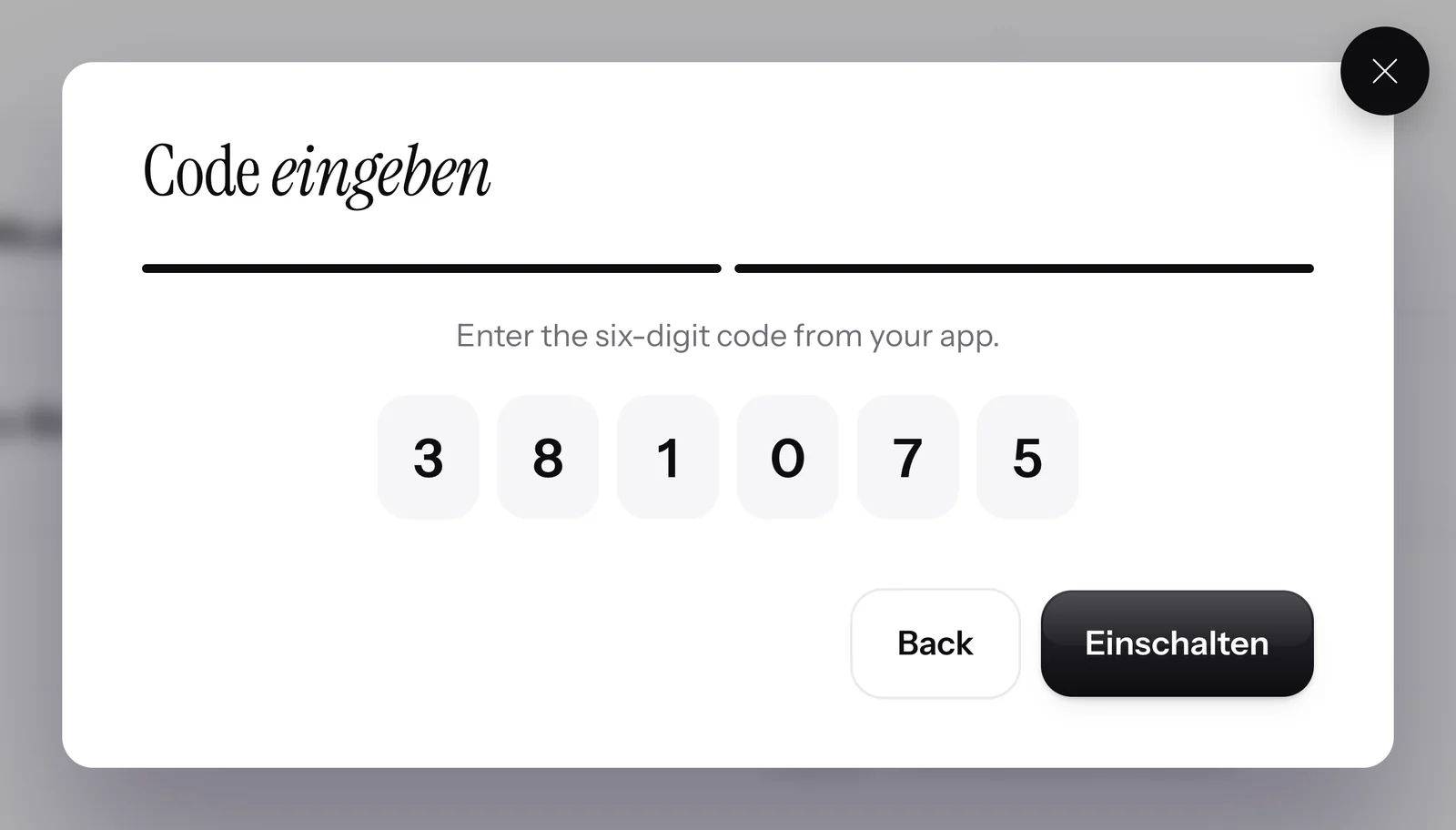
Enter the code
Next takes you to the fields for the code. Enter the digits from the app and click Turn on.


You turn it off in the same card.
You turn two-factor authentication off again in the same card.

Included in every plan
Two-factor authentication costs nothing extra. Everyone on the team turns it on for themselves, in Free just like in Pro. All prices plus VAT.
| Free | Starter | Basic | Pro | |
|---|---|---|---|---|
| Price per month | 0 € | 299 € | 499 € | 999 € |
| Seats in the team | 1 | 3 | 6 | 12 |
| Two-factor authentication per person | yes | yes | yes | yes |
| WhatsApp Login | yes | yes | yes | yes |
Frequently asked questions about two-factor authentication.
What is two-factor authentication in SmartChat?
Two-factor authentication is a second step when you log in. After the first code, SmartChat asks for a code from an authenticator app, and only then does your account open. For example, plumbing companies and window installers use it to protect the customer inquiries in their inbox.
Which authenticator app can I use?
Any authenticator app works, for example Google Authenticator or Microsoft Authenticator. You install it on your phone and use it to scan the QR code from SmartChat.
Where do I turn on two-factor authentication?
Under Settings, Personal account, Security. In the Two-factor authentication card, you click Activate, scan the QR code and enter the code from the app.
What do I do if I can't scan the QR code?
There's a key below the QR code. You copy it with Copy key and enter it by hand in your authenticator app.
Does every team member have to turn on two-factor authentication?
No, two-factor authentication is optional. Each team member turns it on for their own access, in a construction company for example, site management and office.
Why doesn't SmartChat accept my code?
Usually the time on your app is off, or the code has already expired. Check the time and enter the new code your app is showing right now.
What do I do if I lose my phone?
Contact support. We’ll help you.
How do I turn off two-factor authentication again?
In the same card, you click Deactivate and confirm with Turn off.
What's the difference to WhatsApp login?
With WhatsApp login, in the Phone login app, you get the first code via WhatsApp instead of by email. Two-factor authentication comes on top as a second code. You can use both at the same time.
Does two-factor authentication cost anything?
No, it's included in every plan, even in the free plan Free. The plans cost €0, €299, €499 and €999 per month, all prices plus VAT.
Protect your account twice over!
Enter your website. In 60 seconds your WhatsApp marketing system is ready, and you set up two-factor authentication in the settings after onboarding.