How to reply in the SmartChat inbox
You reply in the SmartChat inbox by choosing a conversation on the left, writing your text on the right and clicking the Send button.

What you should know first.
In the inbox, you reply when a contact has written to you. Three things help you with that.
- 24 hoursYou can reply freely for 24 hours after your contact's last message. The inbox shows you the time left.
- EnterPress Enter to send your text. For a new line, press Shift and Enter.
- You decideAn AI suggestion or an attachment is never sent on its own. It's only sent when you click.
How to reply
Four steps take you from the new message to your reply.
Open the inbox
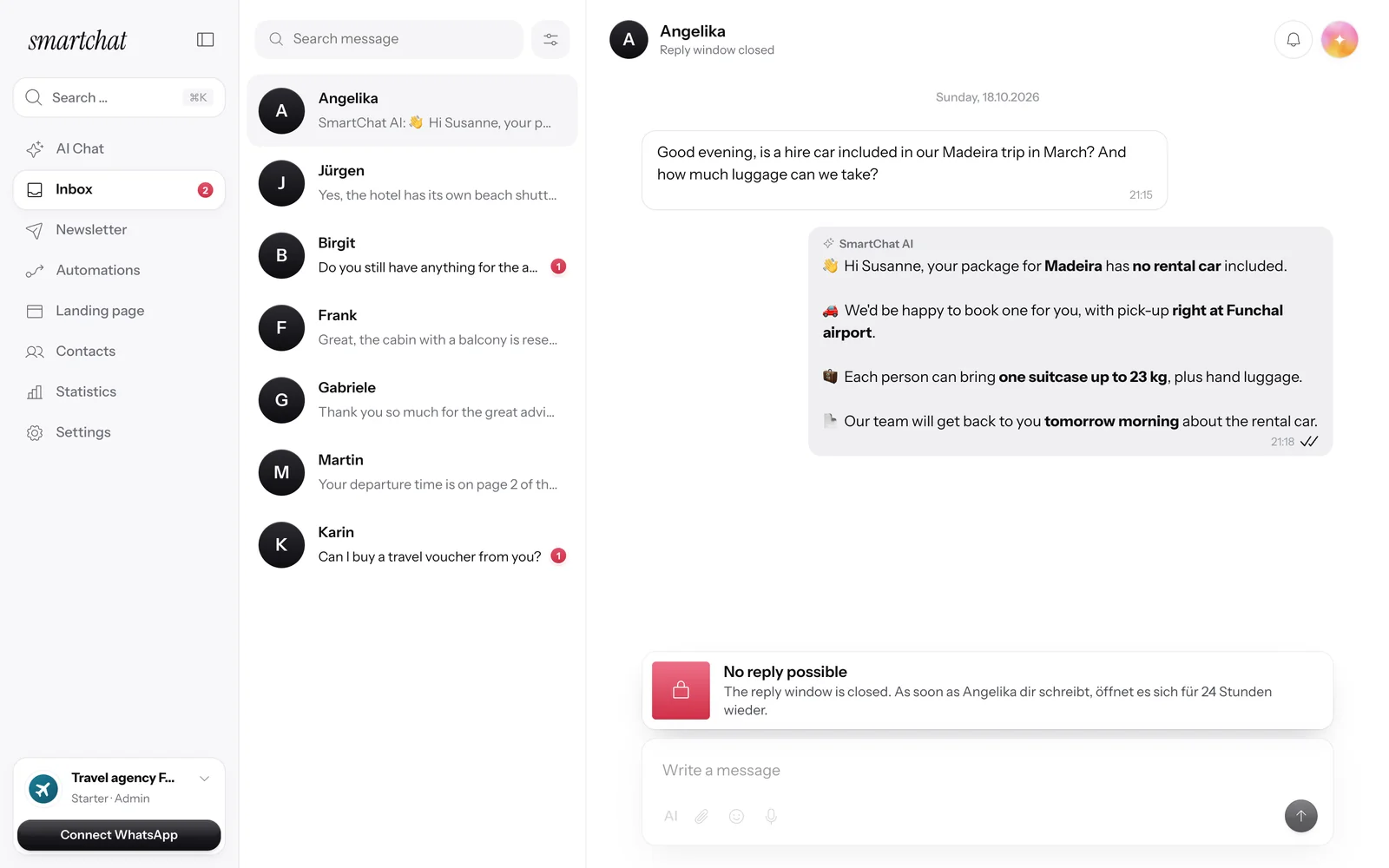
In SmartChat, open the inbox. All WhatsApp conversations are on the left.
In SmartChatChoose a conversation
Click the conversation on the left. On the right, you see the full chat history. Unread conversations show a number.
LeftWrite your text
Write your reply in the "Write a message" field below the history.
RightSend
Click the black Send button or press Enter. The field clears right away.
Right
You can reply as long as the window is open.
Above each conversation, you see how long you can still reply freely. When your contact writes again, the 24 hours start over.

Closing soon
Shortly before it runs out, the inbox shows the note "The reply window is closing soon" with the time left.
Closed
When the window is closed, it says "No reply possible". As soon as your contact writes to you, it opens again for 24 hours.
Reply with an attachment.
Besides text, you can send images, videos and documents straight from the inbox. The attachment first sits visibly in the field and is sent when you click.

Click the paperclip
Use the paperclip icon in the message field to choose the file. Images can be JPG or PNG.
Ready to send
You see the file's name and size. When it says "ready to send", click Send.
What else you can do in the message field .
Next to the text, the field has more buttons.
Suggest a reply
The AI button writes a suggestion into your field. Read it, change it and send it yourself.
Insert an emoji
Use the emoji icon to add an emoji to your text.
Frequently asked questions about replying in the inbox.
How do I send a reply in the inbox?
Choose the conversation on the left, write your text on the right and click the Send button or press Enter. For a new line, press Shift and Enter.
Why can't I reply to a contact?
Then the reply window is closed. The inbox shows "No reply possible". As soon as your contact writes to you again, it opens for 24 hours.
How long can I reply freely?
For 24 hours after your contact's last message. The time left is shown above the conversation.
How do I get SmartChat AI to suggest a reply?
It writes a suggestion for your reply straight into the field. SmartChat doesn't send it. You read it, change it and send it yourself. When the reply window is closed, the button isn't active.
How do I attach an image or document to my reply?
Images, videos and documents like PDFs. Images can be JPG or PNG. An attachment is never sent automatically; you send it with your click while the reply window is open.
What do the ticks under my reply mean?
Look at the ticks under your message: one tick means sent, two ticks delivered, two black ticks read. If your contact has read receipts turned off, it stays at delivered.
How do I find a specific conversation?
With the "Search messages" field on the left. You can also filter by All, Unread or From me and sort the list.
Can I reply when I only have my phone with me?
Yes, you open SmartChat in your phone's browser. A bar with AI Chat, Inbox, Newsletter and Contacts then appears at the bottom, and you reply just like on a computer.
How do I let SmartChat AI reply for me in the inbox?
Yes, if you turn on AI replies. SmartChat AI only replies when it's sure. Otherwise, the conversation is forwarded to you. Learn more under inbox.
Can my colleagues see my reply in the inbox?
Yes, everyone on your team sees the same conversations, each with their own login. You decide who can do what under Team .
How do I write to a contact who hasn't written to me yet?
The inbox is for replying once your contact has written to you. If you want to reach contacts yourself, you send a WhatsApp newsletter.
Your WhatsApp marketing is ready in 60 seconds
Enter your website. SmartChat AI builds the system for you.