




Thank-you after sign-up
Anyone who signs up and confirms immediately gets a thank-you message. That way your customer knows which messages come from your print shop.

With SmartChat, you send your customers on WhatsApp what is just coming out of the print shop: the order deadline for Christmas cards, new wedding papers or the trade fair package for the next booth.


A thank-you after sign-up, a message about the finished order and a reminder for the paper consultation: SmartChat takes care of these three for your print shop.

Anyone who signs up and confirms immediately gets a thank-you message. That way your customer knows which messages come from your print shop.


If your order management program can report finished orders to SmartChat, your customer finds out right away on WhatsApp that they can pick up.

SmartChat takes the appointment from your calendar and reminds your customer the day before. They then bring everything you need for the selection.
Your customers sign up themselves: through the QR code on the order bag and invoice, through the window on your website or through a link in your quotes. Only after they confirm in WhatsApp do you send them your newsletter.
The code is stuck on every order bag, printed on the invoice and on the stand at the pickup counter. SmartChat creates it for your landing page.
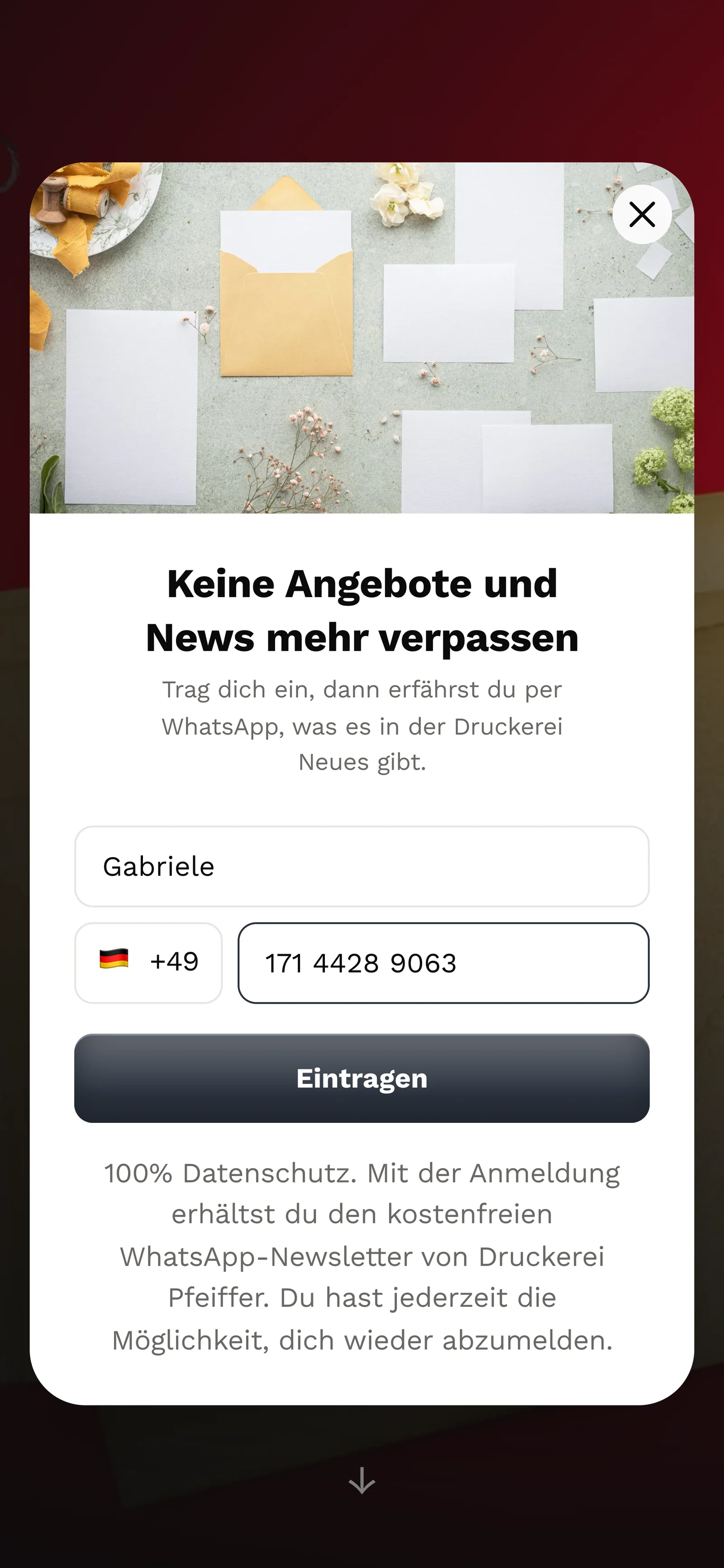
A small window opens on your website and behind the QR code. It asks for nothing beyond these two details.

One click on Confirm is enough. That is how double opt-in works: every customer agrees once themselves in WhatsApp.
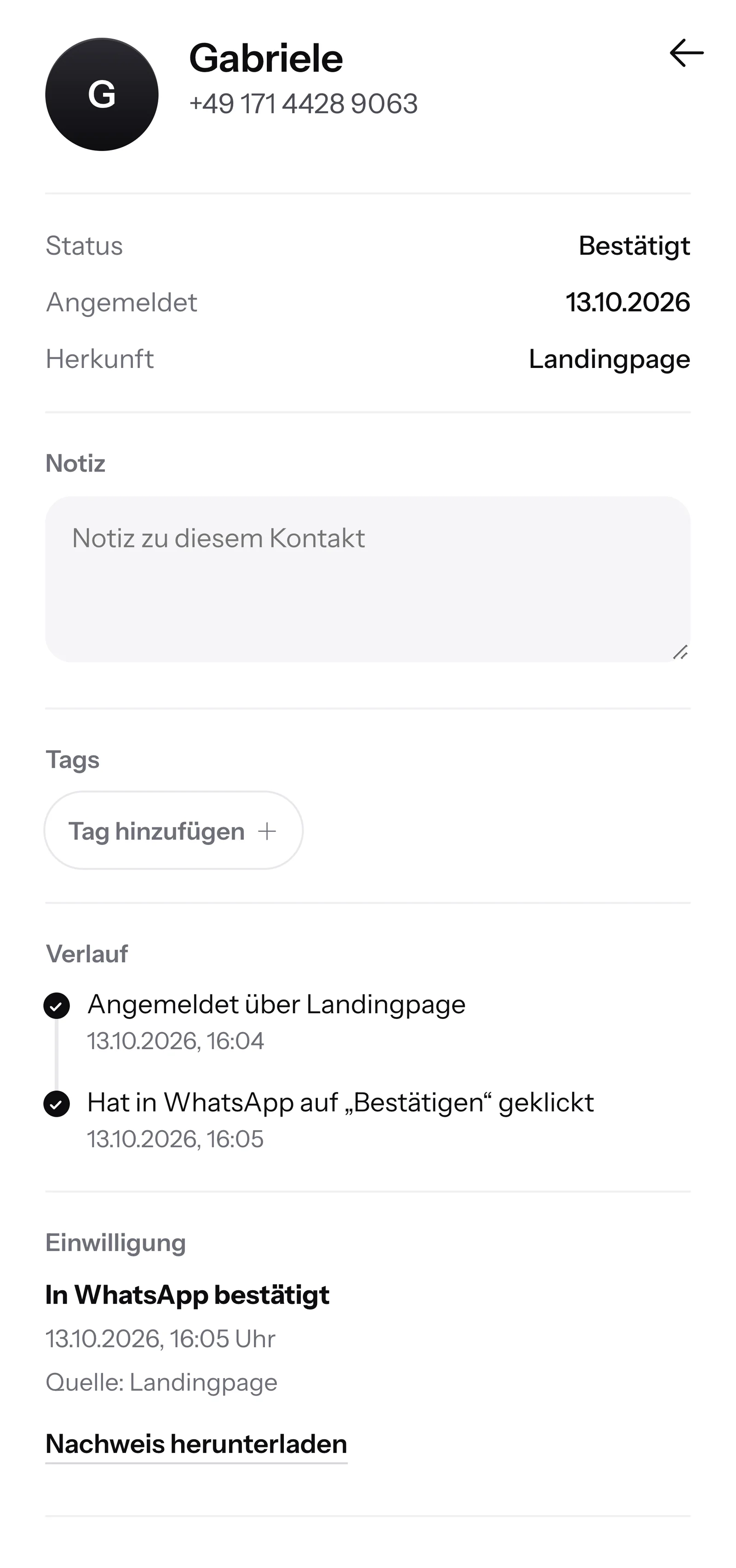
SmartChat records when and through which route your customer agreed. You download the proof as a PDF.

When a customer writes on the weekend and nobody in the print shop can be reached anymore, SmartChat AI replies fully automatically on your behalf. It answers with the knowledge it has learned from your website and your documents. If it has no source, it hands the chat over to you.

Your customers get an answer to their questions right away, even when the print shop is closed.
SmartChat AI replies in the language your customer writes in. International business customers understand the message right away in their own language.
If it is about the price for a special job, the message is passed on to your team in the inbox.
SmartChat sends your newsletter only to contacts who have signed up themselves and confirmed in WhatsApp. This Double opt-in applies equally to private customers and business customers. You can see in your contact list whether a customer has agreed.
Via the QR codethat SmartChat creates for you. Stick it on the order bag, print it on the invoice or put it at the pickup counter. On your website, a small window also asks for first name and WhatsApp number.
No. SmartChat is not a web shop and not an order management program. If a customer asks about an order on WhatsApp, the message lands in the SmartChat inbox, and your team takes care of it in the chat.
Yes, if your order management program can report finished orders to SmartChat via a webhook. Then an automation sends the pickup message automatically. You can find out from your program's provider whether it has a webhook.
No. You tell SmartChat AI the topic, for example your new Christmas designs with the order deadline. SmartChat AI writes the newsletter from that to suit your print shop, you read it and send it with one click.
SmartChat AI analyzes your website and the documents you upload under Knowledge & documents , such as your price list or your print data sheet as a PDF. When a new paper comes in, you upload the new version.
SmartChat AI answers with what is on your website and in your documents. A quote for a special job, for example with a spot color or an unusual print run, is written by your team itself in the inbox.
Yes. All WhatsApp conversations of your print shop come together in one inbox, and everyone on the team answers there. Free has 1 seat, Starter 3, Basic 6 and Pro 12.
No. You connect your print shop's number to SmartChat and verify it with a code from Meta, the company behind WhatsApp. You connect one number per account.
The Free plan costs β¬0, has no time limit and needs no credit card, with 100 messages one time. Starter is β¬299 per month with 3,000 messages, Basic β¬499 with 6,000, Pro β¬999 with unlimited messages. Sending costs no credits. All prices plus VAT, more under Pricing.
Meta bills the fees for WhatsApp messages directly to you, through the payment method in your Meta account. You only pay SmartChat for your plan. You can find the exact prices here.
Custom automations are available from Basic. Basic includes 3 automations, 1 of which is the fixed double opt-in automation, and Pro has unlimited. Free and Starter only have this fixed automation for new contacts. A custom automation like that is, for example, the message as soon as an order is ready for pickup.
You give SmartChat AI the address of your website. In 60 seconds, your landing page, QR code and the window for your website are ready. Then you connect your number and send your first newsletter.
Anyone who has confirmed your newsletter writes STOP into the chat with your print shop. From then on, SmartChat sends them nothing more and marks them as unsubscribed in your contact list.
SmartChat AI analyzes your print shop's website and builds your landing page, website window and QR code from it in 60 seconds. Free costs β¬0 and needs no credit card.